
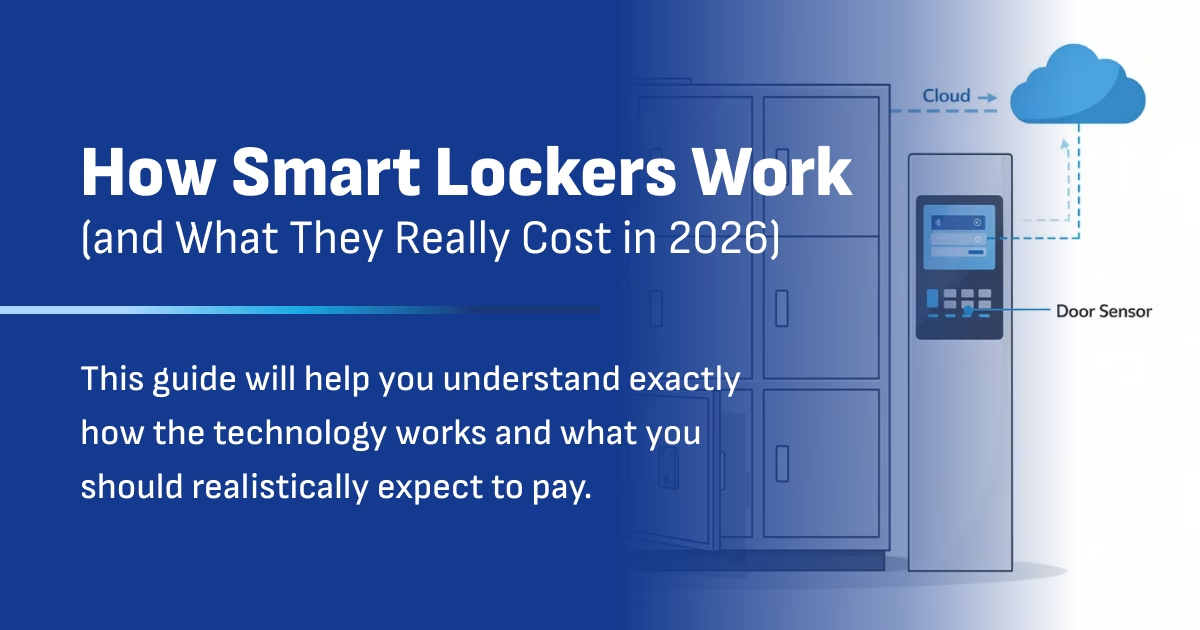
This guide breaks down how smart lockers work in real healthcare settings and what they actually cost in 2026, without the sales fluff.
If you’ve ever wondered what a smart locker actually is, here’s the simple version: it’s a secure cabinet that connects to software and the internet. Instead of physical keys, users authenticate with badges, PINs, or QR codes. Instead of paper sign-out sheets, the system logs every interaction automatically. And instead of hoping devices are charged, integrated power keeps everything ready to go.
This article is written for IT managers, operations leaders, and facilities teams working in schools, hospitals, enterprises, and venues. If you’re responsible for managing shared devices—phones, tablets, laptops, scanners—and you’re tired of dead batteries, missing equipment, and manual tracking headaches, this guide will help you understand exactly how the technology works and what you should realistically expect to pay.
The short answer on cost: well-designed smart charging locker systems typically run between $2,500 and $14,000 per system depending on size, features, and integrations. Anything significantly above that range usually signals overengineered specs or unnecessary add-ons. Throughout this guide, we’ll focus on device charging lockers rather than parcel-only systems, since that’s where the real workflow complexity—and value—lives.
What Is a Smart Locker System?
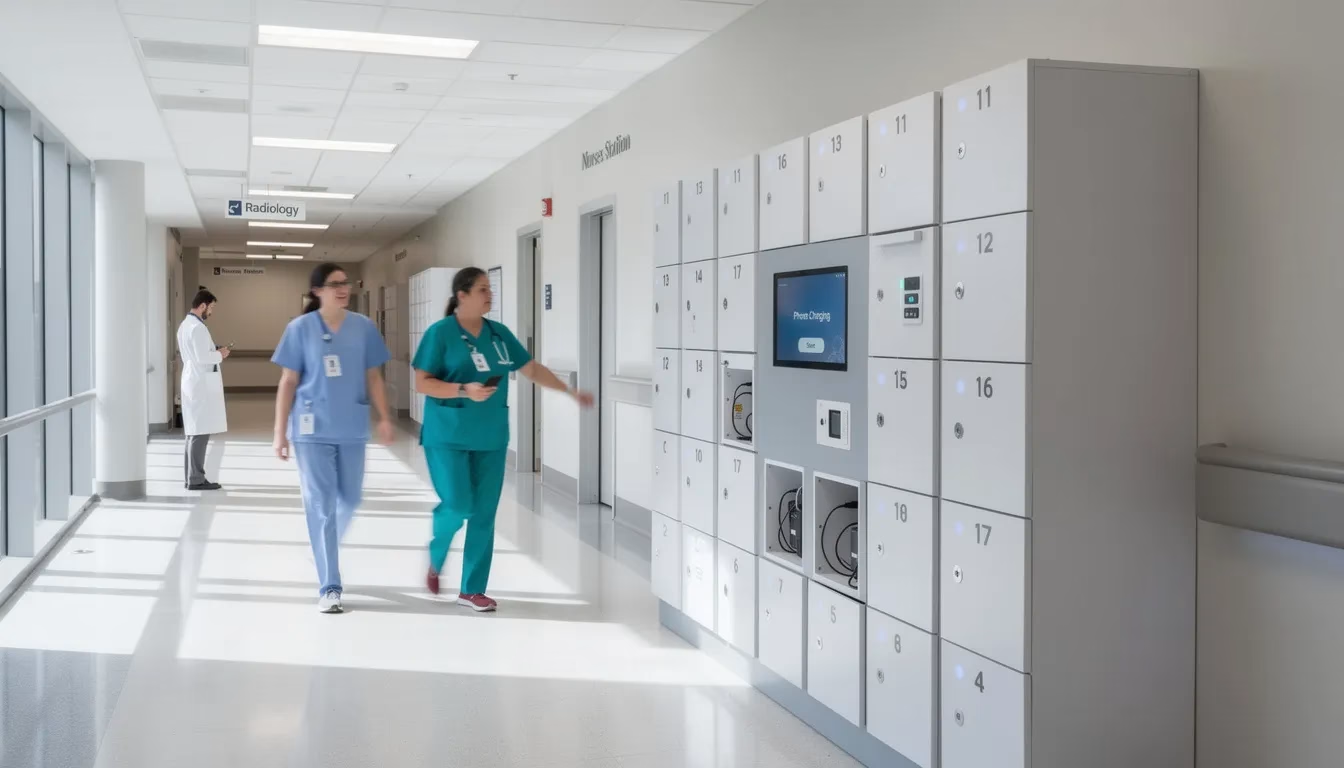
A smart locker system is a set of electronically controlled storage compartments managed by software, typically connected to the cloud. Unlike traditional lockers with physical keys, every bay in a smart locker system can be opened remotely, tracked in real time, and governed by policies you define.
Each individual bay functions as its own secure compartment. Depending on the configuration, bays can include AC outlets, USB-A ports, or USB-C PD charging capable of delivering 45–65W for laptops and tablets. Sensors detect whether doors are open or closed, whether a device is present, and in advanced setups, whether the device is actually drawing power.
The system supports a range of authentication methods, such as PIN codes, RFID employee badges, QR or barcode scans, and biometric fingerprint readers, to control access to each locker. Users authenticate using the chosen authentication method based on organizational needs. The system can combine methods for higher security—badge plus PIN, for example—when protecting high-value equipment or controlled items.
It’s worth understanding the difference between basic “remote unlock” lockers and fully featured smart charging lockers. Basic systems might let you unlock a door from a phone app. Fully featured systems run on policy-driven logic, support dozens of workflow variations, maintain complete audit logs, integrate with your existing IT infrastructure, and provide real-time analytics dashboards. That’s the difference between a simple storage box and an actual asset management platform.
At HonestWaves, our focus is on secure phone and device charging lockers with optional UV-C disinfection and data blocking technology. These aren’t warehouse parcel lockers—they’re purpose-built for managing shared technology assets in schools, hospitals, offices, and events.
Core Components: Hardware, Software, and Connectivity
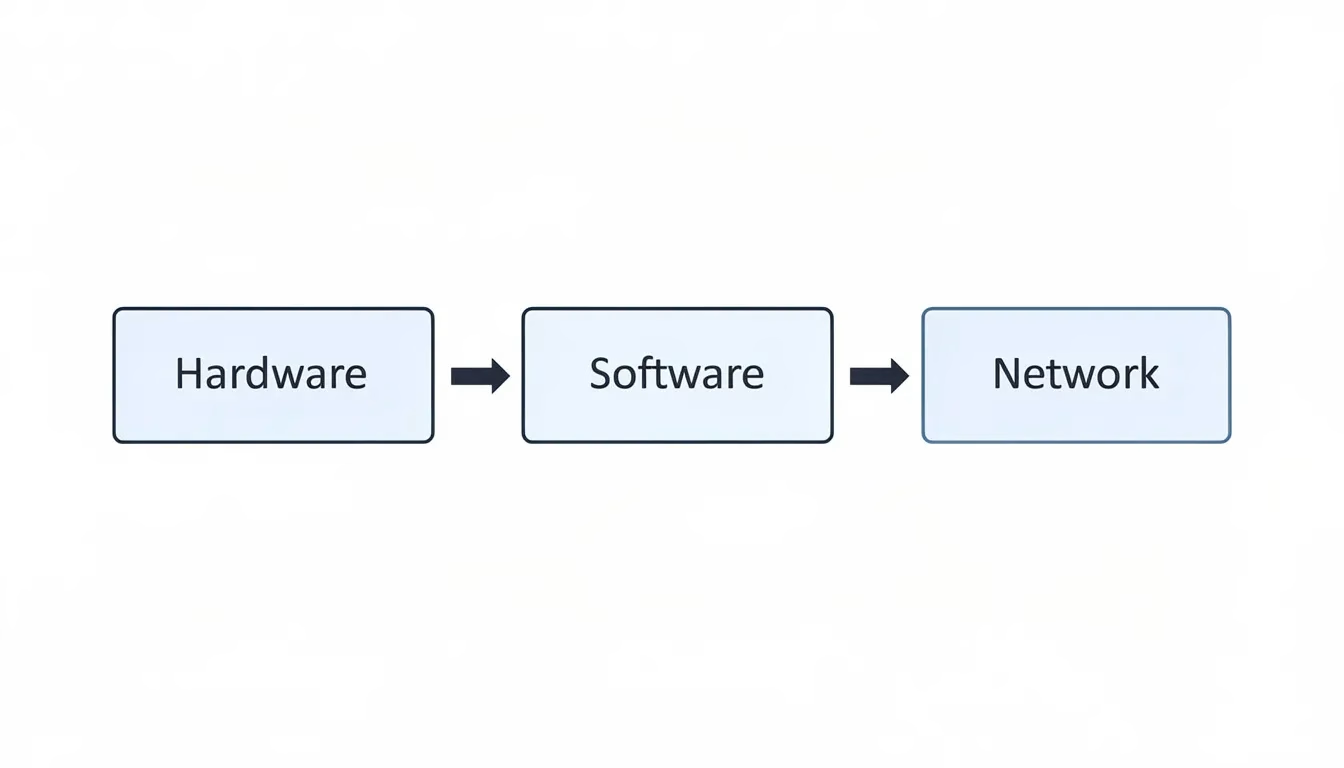
Smart lockers only work well when hardware, software, and networking are designed together as an integrated system. A beautifully built cabinet with poor software becomes frustrating to manage. Sophisticated software connected to unreliable hardware creates support headaches. The three components must function as one.
Hardware Inside a Smart Locker
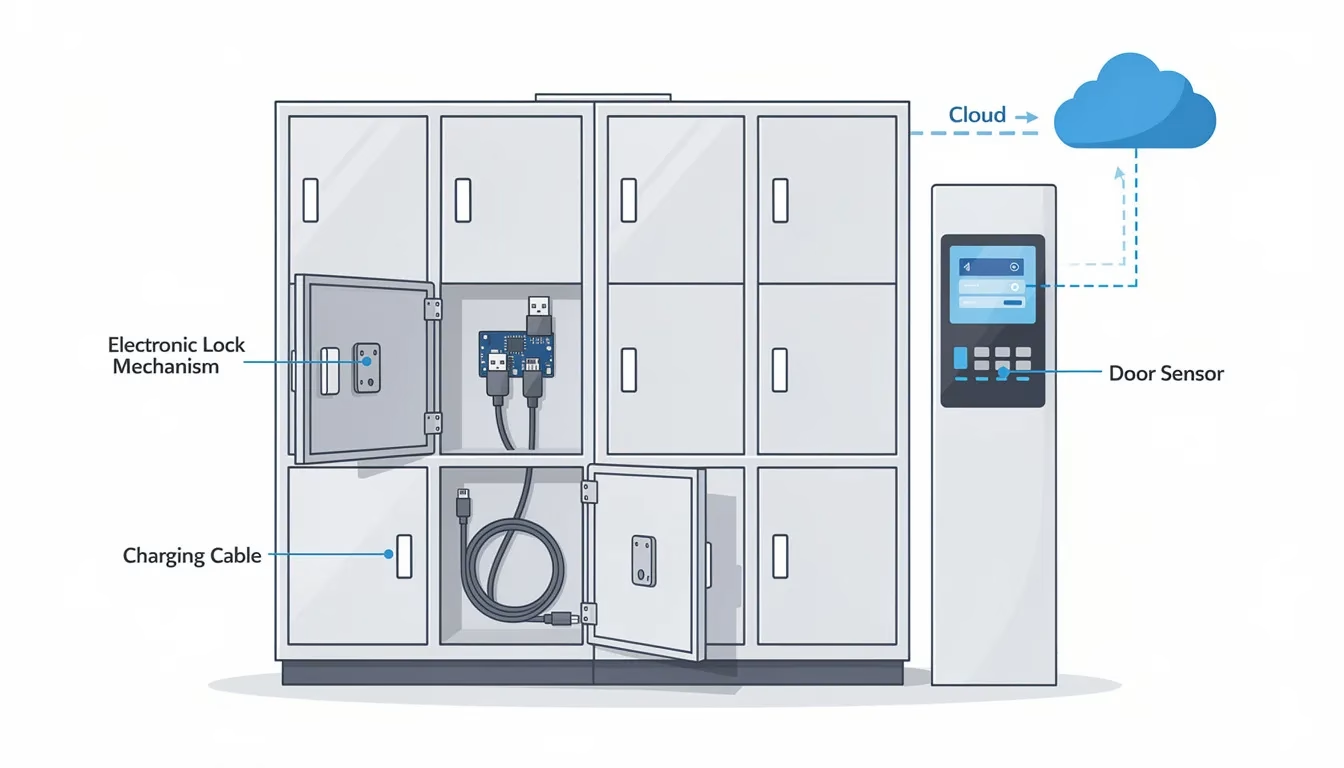
The physical locker cabinet typically features steel construction with tamper-resistant hinges and hidden cabling to prevent theft and vandalism. Standard configurations range from 10 to 24 bays per tower, with modular expansion allowing organizations to add capacity as needs grow.
Electronic locking mechanisms—either solenoid or motorized locks—replace traditional keyed cylinders. A central control board manages all locks simultaneously, receiving unlock commands from the software and confirming door status through sensors.
Integrated power options distinguish charging lockers from simple storage lockers. Each bay can include AC outlets for laptops, USB-A ports for older devices, or USB-C Power Delivery ports capable of fast-charging tablets and phones. Current draw sensors can verify that devices are actually charging, not just sitting unplugged.
UV-C disinfection modules represent an optional hardware add-on increasingly requested by healthcare, agricultural, and high-hygiene environments. These 254nm UV-C lamps or LEDs run automated sanitization cycles after devices are deposited.
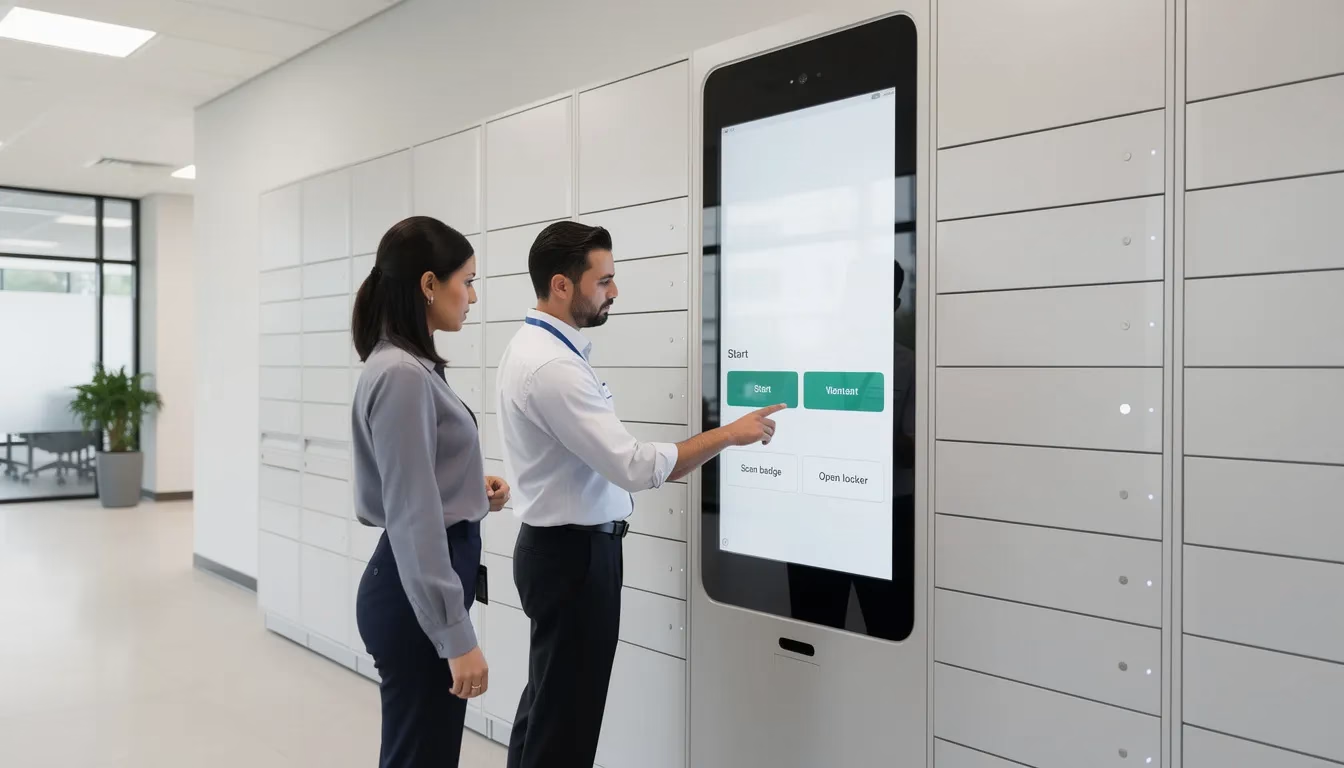
The user interface typically consists of a touch screen kiosk mounted on the locker bank, often paired with a badge reader, barcode scanner, or fingerprint sensor. This is where users authenticate and receive instructions about which bay to access.
Locker Management Software
Software defines the rules: who can open which doors, when, and under what conditions. This is where policy-driven logic lives, adapting the system to how your team actually operates rather than forcing new habits. Locker usage is tracked and managed by the software through real-time monitoring, access control, transaction logging, and data analysis, allowing administrators to optimize storage and security.
Typical admin capabilities include:
Assigning bays to specific users or groups (e.g., “ER Nurses,” “Student Helpdesk”)
Managing PINs, badges, and QR codes
Setting time limits and overdue thresholds
Configuring notification rules for alerts
Creating temporary access codes for visitors or contractors
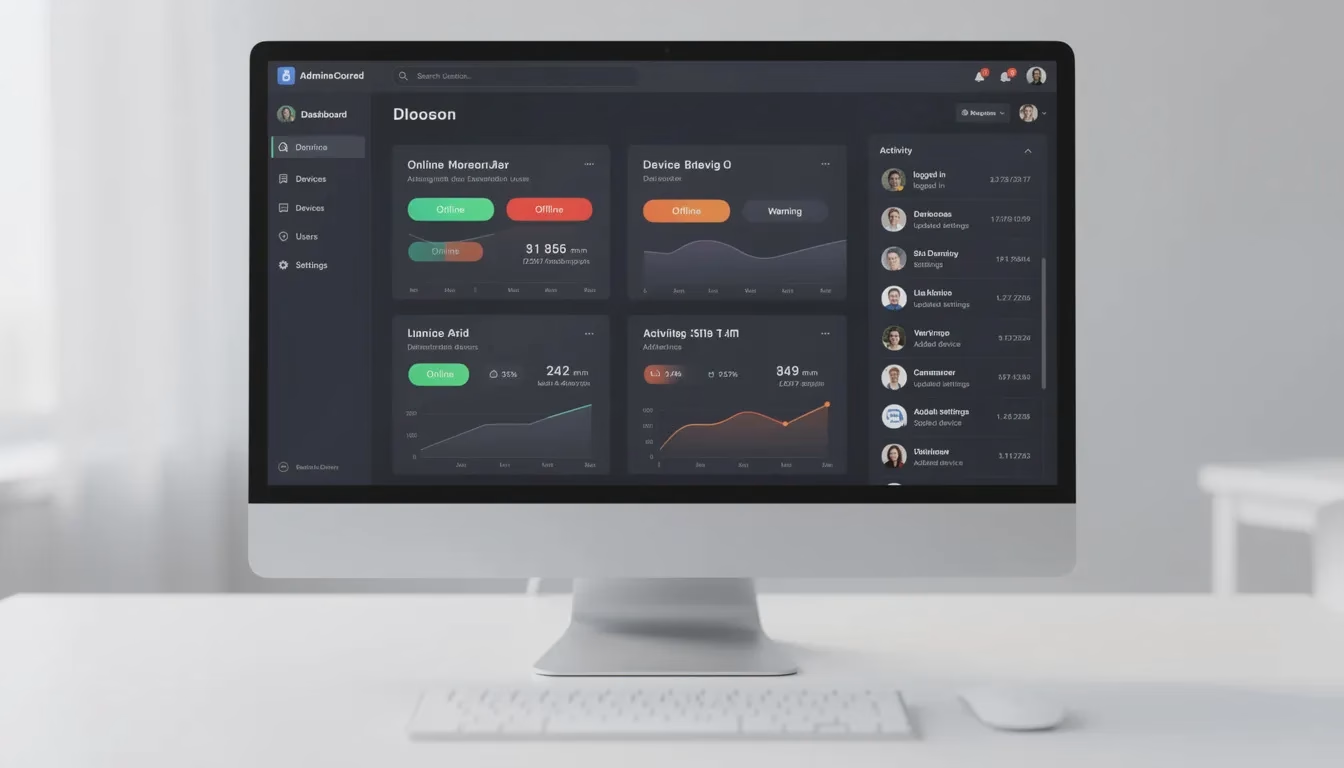
Real-time dashboard features let administrators view which devices are checked out, which are charging, which are fully charged, which have been flagged as damaged, and which UV-C cycles have completed. Everything updates continuously.
Every open and close event gets recorded in detailed audit logs: user ID, timestamp, bay number, device ID or barcode, and location ID. This digital record creates accountability and simplifies investigations when equipment goes missing.
Integration options connect lockers to identity systems like Active Directory or SSO providers, ticketing tools, and MDM or asset tracking software through APIs. When a device gets returned, the locker can automatically update the asset database.
Connectivity and Hosting Options
Smart lockers connect to management platforms via Ethernet or secure Wi-Fi. Network connectivity enables real-time status updates, remote configuration changes, and centralized reporting across multiple locations.
Hosting is flexible depending on IT requirements. Options include:
Standalone local server: For organizations with strict data residency or security policies
Vendor-managed secure cloud: Simplifies deployment and eliminates infrastructure maintenance
Hybrid setups: Combining local processing with cloud analytics and reporting
Data in transit uses TLS encryption, and admin access to portals follows role-based access control principles. Lockers can operate in offline modes during network outages, caching events locally and syncing once connectivity returns.
Network planning should happen early in any deployment. VLANs, firewall rules, and content filter exceptions need coordination with IT teams before installation day arrives.
Step-by-Step: How Smart Charging Lockers Work in Daily Use
Modern smart charging lockers are workflow-based systems designed to adapt to how teams already operate. The platform doesn’t force new habits—it supports existing workflows while adding automation, accountability, and visibility.
Let’s walk through a typical check-out, return, and charging sequence using concrete steps that mirror real-world use.
1. Authenticating and Checking Out a Device
The process begins at the central kiosk screen mounted on the locker bank. Users select an option like “Check Out Device” or “Get Loaner” to initiate the workflow.
Supported authentication methods include:
Employee badge (RFID)
PIN code
Barcode or QR code on ID
Fingerprint (where appropriate for the environment)
SSO login through the touch screen
Administrators can combine methods for higher security. A hospital managing controlled medications might require badge plus PIN. A school issuing student Chromebooks might accept a simple barcode scan.
Once authenticated, the software applies policy-based behavior. The system might prompt the most charged available device, restrict access by department, honor one-to-one device assignments, or allow access to multiple bays at once for supervisors.
The software selects the appropriate bay following defined policies and sends an electronic unlock command. The user opens the door, takes the device, and goes. The system logs everything: user identity, timestamp, bay number, device ID, and location.
2. Using Policy-Driven Workflows (65+ Possible Paths)
Modern systems support dozens of workflow variations across every industry—over 65 configurable paths in many platforms—rather than forcing a single rigid flow.
Here are concrete workflow examples:
Prompt most charged device for a nurse starting a 7am shift
Department-based access restricting pharmacy staff to pharmacy devices
One-to-one assignments ensuring specific devices go to specific users
Multiple devices per bay for scenarios requiring a radio plus a scanner
Access to multiple doors at once for supervisors restocking equipment
Manager overrides allowing supervisors to release devices for other team members
Temporary employee access with codes or QR links that expire after return or a set time window
All these flows are defined centrally as policies by administrators. From the end user’s perspective at the kiosk, the experience feels simple and consistent—authenticate, take the device, go.
3. Returning a Device and Verifying Charging
To return a device, users authenticate again using the same badge, PIN, or QR method from checkout. An optional scanning step lets users scan the device’s barcode or asset tag to link it explicitly to the return event.
The system then prompts with a simple question: “Is the device working properly?” with Yes and No options. This flags damaged or malfunctioning units and takes them out of circulation. From the user’s perspective, the flow looks identical whether they answer yes or no—the locker still opens, and the deposit experience stays simple.
Once the bay opens, users plug in the device. Smart charge detection verifies the cable is actually connected and current is flowing. If the device isn’t plugged in properly, the system alerts the user on-screen and can refuse to complete the return. This prevents dead devices from appearing in circulation later.
4. Tracking, UV Disinfection, and Real-Time Status
Once the door closes, the locker records the return time, charging status, and any “damaged” flag to the central log. The retrieval process is complete from the user’s side.
When UV-C disinfection is enabled, the system automatically runs a sanitization cycle after the device is deposited. Completion gets recorded for compliance documentation—particularly important in healthcare and food safety environments.
Administrators see real-time data at a glance through dashboards:
Status | What It Means |
|---|---|
Checked Out | Device currently with a user |
Charging | Device returned, actively drawing power |
Ready | Fully charged, available for checkout |
Damaged | Flagged during return, removed from circulation |
Overdue | Past return deadline, requires follow-up |
Automated notifications alert administrators about overdue returns, repeated damage reports on the same device, or bays that fail to charge devices properly.
Where Smart Lockers Are Used (Education, Healthcare, Enterprise & More)
While smart parcel lockers for package delivery have become common in residential buildings and corporate mailrooms, automating parcel delivery, streamlining last-mile logistics, and enabling contactless fulfillment options like BOPIS (Buy Online, Pick Up In Store), this section focuses on device-centric smart lockers designed for managing phones, tablets, laptops, scanners, and radios.
K–12 Schools and Districts
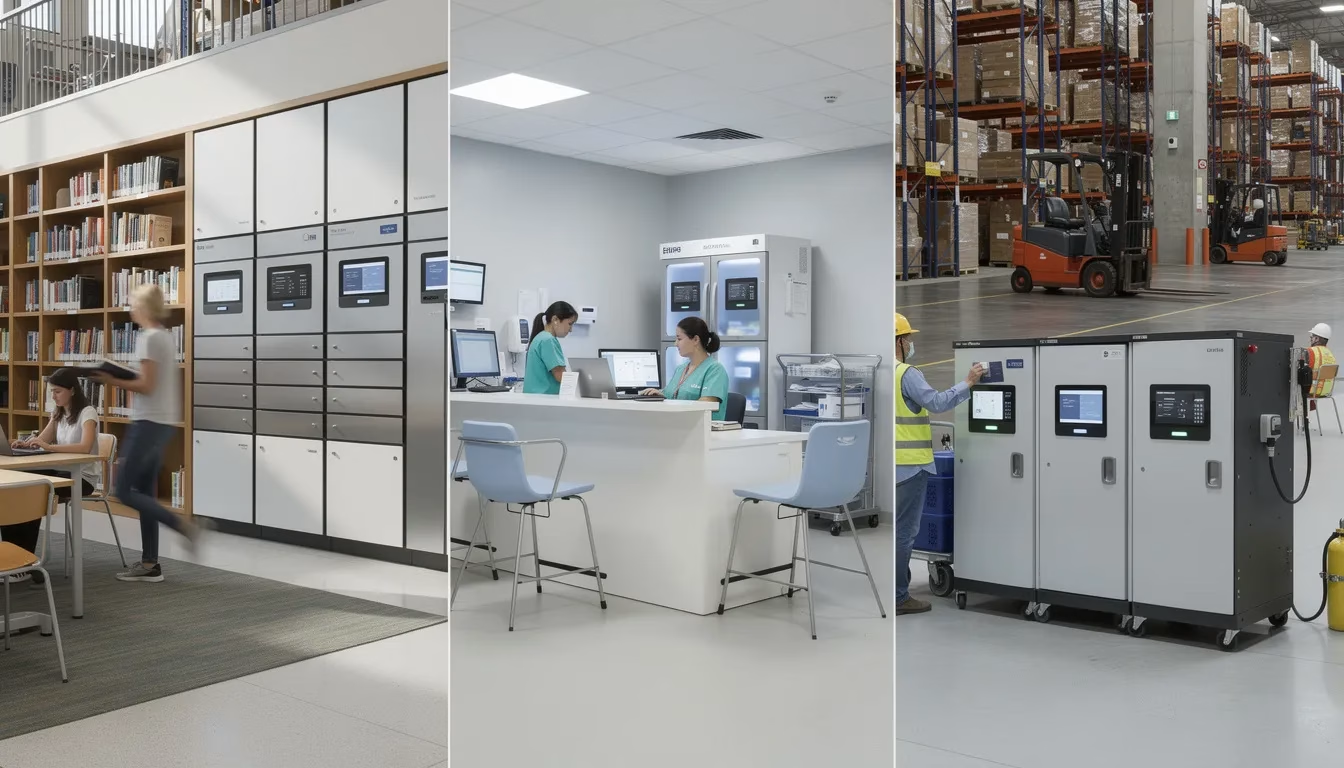
Smart lockers support 1:1 Chromebook and iPad programs by serving as self-service hubs for loaners, repairs, and after-hours pickup. The post-2020 shift to 1:1 devices dramatically increased the number of shared devices flowing through schools daily.
A typical workflow: a student drops off a broken Chromebook at 8am and picks up a pre-staged loaner within minutes—with zero staff interaction required. The system logs the swap, notifies the tech team about the damaged device, and keeps the student in class.
Benefits for districts include fewer lost devices, reduced front-desk traffic, and consistent processes across multiple campuses. Placement near media centers, main offices, and tech support rooms enables 24/7 or extended-hours access for families and staff.
Universities and Higher Education
Higher education institutions deploy smart lockers in libraries, labs, and residence halls as round the clock access IT kiosks for laptops, tablets, and specialty gear like cameras or lab equipment.
These lockers replace the old “keys behind the help desk” model with digital workflows and audit trails, especially valuable during late-night study periods when IT staff aren’t available. In hot-desking environments and shared labs, lockers ensure charged devices are always available for rotating students and teaching assistants.
Integration with campus ID cards simplifies controlled access and lowers friction for both students and staff.
Hospitals and Healthcare Facilities
Hospitals use charging lockers to manage shared tablets, work phones, and handheld scanners for nurses and physicians across shifts. The importance of UV-C disinfection and audit history grew dramatically from 2020 onward as infection control became paramount.
A concrete scenario: emergency department staff pick up fully charged phones at the start of each 12-hour shift, with automatic tracking and reminders for overdue returns. Devices stay secure between uses rather than sitting unsecured on counters where protected health information could be exposed.
Smart lockers provide secure storage for patient-facing devices while maintaining complete visibility into device activity and user history.
Enterprises, Corporate Offices, and Call Centers
Smart lockers support hybrid work and hot-desking by issuing shared laptops and accessories on demand. Employees arriving at any corporate offices location can authenticate, grab a charged laptop, and start working immediately.
Call centers use lockers to store mobile phones during shifts while still providing secure charging—addressing both security risks and employee needs. IT teams benefit from automated laptop handoffs, onboarding kits, and after-hours device swaps without requiring someone at a help desk.
Connected lockers integrate with corporate access badges and HR systems to automatically enable or revoke access when employees join or leave the organization.
Manufacturing, Warehouses, and Field Operations
Industrial environments require workflows for handheld scanners, rugged tablets, radios, and wearable devices used on production lines and in distribution centers. An audit trail helps track who last checked out a missing device, reducing device loss and replacement costs.
Shift-change scenarios in 24/7 operations mean lockers must ensure each shift starts with fully charged gear ready to go. Automated notifications can alert supervisors when devices aren’t returned before shift end.
Environmental considerations include industrial-grade enclosures, dust-resistant designs, and clear labeling for fast pickup in high-volume areas.
Events, Venues, and Public Spaces
Arenas, conference centers, and festivals deploy smart phone charging lockers as temporary or permanent amenities. Attendees lock phones in bays, devices charge during sessions, and users return with their code or wristband QR to retrieve them.
For multi-day events, rental options for portable charging kiosks and smart lockers provide security plus contactless convenience without permanent installation. Lockers and kiosks can be wrapped or skinned to match event themes or sponsor branding, creating revenue opportunities alongside guest satisfaction.
Key Benefits of Smart Charging Lockers
The benefits of smart charging lockers fall into four main categories: device uptime, enhanced security, operational efficiency, and analytics that drive continuous improvement. Each category directly addresses pain points that IT teams and operations managers face daily.
Higher Device Uptime and Fewer “Dead” Devices
Integrated charging ensures phones, tablets, and laptops are fully charged at the start of shifts, classes, or events. Smart charge verification prevents a “return” from completing until the device is actually connected and drawing power.
The impact is tangible: fewer interruptions during clinical rounds, fewer class delays due to dead student laptops, and smoother shift handovers in 24/7 operations. Dead devices become a rare exception rather than a daily frustration.
Improved Security and Accountability
Controlled access through PIN, badge, QR, or biometric authentication combined with detailed system logs reduces both accidental loss and deliberate theft. Every interaction creates an audit trail showing exactly who accessed which device, when, and from which bay.
Data blocking USB technology in charging ports prevents data transfer while devices charge, protecting sensitive information on phones. Personal items and confidential documents stay secure in storage spaces that only authorized users can access.
Less Manual Work for IT and Operations
Self-service lockers replace manual sign-out sheets, key management, and repeated “Is there a spare laptop?” requests. Organizations implementing smart locker solutions often see locker-related admin time drop dramatically once workflows are automated.
The 24/7 availability of electronic lockers removes the need to schedule staff just for equipment pickups or returns outside normal hours. This represents a significant step in automating manual tasks and reducing manual handling overhead.
Real-Time Analytics and Continuous Improvement
Dashboards show utilization by bay, by device, by department, and by time of day or week. Asset tracking software built into the locker platform provides inventory management visibility that manual processes simply cannot match.
Reports highlight chronic issues: frequently damaged devices, consistently overdue users, or bays that malfunction often. This data informs decisions like purchasing fewer spare devices, consolidating locker locations, or adjusting shift allocations. Smart lockers improve efficiency not just through automation but through the insights they generate.
Costs: How Much Do Smart Lockers Really Cost in 2026?
Well-designed smart charging lockers commonly run from about $2,500 to $14,000 per system for most business use cases. Significantly higher quotes often signal overspecified features, expensive add-ons you don’t need, or vendors who haven’t optimized their pricing.
Important clarification: “system” typically means a single tower or bank with multiple bays—anywhere from 8 to 24 compartments—not just one individual bay. When evaluating quotes, make sure you understand exactly what you’re getting.
The goal when buying smart lockers should be matching features to real workflows, not automatically choosing the most expensive option. Let’s break down what typically drives cost.
1. Locker Hardware and Bay Count
More bays mean higher upfront cost, but cost per bay usually falls as systems scale. Here are typical ranges (these are general guidelines, not quotes):
Configuration | Typical Price Range | Best For |
|---|---|---|
Small wall-mounted 8–10 bay units | ~$2,500–$5,000 | Small offices, single departments |
Floor-standing 16–24 bay units | ~$5,000–$10,000 | Schools, hospital units, warehouses |
Multi-tower systems with expanded features | ~$10,000–$14,000 | Large deployments, high-traffic locations |
Materials and build quality affect pricing: steel thickness, vandal resistance, and industrial-grade components all factor in. Modular designs can save money over time because organizations can add towers as demand grows rather than overbuying capacity on day one.
2. Charging, UV-C Disinfection, and Special Features
Adding integrated AC and high-wattage USB-C charging increases cost versus storage-only secure lockers, but often eliminates the need for separate charging carts. When you factor in cart costs and the manual work they require, integrated charging frequently delivers better value.
UV-C disinfection modules represent a premium option that adds cost but may be required for hospitals, labs, or high-sensitivity environments. Other add-ons affecting price include:
Biometric readers
Outdoor-rated enclosures
Custom colors and branding
High-brightness displays for sunny environments
For many corporate and education deployments, the best value sits in the mid-range feature set rather than the most expensive upgrades.
3. Software, Hosting, and Licenses
Management software usually involves either a one-time license plus annual maintenance or a recurring subscription per system or per bay. Common pricing structures include:
Per-locker monthly fees
Per-location licensing
Enterprise agreements for multi-site rollouts
Costs vary by feature tier: basic remote management costs less than full workflow automation with analytics and integrations. Cloud hosting in a secure environment often simplifies deployment compared to building and maintaining on-premises infrastructure.
4. Installation, Integration, and Ongoing Support
Professional installation—anchoring, power connection, network configuration—adds to initial project cost but ensures safety and reliability. Don’t skip this to save money; improper installation creates ongoing problems.
Integration work connecting to SSO, ID badges, MDM tools, or ticketing systems may involve a one-time services fee. The complexity of your existing workflows determines how much integration work is needed.
Ongoing support and warranty matter significantly for total cost of ownership. At HonestWaves, for example, lifetime hardware warranty on many charging stations and lockers changes the long-term math considerably. Always look beyond sticker price to include support, spare parts, and outage risk when evaluating total value.
When Is a Quote “Too Expensive”?
For most education, healthcare, enterprise IT, and venue use cases, paying well over $14,000 for a single locker bank is rarely justified unless extremely specialized requirements exist. If you receive quotes significantly above this range, review them carefully:
Are they including outdoor parcel features for an indoor hospital deployment?
Are biometric readers necessary when badge access meets your security needs?
Is enterprise-tier software included when basic management would suffice?
Compare quotes on a cost-per-bay and cost-per-active-user basis, not just total price. A realistic, transparent quote should show line items: hardware, software, installation, integrations, support, and any taxes or freight. If a vendor won’t itemize, that’s a red flag.
Planning a Smart Locker Deployment
Moving from “we think we need lockers” to “we have a working system in production” requires careful planning. The steps below provide a roadmap that applies across industries and use cases.
1. Map Your Workflows Before Buying Hardware
Start by documenting real-world scenarios: device deployments, daily checkouts, repairs, replacements, temporary visitor access. Understand who needs what, when, and under what circumstances.
Well-designed systems support 65+ configurable workflows, so you don’t have to build custom code or force users into awkward processes. But you need to know your requirements before you can configure policies.
Identify edge cases: overnight shifts, remote campuses, seasonal staff, high-turnover teams. These scenarios often reveal requirements that standard configurations miss.
Early involvement of IT, security, and front-line managers makes adoption smoother. The people who actually use devices daily often understand workflow nuances that executives don’t see.
2. Choose Locations and Quantities Strategically
Assess foot traffic and device density to choose locker locations. High-value spots include:
Near IT helpdesks
At nurse stations
Warehouse entrances and break rooms
Main building lobbies
Tech support rooms
Plan for power outlets, network drops, and physical clearances (door swing, ADA access) before ordering hardware. Discovering you need electrical work after lockers arrive delays deployment.
Consider starting with a pilot at a single high-visibility location, then replicating the model across other sites once workflows are proven. Typical lead times from order to installation run 6–12 weeks for custom configurations, so plan early for back-to-school, fiscal year, or construction windows.
3. Integrate with Existing Systems
Connecting lockers with identity systems, ticketing platforms, and asset databases amplifies value. Integration can automate tasks like opening a locker when a service ticket reaches a certain status or logging a repair at device drop-off.
Early coordination with network and security teams avoids delays due to firewall rules, VLAN design, or security reviews. Generate reports that feed into existing dashboards rather than creating yet another system to monitor.
Standardize configurations across locations to simplify support and training. When every locker works the same way, users can authenticate themselves at any location without relearning the process.
4. Train Users and Monitor Early Usage
Training doesn’t need to be complex. Short videos, on-screen instructions, and quick reference cards near the lockers typically suffice. The self service nature of well-designed systems means users figure things out quickly.
The first 30–60 days are critical. Watch analytics to identify underused bays, repeated errors, or confusing steps. Run at least one “day in the life” test per department to validate that workflows match reality.
With the right configuration, day-to-day use becomes fully automated and intuitive. After initial adjustment, ongoing training requirements drop to near zero.
Smart Lockers vs. Traditional Storage and Charging Options
Understanding how smart lockers compare to alternatives helps clarify their value proposition. The right choice depends on your specific requirements, but the comparison often favors smart lockers for device-heavy environments.
Traditional Lockers and Charging Carts
Keyed traditional lockers offer simple storage but no visibility into who accessed which compartment and when. Asset loss and device loss become investigation nightmares without real time tracking.
Conventional charging carts help with power distribution but still require manual sign-in/out processes and physical keys. Common issues include:
Lost keys requiring lock replacements
Uncharged devices when cables aren’t connected properly
No audit trails for accountability
Difficulty scaling across multiple floors or buildings
Smart lockers centralize policies, automate logging via the notification system, and show real-time device readiness. For organizations managing shared devices, the efficiency gains often justify the investment quickly.
Ad-Hoc Charging (Random Outlets and Power Strips)
Many organizations default to scattering devices on desks, counters, nurse stations, or classroom corners, each competing for outlets. This creates multiple problems:
Theft risk: Unattended devices in public areas disappear
Safety hazards: Trip hazards from cables, overloaded power strips
Data exposure: Unlocked devices with sensitive information left accessible
Unreliable charging: Unplugged chargers, dead devices at critical moments
Smart lockers replace this chaos with structured, secure, trackable storage solutions. For environments with dozens or hundreds of devices, ad-hoc approaches simply don’t scale beyond a single room. The improve user satisfaction that comes from always having charged, available devices makes a measurable difference in daily operations.
Conclusion: Making Smart Lockers Work for Your Organization
Smart locker technology combines secure lockers, policy-driven software, and cloud connectivity to transform how organizations manage shared devices. Rather than manual processes, paper logs, and constant “where’s the spare laptop?” questions, smart lockers act as automated, accountable hubs for phones, tablets, laptops, and more.
The technology adapts to your workflows—not the other way around. With support for 65+ configurable paths, modern systems handle everything from simple checkout/return scenarios to complex multi-department, multi-shift operations with manager overrides and temporary access provisions. Every interaction creates a digital record, providing the audit trail that improve operational efficiency and accountability demands.
Realistic pricing for robust, enterprise-grade systems typically falls in the $2,500–$14,000 range per system. If you’re seeing quotes significantly above that, scrutinize what you’re actually getting. Match features to your real needs rather than buying capabilities you’ll never use.
The smartest path forward starts with your workflows and pain points—dead devices, missing laptops, staff time spent on manual tasks, security risks with unsecured storage. Map those requirements first, then select hardware and software that address them directly.
At HonestWaves, we’ve built smart charging lockers, charging tables, and portable kiosks specifically for the scenarios covered in this guide: schools managing 1:1 devices, hospitals ensuring round the clock access to charged phones, enterprises supporting hybrid work, and venues providing secure way charging for guests. Our approach combines advanced security features with straightforward workflows that users authenticate through in seconds.
Ready to dive deeper into how smart lockers could work for your environment? Request a tailored quote or talk with a specialist to map out workflows, locations, and realistic costs for your specific situation.
Smart Locker Asset Management: Tracking, Inventory, and Lifecycle
Smart locker asset management is completely changing the game for how organizations track, inventory, and manage their most valuable assets. With smart locker technology taking off, businesses can finally automate asset tracking and ditch the manual headaches – reducing security risks across the board.
Here’s where it gets interesting: At the heart of any smart locker system, you’ve got cloud-based software integrated with electronic lockers, creating this seamless platform for real-time tracking that actually works. Whether you’re dealing with laptops, tablets, mobile phones, or other critical equipment, smart lockers give you secure storage and controlled access – meaning only the right people can get to your stuff. This is huge for corporate offices, hospitals, and schools, where device management and package delivery need to be both secure and efficient without turning into a daily nightmare.
But here’s the real kicker: Smart locker solutions use advanced security features like QR codes, PIN codes, and mobile apps to authenticate users and grant access. Every single transaction – device checkout, return, package pickup, you name it – gets automatically logged in the system. No more guessing games. These system logs don’t just boost accountability; they hand your IT teams the exact data they need for inventory tracking, audit trails, and compliance reporting. Pretty neat, right?
One of the standout benefits? Smart locker software completely automates those manual tasks that used to eat up valuable staff time. Instead of relying on paper logs or manual sign-out sheets (seriously, who has time for that anymore?), organizations can use smart lockers to provide round-the-clock access to assets. This frees up IT teams to focus on higher-value work like device management and strategic planning. Automated notifications and real-time tracking ensure that assets are always accounted for, slashing the risk of device loss and boosting operational efficiency.
Smart parcel lockers have become absolute staples in corporate offices and residential buildings, offering a secure and convenient way to handle package delivery and retrieval. By providing secure storage for personal belongings and confidential documents, smart lockers help organizations reduce theft, improve user satisfaction, and maintain higher security standards. And let’s be honest – who doesn’t want happier users and fewer security headaches?
The operational benefits go way beyond just security. With asset tracking software built right into the locker system, organizations get real-time visibility into asset usage, inventory levels, and device status. This enables smarter asset allocation, cuts down on unnecessary purchases, and helps identify trends like frequently damaged or overdue items. By automating inventory management and reducing manual processes, smart lockers seriously improve efficiency and support digital transformation initiatives. ⚠️Spoiler alert!⚠️ Your organization probably needs this more than you think.
Smart locker technology is incredibly adaptable – serving everything from IT asset management in corporate offices to streamlining package delivery in residential buildings, and from securing medical devices in hospitals to supporting device management in schools. No matter the setting, smart lockers provide a secure, efficient, and user-friendly solution for asset management. If you’re going to invest in asset management, why not ask what it actually gives you in return?