
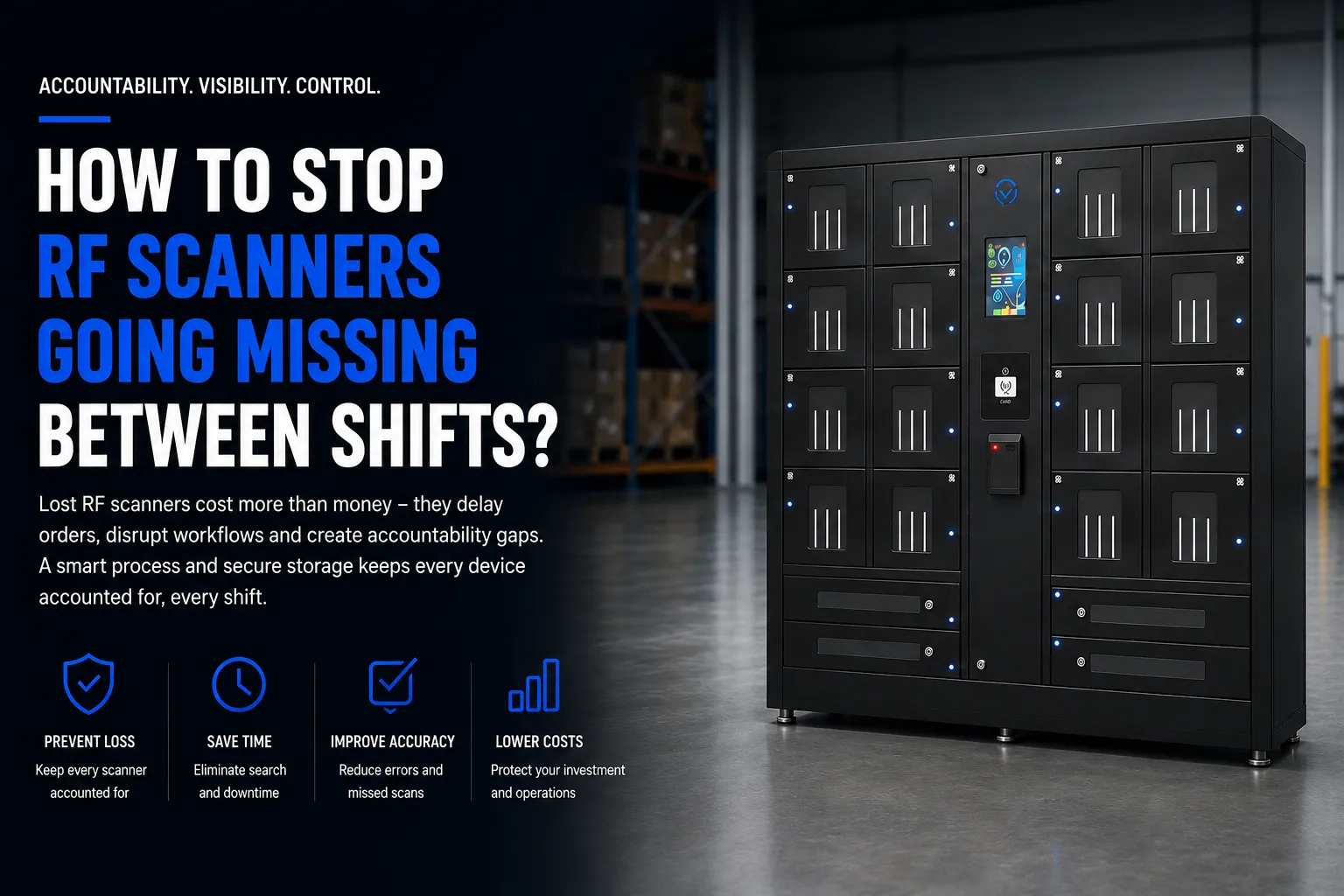
Three RF scanners vanished from a Midwest distribution center in a single week. Outbound orders stalled for hours while supervisors searched packing benches, dock doors, and break rooms. The scanners eventually turned up-two on forklifts, one in a jacket pocket headed home after overtime. But the damage was done: delayed shipments, frustrated customers, and lost productivity that cost far more than the devices themselves.
To stop RF scanners going missing between shifts, warehouse managers, supervisors, and operations teams need a layered process: assign accountability to shift leads, run end-of-shift physical counts, use device log sheets, label each scanner with clear color-coded IDs, and store units in a centralized, lockable charging rack or smart locker between handoffs. RF scanners, barcode scanners, and mobile computers are the backbone of modern inventory management. They wirelessly transmit barcode data in real time, guide pickers through optimized routes in warehouses, and provide real-time visibility into inventory movements. Studies show that 70% of warehouse tasks are completed faster with RF scanning, and these devices help maintain order accuracy in fulfillment centers handling thousands of orders daily. RF scanners also reduce operational errors significantly across receiving, put-away, picking, and shipping.
Yet companies lose a million dollars annually due to lost scanners across their operations. This article gives you concrete, layered methods-from quick fixes you can deploy today to longer-term technology and policy changes-to stop RF scanners from going missing between day, swing, and night shifts. It covers the common causes of scanner loss, shift-handover accountability, labeling and tracking, secure storage options, software connections to warehouse management systems, warehouse layout adjustments, staff training, and ongoing monitoring, including how Honestwaves smart locker infrastructure can be adapted for RF scanner storage and charging.
Immediate Wins: 5 Quick Actions You Can Implement This Week
These cost nothing (or close to it) and can start with your very next shift change:
- Assign each scanner to a specific shift lead. Individual accountability can be established through specific assignment of devices to workers. The outgoing lead is responsible for confirming every scanner is returned before clocking out.
- Run end-of-shift physical counts at fixed times. Set a non-negotiable count at 10:45 PM and 6:45 AM (or 15 minutes before each shift ends). Two people count. Discrepancies get documented immediately.
- Print a device log sheet. Columns: Scanner ID, Time Out, Time In, Employee ID, Shift. Tape it to the charging rack. Low-tech, high-impact.
- Label every scanner and cradle with large, color-coded asset IDs. Tie labels to zones-“RF-01-PICK,” “RF-04-RECEIVING.” High-visibility casings can help prevent devices from being lost or discarded accidentally.
- Set up a temporary lockable charging rack. Repurpose a cabinet in a single, visible location. One home, one line of sight for managers.
These measures bridge the gap while you plan a more robust RF scanning system with software integration, formal policies, and secure storage.
Understanding the Problem: Why RF Scanners Go Missing?
The root causes are predictable but rarely addressed together. No clear ownership means devices become orphans during chaotic shift handovers. Scanners get left in inbound trailers, on conveyors between aisles, or taken home accidentally in pockets after overtime. A basic handheld scanner costs between $50 and $200, but rugged scanners and mobile computers used in warehouses run $1,500–$3,000 each-and 10–20% of devices go missing each year in warehouses. At an average replacement cost of $2,400, that’s roughly $48,000 per 100-device fleet annually. Companies lose a million dollars annually due to device misplacement across multi-site operations.
High employee turnover and temporary staffing in US distribution centers make things worse. New workers don’t know the process. Temp staff aren’t invested in equipment care. And there’s a fundamental disconnect: your warehouse management system tracks inventory, but it rarely tracks the physical location or custody of the scanner itself.
Typical “last seen” locations where scanners disappear:
- Packing benches and sortation zones
- Dock doors and inbound trailers
- Forklifts, clamp trucks, and reach trucks
- Break rooms and lunchrooms
- Staging areas near conveyor lines
If your team recognizes this list, you already know where to start looking-and where to focus your process improvements.
Device Identification: Labeling, Tagging, and Standardizing Your Fleet
Unmarked or inconsistently labeled handheld devices are far easier to misplace, mis-assign, or “borrow” across teams. Standardization is cheap and immediate.
Adopt a clear naming convention for every RF scanner, cradle, battery, and holster. For example: HW-RF-001 through HW-RF-050, with suffixes mapped to zones (PICK, RECV, SHIP). Apply durable, high-contrast labels that survive warehouse conditions. Where budget allows, using RFID-tagged devices improves tracking and accountability-tags can be scanned into asset management software for automated check-in/check-out.
Example Asset Register Layout:
| Device ID | Type | Serial Number | Location | Assigned Team | Status |
|---|---|---|---|---|---|
| HW-RF-001 | Zebra MC93 | SN-8847201 | Zone A – Pick | Day Shift – Team 1 | In Use |
| HW-RF-012 | Honeywell CK65 | SN-3392018 | Receiving | Swing Shift – Dock | Under Repair |
| HW-RF-025 | Zebra TC52 | SN-7710455 | Spare Pool | Unassigned | Available |
Consistent identification makes it straightforward to tie device use to specific employees, shifts, and locations-which is the foundation for everything that follows.
Shift Handover Process: Building Accountability Between Teams
Most RF scanner losses occur during the 15–30 minute window between outgoing and incoming shifts. This is where preventing RF scanners from going missing requires accountability and physical security working together.
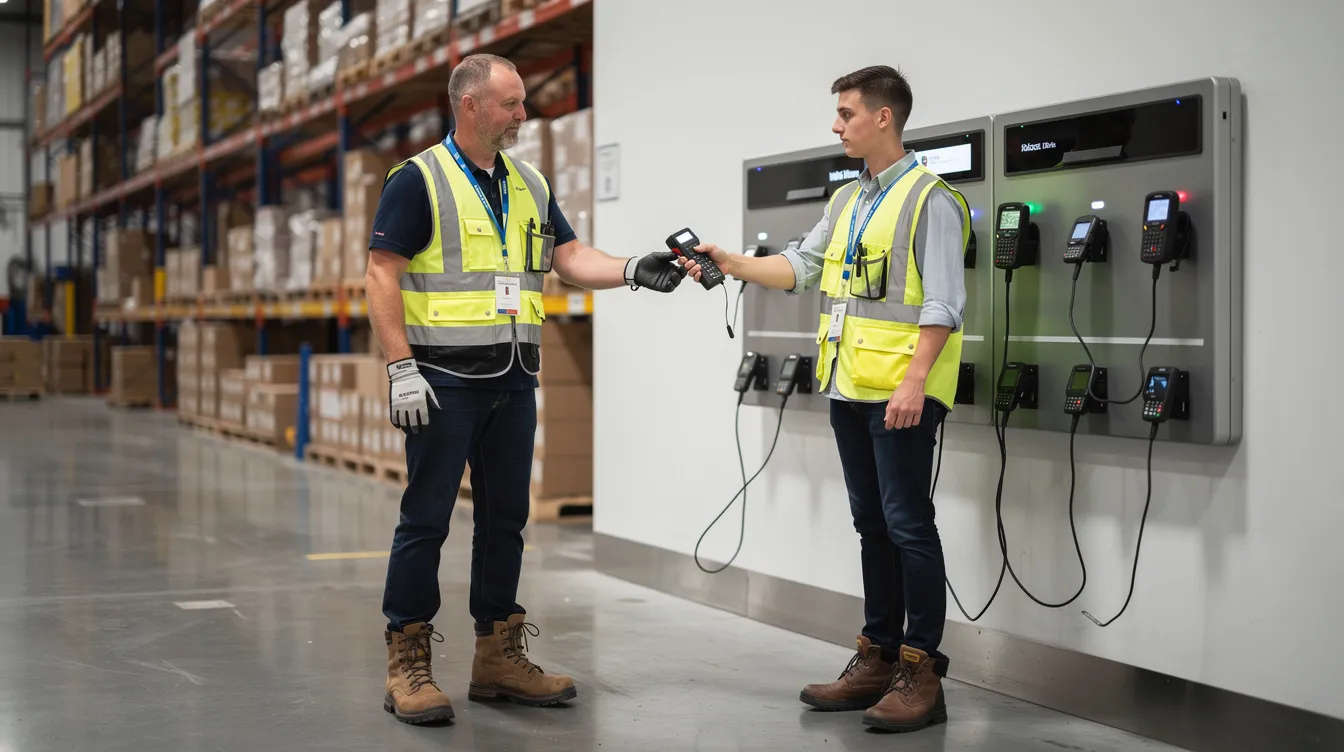
Implementing a strict check-in/check-out protocol enhances device accountability. Here’s a repeatable sequence for a two-shift operation with changeover at 10:45–11:00 PM:
- Outgoing lead collects all scanners in the designated “scanner bay” by 10:45 PM.
- Both outgoing and incoming leads jointly count devices against the asset register.
- Each device is visually inspected-check screen, battery, cradle, holster for damage. Tracking device condition at return helps prevent misclassification of damaged equipment as missing.
- Sign-off happens on paper or digitally: employee names, IDs, timestamp, device IDs accounted for.
- Incoming lead confirms the handover and accepts custody.
- Any missing scanner is logged immediately at shift end as a Lost Device case on the outgoing shift unless a prior exception was documented (mid-shift damage, battery failure).
- End-of-shift handoffs require physical transfer of devices between outgoing and incoming employees-no leaving scanners “somewhere on the floor” for the next shift to find.
If the scanner was also used to read barcodes during the shift, the return check confirms it is back in custody before the next team starts work.
This process takes 10–15 minutes. It saves hours of searching later.
Secure Storage: Lockers, Charging Stations, and Centralized Homes
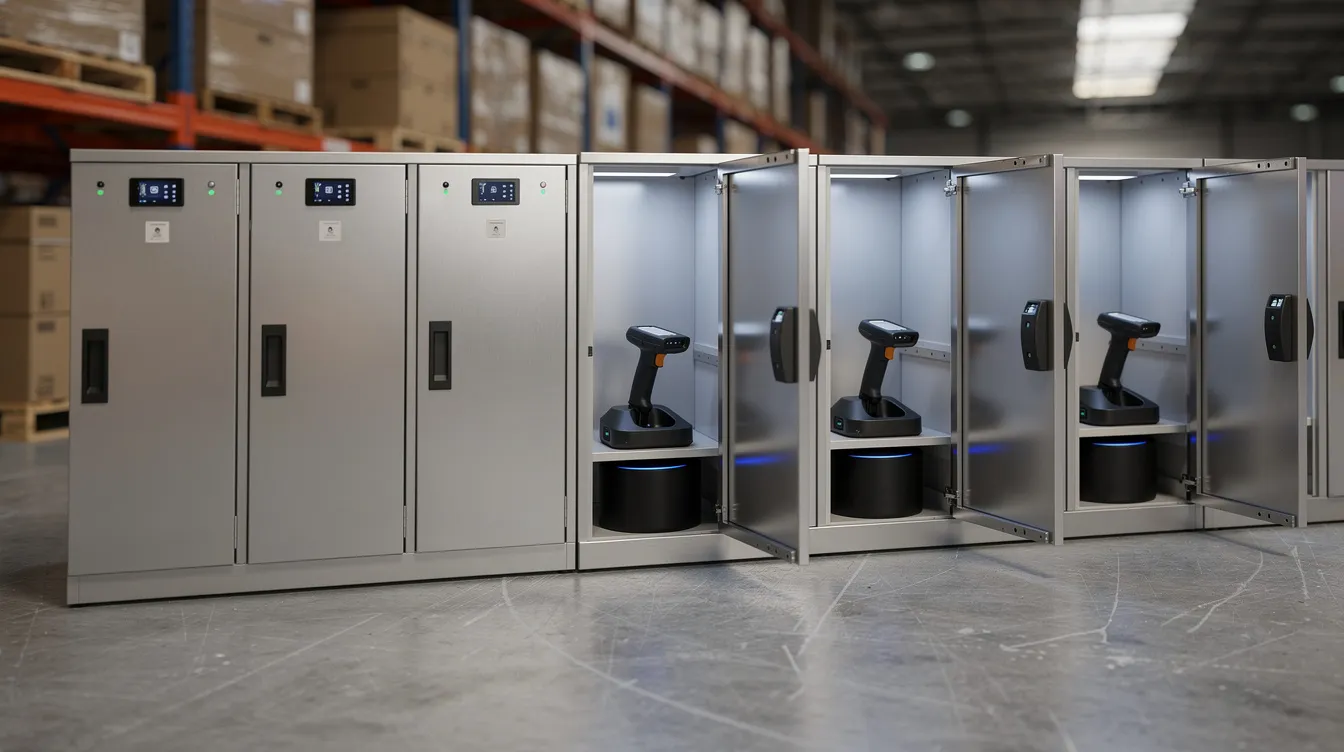
Every RF scanner should have an obvious, secure home-a central charging station or smart locker close to power, ideally near the supervisor’s office or main entrance. Designated docking stations should be centrally located to increase visibility of devices.
Scattering chargers across multiple workstations is how devices get abandoned. Centralizing storage into a single base station dramatically reduces that risk. When a scanner’s “home” is obvious and locked, returning it becomes the path of least resistance.
Smart lockers take this further. Automated smart lockers require employee identification to access devices and track usage. They combine charging, access control (PIN, RFID badge), and audit trails that record who removed which scanner and when. Honestwaves offers smart lockers with vertical bays designed specifically for RF scanner guns, with cloud-connected tracking and data blocking technology for any USB ports. Each bay charges the device while it’s stored, so the next shift picks up a scanner with full battery life every time.
A Midwest distributor deployed Honestwaves 20-bay smart lockers across 10 facilities and achieved a 100% reduction in unreported device losses within 60 days, saving over 5 hours per week per location in oversight time.
Software Controls: Using Your Warehouse Management System (WMS) and Asset Tools to Track Devices
Inventory management isn’t only about products. Your RF scanners themselves should be treated as managed, trackable assets inside your system, with each unit linked to a handheld or vehicle-mounted computer session for accountability.
Integrating RF scanners with WMS enables real-time data synchronization-not just for order fulfillment, but for device custody, with the capability to track lot details such as expiration dates when workflows require it. When a user logs into an RF scanner, the system records which employee, which shift, and which device. Asset management software helps in tracking devices and their return status, and gives managers visibility without requiring them to walk the floor.
RF scanners reduce manual entry errors in inventory management, and they enable real-time inventory updates to prevent overselling. But those key benefits disappear when scanners go missing and workers revert to paper processes or wait idle. Implementing RF scanners can reduce operational errors significantly-but only if the devices are actually available.
Useful software capabilities to look for:
- Last-known location logging and session duration
- Battery level alerts (flag devices below 20% at check-in)
- Overdue device notifications via SMS or email to managers
- Integration with HR or time-and-attendance systems so device responsibility begins and ends with each shift clock-in/clock-out
For a deeper dive on device management lockers and how they integrate with your existing technology stack, Honestwaves offers cloud-based dashboards that tie directly into these workflows.
Physical Layout and Visual Management: Make the Right Behavior Obvious
Your warehouse layout either encourages or discourages returning RF scanners. Visual management techniques can help identify unreturned devices during shift changes-but only if you’ve set up the right cues.
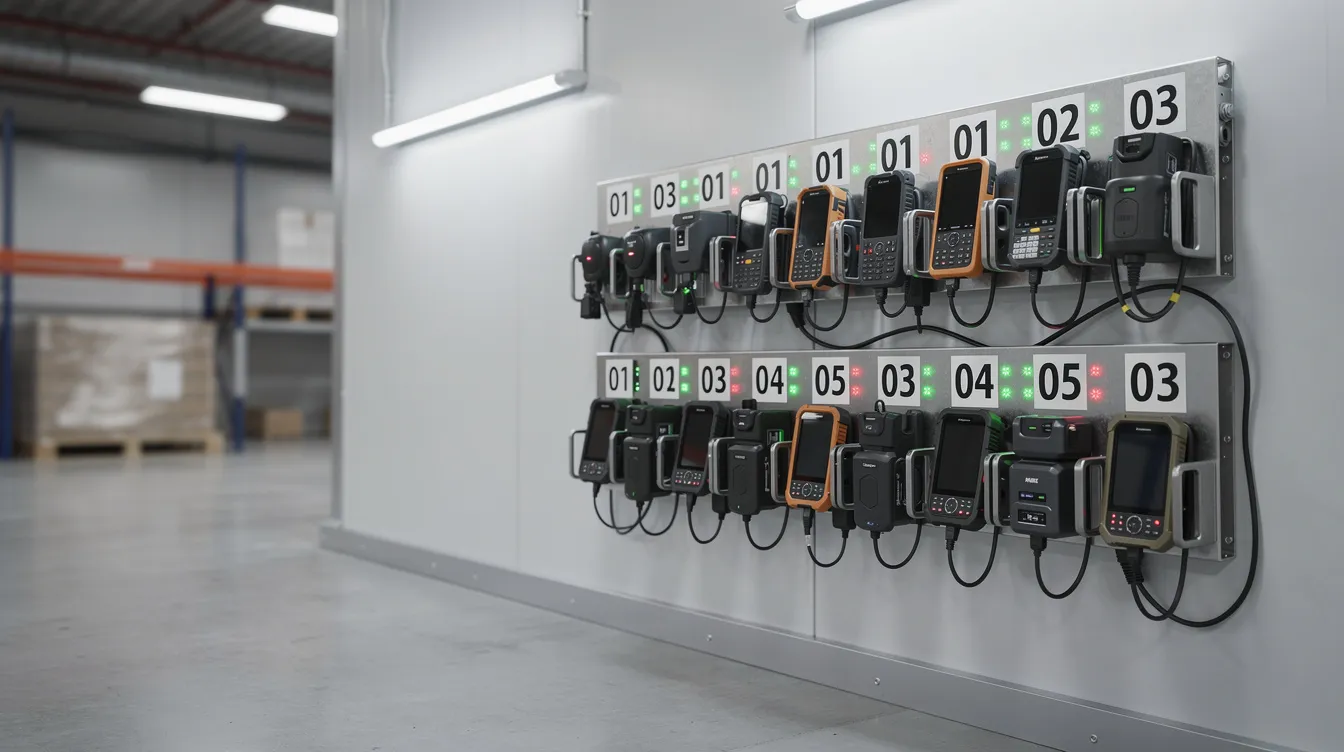
Create a high-visibility RF scanner zone with wall signage, floor markings, and numbered slots matching device IDs. When slot 14 is empty at the end of a shift, everyone can see it. No spreadsheet required.
Practical tools that work:
- Red/green indicator magnets or LED strips showing which charging bays are occupied vs. empty
- Laminated “scanner parking maps” at eye level near the device hub
- Floor markings directing workers from dock doors and pick modules back to the central return point
Place satellite racks near dock doors for receiving teams or at the entrance to high-volume pick modules-but always funnel returns back to one central secure point. This matters especially for temp workers and new hires, who respond better to visual cues than verbal reminders. A few feet of floor tape and some laminated signs cost almost nothing but eliminate confusion about where scanners belong.
Policies, Training, and Culture: Making Device Care Part of the Job
Technology alone won’t stop missing devices. Employees must see RF scanner care as a defined, measured part of their role-not an afterthought.
Establishing SOPs is crucial for effective RF scanning implementation. Your written policies should cover:
- Mandatory pre- and post-shift scanner checks
- Damage reporting rules (who to notify, how to document)
- Consequences for consistent non-compliance (coaching → retraining → progressive discipline)
Training for new hires and temp workers should include how to log into the RF scanning system, where to store devices, what to do if a device is lost mid-shift, and how to handle low-battery situations correctly. Cycle counting can be performed without disrupting operations-and so can a quick device audit if it’s built into the routine.
Simple incentives work: celebrate “zero missing devices for 90 days” at monthly safety meetings. Incorporate device management into shift lead KPIs. Clear, written SOPs should be accessible at the device hub-laminated quick guides attached to the smart locker or charging station for easy reference.
Technology Enhancements: Tethers, Alerts, and Location Tracking
Beyond basic RF scanning, several other technologies can layer on additional security for your fleet of handheld devices.
“Virtual tether” systems cause scanners to beep, vibrate, or flash an alarm when taken out of an authorized zone or left idle for a set period. GPS tracking can be implemented to locate misplaced devices within a facility, and tools like the Luna app can locate devices within 40 feet (15 meters). Geofencing can help manage which devices are permitted to leave a facility-particularly useful for operations near loading docks where scanners might accidentally ride out on a truck.
For larger facilities, Bluetooth, Wi-Fi triangulation, or UWB (ultra-wideband) tags support real-time location tracking. RFID tags work well for portal-based detection-detect when a scanner passes through a dock door or exits a zone. These approaches use radio frequency and radio waves to pinpoint equipment within a few feet, though they require infrastructure investment.
The critical point: any advanced tech should integrate with your existing warehouse management system or device management dashboards, not create separate silos. Honestwaves lockers pair with these technologies by providing secure, designated endpoints for every device, simplifying your overall RF scanning ecosystem. RF scanning can improve efficiency by 70% in warehouse tasks-but only when those scanners are where they’re supposed to be at the start of each shift.
Monitoring, Metrics, and Continuous Improvement in Inventory Management
Preventing misplaced devices is an ongoing process. Track a small set of metrics monthly or quarterly:
| Metric | Target | Frequency |
|---|---|---|
| Scanners missing per 1,000 orders | < 0.5 | Monthly |
| Device downtime (hours/week) | < 2 | Weekly |
| Shifts closing with full scanner count | > 98% | Weekly |
| Uncharged devices at shift start | < 5% | Daily |
Regular audits at shift changes can spot discrepancies in device counts. Accountability audits can quickly verify device counts against logged-out employees at shift changes. Log incidents with fields like date, shift, device ID, last seen location, and resolution (found, damaged, written off).
Run quarterly physical audits that verify all RF scanners against the asset register-the same way you’d run cycle counts for inventory. A device management process can reduce required devices by a third by eliminating hoarding, duplicates, and ghost assets. Use these metrics to justify investments in smart lockers, RFID tagging, or upgraded scanning equipment to leadership-the data makes the case for positive ROI far more compelling than anecdotes.
How Honestwaves Smart Lockers Help Secure RF Scanners Between Shifts?
This isn’t theoretical. Honestwaves has deployed smart lockers across distribution centers specifically to eliminate unreported device losses.
Cloud-connected smart lockers can be configured to store and charge RF scanners, barcode scanners, and mobile computers with per-door access logs and role-based permissions. Features include centralized management, flexible configurations (12, 24, or 32-bay layouts), data blocking for USB-connected devices, and UV-C disinfection options for scanners shared across many users.
Real deployment examples:
- An ecommerce fulfillment center uses a 20-bay smart charging locker for pick-team scanners, with each bay assigned to a specific device ID
- A hospital supply chain department secures mobile computers across day and night shifts, with badge-based access tied to employee roles
- A grocery stores distribution network standardized on 32-bay units for tracking inventory scanners across three shifts
The total cost of smart lockers pays for itself in prevented replacement costs, recovered labor hours, and improved efficiency. For a deeper look at the benefits and ROI of smart lockers, Honestwaves can help you design a secure charging and storage solution tailored to your RF scanning environment. Get a quote to see what configuration fits your facility, shift schedules, and device fleet.
FAQs
Below are answers to common questions from warehouse managers and operations teams dealing with lost or misplaced devices.
How do I quickly stop RF scanners from going missing if I can’t buy new hardware yet?
Centralize storage in a single locked cabinet or room, label each scanner with a large color-coded ID, and implement a manual sign-in/sign-out sheet tied to employee IDs starting with the very next shift. Add a scheduled, documented device count at the start and end of every shift-supervised by team leads-to create immediate accountability. These steps cost almost nothing and can cut your missing device rate dramatically within a week.
What is a reasonable target for “missing device” incidents in a mid-size warehouse?
For a fleet of 20–40 devices, aim for fewer than one unresolved missing RF scanner per year. Any increase beyond that should trigger a focused process review. Warehouses with disciplined RF scanning and secure storage routinely go multiple years without a permanent loss once the system is mature. The difference between high-loss and zero-loss operations almost always comes down to process consistency, not luck.
How many spare RF scanners should I keep on hand?
Keep 10–20% of your active fleet as spares. If you run 20 scanners, hold 2–4 backups to cover maintenance, breakage, and temporary surges in order volume during peak seasons. Spares should still be tracked and stored in the same secure smart locker or charging hub-an unmonitored “spare pool” is often the first place scanners go missing from.
Can I use the same smart locker system for RF scanners and employee smartphones?
Yes. Many modern smart lockers, including Honestwaves solutions, can be configured with mixed-use compartments to store RF scanners, handheld barcode scanners, and personal or corporate phones simultaneously. The important detail: look for data blocking technology on USB charging ports to protect your network and corporate systems when phones and mobile computers are charging in shared infrastructure. Learn more about how smart lockers work and what they cost in 2026.
How do I get staff buy-in for stricter RF scanner controls?
Involve front-line employees in designing the new process. Explain how reliable, available scanners reduce rework, eliminate waiting, and prevent overtime caused by searching for a missing device. Pair enforcement with small positive incentives for zero-loss streaks-even recognition at a shift meeting matters. Making the process quick and convenient through a central hub, clear signage, and fast badge-based access drives adoption far more effectively than rules alone.
Does integrating RF scanners with my WMS really reduce loss, or just improve inventory accuracy?
It does both. Tight WMS integration improves inventory accuracy and supports the capability to trace which user and host device a scanner was last connected to, narrowing search time when something goes missing; in regulated or date-sensitive workflows, that can also include product-control data such as expiration dates. Pairing WMS data with smart locker access logs and physical audits provides a comprehensive audit trail that strongly discourages careless handling. The connection between device tracking and tracking inventory isn’t just about efficiency-it’s about creating an integrated system where nothing disappears without a record.