

It’s 6am at a 3PL site in Ohio. The morning shift is clocking in, and about forty pickers are funneling toward a metal cage where handheld scanners, radios, and tablets are supposed to be waiting. Half the scanners are dead. Two are missing entirely. Someone’s holding up a clipboard asking who took unit 47 last night. Nobody knows. The supervisor is already frustrated, and the shift hasn’t even started yet.
Sound familiar? You’re not alone. This is what happens when shared equipment lives in a world of sign out sheets, key cabinets, and “I’ll bring it back later.” Smart lockers for warehouses replace all of that chaos with automated access controls, built in device charging, and real time data that tells you exactly who has what, right now. They solve lost RF scanners, uncharged tablets, missing audit trails, and the endless finger pointing when something breaks or disappears. In one sentence: smart lockers help warehouses manage shared equipment by combining asset management, secure access, detailed usage logs, and automated alerts to cut human error out of the equation almost entirely.
What Exactly Are Warehouse Smart Lockers and How Do They Work Day to Day?
A warehouse smart locker is a connected locker system built with management software, access controls, and built in device charging, all designed specifically for shared equipment like RF scanners, radios, label printers, and rugged tablets. Smart lockers optimize the tracking and asset distribution of shared warehouse tools, and they help improve shared equipment management by automating and tracking usage at every step.
Here’s how everyday tasks play out. A picker walks up, badges in with their RFID card or enters pin codes. The system knows their role and shift, picks a bay holding a fully charged scanner, and pops that specific door open. The whole thing takes about five seconds, making daily checkout far less time consuming than a manual handoff. The locker logs the checkout with the device ID, user name, and timestamp. When the picker returns the device at end of shift, they badge in again, drop the scanner into its bay, and the door closes. If it doesn’t come back on time, smart locker alerts fire automatically. By 2025, 90% of workplaces will adopt smart technology, and warehouses are no exception to that trend.
The real “smarts” are in the software: access rules by role or shift, automated alerts for overdue or damaged gear, and business intelligence dashboards loaded with actionable insights on utilization and downtime. At honestwaves, our smart locker systems are already running in environments like fulfillment centers, cross dock hubs, and regional DCs.
The Real Warehouse Problems Smart Lockers Solve with Shared Equipment
Let’s paint the “before” picture. There’s a clipboard hanging off a nail near the equipment cage. An Excel sheet that someone updates “when they get a chance.” A key box with three keys for sixty shared devices. And one supervisor trying to keep track of it all across two or three shifts. Employees use an average of 2.5 devices for work these days, so multiply that mess by every person on the floor.
Here’s what actually breaks down. Human error in handwritten logs means entries are illegible, skipped, or wrong. Asset status is delayed because nobody realizes a device is missing until the next shift asks for it. The data you do have is non standard and basically useless for reporting. There’s no chain of custody when a device comes back cracked or glitching, so nobody takes responsibility. Batteries die overnight because devices weren’t plugged in properly. And every shift change burns 10 to 12 minutes just hunting for working gear. Audit trails from smart lockers help investigate missing or damaged equipment, but without them, you’re guessing. Detailed usage logs create a robust audit trail that simply doesn’t exist with paper.
Smart lockers reduce waiting times for equipment by allowing employees to access items independently. That alone changes the morning energy. But the real turning point is Smart Locker Alerts for overdue devices, tampering and maintenance. Instead of supervisors chasing people down, the system fires alerts automatically. A device not returned? Alert. Repeated failed access attempts? Alert. A scanner throwing error codes for the third time this week? Maintenance alert. It’s a distribution system that actually watches itself.
Key Features of Warehouse Smart Lockers That Actually Matter on the Floor
Not every locker system is built for warehouses, so here’s what really counts when you’re dealing with shared equipment.
Robust access controls come first. Badges, PINs, RFID, even QR codes, with iris scans available for higher security environments. The system restricts access to authorized users only, meaning you can set it so only trained forklift operators pull radios and only pick team leads grab tablets. Smart lockers enhance security by restricting access to authorized personnel, and they minimize the risk of theft or misuse across shifts.
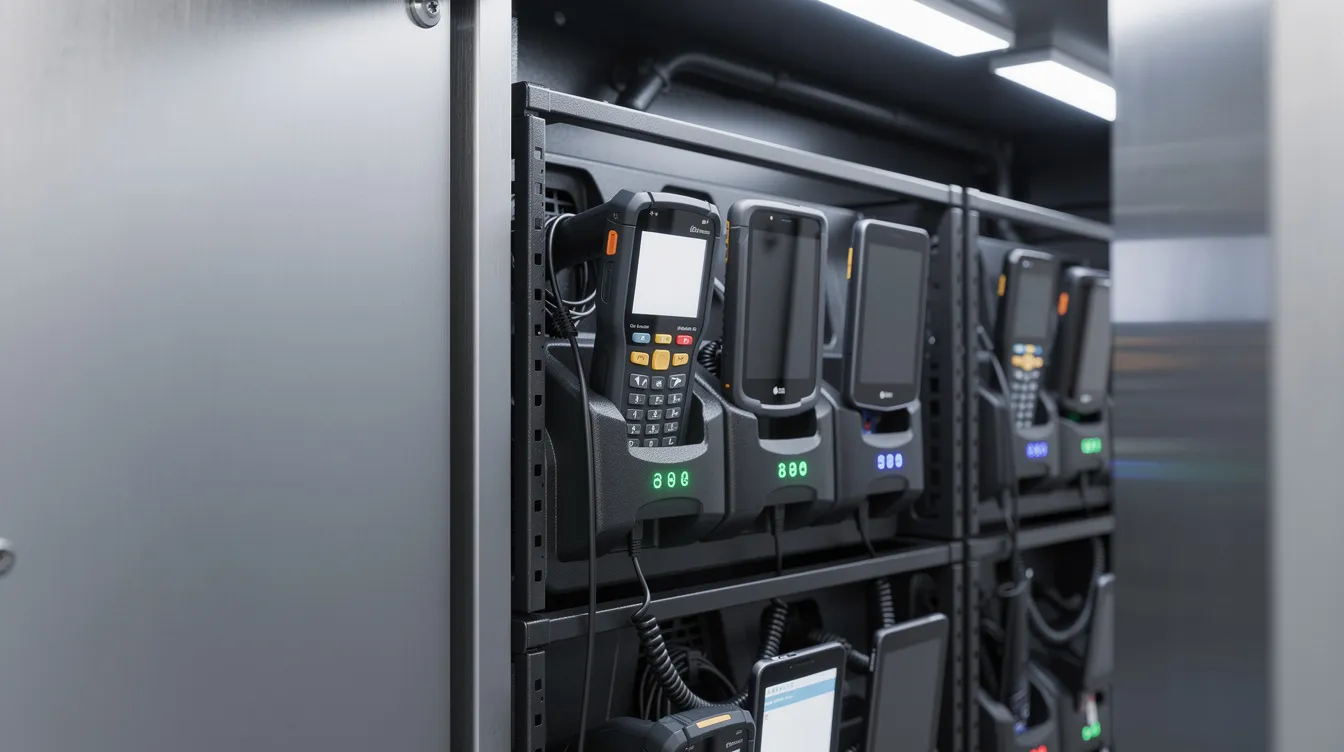
Device charging in every bay is non negotiable. Each locker compartment needs the right connector, whether that’s USB C, AC outlets, or dedicated cradles. Smart lockers can charge devices while securely storing them, so no more arriving to dead gear. Protected power circuits prevent overcharging and overheating. Smart lockers are available in various materials like steel and bamboo depending on your environment, though most warehouses go with heavy duty cold rolled steel for obvious reasons.
Strong audit trails matter more than people realize. Every transaction logs the user, time, device ID, and condition. Some systems even capture photos on return. If you want to build an audit trail for shared workplace devices, this is how you do it properly.
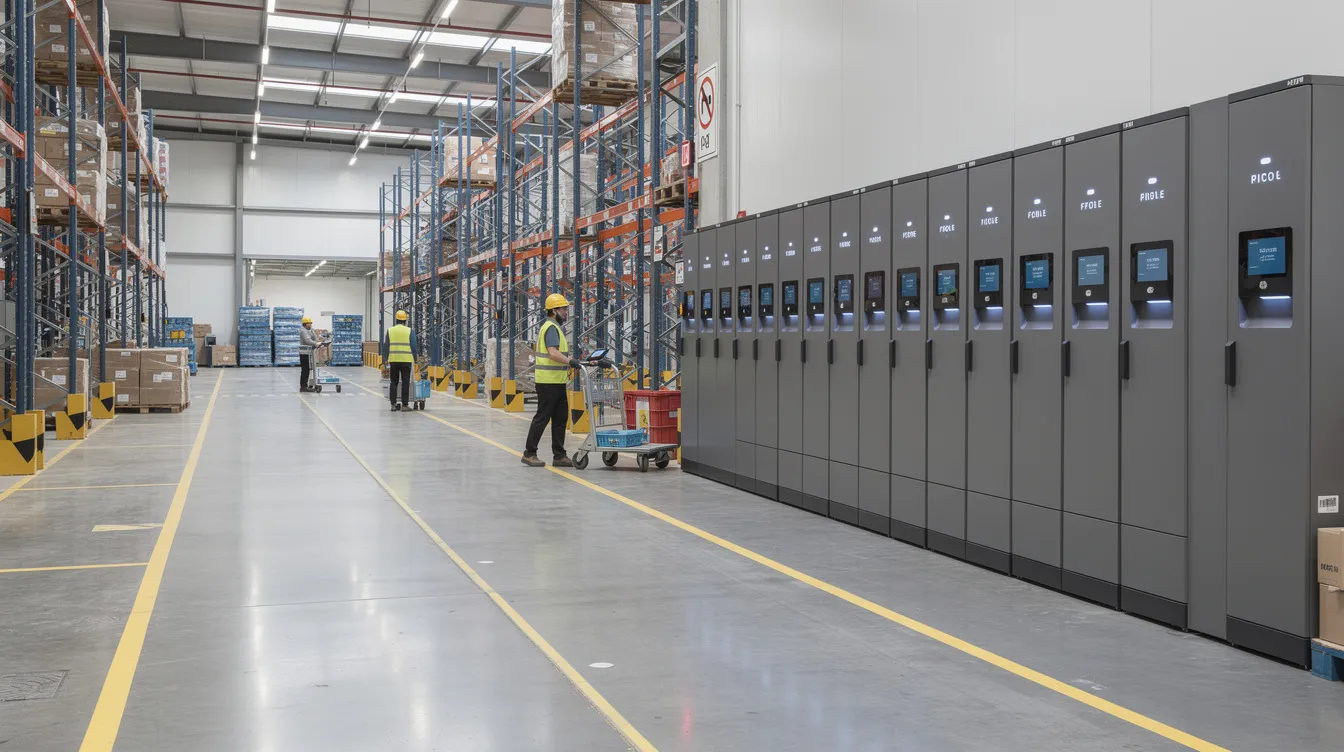
Management software with cloud dashboards gives you real time data on device status, utilization, loss trends, and remote management across every location. Integration with WMS, CMMS, or tracking software ties asset management into your existing tech stack. And physical durability? It has to survive dust, forklifts bumping into it, and 24/7 operations. Our locker solutions at honestwaves are designed around device security, data blocking, and real world warehouse abuse.
How Smart Lockers Automate Asset Management and Reduce Human Error?
Think about manual asset management for a second. You’ve got multiple data entry points, logs that get updated hours late (if at all), and nobody’s sure if that signature says “Mike” or “Mark.” Now compare that to an automated locker system.
Smart lockers automate asset check in and check out processes completely. Every time someone badges in, the system logs who, what, and when. It applies role based access automatically, so a seasonal temp can’t pull a device they’re not trained on. Asset status updates in real time across the management software. Smart lockers streamline asset management in warehouses by removing those manual touchpoints entirely. Automated systems reduce administrative overhead by cutting down manual tracking processes, and smart lockers automate asset tracking, reducing manual errors that used to be just part of the job.
Smart lockers support real time inventory visibility, reducing unexpected equipment shortages. That means no more opening a cabinet at 5am and discovering half the fleet is missing. The system also enhances accountability by tracking asset usage down to the individual. Optional RFID or barcode tags on individual assets tighten the chain of custody even further. You’re not just tracking “a scanner.” You’re tracking scanner SN 4782, and you know exactly who touched it last. Smart lockers reduce manual intervention in equipment distribution so your supervisors can actually supervise, and assigning the next available device helps distribute wear across the fleet while surfacing maintenance needs sooner.
From Cluttered Cage to Controlled Hub: Before vs After Smart Lockers
Let me walk you through what this looks like in practice. Imagine a regional e-commerce DC handling about 15,000 orders a day across three shifts, roughly 250 associates sharing 180 Zebra handhelds.
Before lockers, the equipment area was a mess. A long folding table covered in tangled charging cables. Scanners piled on metal shelves with no labels. Radios stuffed in a bin. Associates wandered in, grabbed whatever looked charged, and hoped for the best. Twenty to thirty minutes of every shift evaporated just finding working gear. Two or three radios went missing every month. Picks got delayed, SLAs slipped, and the customer experience took hits downstream.
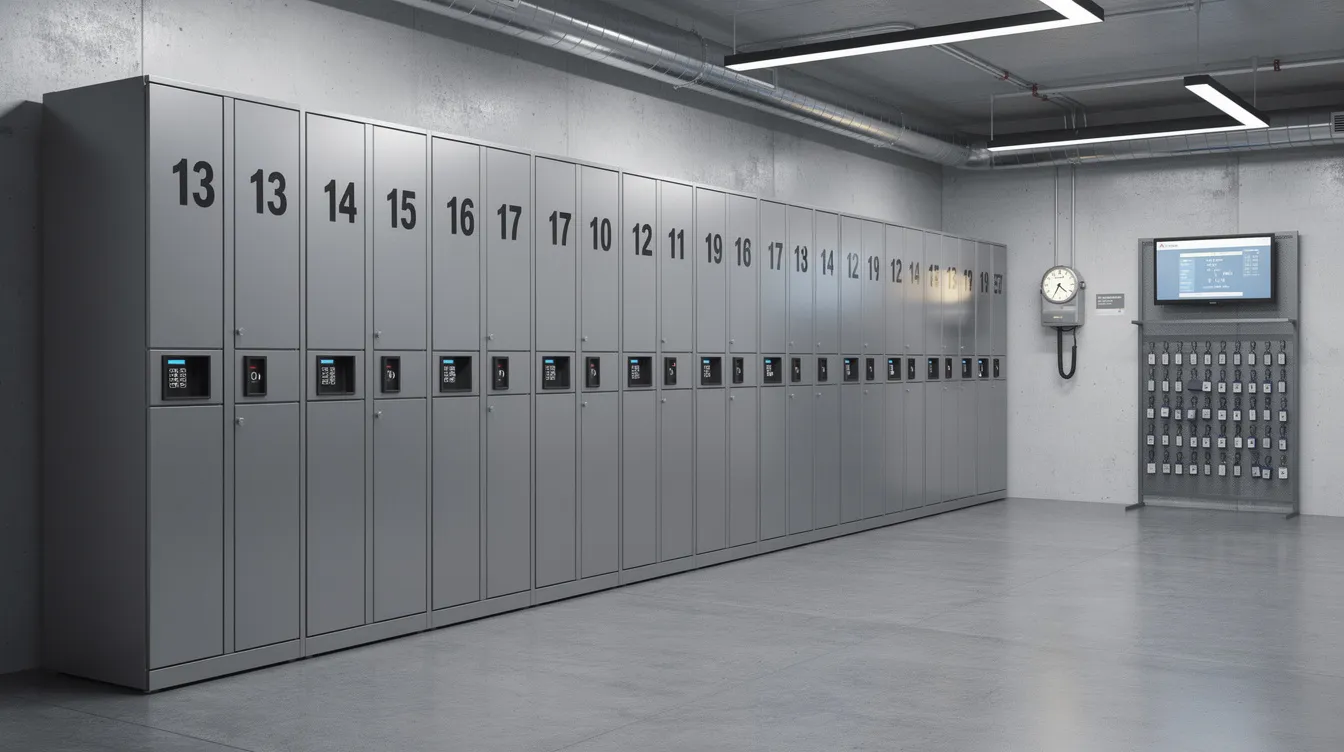
After installing a smart locker wall near the main time clock, everything changed. Numbered doors, clean cabling, devices slotted into bays and charging between uses. Smart lockers allow employees to quickly retrieve tools and equipment. They enable self service access to equipment without waiting for a supervisor, and they provide 24/7 access to shared equipment. One case study from a regional 3PL showed an 82% reduction in device loss, shift start delays cut from 12 minutes to under 2, and roughly $92,000 in annualized savings. Managers started using actionable insights from locker data to adjust device counts and plan maintenance schedules. Quiet beeps from the panel, green LEDs showing charged status, less visual clutter. It’s a different vibe entirely.
Smart Locker Alerts: Overdue Devices, Tampering and Maintenance in Warehouses
How do you actually know when a device is late, mishandled, or about to fail without walking the floor all night?
That’s where smart locker alerts come in. There are three main categories you should care about. Overdue device alerts fire when items aren’t returned at end of shift or past a set time window. Tampering alerts trigger when someone forces a door or makes repeated failed access attempts. Maintenance alerts pop when a specific device hits usage thresholds or logs repeated error codes. Smart lockers can automatically notify maintenance teams when equipment requires servicing, pulling a problem device out of circulation before it causes downtime on the floor. Data from smart lockers supports proactive maintenance scheduling rather than reactive scrambling.
These alerts flow into email, SMS, or whatever messaging and ticketing tools supervisors already use. Managers get instant visibility into which items are in use and which are overdue via smart lockers. Automated compliance features protect company reputation by ensuring every device is accounted for and every access event is logged.
Now here’s the thing. The patterns in those alerts are just as valuable as the alerts themselves. Repeated overdue returns from one team? Maybe a training gap. Tamper alerts spiking around midnight? Possible security issue. A scanner flagged three times in two weeks? Time to replace the battery before it dies mid pick.
Turning Locker Data into Business Intelligence and Actionable Insights
Once your lockers are live, the real magic is in the data they quietly collect every single day. Think of it like a Fitbit for your shared warehouse equipment.
The management software aggregates usage by device type and shift, average checkout duration, peak demand times, loss and damage trends, and alert history. Usage reports from smart lockers highlight demand patterns and help with equipment planning. Usage analytics from smart lockers highlight demand patterns and equipment lifecycle data. Real time visibility from smart lockers provides insights into equipment availability and usage trends across your operation.
What kind of actionable insights are we talking about? Software can track the utilization rates of equipment to prevent unnecessary purchases, so you stop over buying scanners you don’t actually need. You can adjust shift start procedures based on real data to cut bottlenecks. You can plan preventive maintenance based on actual use instead of gut feel. And you can identify which teams need coaching based on repeated late returns. These reports feed into broader business intelligence tools or maintenance platforms, improving asset management and long term planning for teams in various industries.
Integrating Smart Lockers with WMS, CMMS and Other Warehouse Systems
Nobody wants yet another standalone system in the warehouse tech stack. That’s why modern smart locker solutions expose APIs so they can share data with other systems seamlessly.
Smart lockers can integrate with third party software for customization. A WMS provides user identity and shift info so workers don’t need separate locker credentials. A CMMS receives maintenance alerts and automatically generates work orders, and the locker blocks that device bay until the repair is cleared. Integrating smart lockers with CMMS improves asset tracking efficiency, and integrating smart lockers reduces manual tracking errors significantly. Seamless integration with HR or SSO systems keeps access controls aligned without duplicate data entry. At honestwaves, we design locker systems to sit comfortably in existing IT environments, whether cloud based or mixed on premises, so rollout doesn’t become a headache for your IT team.
Designing Your Warehouse Locker Setup: Practical Tips and Overlooked Truths
Where and how you install lockers matters as much as which model you pick. I’ve seen setups fail not because the technology was bad, but because someone stuck the lockers in a back room nobody wanted to walk to.
Place lockers near time clocks or main aisles so checkouts don’t create traffic jams. Group them by equipment type: smaller doors for radios and mobile phones, larger locker compartments for tablets or label printers. Custom locker designs can enhance brand identity and aesthetics, but function comes first. Think about personal belongings too, including secure adjacent bays for personal items. Some warehouses add personal storage bays next to equipment lockers, which keeps the floor cleaner and gives workers a designated locker for their own stuff. Compared with traditional lockers, connected access and tracking give managers more control than basic keyed storage.
Modular smart lockers offer extensibility and scalability, so plan for growth. It’s better to add bays later than to rip everything out and start over. Make sure power and network runs are reliable, because without them, device charging and connectivity both fail. If you’re dealing with flexible schedules or a hybrid workforce across shifts, consider splitting lockers by department to improve access control granularity. And don’t forget ADA and ergonomic height for different workers. Smart lockers can be tailored to specific business needs, so there’s no reason to settle for a one size fits all approach. Use real warehouse usage data when planning, like average users per shift and number of shared devices, rather than guessing “one door per person.”
Why Warehouses Choose Honestwaves Smart Locker Solutions?
Here’s why operations teams keep coming back to us, and it’s not because we have the flashiest brochure.
Device charging is built into every bay with safe, tested power management for mobile devices, tablets, and handheld scanners. Our cloud connected management software delivers real time audit trails and smart locker alerts. The hardware is built for warehouse dust, bumps, and 24/7 use. We include data blocking and optional UV C disinfection where devices are shared across shifts, because secure storage means more than just a locked door.
We offer flexible rentals and large order support for peak seasons or new facility launches. A Midwest distributor running our 20 bay smart charging lockers across 10 facilities saw a 100% reduction in unreported device losses within 60 days and managers saved over 5 hours per week per location. ROI came in under three months. For a closer look at that specific setup, see our warehouse ready smart charging locker here.
We’re focused on making life easier for operations, IT teams, and safety teams. Not adding more complexity. Smart lockers automate the everyday tasks that used to eat up your morning. That’s what we’re here for.
FAQs
How many devices can a single smart locker system manage in a warehouse?
It depends on the number of doors and bays, but a typical install handles anywhere from a couple dozen to a few hundred shared devices. One UK 3PL manages 280 scanners across 10 smart lockers, and the software ties them all together as one system.
Can smart lockers safely charge handheld scanners and tablets while they’re stored?
Yes. Modern lockers include purpose built device charging with protected power circuits and the right cable options, so gear stays topped up between shifts without risky DIY power strips.
What if the network or power fails in the warehouse?
Reputable locker systems include offline modes and backup access options. Devices can still be retrieved, and events sync back to the management software once connectivity returns.
How do Smart Locker Alerts actually reach my supervisors?
Alerts for overdue devices, tampering and maintenance can be configured to send via email, SMS, or integrate with your existing service desk and ticketing tools, so supervisors see them where they already work.
Do our teams need a lot of training to start using smart lockers?
Most workers pick it up in a few minutes. It feels like using a badge reader or a simple PIN screen. Many smart lockers keep the complexity in the background software, not in the daily routine. The enhanced user experience means less friction, not more.
Conclusion:
Smart lockers turn shared equipment from “always a headache” into a quiet, reliable system. Better asset management, fewer lost devices, consistent device charging, and data driven decisions that save space, time, and money. They streamline operations in ways that clipboard logs never could, highlighting the benefits of smart lockers through stronger security, more convenience, and better efficiency.
The value isn’t just in the metal box. It’s in the workflows and alerts. Smart locker alerts for overdue devices, tampering and maintenance keep supervisors ahead of problems instead of cleaning them up after the fact. Improving operational efficiency isn’t about working harder. It’s about removing the friction that slows everyone down.
If your team is still arguing about who lost which scanner last week, it’s probably time to rethink how you manage shared gear. Explore our smart locker options or request a quote tailored to your operation. We’d love to help you sort it out.