
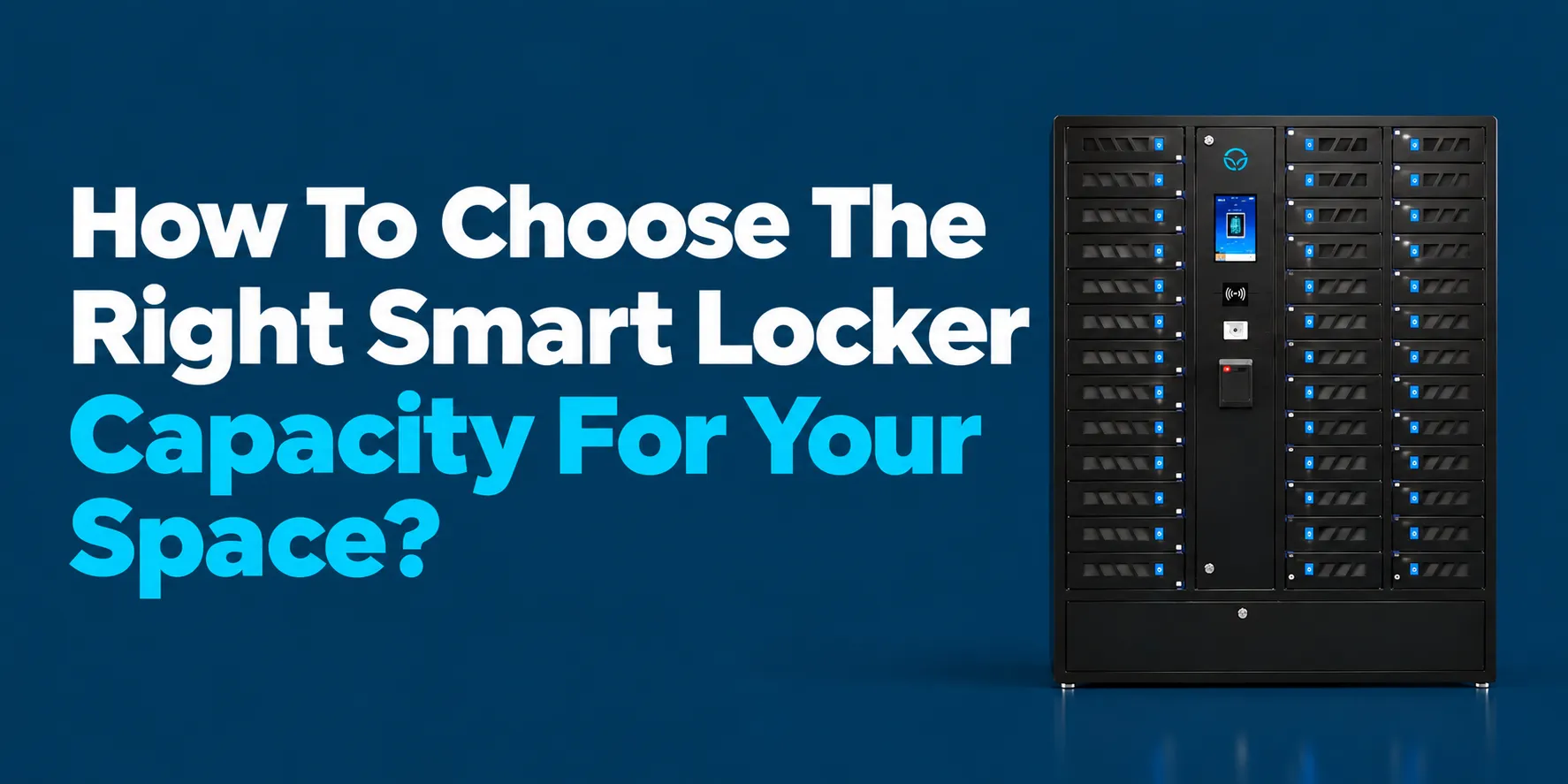
So you’re looking at smart lockers and the first question that hits you is: how many do I actually need? Here’s the short answer. Smart locker capacity isn’t about matching your headcount one to one. It’s about understanding your busiest window of the day, how long devices sit inside, and what people are actually storing. A good rule of thumb? Plan for your busiest 30 to 60 minutes, then add a 15 to 25% buffer on top.
Whether you run a school with a phone ban, manage a hospital lobby, oversee a corporate office with hybrid workers, or coordinate events at a venue, the capacity math shifts based on your environment. We wrote this guide from our perspective at Honestwaves as a smart locker and charging station provider who works with all of these settings daily. Think of what follows as a step by step playbook plus a practical smart locker buyer’s checklist you can bring straight into your next planning meeting.
1. Start With Who Will Use The Smart Locker (And How Often)
Picture a 1,200 student high school that just rolled out a strict phone ban. Sounds like you need 1,200 compartments, right? Not quite. When you look at the actual traffic, maybe 400 students touch the locker system at the same time during that morning rush. The rest trickle in later, skip the lockers entirely, or leave phones in bags. That gap between “total people” and “people actually using lockers at once” is everything.
Before you start shopping, list your user groups separately:
- Full time staff who store devices all shift
- Students or employees who drop off and pick up once a day
- Visitors, contractors, or patients who need short term secure storage
- Event guests who use lockers for a few hours
Then estimate frequency for each group. A smart locker system for schools where every student checks in a phone daily behaves completely differently from a public phone charging locker in a hospital lobby where visitors come and go unpredictably. Usage type matters too: is it a quick drop off and pick up, all day storage during shifts, or overnight storage for shared IT assets like loaner laptops? Assess user experience early to ensure smooth device handoff processes, because awkward workflows kill adoption fast.
2. Capacity Math: Size Smart Lockers From Peak Usage, Not Headcount
Capacity lives or dies on your busiest hour, not the total number of people in the building. Here’s a simple approach you can use right now:
Peak concurrent users × adoption rate × dwell time factor + buffer = compartments needed
Let’s walk through it. Analyze the total number of daily users first, then narrow to your peak.
School example: 800 students, strict phone ban, about 60% actually use lockers (adoption rate). Peak surge periods hit hardest in the 30 minutes before first bell. That gives you roughly 480 likely users. Average dwell time impacts locker capacity needs significantly here because phones sit all day, so those 480 users each need a slot simultaneously. Add a 20% over-allocation buffer to prevent lockouts during peak periods, and you land around 575 compartments.
Office example: 500 employees, hybrid schedule, only 40% in on any given day, and half of those use shared device lockers. That’s about 100 concurrent users. Dwell time is maybe two hours. With buffer, you’re looking at roughly 120 to 130 compartments, not 500.
The key? Estimate adoption rate honestly by looking at your current policy and how strictly you enforce rules, not wishful thinking. Define measurable outcomes before selecting a smart locker system so you know what “success” looks like. And when you later review locker software reports, use this same peak window to evaluate overdue device alerts and maintenance metrics.
3. Assigned vs Shared Lockers: Choose A Strategy Before You Pick Capacity
“One locker forever per person” versus “many people rotating through the same locker spaces in a day.” That’s the fundamental split, and it dramatically changes how many compartments you need.
Assigned lockers mean permanent compartment allocation for a specific user or badge. Great for staff who store things all shift, or students in a semester long program. But it’s a 1:1 ratio, so you need a lot of hardware.
Shared smart lockers give users temporary access for a set period. Ideal for shared tablets, loaner laptops, visitor phones, or event guests. User base counts often allow dynamic allocation of lockers instead of a 1:1 ratio. The turnover rate influences the total capacity needed, and the turnover rate informs how quickly lockers can be utilized by the next person. With short dwell times and enforced policies, shared models can support 3 to 6 people per compartment per day.
Hybrid models are common in practice. Picture assigned bays for 50 staff members and shared bays for visitors, all in the same smart locker system. Before the switch, one corporate team we worked with had creating separate management processes for staff and visitors using clipboards. After moving to a connected locker system with PIN access RFID barcode options and SSO, they cut check in time in half and stopped losing track of loaner devices entirely.
Your access method choices will influence how seamlessly shared usage works and how accurately you can track peak usage in analytics. Smart lockers use PIN, RFID, or QR code for access depending on the environment.
4. Decide How Many Compartments Per Cabinet (And What Size They Should Be)
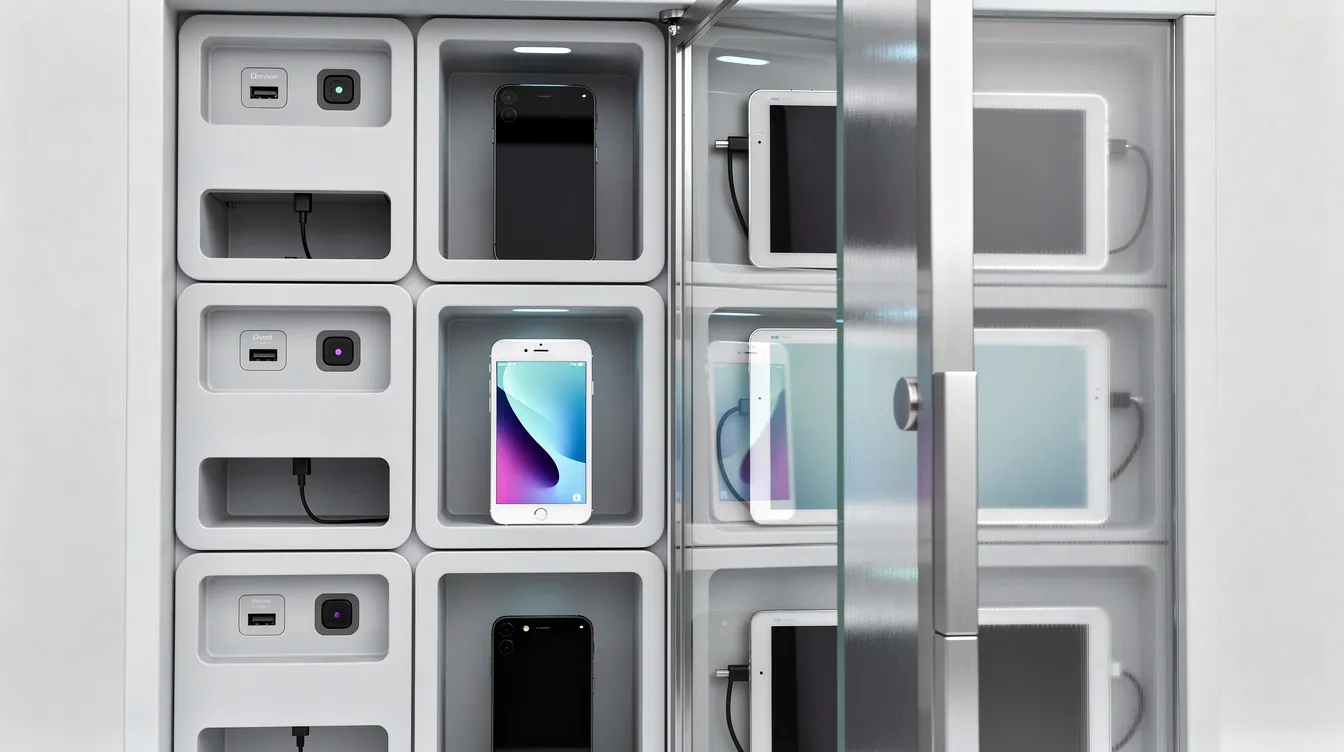
Capacity isn’t just “how many lockers.” It’s how each cabinet is sliced up into doors and internal space. Evaluate item size distribution to categorize the physical dimensions of stored items before you commit to a configuration.
Here’s what to consider:
- An 8 door cabinet works well for small teams, executive floors, or pilot deployments
- A 16 bay charging locker hits the sweet spot for departments, clinics, or medium classrooms
- Larger configurations like 30 or 40 bay units serve high traffic hallways, lobbies, or warehouse staging areas
- Compartment sizing has to match what’s being stored: modern large smartphones in thick cases, small bags, two way radios, laptops, or even e bike batteries
- A mixed-size locker configuration is often more efficient than uniform compartments because real life involves variety
- Very small doors increase compartment count but frustrate users if devices barely fit or charging cables get cramped
Here’s a real scenario. A hospital chose deeper compartments in their SecureTech EDU Series locker so patients heading into surgery could stash both a phone and small personal items like a wallet and keys. Shallow bays would have forced them to carry extras, defeating the purpose.
We customize door size mixes in a single bank. Half phone size doors and half tablet size doors in one smart locker solution is totally doable.
5. Charging vs Non Charging Smart Lockers: How Power Changes Capacity
Here’s the part that catches people off guard. Adding phone charging or laptop charging to a smart locker cabinet usually reduces the number of doors per square foot. Powered compartments need extra space for cabling, ventilation, and sometimes individual power supplies, especially when many bays draw current simultaneously.
Think of it this way: a 48 door non charging phone locker and a 36 door charging locker might occupy almost the same footprint. You’re trading raw door count for functionality.
But there’s a subtler issue. Charging increases dwell time because people leave devices longer, sometimes overnight. Vendors who’ve tracked this report needing roughly 20 to 50% more compartments for a charging setup serving the same user base as a non charging one.
Non charging lockers still make perfect sense for exam halls, secure industrial sites, or courtrooms where phones must be surrendered for a few hours without needing a top up.
For powered cabinets, look for features like data blocking USB ports, UV-C disinfection, and cloud monitoring. These smart locker functions don’t change door count but they influence power planning. Temperature-controlled lockers are also emerging for sensitive items like pharmaceuticals in healthcare settings.
Our smart locker purchase advice? Decide early whether you need every compartment powered or only a portion. Security and access requirements may vary for different locker compartments, and keeping some bays unpowered gives you capacity flexibility. Evaluate total cost of ownership over five years, because annual software subscriptions increase total cost of ownership, and so does powering every single bay.
6. Layout, Footprint, And Traffic Flow Around The Locker System
Even a “perfect” capacity plan fails if people are queuing down a hallway to reach the touchscreen. Smart lockers require balancing peak demand and spatial constraints, and physical footprint constraints include ceiling height and clearance requirements you might not think about until installation day.
Before ordering anything:
- Physically measure the installation space, including ceiling height, clearance in front of doors (you need at least 36 inches for comfortable access), and distance to nearby exits or stairwells
- Installation height and door clearance must be evaluated for locker placement, especially for ADA compliance. Consideration for accessibility standards is crucial in locker system design
- Tall narrow banks save floor space but increase reach height, which can be a problem for younger students or wheelchair users. Wider, lower banks are easier to access but eat more wall space
- Wall mounted, recessed, and freestanding options each affect how many compartments you can fit without violating fire codes or blocking exits
- Installation costs depend on power and network requirements, and you’ll want an outlet or junction box preferably positioned within a few feet of each bank
One university we know of installed two 24 door cabinets back to back in a narrow corridor. During class change, students bottlenecked so badly that the hallway became a safety concern. They ended up splitting banks across two walls, which solved the flow problem but required additional engineering cost support for new wiring runs.
We often review floor plans or CAD drawings with customers to right size both capacity and placement before they order hardware. It saves a lot of headaches.
7. Use Real Data: Logs, Alerts And Analytics To Refine Capacity
Your first capacity estimate is just the starting point. Smart locker analytics let you dial things in over the first 3 to 6 months with real numbers instead of guesses.
Here’s what to watch:
- Average and peak occupancy: Fordham University installed 288 smart lockers and found that at any snapshot, about 73% were in use. Wake Forest University’s library lockers hit 90% utilization within weeks and had to shorten hold times to keep up
- Average dwell time by user type: If staff are averaging 8 hours but visitors average 45 minutes, that tells you exactly how to split assigned vs shared bays
- Overdue device alerts: A high rate of these often points to undersized capacity or booking rules that are too relaxed, especially in IT asset management lockers where repair repairs users drop off devices that sit for days
- Tamper alerts: Metrics expose recurring access problems. Frequent tamper alerts in particular bays can hint that users are frustrated by cramped doors or awkward placement, not necessarily that they’re being malicious
- Maintenance alerts: Software enables visibility into which bays need attention before they become unusable
Simple rule: when consistent peak occupancy sits above roughly 75% and overdue alerts are rising, it’s time to add more cabinets or change policies. The platform retains access records so you can track trends over quarters.
One corporate IT team started with 40 bays for loaner laptop management. Within two months, they saw 80 to 90% peak usage plus a spike in overdue returns. They added a 24 door expansion, stabilized performance, and stopped hearing complaints from technicians about waiting for available bays.
8. Different Environments, Different Smart Locker Capacity Rules
A hospital, a middle school, and a music festival all need very different smart locker capacity plans. Different locker applications necessitate varied capacity strategies. Here’s how the “shape of the day” changes by sector:
- Education (K 12 vs higher ed): K 12 phone bans create extreme peaks around first and last periods. Higher ed usage is more spread out. Commuter students often use same day booking, where a ratio of 1 locker per 6 to 8 commuters works well. For semester long assignments, plan closer to 1 per 3 to 4.
- Healthcare: Staff shift changes create discrete peaks. Visitors surrender phones for secure areas, sometimes for hours during surgery. Patient belongings may stay overnight. Dedicated device handoff workflows are essential here.
- Corporate offices: Hybrid work patterns mean daily headcount fluctuates. Emphasis shifts to shared laptop and tablet asset management. IT asset management lockers streamline device exchanges. Temporary devices loaners users check out and return need reliable tracking.
- Events and venues: Short, intense peaks before gates open or during intermission. Portable charging kiosks and rental smart lockers work well for these temporary setups.
Smart lockers can also manage package deliveries securely. For parcel lockers ideal for apartment complexes and corporate offices, buildings receive 16 to 20 parcels per 100 units daily. A 100 unit building expects roughly 18.18 parcels per day. Using a 48 hour expiry period for optimal locker slot calculation, you divide average daily parcel volume by the expiry period factor. A 100 unit building requires about 24.24 locker slots for parcels. Smart package lockers and smart parcel locker setups handle this well. Click-and-collect lockers also facilitate order pickups in retail environments. Calculating required compartments can be assisted by assessing average daily deliveries in these use cases.
Write down the “shape of the day” for your site on a simple timeline, then design capacity against the two or three busiest windows.
9. Locker System Integration, Access Methods And Their Impact On Capacity
Locker system integration isn’t just an IT checkbox. It directly shapes how many lockers you actually need. When a smart locker integrates with existing IT systems, users move through the system faster, which lowers required capacity for shared use cases. Integrations reduce duplicate data entry in smart locker systems and keep everything in the same management environment.
Smart lockers can connect via native integrations or API-based connections. A smart locker system can trigger events in existing IT processes, like automatically closing a help desk ticket when a repaired laptop is returned. Smart lockers integrate with identity management systems for user access, so your existing badge system supports device access without creating separate logins.
Access management platforms and the access method you choose matter for throughput. Faster authentication through RFID badges or SSO reduces queues at the main screen compared to manual PIN entry. Controlled user access speeds up the line.
Here’s a practical example: one organization integrated their intelligent locker system with IT service tickets so loaner laptops were automatically reserved and released. Authorized administrators regain access to bays when tickets close, and the system flags which bays are under or over used. That existing device workflow integration meant they needed 20% fewer bays than they originally estimated because turnover was so efficient.
Confirm up front whether your chosen right smart locker system supports the integrations you rely on today. External IT systems compatibility prevents you from having to oversize banks just to compensate for manual processes. User management tools and a clean user interface are what separate a technically capable system from a frustrating one.
10. Security, Tamper Resistance And How It Relates To Capacity Planning
Security and capacity are usually discussed separately, but they’re joined at the hip in the real world. Overcrowded banks and long queues encourage users to “share doors,” prop open bays, or stash extra devices. That weakens security and tracking instantly. Organizations risk wasting space and compromising physical and digital controls when capacity is off.
Critical security and tamper resistance elements to confirm:
- Robust steel construction with recessed hinges
- Secure locking hardware with audit logs
- Tamper sensors where unauthorized door openings trigger alerts
- Smart lockers provide tamper detection and audit trails as standard
- Security features should include user authentication and adequate monitoring
- A secure smart locker combines physical protection and controlled access
- Smart lockers encrypt data to protect user information. IBM estimates the average cost of a data breach at $4.99 million, so independent security assurance relevant to your industry matters
If tamper alerts spike, it may signal that capacity or layout are wrong, not only that users are malicious. A well secured locker system with good throughput means staff are less likely to bypass proper workflows by handing devices directly across a counter. Ensure reliable access control by reviewing both physical checks and alert trends when deciding whether to expand capacity after the first term or quarter. Defined support response processes for user or administrator issues keep the system trustworthy.
11. Pilot First: Test Capacity With A Real Smart Locker Trial
Here’s smart locker buying tips that vendors don’t always mention: start with a pilot bank of 40 to 60 compartments rather than rolling out hundreds of doors at once. Future scalability in locker systems allows for modular expansion, and modular locker units facilitate future growth and adjustment in configurations, so you’re not locked into your first guess.
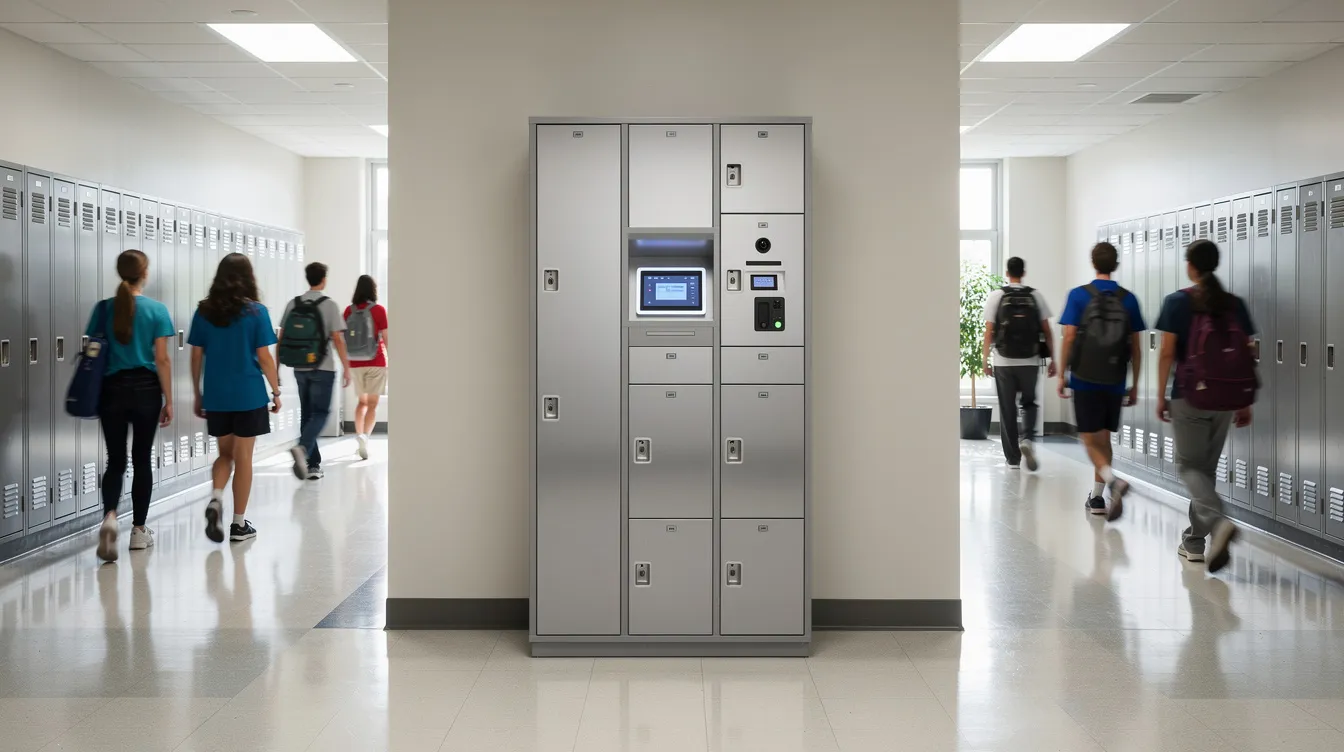
A three month pilot gives enough data on occupancy, dwell time, and user behavior to confidently scale across multiple floors or sites. A smart locker system should accommodate future scalability needs from day one, and a pilot is how you prove exactly how much growth to plan for.
Choose a pilot location that actually experiences peak traffic, not an out of the way hallway that underestimates demand. We often deploy one of our smart locker models in rental or trial mode so organizations can test charging, access methods, and analytics without a huge upfront commitment.
During the pilot, ask:
- Are there queues at certain hours?
- Do people ignore notifications?
- Are certain doors always full or always empty?
- Can replacement hardware be swapped in easily if a door size isn’t working?
Adjust configuration mid pilot. Change booking length, turn some bays from assigned to shared, or test different access methods to see how that affects perceived capacity. A smart locker system starts showing its value when you have real data, not projections.
12. Building Your Smart Locker Buyer’s Checklist Around Capacity
Here’s your capacity focused checklist to copy into your RFP or vendor questionnaire. Think of it as evaluating smart locker systems and evaluating device smart lockers against what actually matters:
- How many compartments per cabinet are standard, and what custom mixes of small, medium, and large doors does the vendor offer?
- Ask for real world case studies matching your environment, including starting capacity and how it scaled over 12 to 24 months. Look for a proven customer track record.
- How does the locker system report on usage? Ask about occupancy, dwell time, overdue device alerts, tamper alerts, and basic health status for each bank. Reporting tools seldom suit every organization out of the box, so ask about customization.
- Can the vendor model different capacity scenarios based on your headcount and policy, or do they just quote a single static configuration? Compare locker systems on this point.
- Smart locker vendor reliability matters. Ask about locker and cloud services uptime, what happens during power or network outages, and whether locker functions remain operational offline.
- Confirm locker system integration capability, access method options, and how connected storage systems handle multi site management features with consistent access rules.
- Total cost of ownership includes upfront and recurring costs. Factor in installation, annual software subscriptions, training costs for staff and users, and whether retrofitting existing cabinets with smart locks reduces costs. Smart locker system cost over five years is what really matters, not just the sticker price.
- Check stored platform data policies and information technology service management compatibility with your existing IT systems. Asset management systems and intake and repair status tracking should work without creating separate management processes.
When comparing locker features, visit our smart locker category page to see common configurations we use as starting points.
13. Next Steps: Right Sizing Your Smart Locker System With Us
The “right” capacity is the one that fits your peak usage, your policies, and your space, not a guess based on headcount. A scalable smart locker system grows with you instead of forcing you to start over.
Before reaching out, gather a few things:
- Rough headcount by user group
- The two or three busiest times of day
- Current phone or device policy
- Available wall or floor space
We specialize in secure phone charging stations, portable charging kiosks, and smart locker solutions. We regularly help schools, hospitals, offices, and venues right size capacity. Whether you need a compact SmartLocker 8 for a single department or a full SmartLocker 40 deployment across a campus, we can sketch out a capacity plan based on your numbers.
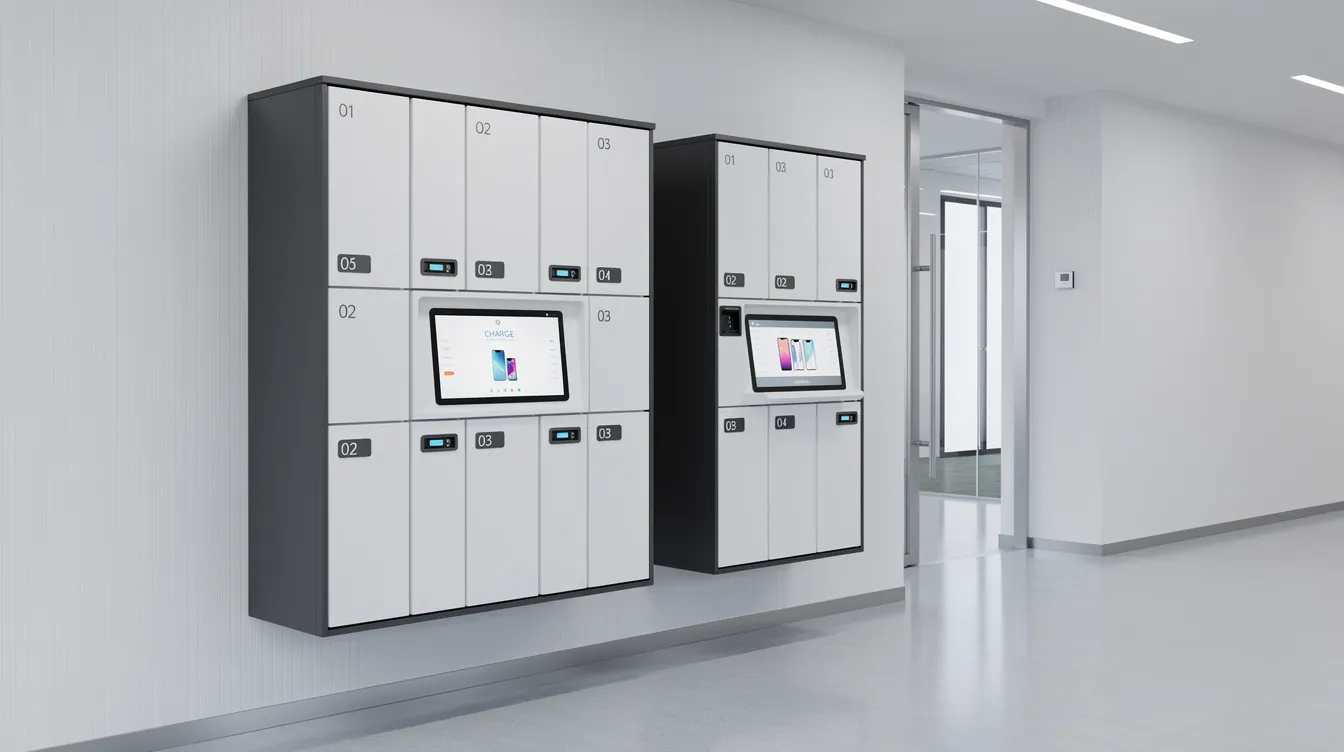
If you want a capacity sketch or a formal proposal, request a quote here. We’ll walk through the math with you.
And one last thing worth remembering: it’s always better to start slightly smaller with good data and grow than to overbuy a huge locker wall that sits half empty. Smart locker deployment done right is a process, not a single purchase. A complete system is one that matches your reality today and has room for tomorrow.
FAQs
How much extra smart locker capacity should I plan beyond my current peak?
Most sites should budget 15 to 25% extra compartments above measured peak concurrent users. If you expect rapid growth or policy changes, lean toward the higher end.
Can I share one smart locker bank between staff and visitors?
You can, but it’s usually cleaner to separate banks or use software based rules with different access methods, like staff badges versus visitor PIN codes, to keep things organized and trackable.
How do Smart Locker Alerts for overdue devices help with capacity?
A growing number of overdue alerts typically means dwell times are too long or capacity is too tight. Adjusting booking policy or adding bays usually brings those alerts back to normal.
What if my phone policy changes after I install the locker system?
Go with modular locker solutions so banks can be added over time. Choose a layout with physical space reserved for expansion, and you won’t have to start from scratch. Power or network work should be planned for future spots too.
How quickly can I scale from one smart locker to several locations?
With a cloud managed locker system and centralized admin, new banks can usually go live in weeks. As long as power, network, and space are ready, a smart locker rollout across multiple sites is straightforward.