
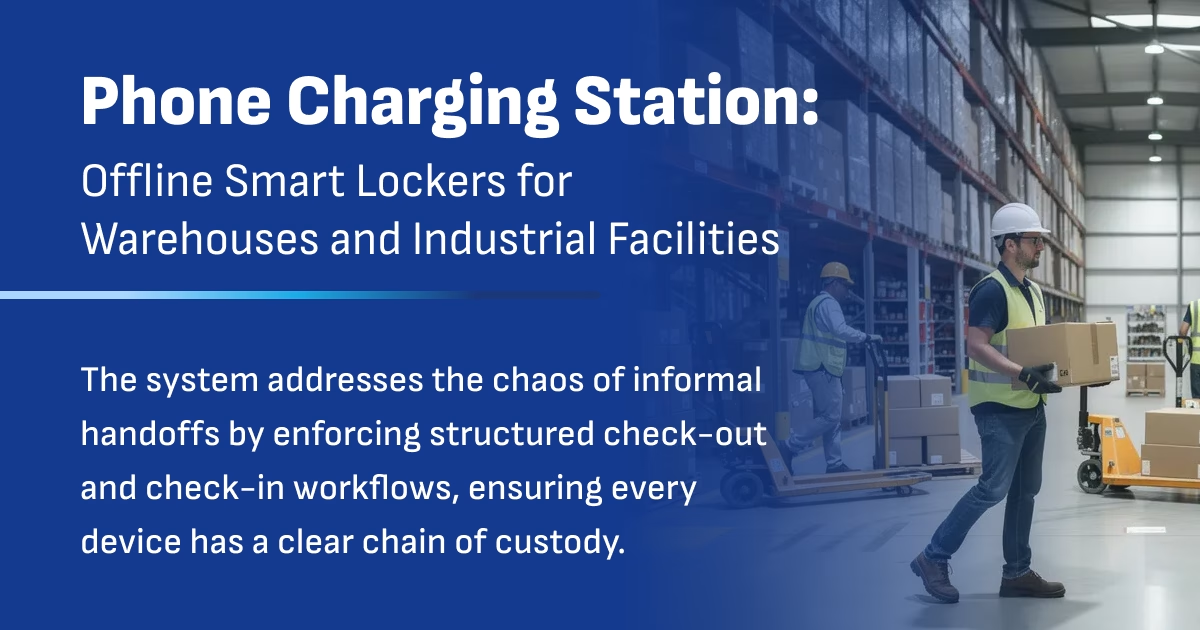
In large distribution centers and manufacturing facilities, shared devices are critical to daily operations. Team members rely on company-issued cell phones, shared tablets, and shared laptops to keep picking routes moving, dock appointments on schedule, and floor communication running smoothly. But most facilities are still managing these devices the same way: tossed in a drawer, half charged, with no one knowing who had them last.
Phone charging stations offer different charging solutions. These charging stations are compatible with a wide range of devices, including various brands and models, ensuring versatility and convenience for all users.
For organizations with strict IT policies, there’s another complication. They cannot connect third-party systems to the company network. So how do you manage shared devices securely, track accountability, and keep everything charged without using the cloud?
How Phone Charging Stations Work in Warehouses?
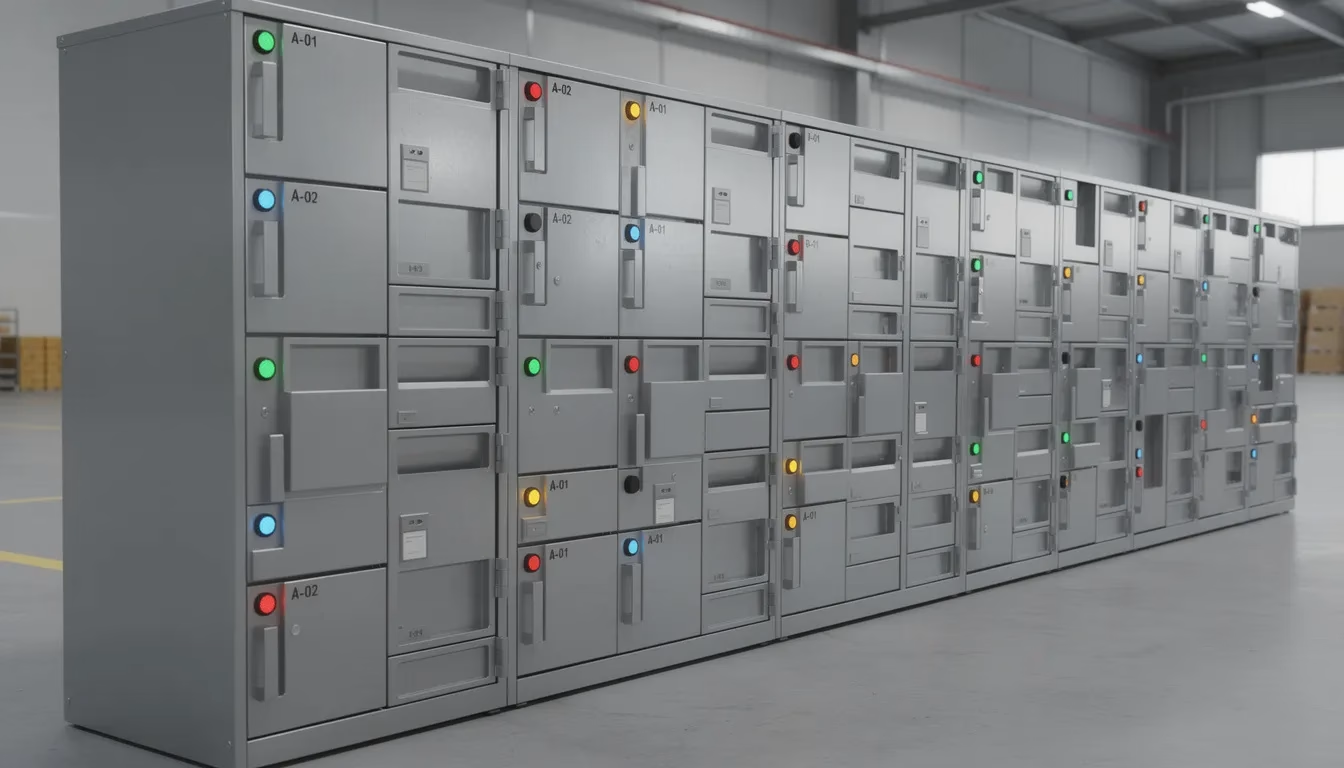
A phone charging station in an industrial context is not the kiosk you see at malls or airports. It’s a standalone smart locker system designed to store, charge, and track shared company phones, tablets, and laptops in warehouse and plant environments. These charging stations combine secure compartments with built-in power outlets, badge-based access control, and local data logging—all without requiring WiFi, cloud hosting, or connection to your internal network.
Unlike portable charging stations built for guests at events or retail locations, this technology is purpose-built for 24/7 operations and shift work. The system addresses the chaos of informal handoffs by enforcing structured check-out and check-in workflows, ensuring every device has a clear chain of custody.
These solutions serve concrete environments: large distribution centers processing thousands of orders daily, automotive assembly plants tracking rugged tablets for quality checks, 3PL warehouses managing fleets of handheld scanners, and manufacturing lines that have grown their shared device counts steadily since around 2010. Our solution is a standalone, offline smart locker that keeps every device charged, assigns clear custody, and works without touching your corporate network.

Why Warehouses Need Structured Phone Charging Stations (Not Drawer Charging)
Walk into most warehouse break rooms or supervisor offices, and you’ll find the same scene: a drawer stuffed with cables, a random assortment of chargers plugged into power strips, and devices scattered across desks. This approach might work for a small office with a handful of users, but it fails under multi-shift operations running around the clock.
The problems are predictable and expensive:
- Dead devices at 6:00 a.m. shift start — The overnight crew returned phones but never plugged them in. Now day shift is delayed.
- Lost or misplaced devices between shifts — A scanner that was on the shipping desk at 2:00 p.m. is nowhere to be found at 10:00 p.m.
- No chain of custody — When a tablet screen is cracked, nobody knows who had it last.
- No centralized damage reporting — Broken equipment gets put back in circulation, frustrating the next user.
- Ad hoc handoffs in the break room — “Hey, can you hand me that phone?” leads to zero accountability.
- Mixed device types with incompatible cables — RF guns, rugged phones, iPads for inventory counts, and laptops for shipping stations all need different charging solutions.
- Safety gaps when communication devices are dead — Floor leads can’t be reached, radios are out of battery, and response times suffer.
The impact on operations is real: delayed picking routes, missed dock appointments, wasted supervisor time hunting for equipment, and safety issues when users can’t stay connected to the team. Drawer charging isn’t a system—it’s an invitation for chaos.
Standalone, Offline Smart Lockers vs. Cloud Phone Charging Stations
Since around 2015, cloud-connected cell phone charging stations have become common in public spaces—malls, stadiums, airports, and convention centers. These kiosks often feature digital signage, custom branding for sponsors, and app-based rental systems designed to enhance customer experience and increase dwell time for venues.
But warehouses and manufacturing plants have different requirements. Most IT teams in regulated industries—automotive, pharma, aerospace—will not allow cloud-based locker systems or remote access tools on the production floor. The security risks of network-connected equipment that phones home to third-party servers simply don’t match strict compliance policies.
A truly standalone phone charging station operates differently:
| Feature | Cloud-Connected Locker | Standalone Offline Locker |
|---|---|---|
| WiFi/Internet required | Yes | No |
| Data stored | Third-party cloud servers | Local controller only |
| Network integration | Required | Not needed |
| IT approval difficulty | High (security reviews) | Low (air-gapped) |
| Firmware updates | Over-the-air | Controlled USB process |
| Reporting access | Web dashboard | Local export or screen |
Our lockers store all logs, configurations, and user data locally on the controller. When audits require data, export happens via USB or secure local methods—never through open network connections. This design satisfies the strictest IT environments while still providing the accountability and charging verification that operations need.
How a Phone Charging Station Manages Shared Devices in One System
One of the most common misconceptions is that a phone charging station only handles phones. In reality, a properly configured locker bank can manage cell phones, tablets, and laptops simultaneously—each with appropriate power delivery and access rules.
Consider a typical warehouse configuration:
Group A (Picking Department)
- 1 assigned phone per employee
- Up to 1 shared tablet maximum
- Access limited to picking area lockers
Group B (Shipping Department)
- 1 assigned phone per employee
- Up to 1 shared laptop maximum
- Access limited to shipping dock lockers
Managers
- Override access to all compartments
- Can release devices for any shift or department
- PIN-based override for exceptions
Each compartment has its own power connection—USB-C, Lightning, or OEM barrel chargers for laptops—and is mapped to a unique device ID or RFID tag. When an employee badges in, the system knows their department, their device limits, and which compartments they’re authorized to access.
Key access control features include:
- Badge-based authentication tied to employee records stored locally
- Department permissions preventing cross-team device hoarding
- Device quantity limits enforced per user or per shift
- Automatic logging of every check-out and check-in event
- Manager override capabilities for exceptions without IT involvement
This eliminates the gray area. No guessing, no informal handoffs, no disputes about who took what.
Eliminating Dead Devices at Shift Start
“The device was dead when I got it.”
Every warehouse supervisor has heard this complaint, especially on overnight shifts and weekends when oversight is minimal. The fundamental problem is that placing a device in a drawer or on a charging cart doesn’t guarantee it’s actually charging. Cables get unplugged, ports fail, and devices get returned to the wrong spot.
A properly equipped charging station monitors whether each device is actually connected to power. Using current sensors that detect amperage draw, the system confirms active charging—not just physical presence in a compartment. If a device isn’t drawing power, the compartment flags it as non-compliant.
The charging verification logic works like this:
- Block checkout of uncharged devices — If a phone isn’t connected correctly, users can’t remove it.
- Prioritize highest-charged devices first — At 6:00 a.m. shift start, the locker offers the most charged unit, not just any available slot.
- Display charge status on screen — Simple icons show which devices are ready and which are still charging.
- Detect charging failures immediately — If a device stops drawing power mid-charge, the system logs it for review.
Imagine a scenario: 30 shared phones support 120 workers across 3 shifts. Without structured charging, the 6:00 a.m. crew often finds half the phones dead, causing 15-30 minute delays as they hunt for working units or wait for quick charges. With a phone charging station enforcing proper connections and prioritizing charged devices, those delays drop to under 5 minutes.
The operational benefit is straightforward: every shift starts with reliable, charged equipment. No more productivity losses from dead devices.
Damage Reporting, Accountability, and Chain of Custody
Cracked screens, broken scanners, missing styluses, bent laptop hinges—device damage is inevitable in industrial environments. The question is whether you can identify who had the device when damage occurred and prevent broken equipment from being reissued to the next user.
Every check-out and check-in event in a smart locker is time-stamped and tied to an individual user via badge or PIN. This creates a digital chain of custody with 99.9% accuracy in high-volume operations, eliminating disputes about who was responsible for damage.
The return workflow captures damage efficiently:
- User badges in and selects the device they’re returning
- System confirms the specific device (via RFID tag or barcode)
- Screen prompts: “Is this device damaged?”
- If yes, simple predefined options appear:
- Screen cracked
- Won’t power on
- Scanner not reading barcodes
- Battery won’t hold charge
- Other (brief text entry)
- Damaged device is automatically blocked from reissue
- Manager notification logged for review
Once marked damaged, that compartment is locked until a manager or IT clears the device. This protects the company from circulating broken equipment and protects employees from being blamed for pre-existing damage they inherited.
RFID or barcode tagging on each device ensures the locker can verify that the specific phone or tablet checked out is the exact one being returned. If someone tries to return the wrong device, the system flags a mismatch and requires manager override to resolve.
Badge-Based Access Without Touching the Corporate Network
Most industrial facilities already use HID or RFID badges for time clocks and secure door access. Employees carry these credentials daily. A standalone phone charging station leverages this existing infrastructure without requiring network authentication.
The charging station can read common badge formats during deployment:
- HID Prox (125kHz)
- iCLASS
- MIFARE
- NFC credentials
Configuration happens locally at the locker. User access rules—departments, permissions, device limits—are stored on the controller itself, not queried from an external server each time someone badges in.
A typical first-day workflow looks like this:
- Supervisor accesses the locker’s admin menu with their badge
- New employee taps their badge to enroll
- Supervisor assigns department (e.g., Picking) and device permissions
- Device access is active immediately—no IT ticket required
This approach satisfies strict IT policies because the locker doesn’t need:
- Domain access or AD/LDAP connectivity
- VPN tunnels to authentication servers
- Firewall rules allowing inbound connections
- Credentials stored in third-party systems
For security-conscious organizations, this air-gapped design is the perfect way to gain device accountability without introducing network vulnerabilities.
Piloting a Phone Charging Station in One Facility Before Scaling
Once the workflow is proven, the same configuration can be cloned for regional distribution centers, satellite warehouses, or additional manufacturing lines. Scaling becomes a matter of deploying hardware and loading the validated configuration—not reinventing processes at each location.
After a successful pilot, organizations can expand their phone charging station network to additional facilities or departments to maximize operational efficiency.
Designing the Physical Layout of Your Phone Charging Station Area
Location matters as much as technology. Place lockers where shift changes and breaks naturally occur—near time clocks, main facility entrances, or supervisor offices. If employees have to walk across the warehouse to return a device, compliance will suffer.
Power and cabling considerations:
- Dedicated 120V outlets or industrial power strips with surge protection
- Cable management to avoid trip hazards in high-traffic areas
- Clear labeling for IT or maintenance access
- Adequate ventilation if lockers are enclosed
Real-world layout examples:
- Inbound docks — One locker tower for yard drivers and shipping staff who need devices for trailer check-in
- Picking/packing areas — Locker near the staging zone for handheld scanners and phones
- Supervisor station — Central location with manager override access for exceptions
- Break room adjacent — Convenient for shift-change returns without disrupting workflow
Clear signage makes a difference. A simple printed SOP or digital signage above the locker explaining check-out/check-in steps in less than 30 seconds improves adoption dramatically. Users should know at a glance: badge in, take assigned device, return before shift ends.
Consider traffic flow during shift changes. If 50 people need devices at 6:00 a.m., a single locker tower may create bottlenecks. Multiple towers or strategic placement reduces congestion.
Security, Reporting, and IT Control Without the Cloud
Offline does not mean basic. A standalone phone charging station still provides granular reports and security controls—just without exposing data to external networks.
Typical reports accessible at the locker screen or via local export:
- Device usage by employee and department — Who checked out what, when, and for how long
- Damage event history — Every reported issue with timestamps and user attribution
- Charge status logs — Historical charging data for each compartment
- Exception reports — Overdue returns, forced manager overrides, mismatched device returns
- Compliance metrics — Percentage of proper check-ins, policy violations flagged
Firmware and configuration updates follow a controlled, offline process. IT approves signed update packages, which are loaded via USB or a locked maintenance port. No over-the-air updates that could introduce vulnerabilities.
Security benefits for IT stakeholders:
- No exposure of internal credentials to third parties
- No inbound firewall rules required
- No cloud data storage for everyday operation
- Air-gapped system that can’t be remotely accessed
- Audit-ready logs exportable in standard formats (CSV)
For compliance-driven industries, this approach satisfies auditors while giving operations the accountability tools they need.
Hosting a Charging Station in Your Facility
Bringing a cell phone charging station into your facility is the perfect way to enhance the overall customer experience and keep your patrons engaged for longer. Whether you operate a warehouse, retail space, or event venue, offering reliable charging solutions shows your commitment to convenience and customer care. Our charging stations are designed for ease of use and can be tailored to match your brand with custom logos and messaging, making them a seamless extension of your business identity.
With a range of options—including portable charging stations and mobile power bank solutions—you can choose the setup that best fits your space and customer needs. These stations help your guests stay connected, ensuring their devices have the power they need while they’re on the go. By providing this valuable amenity, you not only increase dwell time but also encourage repeat visits and positive word-of-mouth.
Our competitive pricing and flexible solutions make it easy to add this service to your business, no matter the size or industry. From high-traffic lobbies to employee break rooms, our charging stations deliver reliable power and a positive impression every time. Enhance your environment, support your customers, and keep everyone powered up with our trusted charging solutions.
Environmental Benefits of Smart Charging Stations
Choosing smart charging stations for your business isn’t just about convenience—it’s also a step toward a more sustainable future. Our charging solutions are engineered to minimize environmental impact by reducing the reliance on single-use batteries and disposable chargers. By offering reliable charging for all types of devices, you help cut down on electronic waste and promote responsible energy use.
Our mobile power bank solutions and wireless charging technology are designed for energy efficiency, ensuring that every charge uses only the power needed. Digital signage integrated into our stations further reduces paper waste, allowing you to share important messages and promotions in a greener way. These features not only enhance the customer experience but also demonstrate your commitment to protecting the environment.
By implementing our charging stations, your business can boost revenue, improve customer satisfaction, and support sustainability goals—all while providing a reliable service that keeps everyone connected. Make a positive impact on both your customers and the planet with our advanced, eco-friendly charging solutions.
Use Cases: From 24/7 Warehouses to Manufacturing and Automotive Plants
Different facilities have unique requirements, but the core needs are consistent: reliable charging, clear device ownership per shift, and offline operation due to tight IT and compliance rules.
E-Commerce Fulfillment Center (24/7 Operations)
A 500-worker distribution center operates three shifts with 150 shared handheld devices—scanners, phones, and tablets for inventory management. Before implementing a phone charging station, shift-start delays averaged 15-30 minutes as workers hunted for charged equipment. Device loss ran at 20-30% annually. After deployment, delays dropped to under 5 minutes, and loss rates fell below 1%.
Automotive Assembly Plant
An automotive manufacturer tracks rugged tablets used for quality checks at 40+ stations along the assembly line. Strict IT policies prohibited cloud-connected lockers. The standalone solution provided chain of custody tracking, reducing damage disputes by 40% and ensuring every tablet was ready for the next shift without network connectivity.
Food & Beverage Manufacturing
A food processing facility with strict hygiene policies positions lockers outside cleanroom zones. Workers badge in before entering production areas, grab their assigned devices, and return them before clocking out. The offline system satisfies both food safety compliance and IT security requirements.
These scenarios contrast sharply with public charging stations designed for retail venues, bars, stadiums, or events. Public charging providers focus on delivering on the go charging for attendees and fans, ensuring everyone can stay powered up and connected without missing a key moment. Users can easily locate nearby stations and download an app for added convenience, enhancing the overall experience at events and venues. These providers often boast the largest network of charging stations, work with the biggest brands, and operate across the globe. They offer both rent and purchase options, competitive price guarantees, and custom media branding—often managed in-house. Strategic partnerships with venues and partners expand their reach, and many invite businesses to join their network. To protect users, they implement safety and disinfection solutions, all designed to keep up with the fast pace of modern life.
Industrial charging solutions focus on operational uptime, accountability, and compatibility with restricted IT environments.

Is an Offline Phone Charging Station Right for Your Facility?
A standalone phone charging station makes sense when specific conditions exist in your operation:
- You run multi-shift warehouse or manufacturing operations (24/7 or extended hours)
- Devices are shared across employees—phones, tablets, laptops, scanners
- Equipment is frequently misplaced, undercharged, or returned damaged
- IT will not approve cloud-based or network-connected systems on the production floor
- You need a clear chain of custody and damage reporting for every device
- Current drawer charging or ad hoc cable setups create shift-start delays
If these conditions sound familiar, the next steps are straightforward:
- Conduct a quick internal audit — How many shared devices do you have? How are they currently stored and charged? What’s the annual loss rate?
- Identify a pilot location — Choose one facility or department to test the system for 60-90 days
- Estimate compartment needs — Count devices by type and department to size the locker appropriately
- Involve operations and IT early — Both teams need to validate that the solution meets workflow and security requirements
The goal is configuring the system around your workflow—not forcing your operation into a generic solution. Charging cables, power requirements, badge formats, and department permissions can all be customized during deployment.
For facilities tired of dead devices at shift start, untraceable damage, and the security risks of cloud-connected alternatives, an offline phone charging station may be the structured solution your operation needs.