

Choosing the right cell phone locker for a clinic is not the same as choosing one for a school or a gym. Clinics operate under stricter infection control standards, handle protected health information, and cycle patients through shared environments faster than most other facility types.
This locker buying guide walks clinic administrators through use-case mapping, capacity planning, lock selection, charging decisions, materials, and total cost so you can plan a deployment that fits your site, your budget, and your workflows.
Key Takeaways
- Clinic phone lockers must balance device security, infection control, and patient experience. Prioritize wipeable materials, sealed surfaces, and simple workflows over generic storage solutions designed for schools or gyms.
- Start by mapping who will use the lockers (patients, visitors, staff) and where (check-in, waiting areas, staff zones, high security locations) to size capacity correctly and avoid bottlenecks at peak times.
- Choose locking mechanisms based on turnover and risk: keyed locks for controlled staff areas, resettable combination locks or PIN/RFID smart access for public and semi-public zones.
- Decide early whether you need non-powered cell phone lockers, integrated charging lockers, or full smart charging stations with analytics and audit trails.
- Look beyond sticker price to total cost: installation, power, cleaning time, replacement locks, software fees, and vendor support over a 5–10 year service life.
Why Clinics Need a Dedicated Phone Locker Strategy in 2026?
Outpatient clinics, imaging centers, and ambulatory surgery centers now routinely restrict personal devices in procedure rooms, charting stations, and consult areas. The reasons are concrete: cell phones with cameras can capture protected health information on screens or whiteboards, and phone lockers must comply with HIPAA and privacy policies in medical settings. Secure cell phone lockers reduce theft risk in public areas and help improve focus by minimizing phone distractions for both staff and patients.
Clinics differ from hospitals in floor space, staffing, and throughput. A 10-room family practice has no security officers to enforce a “no phones” policy at every door. Self-service phone locker systems handle that gap. They let visitors drop off devices at check-in without requiring staff to babysit the process.
Honestwaves builds secure phone charging stations and smart lockers with cloud monitoring, data blocking, and UV-C disinfection modules, all features that suit healthcare facilities where privacy and hygiene are non-negotiable.
Map Use Cases: Who Will Use the Phone Lockers and Where?
Accurate scoping is the first step in any locker buying guide. It determines capacity, form factor, and lock type. Key user groups in clinics:
- Patients and visitors in waiting areas, pre-op holding, and imaging sub-waiting rooms. They need intuitive, public-facing units with zero training.
- Clinical staff entering MRI suites, cath labs, or procedure rooms where phones are prohibited. They need staff-only secure storage with badge access or PIN entry.
- Vendors and contractors on site for equipment service access who carry personal items including phones.
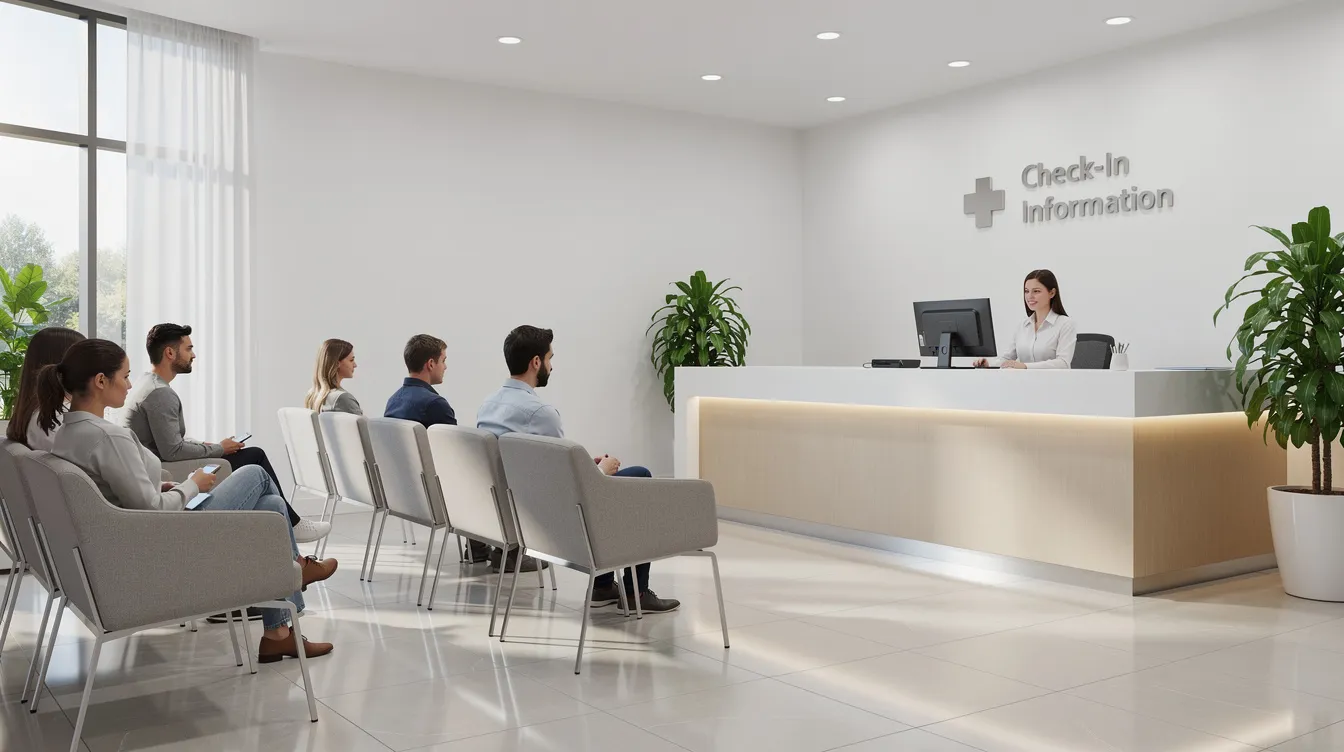
Typical touchpoints include the reception desk, sub-waiting areas, staff changing rooms or locker rooms, and doorways to restricted imaging zones. Secure lockers also promote respectful behavior in public venues and shared environments like waiting rooms.
To estimate peak simultaneous users, consider concrete scenarios: a 12-chair infusion clinic running 90-minute sessions might need 8–12 bays near the treatment area. A 6-room GI endoscopy center with family members in tow could need 20–30 openings near pre-op. Schools typically need 25 to 35 locker slots per classroom; clinics rarely hit those numbers per zone, but a busy urgent care with 25–35 patients during an evening peak could approach similar density.
Each use case may justify different products: wall-mount cell phone lockers for public areas, freestanding units or phone locker towers for staff, and portable charging lockers for overflow spaces. PPE lockers and specialty lockers for controlled substances serve adjacent but separate needs.
Capacity, Compartment Size, and Layout for Clinics
Under-sizing phone lockers creates cluttered reception desks and workarounds. Over-sizing wastes wall space that clinics can’t spare. Lockers should match peak user demand, not just current daily use numbers.
| Clinic Type | Recommended Openings | Placement |
|---|---|---|
| Primary care / pediatrics | 20–40 | Near front desk |
| Ambulatory surgery center | 40–80 | Split: check-in + pre-op |
| Imaging center (MRI/CT) | 10–24 | Outside scan room entrance |
Compartment sizes must accommodate modern devices along with accessories like cases. Modern smartphones require larger compartments in phone lockers; bays should measure at least 4.5 inches tall and 7–8 inches deep for a phone plus wallet and keys. Cell phone lockers can have 25 to 35 compartments per unit, and individual-door lockers secure one phone per door. Some clinics prefer slimmer bays for phones only; others want multi-use compartments with shelving for other personal items.
For layout, wall-mounted phone lockers above seated height work well in waiting rooms. Narrow, tall cabinets fit between doors in corridors. Under-counter or recessed configurations at reception keep visual clutter low. Sloped tops prevent items from accumulating on top of units.
ADA compliance is essential in locker installation for accessibility: usable doors should fall between 15 and 48 inches above the floor. That constraint limits how many rows of doors each unit can offer.
Security and Lock Types: Matching Risk Level to the Right Cell Phone Locker
Match security features to zone risk instead of buying the most expensive option for every location. Lock systems can include mechanical key locks, digital keypads, or RFID integration.
Keyed locks suit staff-only or supervised areas. Low learning curve, but lost keys mean re-keying costs and no audit trail. Good for employees near nurse stations or procedure rooms.
Mechanical combination locks work for patient and visitor zones. Fixed or resettable codes eliminate key management. Useful in waiting rooms, imaging check-in, and even health clubs or country clubs attached to wellness centers. A combination lock costs less than a smart lock but offers no remote override.
PIN or RFID smart locks are ideal for high security locations such as medication-adjacent areas, behavioral health entries, or workplaces handling sensitive materials. Digital locks allow quick access to stored devices and produce audit trails. They integrate with staff ID badges, support short dwell times, and offer remote unlock. Honestwaves smart lockers support cloud-based access control and real-time tracking.
Locker systems should have master keys or override options for emergency access. Heavy-duty aluminum or steel construction offers durability for high traffic areas. Look for 16–20 gauge metal lockers with reinforced doors, internal hinges, and tamper-resistant fasteners. Reinforced doors enhance tamper resistance in high-traffic areas. Steel construction lockers resist dents and scratches better than plastic lockers or laminate alternatives. Controlled substance lockers must meet DEA security standards and typically require secure wall mounting; those are separate from phone lockers but often purchased alongside them. CCTV coverage near publicly accessible units adds another layer of safety.
Charging vs. Non-Charging: When Clinics Need Charging Lockers
Clinics often need a mix of simple storage and powered units. The difference between smart lockers and charging lockers comes down to connectivity, analytics, and access control features.
Non-charging phone lockers require no power, cost less, and are easier to maintain. They suit short visits: lab draws, vaccinations, 20-minute consults.
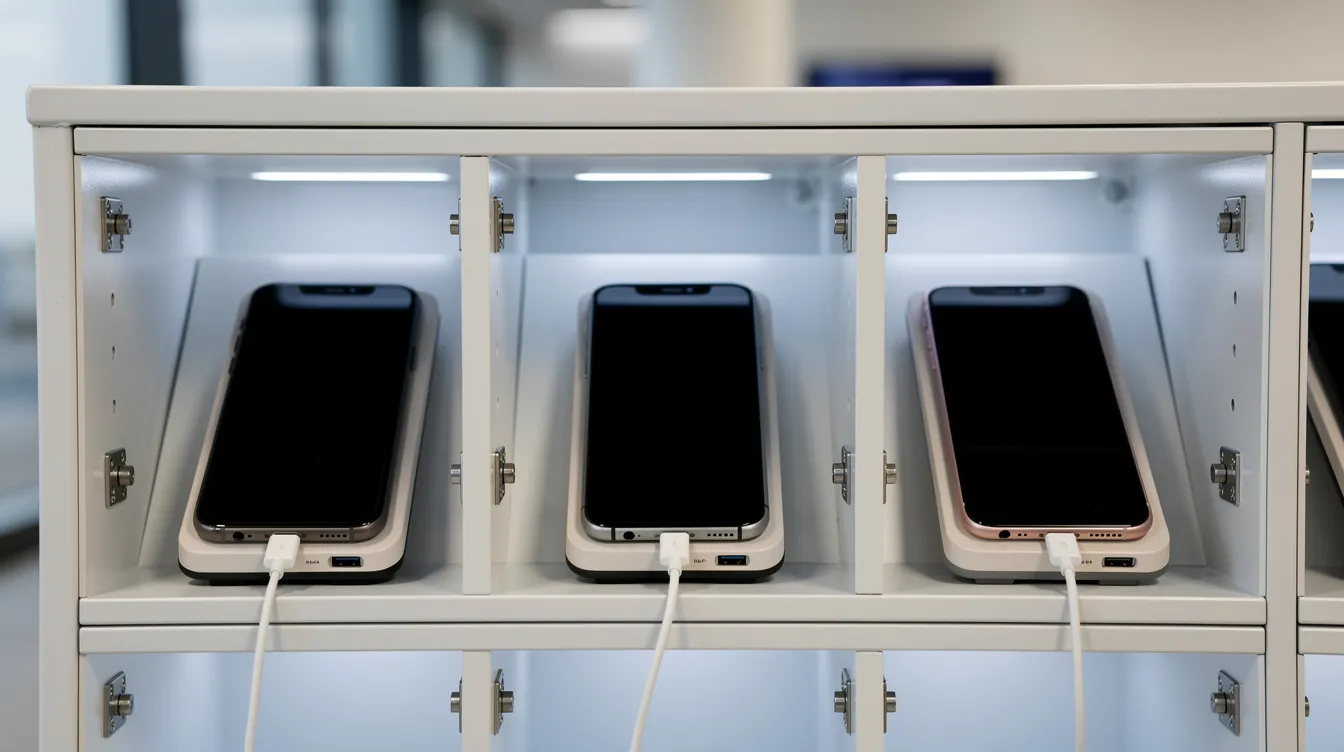
Charging lockers include USB ports for device charging, providing power for devices during storage. They work best in long-dwell areas like infusion centers, behavioral health intake, or multi-hour pre-op processing. Patients and employees retrieve fully charged phones, reducing demand for wall outlets at nurse stations. Integrated USB charging reduces clutter compared to loose cables. Charging lockers often include both USB-A and USB-C ports; current units from Honestwaves deliver up to 65W USB-C PD per bay. All charging units should be UL-listed with surge protection.
Charging lockers require careful planning for electrical access. Data blocking technology in Honestwaves units prevents data transfer during charging, protecting PHI and personal data.
Optional smart features include user self-service via PIN, remote monitoring, and usage analytics. These tools show which bays, clinics, or times of day see the highest demand, which is useful for multi-site groups and government agencies managing large deployments. Students, offices, gyms, and educational institutions also benefit from these same analytics.
Materials, Infection Control, and Cleaning in Healthcare Facilities
In clinics, locker buying decisions must factor in infection prevention and daily cleaning. A 2023 study found 90.5% of healthcare workers’ phones carried bacterial contamination; cleaning with 70% isopropanol reduced that rate to 14%.
Material options for phone lockers in healthcare:
- Powder-coated steel: Durable, withstands hospital-grade disinfectants. Select smooth, non-textured finishes. Antimicrobial finishes are important in medical environments for hygiene.
- ABS or high-grade plastics: ABS frame lockers are budget-friendly for high-traffic areas and resist corrosion and moisture. HDPE lockers resist moisture and harsh cleaning in healthcare settings.
- Wood frame lockers offer a polished look for offices and front-of-house areas with a hospitality feel, but require sealed surfaces for repeated wipe-downs.
For daily use, look for hidden hinges, minimal seams, and rounded corners to reduce soil traps. Doors should withstand gurney and wheelchair traffic. Door swing clearance matters in tight corridors.
Smart lockers can provide automated UV-C sanitization to reduce contamination. The SecureCharge 32 Bio from Honestwaves eliminates 99.9% of bacteria and viruses within 5 minutes per bay. UV-C modules supplement but do not replace manual cleaning protocols.
Total Cost, Installation, and Vendor Support: Seeing Beyond the Sticker Price
Clinic administrators should evaluate total cost of ownership over 5–10 years. Healthcare staff lockers often cost between $200 and $1,000 each depending on features. A basic non-charging unit costs less per opening than a smart charging locker, but the gap narrows when you factor in the full picture.
Cost components beyond sticker price:
- Freight, inside delivery, wall anchoring, and electrical work for powered units
- Lock replacements, key or combo resets, and software subscriptions for cloud systems
- UV-C lamp replacements and cable wear over time
- Local installation requirements may vary and should be considered during planning
Installation specifics for clinics:
- Check wall structure for studs or masonry; verify anchoring capacity for assembled units (unassembled or assembled units may ship differently)
- Maintain clearances around fire pulls, medical gas panels, and egress routes
- Schedule installation after hours to avoid disrupting patient flow
What to look for in a vendor:
- Experience with healthcare facilities and clinical workflow
- Long-term warranty coverage (Honestwaves offers a 10-year warranty on hardware and software)
- Availability of rentals or pilots so clinics can trial a phone locker before committing to full rollout; see the Smart Locker RFP Guide for procurement templates
- Remote support and analytics for smart locker fleets across multiple clinic sites
This investment pays back through reduced front-desk burden, fewer PHI exposure incidents, and a measurable factor in patient satisfaction scores.
FAQ: Phone Lockers for Clinics
These questions address clinic-specific concerns not fully covered above.
Do we really need separate phone lockers if we already have staff lockers?
Staff lockers sit in back-of-house rooms, not where patients and visitors need to drop off a phone before an MRI or procedure. Dedicated phone lockers near check-in or restricted-area entrances support policy compliance without requiring staff to give ad-hoc instructions. Staff lockers secure personal items for a full shift; phone lockers handle short, unscheduled drop-offs measured in minutes.
How many phone locker openings should a single clinic location start with?
Start with 10–20 doors for a small specialty clinic, 20–40 for a busy family practice, and 40–80 spread across multiple banks for a multi-specialty outpatient center. Add a 20–30% buffer for seasonal peaks (flu season spikes) and family members accompanying patients. After 6–12 months, use analytics from smart lockers to right-size capacity based on actual utilization data.
Can phone lockers integrate with our existing access control or EHR systems?
Basic mechanical phone lockers do not integrate with anything. Smart lockers and charging lockers can tie into badge systems or SSO used for staff. Direct EHR integration is uncommon, but usage data and audit logs from cloud-connected systems complement IT security and compliance reporting. Ask vendors about available APIs, SAML/OIDC support, and identity provider compatibility.
What policies should we have in place before installing phone lockers?
Draft or update policies that define where phones are prohibited and where they are allowed, who may use the lockers (patients, visitors, staff), time limits per session, and abandoned-property procedures. Include simple signage and a one-page instruction sheet at reception so every staff member delivers a consistent message about the system.
How long does it take to deploy phone lockers across multiple clinic sites?
Expect 4–12 weeks from final specification to go-live for most small to mid-size deployments. Complex smart charging locker rollouts with cloud management, UV-C modules, and custom branding require pilot phases, site surveys, and staggered installations. Involve facilities, IT, and infection control leads early. Rework caused by late-stage objections from any of those groups adds 2–4 weeks on average.