

Smart lockers track every checkout and return through user authentication, built in sensors, device IDs, and cloud software that logs everything in real time. If something goes missing, comes back late, or a door gets forced open, the system knows and sends alerts instantly.
Now picture this. You manage IT at a mid sized hospital. Every Monday morning, you hear the same thing: “Someone took my tablet,” or “The scanner from Bay 12 is gone again.” You’ve got a paper sign out sheet that half the staff ignores. Devices vanish between shifts, and nobody can tell you who had what or when. It’s exhausting.
That’s exactly the kind of mess smart lockers are built to solve. They handle asset management at the device level, tying every checkout and return to a specific person, a specific time, and a specific compartment. No guesswork.
At HonestWaves, we work with hospitals, universities, corporate offices, and event venues every day, building phone charging stations and smart locker setups that keep shared devices accounted for. So we’ve seen firsthand how tracking changes the game.
In this article, I’ll walk you through exactly how smart lockers track device checkouts and returns, step by step. We’ll cover user identification, device tracking tech, the alert systems that catch problems before they snowball, and what all of this means for asset tracking and customer satisfaction.
Smart Locker Basics: What’s Going On Behind Those Doors?
A smart lockers system is basically a connected cabinet that can identify who’s standing in front of it, detect what’s inside each bay, charge devices between uses, and log every single action in real time. Smart lockers use hardware, software, and identification protocols to manage electronic devices from checkout to return.
On the hardware side, you’re looking at a steel cabinet with electronic locks, a touch screen or access panel, RFID or barcode readers, and often integrated charging cables to keep devices powered between uses. Some units also include cameras, weight sensors that verify whether an item has been placed inside or removed, and UV disinfection modules.
The software side is where the magic lives. Centralized management software logs transactions and maintains a digital record of device checkouts and returns. There’s a cloud dashboard, a user database, an asset database with serial numbers and device IDs, and an event log that ties together who, what, when, and which compartment. Built in sensors verify the physical placement and removal of devices, feeding data into that log constantly.
Think of it like a hotel key card system, but for your loaner laptops, shared tablets, RF scanners, or office equipment. Every interaction is recorded. That’s smarter asset tracking in action, and it’s what separates smart storage lockers from traditional lockers with physical keys and a prayer.
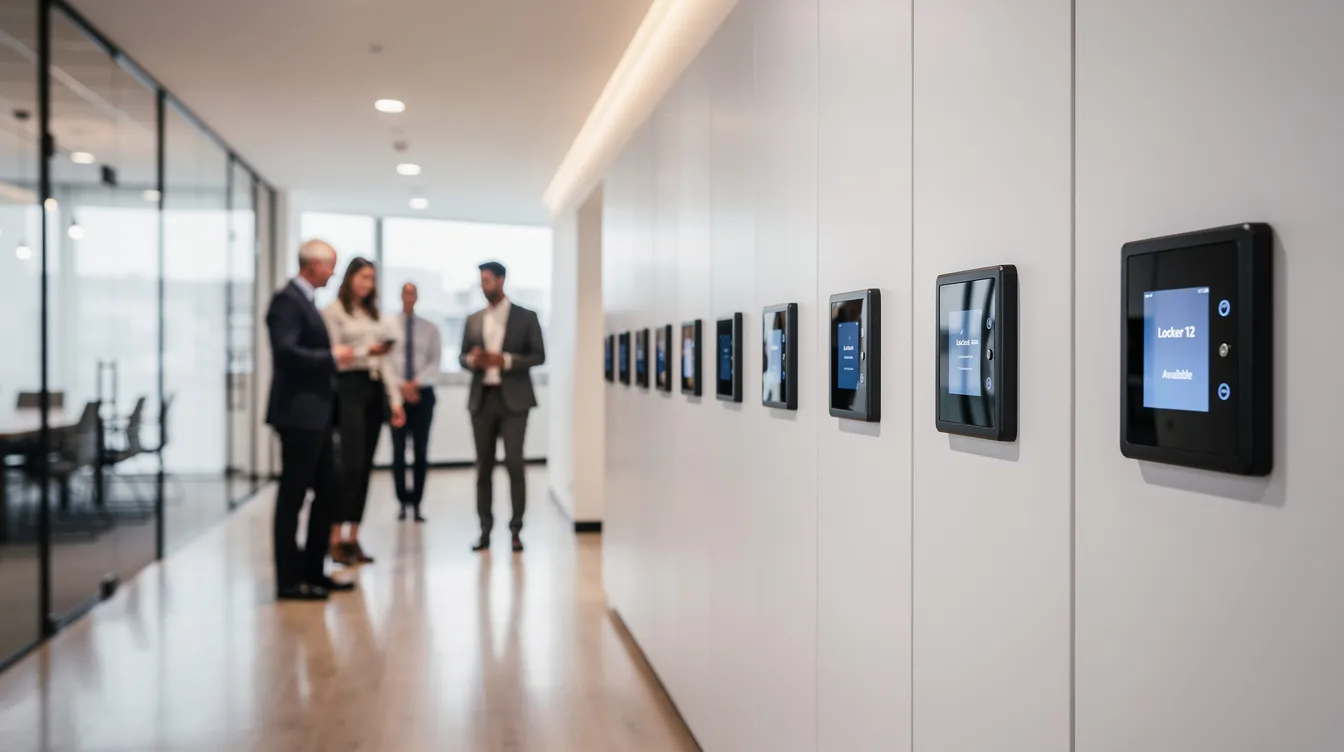
Step One: How Smart Lockers Identify Who’s Checking Out a Device
Before any door opens, the system needs to know who you are. User authentication methods for smart lockers include RFID badges, PIN codes, and biometric scanners, plus mobile apps or single sign on (SSO) tied to your company or university account. Barcode and QR code scanning can also be used for item identification and user verification.
Here’s how it plays out. You walk up, tap your badge or enter a unique code, and the access panel validates you against the locker’s software. User access is controlled through electronic locks that are released after authentication. If you’re cleared, the system logs your user ID and timestamp before anything unlocks. If you’re not authorized for that device type, the door stays shut. That’s access control with no gray area.
This is where role based access really shines. IT can set rules so that only authorized personnel can check out laptops, while phone chargers or power banks stay open to everyone. A university might let students borrow Chromebooks but restrict tablets to faculty. It’s all configurable through the dashboard, and it’s the foundation for everything that follows, including smart locker alerts for overdue devices, tampering, and maintenance.
Before smart lockers, one school district was burning 25 to 30 hours per week on manual processes like paper sign out sheets and device hunting. After implementation, that time disappeared. That’s the before vs after that matters.
Step Two: How Devices Themselves Are Tracked Inside the Locker
Every device in the system gets a unique identity. Could be a barcode sticker, an RFID tag, or a serial number stored in the software. RFID tracking allows lockers to identify devices being checked out or returned accurately, while barcode and QR code scanning handle identification for simpler setups.
When you pull a device out, the system scans or detects which specific asset left which bay. On return, it verifies the same device is coming back. This catches the classic “wrong device in the right compartment” problem that drives IT teams crazy.
There’s a second detection layer too. Smart lockers feature integrated charging cables, and those cables double as sensors. When a phone or tablet gets unplugged, the system logs it. When it’s plugged back in, that’s logged too. Some systems add weight sensors or optical detection for extra accuracy, making sure a bay isn’t marked “returned” when it’s actually empty.
In hospital and warehouse settings, handheld scanners are tagged and tracked from cradle to grave. Every checkout, every return, every charge cycle appears in the device’s history, so you can see who had it last, how often it’s used, and when it needs service. That’s digital asset management feeding directly into smarter replacement planning.
What Actually Happens When Someone Checks Out a Device?
Let’s walk through a real scenario. It’s 7:02 am. A nurse walks up to a smart locker in the break room, taps her badge, and the system confirms her identity. Automated systems unlock compartments containing devices upon successful user authentication. She needs a shared phone for her shift.
The software checks two things: does she have permission, and does she already have an overdue device? If all clear, it either lets her pick a specific bay or automatically assigns the best option, maybe the phone with the highest charge or the one that’s been idle longest. The assigned compartment pops open, she grabs the phone, closes the door.
That entire interaction, her ID, the device serial number, the bay number, the timestamp, gets pushed to the cloud instantly. Real time dashboards display the status of checked out devices and usage metrics, so her supervisor or the IT team can see exactly what’s in circulation. Inventory management in smart lockers includes real time updates and audit trails.
This kind of self service checkout is a game changer for customer satisfaction too. At events or hotels, guests can check out portable phone chargers without waiting for staff. No lines, no paperwork, no friction. Just immediate access to what they need.
How Returns Are Tracked: From Door Close To “Device Safely Back”
The return process mirrors checkout but adds a verification step. You authenticate, select “return,” get assigned a door, place the device inside, and the locker confirms it’s the right asset via RFID or barcode scan. Door closes. Done.
Smart lockers reduce return processing times significantly by automating what used to take staff involvement at every step. Exception protocols handle scenarios such as overdue devices, damages, or incorrect returns, so the system catches mistakes before they become problems.
Here’s something most people don’t think about: smart lockers enable 24/7 returns for customer convenience. A student can drop off a Chromebook at midnight, and the system updates availability for the next borrower immediately. That matters when you consider that 62% of customers avoid brands with complex return methods. In modern retail and hospitality, a hassle free experience during the return process builds customer loyalty.
Some lockers also check charging status or run quick self tests on return. If a device comes back damaged or with a dead battery, it gets flagged for maintenance instead of going right back into circulation. That’s smart systems doing the quality control your staff shouldn’t have to handle manually.
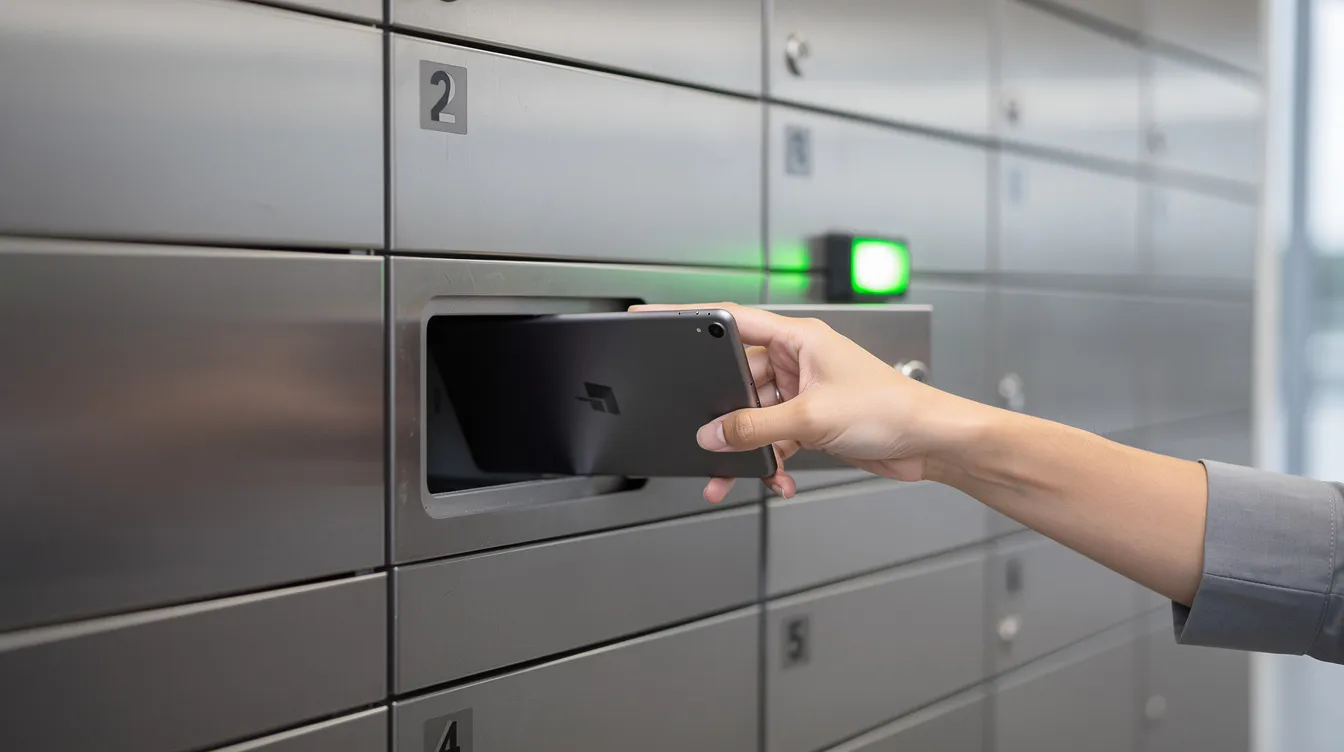
Smart Locker Alerts: Overdue Devices, Tampering And Maintenance
Once every checkout and return is logged, the real value is what the system does when something doesn’t go as planned. Smart lockers can send automated alerts for overdue items or unauthorized access attempts, and that’s where things get interesting.
Overdue alerts are straightforward. If a device isn’t returned by its due time, whether that’s end of shift, end of day, or a custom window, automated notifications prompt users to return devices on time and flag missing items. Emails, SMS, or dashboard pings go out to the user, their manager, or the IT team. No chasing. No awkward conversations. The system handles it.
Tampering alerts cover the scarier stuff: forced door openings, repeated failed PIN attempts, doors left open too long, or sensors detecting something off. These generate instant notifications and feed into immutable audit logs. Smart lockers enhance security with user authentication and tracking, so if someone tries to pry open a bay at 2 am, you’ll know about it before you finish your coffee the next morning.
Maintenance alerts are the unsung hero. Devices that fail to charge, bays with broken door sensors, or compartments sitting unused for weeks all get flagged automatically. This kind of proactive monitoring is how smart lockers help warehouses manage shared equipment without things falling through the cracks. One warehouse deployment cut device loss by 82% and saved nearly $92,000 a year after putting these alerts in place.
Why All This Tracking Matters For Asset Management And The Bottom Line
Let’s talk numbers. Companies report up to 80% reduction in lost assets with smart lockers. Smart lockers reduce asset loss by up to 80%. That’s not a rounding error. That’s the difference between replacing 50 lost laptops a year and replacing 10.
Smart lockers automate asset tracking and management processes, creating a digital audit trail for every transaction. Real time monitoring enhances asset security and accountability, which means fewer “mystery disappearances” and a lot less finger pointing. For many businesses dealing with lost laptops and high value assets, this alone justifies the investment.
Automated logs from smart lockers simplify compliance audits, which is a big deal in healthcare, education, and government. When regulators ask where a device was and who used it, you pull a report instead of sending panicked emails. Smart lockers streamline compliance with automated reporting tools, supporting regulatory compliance without extra administrative burden.
Usage data from these systems also reveals which devices are overworked and which sit idle. That helps you manage inventory, right size your fleet, and improve asset utilization. The entire organization benefits when you stop buying replacements for devices that aren’t actually lost, just poorly tracked.
Environmental Impact: How Better Tracking Helps Cut Waste And Carbon Footprint
Every lost or prematurely replaced device carries an environmental impact: manufacturing, shipping, disposal. When smart lockers reduce asset loss by up to 80%, that’s a meaningful reduction in e waste and carbon footprint.
Smart lockers lower carbon footprints by consolidating returns and reducing emergency replacement shipments. Instead of couriering a new tablet across town because someone “lost” the old one, the system finds it. Smart lockers also enhance last mile delivery efficiency by centralizing drop off and pickup points.
For many organizations with ESG targets, smart locker systems are becoming a must have. They support a sustainable future by extending device lifecycles through proper charging, controlled access, and maintenance alerts, all without asking staff to overhaul their daily routine. The environmental impact adds up quietly, but it adds up.
Where Smart Lockers Shine: Real World Use Cases Across Industries
Smart lockers are commonly used in offices, schools, hospitals, and warehouses, but the specific problems they solve look different everywhere.
In healthcare, shared phones and tablets used to vanish between nursing shifts. Manual processes meant nobody knew who had what. After installing smart lockers, every device is securely stored, tracked, and charged. Nurses grab a ready to go phone at shift start and return it when they’re done. Asset loss dropped, and clinical device management got dramatically simpler.
Universities running laptop lending programs dealt with similar chaos: Chromebooks returned to wrong shelves, missing chargers, students claiming they “already returned it.” Smart locker systems with RFID tracking eliminated the guesswork. One school district regained 25 to 30 hours per week in IT team time.
Corporate offices supporting hybrid work models use smart lockers so hot desking employees can grab a loaner laptop or monitor without filing a ticket. The user friendly interface means no training required. In physical retail and event venues, secure phone charging lockers give guests a hassle free experience, boosting customer experience and brand loyalty. Check out our SecureCharge 32 Bio with biometric access and UV C cleaning for a comprehensive solution that handles both secure storage and device hygiene.
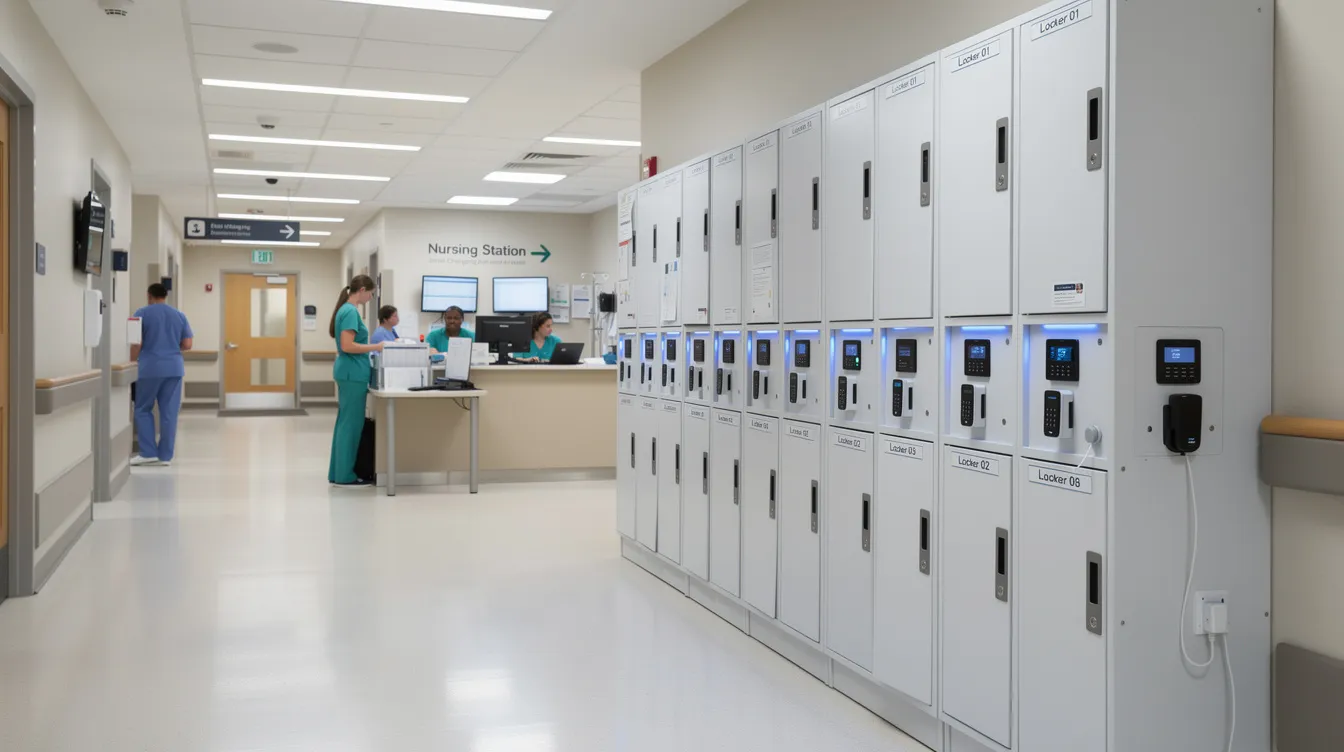
How To Choose A Smart Locker System That Actually Works For You?
If I were in your shoes, here’s what I’d look at first. Authentication options matter: do you need RFID badges, PIN codes, QR code access, or biometric scanners? The answer depends on your users and your security risks. A warehouse might want badge tap for speed. A hospital might need biometrics for enhanced security.
Device tracking tech is next. RFID gives you hands free, accurate records with minimal scanning friction. Barcode works fine for simpler setups. Charging detection adds that second verification layer. Think about what devices you’re tracking (phones, tablets, scanners, office equipment) and pick accordingly. Advanced technology should match your actual needs, not just look impressive on a spec sheet.
Don’t overlook the cloud dashboard. You want real time tracking, exportable reports, system integration with your existing asset management or IT tools, and a user friendly interface your team will actually use. Smart lockers automate asset check in and check out processes, but only if the software is intuitive enough that people don’t work around it.
Think about future growth too. If you’re at 30 devices today but heading toward 100 next year, don’t buy a system you’ll outgrow. Consider bay count, locker size, charging power, and whether you need UV disinfection. This is an ideal solution when it fits your scale, and a logistical nightmare when it doesn’t.
Want to explore what fits? Browse our smart locker range or request a quote and we’ll help you design something that actually works for your space.
FAQs
How do smart lockers know which person took which device?
Each user authenticates with a badge, PIN, or biometric scan, and the system logs their identity alongside the device ID at the exact moment of checkout.
Can a smart locker send alerts if someone forgets to return a laptop?
Yes. Smart locker alerts can email or text users and managers when devices are overdue, so nothing slips through the cracks.
What happens if someone tries to force a smart locker door open?
Tamper sensors detect forced openings and trigger instant notifications to admins or security, with everything logged in the audit trail.
Do smart lockers integrate with existing asset management or IT systems?
Most modern locker systems sync with asset management or ticketing tools via APIs. It’s something we help customers plan during setup.
Can smart lockers reduce our carbon footprint?
Fewer lost devices means fewer replacements manufactured and shipped. That directly lowers e waste and your overall environmental impact.
Are smart lockers only for IT gear?
Not at all. They’re used for phones, tablets, scanners, radios, physical keys, and even tools across healthcare, logistics, and manufacturing.
Conclusion
Smart lockers track device checkouts and returns through a layered system: user authentication confirms who, device IDs confirm what, sensors confirm the physical action, and cloud software ties it all together with timestamps and audit trails. Smart locker alerts for overdue devices, tampering, and maintenance catch problems the moment they happen, not days later when someone finally notices a missing laptop.
The emotional shift is real. You go from constant chasing, blaming, and spreadsheet digging to calm, data backed asset management. Devices are where they should be. Staff spend their time on actual work instead of playing detective. Customer satisfaction goes up because hardware is ready when people need it.
If you’re tired of the “who took that?” game, take a look at our smart locker solutions and see what fits your setup. You can request a quote anytime and we’ll walk you through options for your space. Because honestly, smart lockers aren’t just a smart solution anymore. For any business relying on shared devices, they’re becoming the one upgrade that pays for itself in fewer headaches, less waste, and happier people on every shift.