

At an airport gate, every outlet is taken and travelers hover with cables. In a clinic waiting room, staff hear the same question all day: “Do you have a charger I can borrow?” In an office lobby, visitors hunt for power and reception quietly becomes tech support.
The biggest problem with charging multiple devices in public or shared spaces is the clutter and disorganization it creates, making it inconvenient and inefficient for both users and staff.
A phone charging station sounds like a small amenity, but it’s one of those highly visible services that people notice instantly when it’s missing or when it fails. Done well, it reduces friction and makes your space feel more thoughtful. Done poorly, it creates clutter, safety concerns, maintenance headaches, and security anxiety.
What you’ll learn in this guide:
- What a charging station is (and is not)
- The main types and where each fits best
- How charging stations work (power, ports, and wireless)
- Key tradeoffs (speed, security, maintenance, placement)
- A decision framework and a deployment checklist
What Is a Phone Charging Station?
A phone charging station is a centralized charging setup designed to power multiple devices safely and conveniently in a shared area. It combines power delivery (wired or wireless) with physical design and optional features like security, cable management, and branding. A key benefit of a phone charging station is keeping devices organized during charging, with dedicated holders and secure placement to prevent clutter. Charging stations also help reduce cable clutter, making shared spaces more organized and efficient. A well-designed charging station is efficient in delivering power and managing multiple devices simultaneously.
You’ll also hear related terms:
- Charging station: The broad category (countertop, wall, furniture, kiosks, lockers) with the ability to support different device types or charging needs.
- Charging kiosk: Usually a floor-standing, public-facing unit built for high visibility and heavier use.
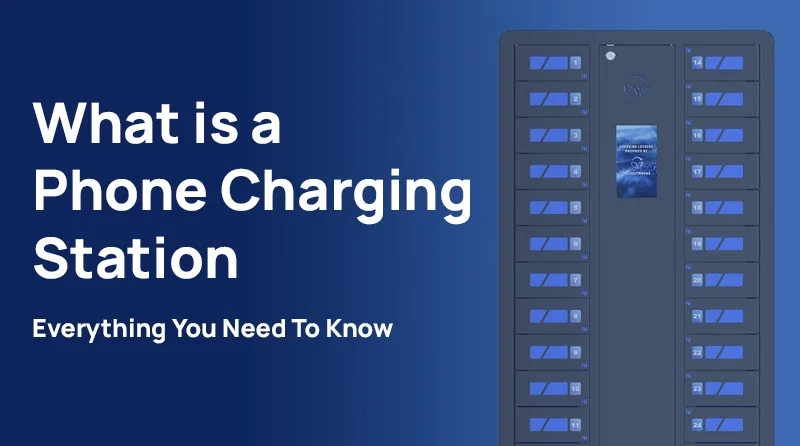
- Charging locker: A station with lockable bays for secure charging while the user steps away.
What it is not: It is not “any random USB port” or a loose pile of cables plugged into a power strip.
Where Phone Charging Stations Are Used (and why)
Public environments
Airports, malls, convention centers, stadiums, transit hubs, hotels, and event venues use charging to reduce visitor friction and improve dwell comfort. In many of these spaces, the real question is not “Can we provide charging?” It’s “Can we provide it without creating risk, mess, or maintenance burden?”
Workplace and multi-tenant
Office lobbies, shared desks, break rooms, co-working spaces, reception areas, and amenity floors all benefit, especially when meetings run long and mobile access is essential. These deployments often require alignment between facilities (power and placement), IT (policy and security posture), and operations (maintenance ownership).
Controlled environments
Schools, healthcare facilities, government buildings, and certain industrial settings often need stronger controls: lockable bays, cleanable surfaces, clear policies, and predictable support processes.
Why now (keep it factual): People depend on phones for access, communication, authentication, and navigation. USB-C is increasingly common, and shared environments are under pressure to offer basic “keep-you-moving” amenities without adding operational complexity.
How a Phone Charging Station Works (parts and layers)
Every charging station requires a reliable power source to function, which supplies electricity to the station’s internal components.
A good charging station is a small system, not just a box with ports. Modern charging stations rely on advanced technology, such as electromagnetic induction and smart compatibility standards, to deliver efficient and convenient charging experiences. Thinking in layers helps you specify the right setup.
Power input and conversion
Most stations are plugged into a standard wall outlet to draw building power, which they then convert internally into stable DC power for USB ports or wireless pads. In multi-device setups, the unit needs power budgeting, meaning it allocates available watts across multiple users so one device does not starve the others.
What to look for in practical terms:
- Rated total wattage capacity
- Clear per-port output specs (especially for USB-C)
- Internal power routing that avoids exposed wiring and pinch points
Outputs and connectors
Common outputs include:
- USB-C ports (modern phones and many new devices)
- USB-A ports (legacy accessories)
- Built-in cables (USB-C, Lightning, and micro-USB for older devices)
- Bring-your-own-cable ports (users plug their own cable into USB-C or USB-A)
Having the right charging cables for different devices is essential for efficient charging, and including micro-USB ensures compatibility with older gadgets. Proper cable management helps reduce clutter and keeps the charging station organized.
The “built-in vs bring-your-own” decision matters because built-in cables improve usability but increase wear, replacement, and theft risk.
Charging protocols (keep simple, accurate)
Not all “USB-C” is equal. The charging protocol determines real-world behavior. There are different types of charging protocols, such as USB Power Delivery (USB PD) and proprietary fast charging standards, which affect compatibility and charging speed.
- USB Power Delivery (USB PD): A standard that lets devices and chargers negotiate voltage and current for faster, safer charging (within device limits).
- Fast charging and wattage: A station’s total wattage and per-port limits determine real-world speed. “More ports” without enough total wattage often leads to slow charging during peak use. Charging protocols and available wattage directly impact charging time, meaning devices may power up faster or slower depending on the station’s design and compatibility.
Wireless Qi and Qi2 basics
Wireless adds convenience but has physical realities:
- Qi is the common wireless charging standard, used in a variety of wireless chargers such as charging pads and stands.
- Qi2 introduces magnetic alignment to improve coil positioning for compatible devices, which can improve usability and efficiency, and also supports fast wireless charging for Apple devices—delivering up to 25W for iPhones and ensuring optimal charging speeds within the Apple ecosystem.
- PMA is basically another wireless charging standard, similar to Qi, but with some technical differences in frequency and device compatibility. Both standards use wireless technology to enable cord-free charging, but Qi has become more widely adopted in consumer devices.
Wireless charging relies on inductive wireless technology, which transfers power through electromagnetic fields between coils in the charger and the device. A wireless pad is a common form of wireless charger, providing a cable-free solution for charging smartphones and other gadgets. To charge, users simply place their device on the wireless pad, and charging begins automatically. Wireless phone chargers are compatible with many phone models, including iPhone, Samsung, and Android devices, but it’s important to ensure compatibility between the wireless charger and the device to achieve reliable charging and prevent damage.
Wireless charging solutions are designed to protect and optimize your device’s battery, helping maintain battery health and longevity by regulating charging speeds and preventing overheating.
In practice, wireless is excellent for “top-ups” and convenience, while wired is typically more predictable for fast charging across mixed devices.
Physical design layer
This is where adoption is won or lost:
- Countertop vs floor-standing vs wall-mounted
- Cable management and strain relief to reduce damage and trip risk
- Materials that tolerate cleaning and daily wear
- Footprint and placement that do not block circulation
- Sleek design that enhances user experience and seamlessly integrates into various environments, such as offices, schools, and event spaces
Optional security and management layer
Depending on the environment, a station may include:
- Lockable bays (lockers) that allow users to securely store their devices while they charge
- PIN, RFID, or access control features
- Timers, status lights, or “in use” indicators
- Basic usage reporting (on some models)
- Branding wrap or digital signage (often on kiosks)
Types of Phone Charging Stations (with best-for and not-best-for)
Countertop multi-port stations (USB hub style)
Best for: Staffed areas, reception desks, concierge counters, lounges with supervision, lower theft risk, short-to-medium dwell time. The multiple ports on these stations allow several devices to be charged at once, making them ideal for busy environments where users need to charge multiple phones or tablets simultaneously.
Not best for: Unsupervised high-traffic public spaces where cables disappear or ports get abused.
Reality cue: These can be excellent, but only if someone owns the station and there is a plan for cable replacement.
Wall-mounted charging bars or shelves
Best for: Corridors and waiting areas where floor space is limited, and where you can place the unit near seating without blocking walkways.
Not best for: Locations where ADA clearance becomes difficult, or where people will crowd a narrow hallway.
Floor-standing charging kiosks (public-facing)
Best for: High visibility, wayfinding, brand presence, large venues, and locations where charging is part of the visitor experience. Floor-standing charging kiosks are a common form of public charging stations found in high-traffic areas, such as malls, airports, and event venues. These kiosks benefit customers by providing convenient charging options in public spaces, enhancing user satisfaction and making it easy for people to keep their devices powered while on the go.
Not best for: Spaces with vandalism risk and no monitoring. High visibility attracts heavy use, so support expectations must match.
Locking phone charging lockers
Best for: Schools, gyms, healthcare, workplaces with device custody needs, and environments with higher theft risk. Some charging lockers also include dedicated holders or charging options for Apple Watch, making them convenient for users with multiple devices.
Not best for: Very short dwell time or locations without a process for forgotten PINs and abandoned devices.
If you’re evaluating secure options, browse phone charging lockers.
Charging tables and furniture-integrated power
Best for: Lounges, libraries, collaborative spaces, break rooms, and areas where people naturally sit and stay. Charging tables and furniture-integrated power create the ideal setup for these environments, offering convenient and accessible charging for multiple users at once.
Not best for: Spill-heavy areas and aggressive cleaning routines unless the furniture is designed for it.
Explore charging tables for shared spaces.
Portable power bank programs (rental or checkout)
Best for: Events, pop-ups, temporary sites, activations, and venues that want charging without permanent installation. These programs often provide portable chargers that users can check out and return as needed, making them ideal for on the go charging and offering convenient access to power wherever users are. Typically, users use an app to check out portable chargers, receive notifications about return times, and manage the charging process through software-controlled functions.
Not best for: Sites without staff process for inventory, returns, sanitation, and loss management.
See portable charging kiosks for temporary-friendly options.
A Practical Workflow (8 steps) to Plan and Deploy
- Define the primary use case: guest convenience, employee readiness, device custody, revenue, or brand experience. Choosing a station that can efficiently charge devices based on user needs is essential for maximizing value.
- Estimate demand (especially peaks): footfall, foot traffic, dwell time, peak periods, device mix. Consider how many devices typically need to be charged at once to ensure the station can handle peak usage. Assessing foot traffic helps identify optimal locations and ensures accessibility and convenience for users.
- Choose the station category: tabletop, kiosk, locker, furniture, or portable.
- Specify charging capability: ports, cable strategy, USB PD wattage, wireless Qi or Qi2 needs. Make sure the solution can charge multiple devices simultaneously to meet user expectations.
- Plan placement for adoption: visibility, queueing, seating adjacency, ADA reach, security sightlines.
- Decide safety and security posture: certifications, charge-only approach, signage, policy.
- Procurement and installation plan: power circuits, mounting, spares, warranty.
- Operate and maintain: cleaning, cable replacement cadence, inspection schedule, feedback loop.
For deeper evaluation, share this internal resource: cell phone charging stations guide.
Benefits (and the tradeoffs you should acknowledge)
Benefits
- Improved visitor experience: people stay calmer and staff get fewer interruptions.
- Reduced staff requests: fewer “do you have a charger?” moments.
- Better device readiness: useful in shared workplaces and shift operations.
- Cleaner spaces: a designed station reduces cable sprawl and outlet crowding.
Tradeoffs (be explicit)
- Wireless convenience vs slower charging: alignment and efficiency vary across devices.
- Built-in cables vs ongoing replacement: cables are consumables in public use.
- High visibility kiosks vs monitoring needs: more use often means more misuse.
- Lockers add security but add steps: forgotten PINs and abandoned devices require a procedure.
- Too many ports without enough wattage disappoints users: speed matters during short dwell times.
How to Choose the Right Phone Charging Station (Decision Framework)
Step 1: Classify your environment (pick one)
- A) High-traffic public, limited supervision: airports, malls, stadiums, transit.
- B) Semi-public, moderate supervision: office lobbies, hotels, clinics, co-working.
- C) Controlled access (staffed or badge access): schools, staff-only zones, secured workplaces.
Step 2: Score 6 criteria (1–5 each)
- Dwell time (how long users stay)
- Theft or vandalism risk
- Staffing and support availability
- Power and installation constraints (outlets, circuits, permits)
- User experience expectations (speed, simplicity, accessibility)
- Maintenance tolerance (who replaces cables, cleans, inspects)
Step 3: Use the mapping (scenario rules)
- If dwell time is short and risk is low: countertop or wall-mounted.
- If dwell time is medium and visibility matters: kiosk or furniture-integrated power.
- If risk is high or custody matters: locking lockers.
- If installation must be temporary: portable power bank program or portable kiosks.
Budget guidance (without pretending precision)
Cost is driven by port or bay count, security features, materials, charging capability (USB PD and wireless), installation complexity, and the support model (spares and service). Some public charging stations may require a small fee for use, which is often much more affordable than purchasing a power bank or extra cables, making it a cost-effective solution for users and a potential revenue stream for operators. There are competitively priced charging stations available that offer good value without sacrificing essential features. Higher end models typically provide faster charging speeds and enhanced build quality compared to budget options. Choosing the right charging station can help save money in the long run by reducing the need for expensive accessories or device replacements. Choose based on constraints and ownership, not on a generic “average price.”
To compare options quickly, browse charging station options or explore phone charging stations.
Deployment Checklist
- Define the use case and success metric (example: fewer staff requests, higher guest satisfaction).
- Confirm device mix (USB-C dominant, Lightning needs, tablets).
- Decide cable strategy: built-in vs bring-your-own.
- Confirm fast-charging need and USB PD targets.
- Verify safety certification requirements (UL or ETL commonly preferred in public environments).
- Validate power location, electrical load, and cable routing.
- Confirm ADA placement and clearance.
- Plan queue flow (avoid blocking exits and narrow corridors).
- Add clear usage signage (what to do, what is supported, how long).
- Decide security stance (lockers, charge-only approach, or AC outlet guidance).
- Define cleaning and inspection cadence.
- Stock spare cables and parts.
- Define escalation path (who fixes, who resets, who orders replacements).
- Confirm warranty terms and lead time.
- Pilot one location, then scale.
Common Mistakes (and fixes)
Installing near an outlet but away from seating
Fix: Place where dwell time exists (waiting areas, lounges, gates, break rooms).
Underestimating cable wear and theft
Fix: Use strain relief, stock spares, and consider bring-your-own-cable in higher risk zones.
Assuming wireless charging will satisfy everyone
Fix: Offer mixed outputs and set expectations about speed and alignment.
Ignoring security concerns for public USB
Fix: Promote a charge-only posture and clear guidance; consider AC outlets or lockers for higher risk locations.
No maintenance owner
Fix: Assign ownership and create a simple monthly inspection checklist.
Too few ports for peak periods
Fix: Size to peak, not average. Pilot and adjust.
Poor signage and user confusion
Fix: Simple instructions, supported connectors, and expected charging behavior.
Placing stations where they create trip hazards
Fix: Route cables internally and avoid loose power strips.
Choosing a kiosk because it looks impressive
Fix: Choose based on supervision and risk, not aesthetics.
Implementation Tips (Deployment realities)
- Start with a pilot: measure adoption with staff feedback and visible usage patterns.
- Ensure a stable connection: Make sure each device maintains a secure connection to the charging station for reliable charging and user satisfaction.
- Reduce hovering: status lights or simple “in use” cues help manage crowd behavior.
- Plan for forgotten devices: define lost-and-found and abandoned-device procedures, especially for lockers.
- Standardize parts: replaceable cable modules reduce downtime.
- Keep a spare kit: cables, screws, basic tools, cleaning wipes.
- Align stakeholders early: facilities (power), IT (policy), security (risk), procurement (vendors).
FAQs
What is a phone charging station used for in a business setting?
Businesses use charging stations to reduce visitor friction, improve guest and tenant experience, and reduce staff interruptions from borrowed chargers and outlet hunting. In workplaces, they also help keep employee devices ready during long shifts and meetings.
Are public phone charging stations safe to use?
They can be safe when designed and operated well, but public USB ports can raise security concerns because USB can carry data as well as power. Many organizations adopt a “charge-only” posture, provide clear signage, and consider AC outlets or lockable charging in higher-risk environments.
What is the difference between a charging station, a charging kiosk, and a charging locker?
A charging station is the broad category. A charging kiosk is typically a floor-standing unit designed for high-visibility public use. A charging locker includes lockable bays so users can secure devices while charging.
Do phone charging stations support fast charging and USB-C?
Many do, but it depends on the station’s per-port output and whether it supports USB Power Delivery (USB PD). Always check both total wattage and per-port specs.
Is wireless charging (Qi or Qi2) faster than wired charging?
Usually not. Wireless prioritizes convenience and can be sensitive to alignment. Wired USB-C with USB PD is typically the most consistent path to faster charging across a mixed device population.
How many ports or bays do I need for my location?
Estimate peak demand based on footfall, dwell time, and peak periods. If your traffic comes in bursts (appointments, flight boarding, shift changes), size for peaks and validate with a short pilot.
What maintenance do phone charging stations require?
Expect cleaning, routine inspection, and cable replacement. High-traffic environments should keep spare cables on-hand and define a replacement cadence to prevent downtime.
Should we offer built-in cables or require users to bring their own?
Built-in cables maximize usability for guests. Bring-your-own can reduce replacement cost and theft risk in unsupervised areas. Many deployments use a mixed approach based on supervision level.
Conclusion
A phone charging station is simple in concept but operational in reality. The right choice depends less on flashy features and more on fit: your environment, your risk level, and your willingness to maintain the setup. The right charging station ensures users stay connected in today’s digital world, supporting accessibility and communication for everyone.
- Match the station type to supervision and theft risk.
- Match charging capability (USB-C, USB PD, wireless) to device mix and expectations.
- Make placement and maintenance somebody’s job, not everybody’s problem.
Next step: Explore phone charging stations, phone charging lockers, and charging tables for shared spaces. For deeper evaluation, read the cell phone charging stations guide. For a site-specific recommendation, get a quote for your space.