

If you’ve ever watched a front desk employee dig through a drawer of traditional brass keys while a line of impatient visitors grows behind the counter, you already know why you’re reading this. Maybe it’s not keys. Maybe it’s cables tangled around a reception desk, phones dying in waiting rooms, or an IT team manually tracking who borrowed which laptop on a spreadsheet that nobody updates.
The best smart lockers for business aren’t just metal boxes with fancy locks. They combine access control, device charging, real time alerts, and cloud management into one system that actually makes your day easier. Modern commercial smart lock systems can manage who gets into which compartment, send smart locker alerts for overdue devices, tampering, or maintenance issues, and even charge and disinfect phones while they’re stored.
At honestwaves, we build and supply smart locker and phone charging solutions for hospitals, schools, offices, and events. This guide is a practical, no fluff walkthrough of how to pick the right smart lock and locker setup for your business, whatever size or sector you’re in.
Start here: what problem are you really trying to solve?
Picture this. A hospital reception desk. Visitors walk in, some need to store their phones before entering a secure ward, others are looking for a place to charge before a long appointment. The staff behind the desk are juggling sign in sheets, a box of traditional keys that half the time don’t match the right lock, and a basket of tangled charging cables. Nobody’s happy.
Or think about an office IT team that lends laptops to contractors. The checkout process involves a spreadsheet, a cabinet with a combination lock that everyone knows the code to, and a “please return by Friday” sticky note. Half the laptops come back late. Some don’t come back at all.
Before you compare smart lock models or browse product pages, write down three concrete goals. Something like: cut lost device claims by 50% this year, eliminate shared physical keys entirely, or automate temporary access for contractors so your receptionist stops playing gatekeeper. That clarity will save you from buying a system that looks impressive but solves the wrong problem.
Smart locker vs smart lock vs traditional keys: what’s the real difference?
These terms get tossed around interchangeably, and that causes confusion. Here’s how they actually break down:
- A smart lock is a single electronic lock on a single door. Think of it as an upgrade for one storage room or office door. Commercial smart locks allow keyless entry via smartphones or PINs, and they eliminate the need for physical keys. That’s useful, but it’s solving a one door problem.
- A smart locker system is a bank of compartments, each with its own electronic lock, all managed through shared software. You’re not just securing one door lock; you’re coordinating access for dozens of users across dozens of compartments, with audit trails and automated alerts.
- Traditional keys are cheap up front but expensive over time. They can be copied quietly, they leave no record of who opened what, and when someone loses one, you’re rekeying everything. Mechanical locks with traditional keys scale poorly once you have more than a handful of users.
From the user’s perspective, the shift looks like this: before, there’s a sign out sheet taped to a cabinet, a ring of keys at reception, and zero visibility into who has what. After, there’s a PIN code or QR scan, an automatic log entry, and a notification if something isn’t returned on time. That’s the gap a commercial smart locker fills.
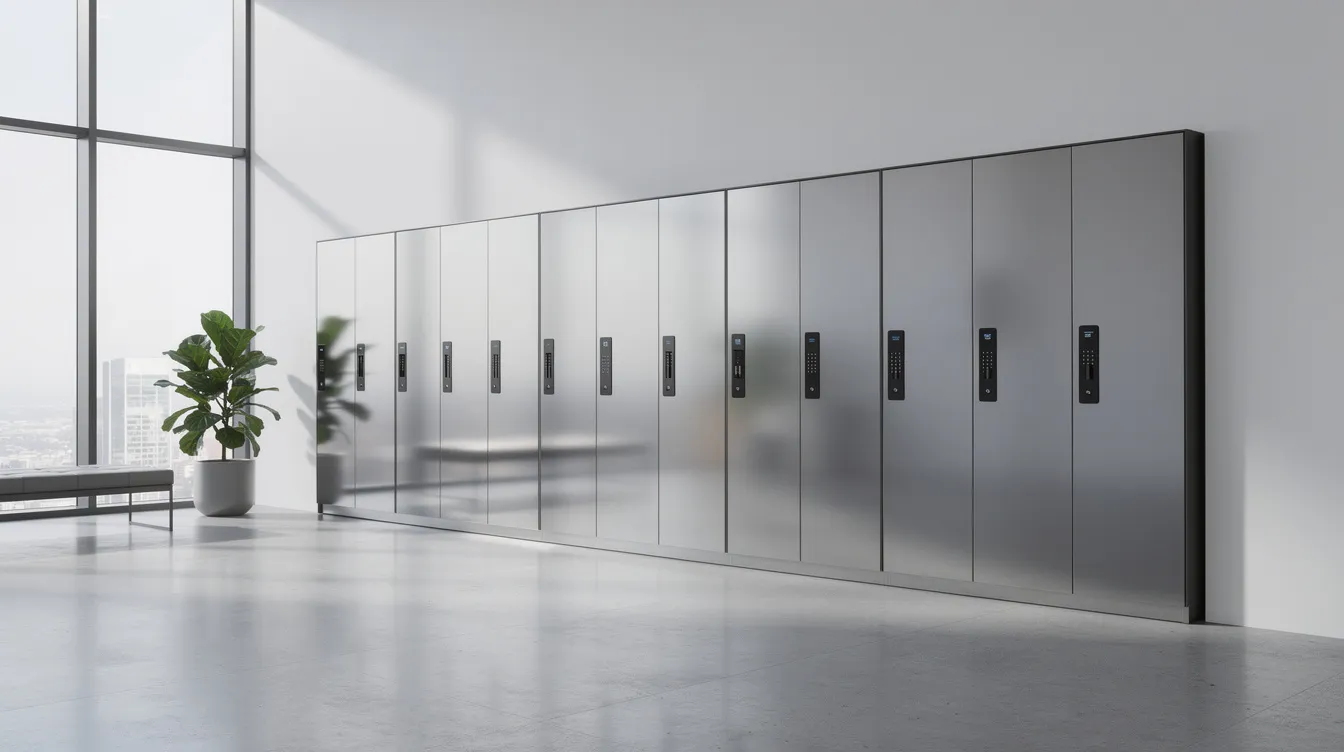
Core smart lock features every business should look for
Smart lock features matter more than brand names once you’re managing more than a single door. Here’s what to prioritize:
- Audit logs and real time tracking. Every access event should be logged with the user, timestamp, and compartment. Real time tracking logs who accesses which locker at what time. This isn’t optional if you care about compliance or ever need to answer “who took the iPad?”
- Multiple ways to unlock. RFID cards, PIN codes, and mobile apps are the most common authentication methods. Some systems support fingerprint access; many smart locks support fingerprint scanning with 99% accuracy. The more options, the easier it is to accommodate multiple users from employees to visitors.
- Temporary access. Most smart locks allow for temporary access codes. You create a time limited credential for a contractor or event guest, and it expires automatically. No chasing people down for keys.
- Tamper and forced entry alerts. Security features for lockers should include audit trails and forced access alerts. Smart locks can send alerts if doors are left unlocked or held open. If someone forces a compartment, you want to know about it in seconds, not days.
- Offline operation and battery backup. Connectivity will drop eventually. The system should keep working locally, buffering events and syncing once it reconnects. Battery backup covers power failures.
- Encryption and data security. If your locker system records user data or integrates with identity systems, look for ISO 27001 compliance or documented vulnerability testing.
- Smart home and system integration. Smart locks can integrate with smart home systems like Alexa and other smart devices, which matters if you’re building a connected facility.
Smart locker alerts for overdue devices, tampering, and maintenance save real time. Instead of discovering a missing laptop three weeks later, your admin gets a notification the same afternoon.
Understanding access control: who needs to get in, and when?
Who actually uses this thing at 7 pm on a Friday? That question matters more than most buyers realize.
Access control is the system that decides who can open which compartment or door, at what times, and for how long. Smart locks can grant or revoke access in seconds via an app. That speed is what separates a modern access control system from a ring of keys and a trust based honor system.
Here’s what to think through:
- Roles. Visitors get limited access. Employees get daily access. Contractors get time boxed windows. Admins can manage access for everyone and monitor entry logs.
- Schedules. Office hours only, or 24/7 for emergency teams? Locker systems allow dynamic allocation or fixed assignment of compartments depending on how your shifts work.
- Temporary access. Cleaners, delivery drivers, or event vendors need credentials that expire. You create them, they work for the set window, and they vanish.
- Instant revocation. When someone leaves the company or finishes a project, you revoke access from your phone. No collecting physical keys, no rekeying.
Good commercial smart lock and locker platforms let managers handle all of this from an app or browser. No IT ticket required. That’s what remote management looks like in practice, whether you’re running a gym, a hospital, or a university.
Connectivity choices: WiFi, Bluetooth, or offline first?
Commercial smart locks include WiFi, Bluetooth, and Z Wave types. Each has trade offs that matter for your business operations:
- WiFi locks allow remote access from anywhere via smartphone. They’re ideal for offices and facilities with stable networks. The downside: they depend on your internet connection and may need IT approval for network access.
- Bluetooth locks operate only when the user’s device is nearby. Lower power draw, simpler setup, but no remote control from across town.
- Z Wave locks use mesh networks for extended range and connectivity. Z Wave technology allows smart locks to connect beyond WiFi range, which helps in larger buildings where WiFi coverage is spotty.
- Offline first systems keep everything running locally, then sync data when connectivity returns. This matters in hospitals with strict network policies, or outdoor venues where WiFi is unreliable.
Connectivity also determines whether you get real time smart locker alerts for tampering, overdue devices, or jammed doors. A WiFi connected system can push a notification to your phone within seconds. An offline system will log the event and send it once it reconnects.
For hospitals, controlled WiFi or local networks tend to win. Outdoor venues often need more offline resilience. Power over Ethernet provides installation flexibility for smart lockers in buildings where running new electrical lines is impractical.
Cloud management: managing one door or 100 lockers from your desk
Imagine this. A new hire starts Monday. The office manager logs into a web dashboard, adds the employee’s name, assigns them a locker compartment, sets their access hours, and grants them a PIN. Done in under a minute, from a laptop at home.
That’s what cloud based management enables. Remote access control for multiple locations, all from a single dashboard. Cloud based locker management can also provide automated firmware updates, so your hardware stays current without anyone physically touching it.
The best smart lockers for business let you:
- Add or remove users instantly
- Assign and reassign compartments as teams shift
- Set temporary access for visitors, then let it expire on its own
- Pull usage reports to see which lockers sit empty and which are overloaded
- Receive maintenance alerts for low batteries or connectivity drops
Smart locks can be managed remotely via cloud based systems, which means your facility team isn’t walking floor to floor checking hardware. They’re responding to real issues flagged by the system itself.
Key smart locker alerts: overdue devices, tampering, and maintenance
This is where smart locker alerts for overdue devices, tampering, and maintenance earn their keep. Let’s break down what each one actually does.
- Overdue item alerts. A university IT desk lends a loaner laptop to a student for a week. Day eight, the system sends an email to the student and a notification to the IT admin. No awkward “hey, did you forget?” conversations. One case study found that intelligent locker solutions reduced device shrink from 29% annually to 2% by catching unreturned items early.
- Tamper alerts. If someone forces a door open or holds it beyond the expected time, the system flags it immediately. Door sensors detect physical interference and push alerts via email, SMS, or app, your choice.
- Maintenance alerts. Low battery warnings trigger at around 30%, with critical alerts at 15%. Jammed doors, offline lockers, and failing sensors all generate notifications so your facilities team can fix problems before users even notice. Research from KeyTrak found that 30% of organizations managing smart locks cited dead batteries as a top pain point. Proactive alerts solve that.
Good systems let you choose where alerts go. Some teams want email only. Others need SMS for urgent tamper events and app push for routine maintenance. The goal is alerts that help, not ones that turn into background noise.
How many lockers and doors do you actually need?
Here’s a pattern we see constantly: a business buys a 10 bay locker, fills it within a month, and then spends more to add capacity than they would have spent buying the right size from the start. Scalability in locker systems allows for future expansion as business needs evolve, but planning ahead is cheaper than retrofitting.
Simple planning steps:
- Count your current daily users (employees, visitors, patients, students)
- Add contractors, temps, and seasonal staff
- Build in a 20 to 30% growth buffer for the next 12 to 24 months
- Identify peak times; morning shift change, event days, orientation weeks
A staff of 20 with 10 regular contractors usually justifies at least a 24 compartment locker bank. If you’re in a hospital or university with high visitor turnover, you’ll want more.
Think about placement too. One large bank in a lobby works for some buildings. Others do better with smaller banks near where people actually need them; outside a ward, next to a lecture hall, near the employee entrance.
Smart lockers can be used for employee personal storage or package delivery. Even if you only need phone storage today, consider whether laptop lending or equipment checkout might be next.
Matching smart lockers to your industry: hospitals, schools, offices, and events
Not every commercial smart lock or locker fits every industry equally well. Different industries have varied feature requirements for smart lockers. Here’s where priorities shift:
- Hospitals and clinics. Visitor phone storage is the obvious use case, but the details matter: UV sanitizing lockers for infection control, data blocking technology to prevent patient data exposure, and healthcare specific locker configurations that meet facility standards. Audit logs are non negotiable for compliance.
- Universities and schools. Durability is everything. Students are rough on equipment. The SecureTech EDU Series Smart Locker 40 is built from heavy duty cold rolled steel and handles high traffic environments at $3,500 for 40 bays, about $88 per bay. Integration with student ID cards (RFID) and temporary access for campus events make daily operations smoother.
- Corporate offices. Employee storage, IT asset lending, and visitor phone check in are the core jobs. Integration with existing access control badges matters here. Robust security features, fast unlock flows, and multi location cloud management keep things running.
- Venues and events. Speed of setup is king. Portable charging solutions and rental lockers need to deploy fast, handle temporary PINs or QR codes for one time guests, and survive being moved between locations.
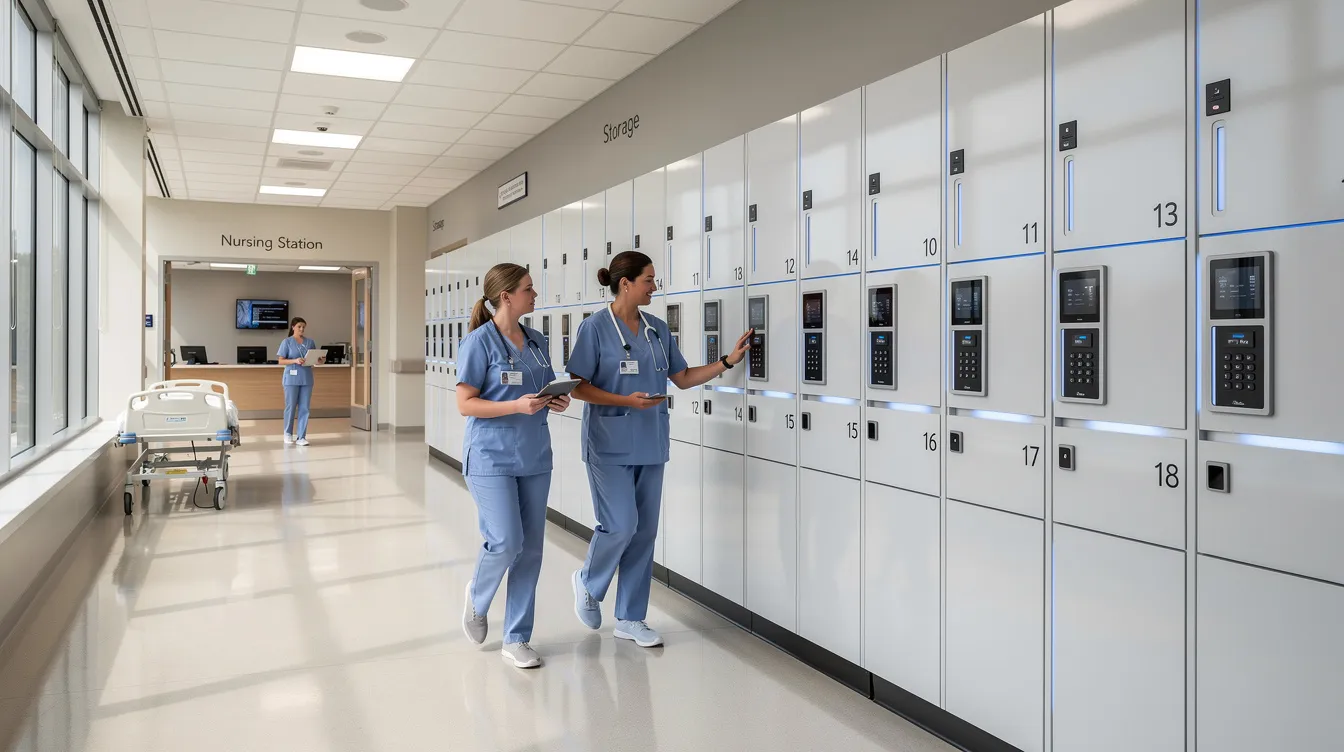
Physical build and security: what makes a locker “commercial grade”?
A commercial grade lock and a residential lock are not the same thing. Residential smart door locks might survive a home office. Put one in a hospital corridor or student union, and you’ll be replacing it in months.
Here’s what “commercial grade” actually means:
- ANSI/BHMA grading. The Building Hardware Manufacturers Association rates locks from Grade 1 (highest durability) to Grade 3. For busy commercial doors and locker banks, Grade 1 or 2 is what you want. A lock’s grade tells you how many cycles and how much force it can handle before failure.
- Cycle ratings. Quality smart locker locks survive 100,000 to 200,000 mechanical cycles. In a locker opened 20 times a day, that’s years of reliable service.
- Heavy duty steel construction offers long term durability for smart lockers. Reinforced doors, quality hinges, and tamper resistant hardware are table stakes for any commercial space.
- Weather resistance. If lockers sit near building entrances or in covered outdoor areas, seals and coatings against moisture and temperature swings matter.
Cheap commercial locks marketed as “smart” but built with residential grade components will cost you more in replacements and downtime than buying the right hardware up front.
User experience: will people actually use it without complaining?
If people hate using the locker, they’ll work around it, and there goes your security plan. The fanciest access control system in the world is worthless if nobody wants to touch it.
UX details that actually matter:
- Clear on screen instructions so first time users don’t need a tutorial. Users benefit from clear on screen instructions and intuitive interfaces.
- Simple PIN or QR flow; ideally under 10 seconds from approach to open door.
- ADA friendly height and reach. Accessibility features are crucial for user friendly locker designs.
- Compartments big enough for modern phones in cases, tablets, and laptops. Modular locker systems allow flexibility in compartment sizes and configurations.
- Doors that open and close smoothly, every single time. Auto lock features help; the door locks itself after closing so users don’t have to think about it.
Here’s a scene we’ve heard described more than once. A security guard at a corporate lobby used to spend 15 minutes every morning checking in visitor phones, handing out claim tickets, and fielding complaints about slow service. After installing self service charging lockers, visitors walk up, scan a QR code, drop their phone in, and walk away. The guard now spends that time actually guarding.
Power, charging, and extra tech: from simple storage to phone charging stations
A lot of businesses now expect lockers to do more than just lock things up. They want devices charged and ready when the user comes back.
- Built in charging cables vs USB ports. Some lockers come with cables for common phone types. Others offer USB ports. Built in WiFi connectivity on the locker system helps with remote monitoring of charging status.
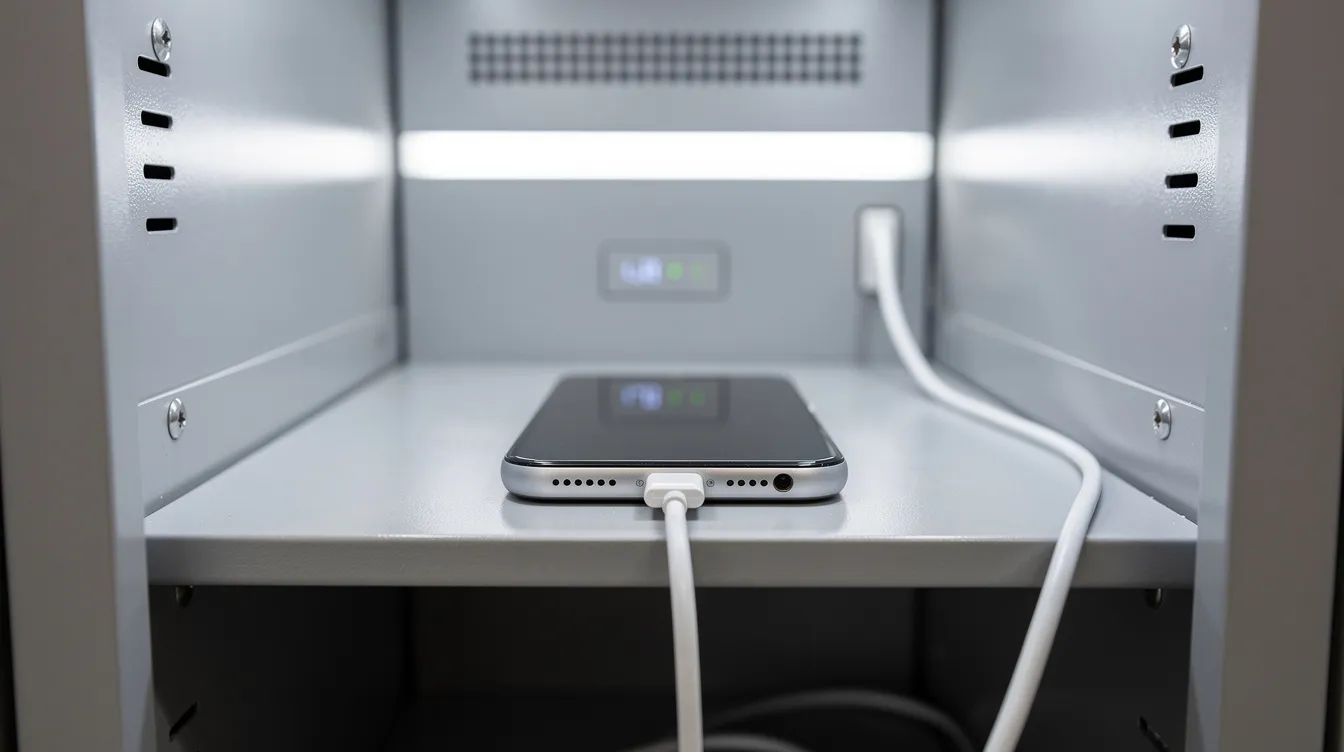
- Data blocking technology. This is a big one. When you charge a phone via USB, there’s a risk of data transfer. Data blocking prevents that, which matters for corporate security and patient privacy. Our phone charging lockers include this by default.
- UV C disinfection. In healthcare and high turnover environments, UV C light inside the compartment kills bacteria and viruses while the device charges. It’s not a gimmick in a hospital setting.
- Power management. Safety certifications, fire compliance, and smart power distribution across 40 bays at once require real engineering, not a power strip inside a box.
A practical example: patients locking and charging their phones during a 2 hour appointment. They walk out of their procedure, grab a fully charged phone, and leave. No cables, no asking the nurse, no worrying about theft.
Integration with your existing systems and workflows
A smart locker becomes much more useful when it connects to the tools you already use. Effective locker management integrates with existing workplace management systems rather than creating a parallel universe of new logins and processes.
Common integrations to ask about:
- Existing access control badges or cards. If your staff already carry RFID badges, the locker should accept them. No new credentials to issue.
- SSO or directory systems. Integration with identity management systems enhances locker security and reduces admin overhead. Staff log in with their existing company credentials.
- Security cameras and alarms. For high risk areas, linking locker tamper alerts to your security system means faster response.
- Booking systems or ticketing. Equipment checkout can tie into your existing reservation or helpdesk workflow.
Here’s the contrast. A standalone locker creates a new manual process: someone has to add and remove users separately from your HR system. An integrated one syncs with your employee directory, so when HR offboards someone, their locker access disappears automatically.
Not every business needs deep integrations from day one. But choosing a platform with open APIs and documented integrations means you won’t be stuck when you’re ready to connect things.
Budget, pricing models, and total cost of ownership
The cheapest hardware is rarely the lowest cost once you add support, downtime, and replacements to the equation. Total cost of ownership should include hardware, installation, and ongoing software costs.
Here’s how to break it down:
- Hardware cost per compartment. For individual commercial smart locks (single doors), expect $200 to $600 depending on features. For locker banks, cost per bay varies by size, material, and included tech.
- Software or license fees. Some platforms charge monthly per locker, others per user, others annually for the whole system. Ask for the three year number, not just year one.
- Installation. Most retrofit smart locks install in under 15 minutes. Full deadbolt replacements take about 30 minutes to install. August smart locks fit over existing deadbolts without removal. Kwikset locks feature a SmartKey rekeying system for compatibility with existing hardware. Installation typically requires only a Phillips head screwdriver for basic setups, but locker banks may need electrical and network work.
- Lifespan and warranty. honestwaves offers a lifetime warranty on our locker hardware. That matters when you’re running 40 compartments and individual lock failures add up over time.
- Support and maintenance. Factor in battery replacements, spare parts, and response times. Easy installation and easy maintenance are as important as the sticker price.
We offer both purchases and rentals on some hardware, which helps events and short term projects control costs. Compare “cost per user, per month” over three to five years rather than just the purchase price. That’s the number that tells the real story.
Real world scenarios: before and after smart lockers
The hospital lobby
Before: a busy reception desk with a plastic bin for visitor phones, a clipboard sign in sheet, and cables draped over every surface. Staff spent 10 minutes per visitor doing phone check in. Phones went missing. Visitors complained about dead batteries.
After: phone charging lockers by the entrance. Visitors tap a PIN, drop their phone in, and it charges while they’re inside. Audit trails show exactly who stored what and when. Staff time freed up. Phone loss dropped to near zero.
The university IT desk
Before: a locked cabinet with a combination that half the student workers knew. Loaner laptops disappeared for weeks. The IT director spent hours each month chasing returns.
After: a smart locker system with temporary access codes and overdue alerts. Students check out a laptop, get a 48 hour window, and receive a reminder notification before time expires. Overdue alerts go to the IT admin automatically. Device shrink dropped from double digits to under 3%.
The festival venue
Before: attendees stashing bags and phones behind bar counters, under tables, anywhere they could. Lost property claims piled up after every event.
After: portable charging kiosks deployed near the entrance. Guests lock up their phone, get a QR code, and enjoy the event hands free. Tamper alerts notify security staff if anyone tries to force a compartment. Lost property claims cut by more than half.
How to test and pilot a smart locker system before going all in
Pilots reveal things that spec sheets can’t. Real user behavior, unexpected technical hiccups, and integration gaps all surface when actual people start using the hardware daily.
- Start with one location or one floor. Don’t deploy 200 lockers on faith.
- Include a mix of power users and skeptics. The skeptics will find the friction points.
- Measure specific outcomes: number of lost items, time saved per check in, adoption rate in the first two weeks.
- Gather feedback on both the user experience and the admin tools. If the dashboard is confusing, your facility team won’t use it.
- Test advanced features during the pilot, not just basic unlocking. Try temporary access, overdue alerts, tamper detection, and reporting.
honestwaves supports trials and staged deployments so you’re not committing your entire budget to a guess. It’s normal to iterate. You’ll likely adjust locker counts, locations, and credential types after the first few weeks.
Common mistakes when choosing a smart lock or smart locker (and how to avoid them)
There are a few patterns we see over and over when businesses pick their first smart lockers.
- Buying residential grade hardware for commercial use. A smart lock designed for a front door or smart home devices won’t survive a hospital corridor. Choose commercial door locks rated for high traffic. An existing lock that works fine at home will fail under institutional use.
- Underestimating capacity. You’ll almost always need more compartments than you think. Plan for peak demand plus growth, not just today’s headcount.
- Ignoring IT and network requirements. Many buyers forget that WiFi connected lockers need network access, firewall rules, and sometimes security reviews. Involve IT early.
- Skipping training. Even the most intuitive system needs a 15 minute walkthrough for staff. Without it, people default to workarounds. Some teams cling to physical key backup systems and end up running two parallel processes, which creates more confusion.
- Forgetting maintenance. Batteries die. Doors jam. Connectivity drops. If your vendor can’t tell you exactly what ongoing maintenance looks like, including spare parts and support response times, keep looking.
- Not requiring access credentials. Some businesses install smart locks but then give everyone the same PIN. That defeats the entire purpose of audit trails and individual accountability. Digital keys and unique credentials for each user are the point.
For each of these, the fix is straightforward: choose the right lock for your environment, plan for growth, loop in IT, train your team, and budget for the full lifecycle.
FAQs
What is the difference between a smart locker and a standard smart lock?
A smart lock usually secures one door. A smart locker system manages many individual compartments through shared software, with centralized reporting, user management, and alerts across the whole bank.
Will a smart locker still work during a WiFi outage?
Yes. Well designed commercial smart lockers, including ours, keep local access working via PIN, RFID, or app credentials. Events and access logs buffer locally, then sync once connectivity returns.
How secure are smart lockers compared to traditional keys?
Smart lockers add encryption, audit logs, and instant ability to revoke access. Traditional keys can be copied quietly, leave no entry logs, and require full rekeying when lost. Electronic locks with digital keys are a clear upgrade.
Can I give temporary access to contractors or cleaning staff?
You can create time limited PINs or app credentials that work only during set hours or for a specific window, then expire automatically. No collecting key fobs or worrying about unreturned keys.
Do smart lockers only store items, or can they charge phones too?
Modern systems like honestwaves charging lockers secure devices and charge them with built in cables and data blocking tech. Smart locks can be controlled via mobile apps, and many smart locks also support voice control through connected device ecosystems.
Can I install smart locks on existing doors and hardware?
Many commercial smart lock options are designed for easy installation on existing deadbolts and commercial doors. Some Yale smart lock, Schlage smart locks, and August smart lock models fit over existing hardware, though for locker banks you’ll want purpose built commercial solutions.
Do smart locker companies offer biometric options?
Yes. Our SecureCharge 32 Biometric Access Charging Locker supports fingerprint access alongside PIN and RFID. Best smart locks for commercial use typically accommodate multiple door lockings and credential types.
Conclusion:
Here’s the short version. Define the problem you’re solving. Map your users and the number of doors or compartments you need. Pick the right connectivity and access control model for your environment. Check the build quality; make sure it’s actually commercial grade, not a dressed up residential product. Then run a pilot before you scale.
The right smart lock for your business is usually the one that quietly fits your workflows. Not the flashiest gadget, not the cheapest box. The one your staff and visitors use without thinking about it.
You don’t need to solve everything on day one. Start with the pain point that costs you the most time or money, and build from there.
If you want to see what’s available, explore our smart locker options, or check out the SmartLocker 40 for a closer look at what a 40 bay system includes. And if you’re ready to figure out what setup fits your space and budget, get a personalized quote and we’ll help you size it right.