

You’ve got devices walking off the floor, packages piling up in the lobby, and someone just lost the key to the equipment closet again. Sound familiar? If you’re exploring smart locker features for your business, here’s the short answer: the features that matter most are practical access control, enhanced security, centralized control, real time monitoring, meaningful audit trails, and smart locker alerts for overdue devices, tampering, and maintenance.
But here’s the thing, Smart locker features that matter for a hospital managing shared tablets look completely different from what a university needs for package delivery or what a venue needs for personal storage. A modern smart locker system isn’t one size fits all, and the businesses that get the best ROI are the ones who match specific features to their actual workflows instead of chasing every shiny option on the spec sheet.
By 2025, 90% of workplaces will adopt smart technology for efficiency, and smart lockers are at the center of that shift. That’s why we built this guide. At honestwaves, we build secure charging lockers and smart locker systems for phones, tablets, and other electronic devices, and we see firsthand which features businesses actually rely on every day and which ones collect dust.
Start With Your Use Case: What Are You Really Storing And Why?
Picture this: a facilities manager orders 40 lockers for a corporate office. They look great. But nobody thought about the fact that half the use would be IT asset distribution for laptops, and the compartments are too small. Expensive mistake. Now compare that with a team that started by mapping out exactly what goes in and out, who touches it, and how often. Night and day difference.
Your use case drives everything. Here are the most common scenarios:
- Package delivery lockers in lobbies and mailrooms, where couriers drop off online orders and staff members quickly retrieve them
- IT equipment distribution, where laptops, scanners, or tablets get checked out per shift
- Employee device lockers with built in charging for phones, radios, or medical devices
- Key management and sensitive items storage, where every access needs a paper trail
- Gear or tool checkout in warehouses, facilities, or field operations
Each scenario demands different priorities. A parcel locker needs larger compartments and dynamic allocation of compartments based on size and availability. Charging lockers need power in every bay. Key lockers need airtight audit trails. And if you’re storing meds or food, environmental conditions like temperature matter too.
Think about how often items move in and out per day and how many users you have. That directly shapes your access methods, software needs, and hardware budget. Smart lockers provide 24/7 access for users, enhancing convenience whether it’s a night shift nurse grabbing a tablet or a student picking up a package on a Saturday.
For device heavy environments like hospitals, schools, and venues, a charging smart locker makes far more sense than a basic storage only unit.
Access Control And Authentication Methods: How Will People Actually Get In?
Let’s be honest. Access control is the core smart locker feature for business use. It matters more than the finish color, the touchscreen size, or whatever flashy demo the sales rep showed you. If the wrong people can get in or the right people can’t, nothing else matters.
Smart lockers use RFID, PIN codes, or biometrics for access control. Here’s how each authentication method breaks down in practice:
- Pin codes are easy and cheap but can be shared or forgotten
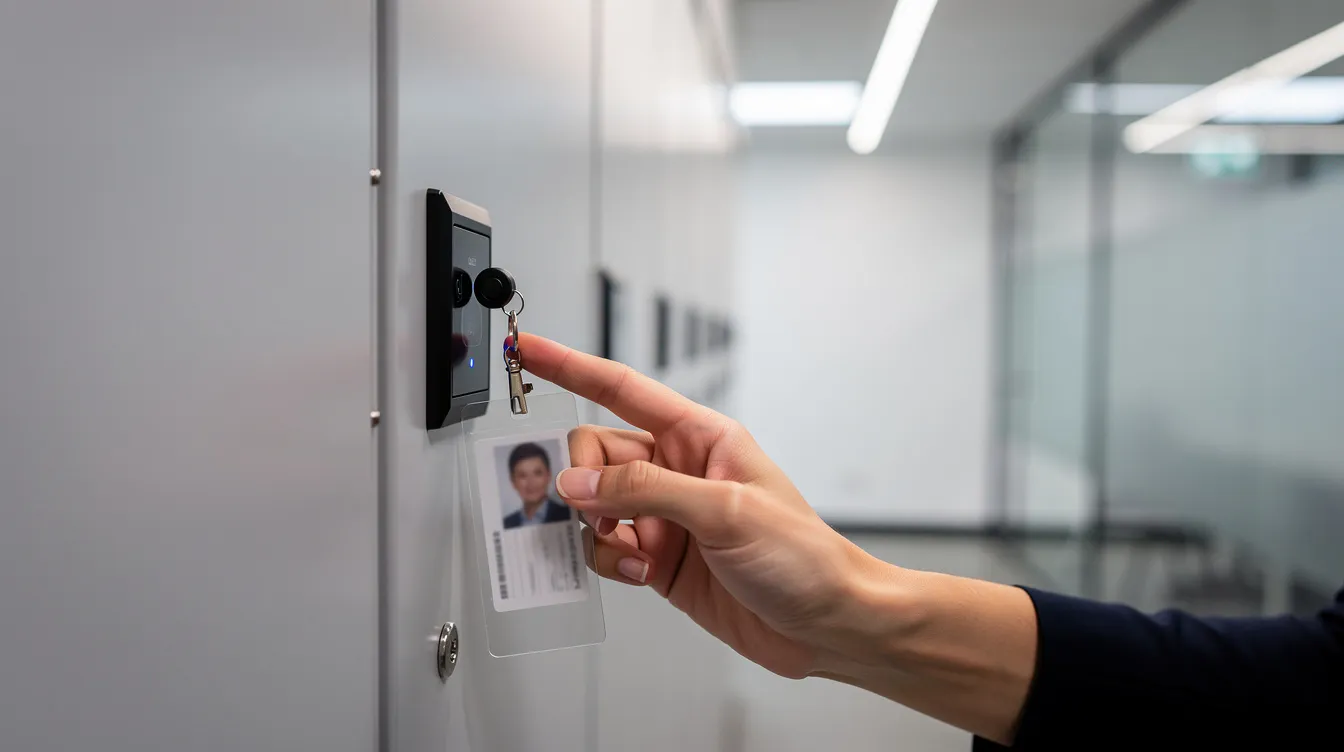
- RFID cards and wristbands work perfectly in offices that already use badges
- QR codes are ideal for visitors, delivery personnel, or one time pickups
- Mobile apps with Bluetooth or NFC suit tech savvy workplaces where everyone carries a phone
- Biometrics like fingerprint or facial recognition deliver the highest security for sensitive items, though they cost more and raise privacy questions
Contactless access methods include QR codes and app based unlocking, which became especially popular after COVID pushed workplaces toward reducing physical contact.
Here’s a detail most vendors gloss over: mixing access methods in the same locker system matters. Customized smart lockers allow tailored access control methods, so your full time staff can tap their RFID cards while a visiting technician gets a one time QR code. No extra credentials to issue, no IT headaches.
Your access methods should align with existing access control systems whenever possible. If your building already uses HID badges, don’t make people carry something new. Smart lockers integrate RFID, Bluetooth, and biometrics for access control, and our honestwaves smart locker systems support multiple authentication methods on the same platform, configurable per compartment or user group.
What Really Helps You Enhance Security Day To Day?
There’s a gap between security features that sound impressive in a brochure and the ones that actually help you enhance security when lockers are sitting in a busy hallway getting bumped, slammed, and occasionally tested by someone who shouldn’t be there.
Here’s what actually makes a difference for enhancing security:
- Heavy gauge steel construction with reinforced doors and secure hinges
- Tamper detection sensors that flag forced entry attempts
- Door status monitoring so you know if a compartment is truly closed and locked, not just “supposed to be”
- Encrypted communication between the locker hardware and cloud software
- Role based permissions controlling who can override, open remotely, or change settings
Tamper proof designs prevent unauthorized access to lockers, and high grade physical build quality ensures security for stored items. But here’s what a lot of people miss: there’s a difference between logical access control (who is allowed to open a door) and physical status (is the door actually closed right now). Both matter for compliance and loss prevention, and smart lockers enhance security by tracking access and usage on both levels.
Instant alerts enhance loss prevention by notifying administrators of tampering. So when someone tries to pry open a door in a hospital ward or a university hallway, the system flags it immediately instead of waiting for a monthly audit to reveal the gap.
Our smart locker designs at honestwaves focus heavily on physical robustness because we know lockers end up in high traffic areas where they take a beating. Secure locker construction isn’t glamorous, but it’s the foundation everything else sits on.
Access Methods, User Experience, And Adoption: Will People Actually Use It Correctly?
Here’s a scenario we’ve seen more than once. A company installs a beautiful locker system with advanced features, biometric readers, and a sleek management platform. Six weeks later, half the doors are propped open with folded paper because the workflow frustrated people.
The lesson? Evaluate ease of use to improve user experience with smart lockers. A smooth locker access experience means:
- Clear on screen instructions that guide users step by step
- Short wait times (one IEEE study found 92% user satisfaction when average access time was about 3 seconds)
- Confirmations via text or email for package delivery or asset pickup
- User friendly interfaces with readable fonts and intuitive flow
Accessibility matters too. Think about screen height, font size, and compartment reach. Not everyone wants to install another app on their phone, so offering physical keys or PIN codes as a fallback keeps things universal.
Customized smart lockers allow flexible configuration of size and number, so you can adapt layouts for different user groups. At honestwaves, our lockers are designed to be “walk up and understand” within seconds. In events and healthcare settings, we can’t assume any prior training, so the interface has to do the teaching.
Centralized Control And Remote Management
If you’re managing more than a handful of lockers across a building or multiple sites, centralized control isn’t a luxury. It’s what keeps you from spending your afternoon walking floor to floor with a programming tablet.
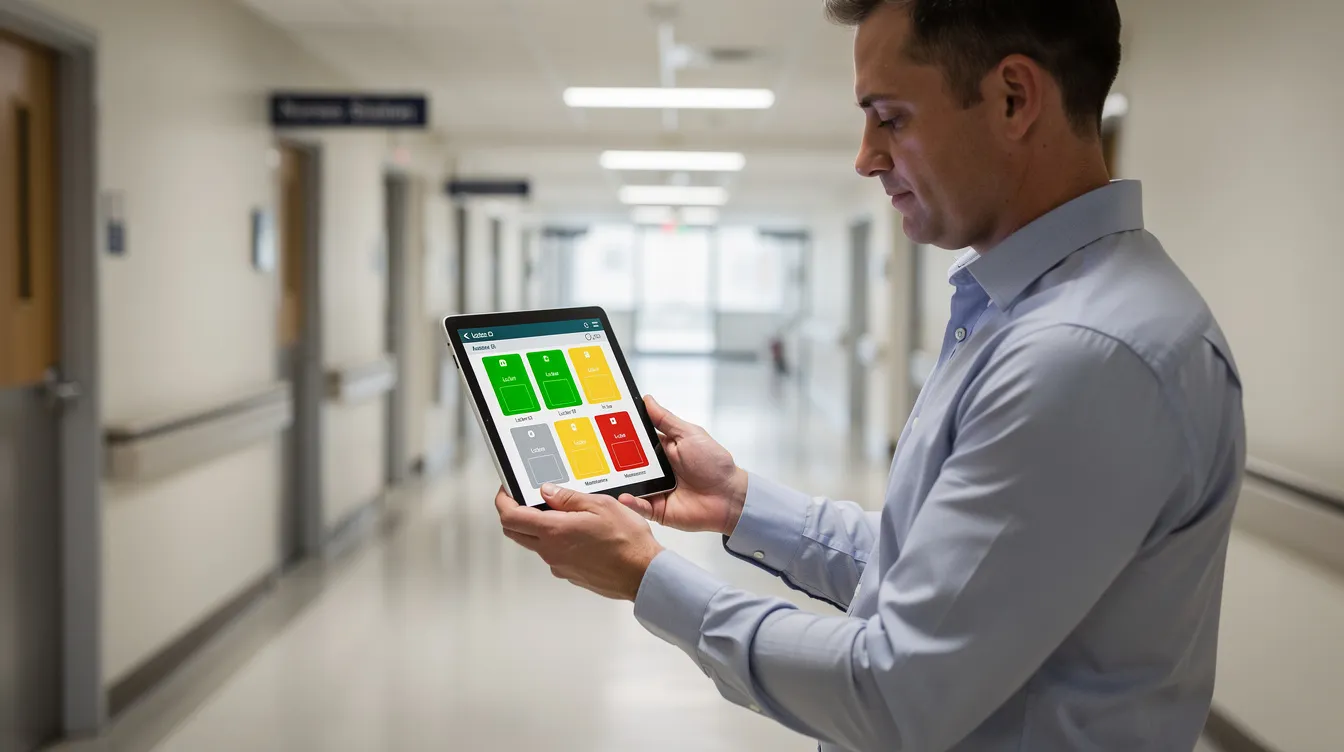
Centralized management software empowers administrators to remotely monitor locker status. That means a cloud dashboard where you can:
- See which compartments are occupied or available across every location
- Manage authorized users, reset PINs, and revoke access instantly
- Open doors remotely for emergencies
- Push firmware updates without touching the hardware
Real time monitoring allows administrators to track locker usage remotely, and cloud based management platforms allow real time alerts and monitoring from wherever you happen to be. For multi campus universities, hospital networks, or chain retailers, remote management capabilities mean consistent policies and reporting without duplicating effort at every site.
One case study worth mentioning: Vpod deployed smart lockers across three Skyscanner offices and reported 90% less administration and 70% better space utilization with centralized control.
Our honestwaves smart locker platforms provide web based centralized control so administrators can manage lockers in different buildings from a single pane of glass. Real time visibility into item status reduces search times and inquiries, which is a bigger time saver than most people realize.
When evaluating vendors, ask about uptime commitments, data hosting regions, and backup or offline modes. Power redundancy ensures continuous operation during outages, and you don’t want to find out your lockers are useless during a network blip.
Audit Trails, Reporting, And Compliance
Imagine a shared laptop goes missing from an IT locker. Without an audit trail, you’re stuck playing detective. With one, you pull up the access records and see exactly who opened that compartment at 2:47 PM on Tuesday. Case closed.
Audit trails track who accessed lockers and when for accountability. In simple terms, it’s time stamped records of every action: who opened which door, what was stored or retrieved, and even failed access attempts. Automated tracking and auditing provides complete visibility by logging every drop off and pickup.
In regulated environments like healthcare, government, and college campuses, audit trails aren’t optional. The Delta Police Department deployed smart lockers with full chain of custody tracking for evidence, where QR based identification and email alerts for overdue items replaced error prone paper logs.
Key reporting features to look for:
- Exportable access logs (CSV, Excel, PDF)
- Filters by user, locker, location, or date range
- Automated reports sent to managers on schedule
- Integration with HR or security systems via existing software connections
There’s a useful distinction between simple access logs and richer analytics. Usage analytics provide insights into peak demand and utilization rates, helping you right size future installations. Comprehensive reporting features enhance operational insights and efficiency, turning your locker system from a storage tool into a data source.
Our smart locker software at honestwaves captures detailed access logs and can provide historical reports to help clients fine tune policies.
Smart Locker Alerts: Overdue Devices, Tampering, And Maintenance
This is the feature category that IT managers and facilities teams don’t know they need until they need it desperately. Smart locker alerts for overdue devices, tampering, and maintenance are what turn a passive storage unit into an active management tool.
Here’s a real world example: a hospital loans out tablets at the start of each shift. One nurse forgets to return hers. Without alerts, nobody notices until the next shift is short a device. With automated overdue reminders, the system emails the supervisor and sends an SMS reminder to the nurse before the shift even ends. Problem solved before it snowballs.
Automated notifications reduce manual handoffs in item management, and real time notifications via email or SMS alert recipients when a package arrives or when something needs attention.
Tamper and forced door alerts work the same way. In apartment communities, student areas, or public venues where someone tries to force a door, instant alerts let security respond in minutes instead of discovering the damage days later.
Then there’s the maintenance side. Electronic door locks run on batteries. Sensors can drift. Compartments can jam. Proactive maintenance alerts for low battery, sensor failure, or doors that won’t latch properly keep your locker system running instead of sitting there with an “out of order” sign.
Automated lockers reduce manual intervention in equipment management, and our honestwaves locker systems surface these alerts through centralized control dashboards and email notifications so teams aren’t constantly logging in just to check status.
Package Delivery, Asset Distribution, And Day To Day Operations
Remember the old mailroom? Packages stacked on shelves, sticky notes with names, staff members spending hours sorting and handing things out. Now imagine this: a courier drops a package into a locker, the system sends an access code to the recipient, and they pick it up whenever they want. No waiting, no staff involvement, no “who moved my package?” drama.
Smart lockers improve operational efficiency by automating package management. Smart lockers automate package pickup and returns for users, creating a seamless experience that works around the clock. For businesses handling online orders, this alone justifies the investment.
On the IT side, smart lockers streamline IT asset distribution and collection processes. Workers authenticate via RFID or PIN, grab their device, and get to work. Returns are logged automatically. Automated workflows in smart lockers reduce the need for staff intervention, and the result is reduced labor costs and fewer “who had it last” arguments.
One manufacturer working with Ricoh deployed 210 smart lockers and saved approximately $90,000 annually in labor costs by automating equipment distribution and package delivery with cloud based tracking and email notifications.
Smart lockers reduce manual intervention in asset distribution processes, and the value comes from integrating lockers into daily business operations rather than treating them as upgraded storage boxes. Our honestwaves smart locker are often used in hospitals, schools, and venues to combine secure phone charging with asset distribution, letting users both charge and check out gear from the same locker system.
Charging, Data Blocking, And Device Health: If You Store Devices, Power Matters
There’s nothing worse than grabbing a tablet from a locker at the start of your shift and finding it at 4% battery. If you’re storing electronic devices, powering and charging capabilities can include built in outlets inside compartments, and honestly, they should.
Integrated charging ports (USB A, USB C, or AC outlets depending on your devices) turn a secure locker into a functional charging station. But here’s the part most people overlook: data blocking. USB data blocking ports allow power but disable the data lines, preventing malware injection and data theft. This matters especially in environments where personal belongings and shared devices mix, like hospitals, venues, and public facing spaces.
For shared device environments, our SecureCharge 32 Bio offers UV C disinfection alongside charging, which can disinfect shared devices between uses. It’s a detail that became crucial during COVID and hasn’t lost relevance.
Other things to consider: power management to avoid overheating, cable durability (because cables get yanked), easy cable replacement, and fire safety ratings. Power redundancy ensures continuous operation during outages, which is especially important in healthcare or security applications where equipment availability can’t lapse.
Integration, APIs, And Centralized Control Over The Wider Locker System
Your IT team doesn’t want another siloed tool. They want the locker system to talk to Active Directory, HR software, or the help desk ticketing system. Seamless integration with existing business systems improves operational efficiency.
Smart lockers can integrate with existing software systems for management, and the key questions to ask are: Is there an API? Can it handle user provisioning and access revocation? Can you pull audit logs into your SIEM or reporting platform?
Here’s where it gets practical. Smart lockers can integrate with HR systems for automated onboarding workflows. When an employee leaves, their locker access gets revoked automatically. When a support ticket is opened, a compartment can be auto assigned for a device swap. That’s the kind of smart locker functionality that saves hours of manual work every week.
Our honestwaves systems are designed to connect to cloud management and can be integrated into broader access control or IT ecosystems. That said, don’t over engineer integration for a simple single site deployment. Plan ahead if you expect growth, but keep it practical for now.
Hardware Quality, Scalability, And Total Cost Of Ownership
Lockers are physical infrastructure. Unlike traditional lockers, a modern smart locker system with smart locks and electronic access control is expected to last many years. Cheap but flimsy units almost always cost more over time once you factor in repairs, replacements, and downtime.
What to look at:
- Steel thickness and door construction
- Hinge quality and locking solution durability
- Cable quality and internal routing
- Finishes that resist wear in high traffic settings
- Up to date hardware must withstand environmental conditions and heavy use
Scalability is crucial for adapting smart locker systems to business growth. Modular systems can be expanded or reconfigured as business needs change, so you can add compartments or mix sizes without replacing controllers.
Consider costs and ROI when selecting a smart locker system. Beyond the sticker price, factor in installation, wiring, network setup, software licenses per door or per site, maintenance, and replacement parts. For context, Ibis Geneva deployed 29 smart lockers that logged over 380,000 uses and achieved a 6x first year ROI.
Lockers can feature branding options like company logos for identity, which matters for customer facing deployments. Honestwaves offers both purchase and rental options plus lifetime warranty on many products, which makes budgeting more predictable. Our advice: pilot a small installation, gather feedback from staff members, then scale once you understand ongoing costs and real world performance.
How To Match Smart Locker Features To Your Business Needs?
Feeling overwhelmed by choices? Here’s a simple framework:
- Define what you’re storing and who uses it
- Choose the right access control model for your users
- Decide how much audit trail and reporting you actually need
- Layer on charging, alerts, and integrations based on your specific use case
- Talk to front line staff early because they’re the ones using the lockers every day
Map one or two core workflows, like “package delivery to pickup” or “shift start device checkout,” and evaluate each feature based on how it helps that specific workflow. Artificial intelligence and predictive features are emerging, but getting the fundamentals right is more important than chasing every advanced feature on the market.
We regularly walk clients through this exercise at honestwaves and often end up recommending fewer, better targeted features rather than every option on the checklist. Available space, business needs, and key usage patterns should drive the conversation, not a feature arms race.
Frequently Asked Questions
Which smart locker features should a small business prioritize first?
Start with reliable hardware, simple authentication methods like PIN codes or RFID cards, and a basic audit trail. You can always add integrations and advanced features as your business grows.
Do I really need an audit trail for basic employee storage?
For personal belongings, probably not. But for electronic devices, physical keys, or sensitive items, an audit trail quickly pays for itself the first time something goes missing.
Are mobile app access methods better than PIN or RFID?
Mobile apps are great in tech savvy workplaces, but RFID cards or PIN codes tend to be simpler and more universal in mixed user environments where not everyone has a smartphone handy.
How important are smart locker alerts for overdue devices and tampering?
They play a crucial role once you manage shared devices or critical keys. Alerts let you act before problems snowball into lost assets or security gaps.
Can smart lockers integrate with my existing access control system?
Many locker systems can integrate via APIs or card compatibility with lockers equipped for standard protocols. Confirm this up front with your vendor and IT team before committing.
Conclusion:
The smartest locker system is the one that genuinely fits your workflows, not the one with the most bells and whistles. Clear use case, practical access control, enhanced security, centralized control, meaningful audit trails, and smart locker alerts for overdue devices, tampering, and maintenance. That’s the foundation that streamline operations and deliver real value.
Businesses that choose features around real world problems end up with quieter help desks, fewer lost devices, and happier staff members who don’t feel like the technology is working against them. Before you buy, walk through your day to day processes and imagine exactly how a smart locker would handle each step.
If you want help mapping features to your environment, reach out to us for a quote and we’ll help you figure out exactly what you need. No pressure, no feature overload. Just the right fit for how your team actually works.