

Ever stood in front of a locker and wondered what’s actually happening when you punch in a code or tap your badge? It’s one of those things that feels simple on the surface, but there’s a surprising amount going on behind that little screen.
Here’s the short version. You walk up to a smart locker, type in a PIN or tap your employee badge, and the door pops open. That’s it from the user’s side. But underneath, the system is checking your credential against a database, verifying you’re allowed into that specific compartment, unlocking an electronic lock, and logging the whole thing in real time. All in about two seconds.
Modern smart lockers, like the ones we build at Honestwaves, combine physical hardware with cloud based management so every access event is tracked, controlled, and available to admins from anywhere. Whether it’s a PIN, an RFID card, a QR code, or a mobile app, the locker knows who opened it, when, and what was inside.
This article unpacks how each of those smart locker access methods actually works, what happens behind the scenes, and how to pick the right combination for your space.
From old school keys to smart lockers: what actually changed?
Think about the last time you dealt with a traditional locker system. Metal keys. Combination padlocks. Maybe a binder full of key assignments sitting in someone’s desk drawer. If a key went missing, you’d re-key the lock. If someone forgot their combination, you’d call maintenance. It worked, sort of, but it was slow and basically invisible. Nobody knew who opened what or when.
Smart lockers changed the game because they replaced all of that with digital authentication. Instead of a physical key, you use a PIN code, QR code, RFID tag, or ID badge. Instead of a mechanical tumbler, there’s a digital lock controlled by software. And instead of a paper log, there’s a cloud based platform recording every event automatically.
Here’s a quick before and after. A university IT department used to hand out loaner laptops from a counter. Students signed a clipboard. Devices went missing. Nobody could prove who had what. After switching to a self service smart locker system, students tap their campus ID, grab a device, and the system logs the checkout with their name, time, and compartment number. Returns work the same way. Lost devices dropped to nearly zero.
Smart lockers use digital locks for secure access, and those locks can utilize PIN codes, RFID, or even biometric authentication methods depending on the deployment. At Honestwaves, we focus on lockers that double as secure charging stations, so you’re not just storing a device safely, you’re charging it while it sits there.
How PIN code access actually works step by step
So what really happens when you type a PIN into a smart locker?
The management software generates a unique PIN linked to the user’s permissions or a specific delivery. That code gets sent to the recipient via SMS or email. The user walks to the locker, enters the PIN on a touchscreen or keypad, and the local controller checks the code against the database. Validation happens against the assigned user and compartment. If everything matches, a successful PIN entry electronically releases the locker compartment’s latch. The system marks the transaction as complete, logs the event for audit purposes, and optionally fires off a notification to the admin.
PIN based access does not require physical keys for unlocking lockers. That’s the whole point. No keys to lose, no combinations to forget, and no maintenance guy to call at 7 AM.
Smart locker systems may use dynamic or static PINs depending on the usage scenario. One time PINs typically expire after a single use or a set timeframe, which is perfect for parcel pickup or visitor access. Reusable PINs are better for employees who open the same compartment every day. Access to smart lockers using a PIN is managed through a centralized software platform, so admins control everything from one dashboard.
Picture this: a 2024 trade show where attendees drop their phones into an Honestwaves charging locker before a keynote session. Each person gets a one time PIN texted to their secondary device. After the session, they punch in the code, grab their fully charged phone, and walk away. No staff needed. No lines. The system knows exactly which bay was assigned to which attendee.
Good security practices include setting expiration times and restricting failed attempts. Most systems lock out after several wrong entries, which stops guessing and shoulder surfing cold. PIN length matters too. A six digit code with expiration is dramatically harder to crack than a four digit code that never changes.
RFID tags, ID badges, and how they “talk” to the locker
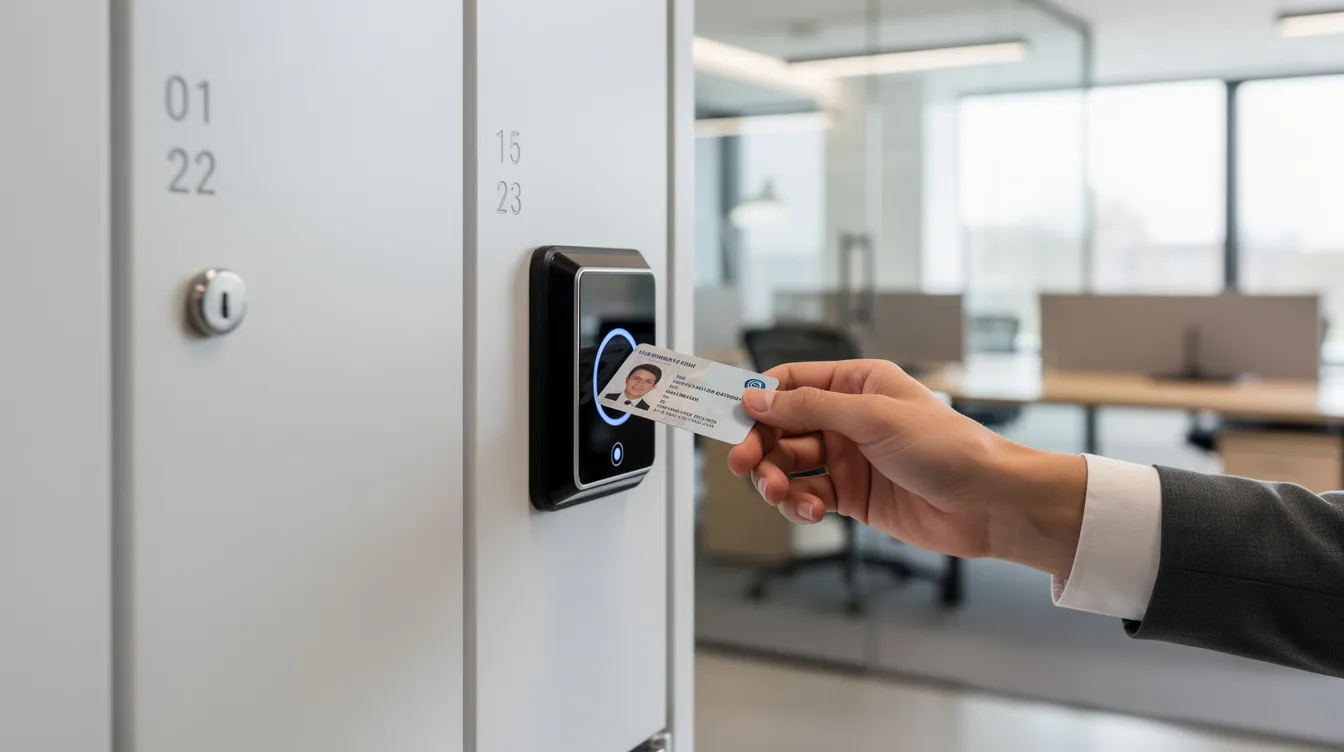
Let’s talk about how RFID work in plain terms. Radio frequency identification technology uses radio waves for object identification. An RFID reader built into or near the locker sends out a signal. When you hold your badge close enough, the RFID tag inside it wakes up and transmits its unique ID back to the reader. No battery needed for passive tags, which is what most employee ID badges use. RFID tags can be classified as active or passive, with active tags offering longer range but rarely needed for locker access.
RFID systems consist of readers, tags, and a database. The tag itself stores just an identifier, not all your personal data. The real identity lookup happens in the backend, where the locker system checks that ID against its access list. RFID can track items within a specified radius, which also makes it useful for tracking equipment like two way radios.
Here’s the connection to employee identification. That same badge you use to open office doors and clock in can also open your assigned locker and sign out IT equipment. One badge, multiple functions. In a 2025 corporate office, an employee taps their ID badge on the reader panel of an Honestwaves smart locker bank, the system confirms they’re authorized for that compartment, and the door clicks open revealing a freshly charged loaner laptop. The whole thing takes about a second.
Compared to PIN access, RFID is faster. There’s no typing involved. But if a badge is lost or stolen, it creates a risk until the admin revokes it. Smart systems let you do that instantly. Many workplaces use both methods: RFID for daily employees and PINs as a fallback for visitors or when someone forgets their badge.
RFID systems work especially well in hospitals, schools, and stadiums where thousands of users share the same locker infrastructure and speed matters. RFID technology improves inventory management efficiency across all these industries, because every tap is a data point.
QR codes, mobile access, and mixing different smart locker access methods
QR codes add another layer of flexibility. The system assigns a compartment, generates a QR code, and sends it to the user by email or app notification. At the locker, you hold up your phone screen to the scanner, the system decodes it, verifies it hasn’t expired or been used, and the door unlocks. The event is logged just like any other access method.
Digital authentication methods include PIN codes and biometric data, but QR codes and mobile credentials sit comfortably in between. They’re easy to issue, require no physical card, and work great for transient users. Some digital locks even incorporate biometric authentication methods like facial recognition for high security environments.
Here’s a scenario that makes the flexibility click. A campus uses QR codes for student parcel lockers, because students don’t carry dedicated RFID cards and a quick email with a QR is all they need. Meanwhile, faculty and IT staff use RFID ID badges for the equipment smart locker room down the hall. Same underlying platform, different access methods tailored to different users.
Honestwaves smart locker solutions can mix PIN, RFID, and QR access depending on the product and deployment. That flexibility matters because no two organizations have the same user mix. Digital locks can be controlled remotely via mobile apps, which means mobile credentials are becoming more popular, especially in hybrid workplaces where employees want to reserve and unlock a locker from their phone before they even walk through the door.
What happens behind the scenes: controllers, cloud based management, and alerts
Behind every smart locker door, there’s a small but powerful system at work. Each locker column has an electronic lock and sensors, typically reed switches that detect whether a door is open or closed. A central controller connects all the compartments and communicates with a cloud based backend over an encrypted connection. Smart lockers use encrypted packet data transfer protocols, and access codes and digital keys are encrypted for security.
Smart lockers may feature centralized controllers or distributed keypads for access, depending on the hardware design. Either way, when someone tries to open a compartment, the system checks permissions in real time, verifies the credential, and logs every open and close. Access records are maintained for digital lock transactions, creating a complete audit trail.
Now here’s the thing that separates a decent locker from a truly useful one: smart locker alerts for overdue devices, tampering, and maintenance. These aren’t just nice extras. They’re essential for any organization managing shared devices or equipment.
Specific examples: an overdue alert fires when a loaner tablet hasn’t been returned by end of shift. A tampering alert triggers if sensors detect a door forced open outside of a normal access event. A maintenance alert pops up when a charging bay stops reporting or a lock mechanism fails. Smart lockers provide real time monitoring and alerts for access, and real time notifications inform users about locker access events as they happen.
Managers can receive these alerts by email or through a web dashboard. Cloud based platforms allow for centralized visibility into locker status, which means your IT or facilities team doesn’t need to physically walk past every locker to know what’s going on. Lockers can be controlled remotely by administrators for real time management, whether that’s locking down a compartment, resetting a PIN, or pulling usage reports.
How smart lockers boost workplace security and accountability
The real power of these access control systems isn’t the lock itself. It’s knowing exactly who opened which compartment, when, and what device or item was inside. Smart lockers can record access time and user identity through cloud systems, creating a clean chain of custody for every stored item.
Corporate offices use this to track loaner laptops across departments. Hospitals manage shared tablets in a UV C disinfection smart locker, ensuring every device is sanitized and accounted for between shifts. Schools secure student phones during exams, knowing exactly which student stored which device. Cloud systems manage locker usage history and encrypted user data, so compliance teams have what they need without chasing paper trails.
Cloud based management lets admins instantly revoke access for a lost badge, change a PIN, or lock down specific compartments remotely if a risk is detected. That kind of responsiveness is hard to overstate. ID badges and access logs help with incident investigations and compliance requirements in industries like healthcare and government, where accountability isn’t optional.
Before smart lockers, devices go missing and nobody knows who took them. After smart lockers, there’s a clear, timestamped history of access tied to badges or PINs. That shift from guessing to knowing changes how organizations think about workplace security entirely.
Designing a smart locker system that actually fits your space
Planning a locker system starts with your people. How many users? What devices are being stored? Do you need integrated phone charging stations, portable charging kiosks, or a fixed locker wall? The answers shape everything.
Modular designs allow smart lockers to adapt to changing needs. You can start with a 20 bay unit and expand later without ripping out the existing hardware. Different door sizes accommodate everything from phones to laptops. Different access methods can run on the same bank, so staff use RFID while visitors use PINs.
Cloud technology enables remote locker management from any location, which is a lifesaver for organizations managing multiple locations. One dashboard, dozens of sites. Smart lockers can integrate with existing business software systems, from HR platforms to asset management tools, making the data actually useful rather than siloed. Cloud management enhances operational efficiency of smart lockers by centralizing everything admins need to see and do.
Think about who will use the locker daily. If it’s mostly employees with ID badges, RFID makes sense. If it’s a mix of staff and visitors, combine RFID with PIN or QR access. Products like the SecureTech EDU Series are built specifically for high traffic environments like schools, with PIN and RFID options, integrated charging, and a steel build that handles daily abuse.
Honestwaves smart lockers in the real world
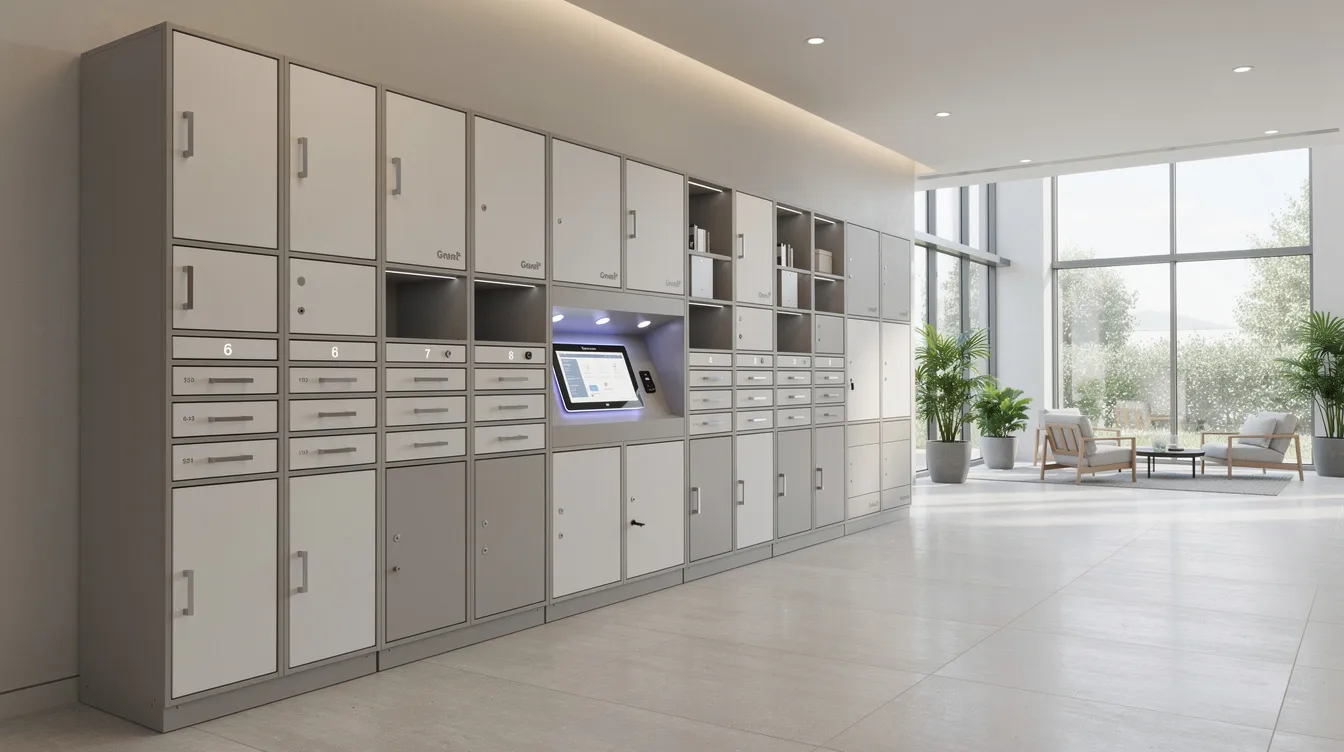
In a busy hospital waiting area, a 30 bay smart charging locker sits near the nurses’ station. Staff tap their RFID ID badges to check out shared tablets at the start of each shift and return them at the end. The system logs every checkout, sends overdue alerts if a device isn’t returned on time, and the UV C disinfection cycle runs automatically between uses. Data blocking technology ensures no patient data can be transferred during charging.
At a 2025 music festival, rows of Honestwaves phone charging lockers line the entrance area. Attendees grab a one time PIN at check in, stash their phone, and enjoy the event hands free. When they’re ready to leave, they punch in the code and grab a fully charged device. No lost phones. No dead batteries. The organization running the event gets usage data showing peak demand times and can plan staffing around it.
In a large university library, students scan QR codes to pick up reserved equipment from a smart locker bank near the front desk. Faculty use RFID badges for a separate locker system storing department laptops and tools. Both systems feed into the same cloud dashboard, giving the IT team a single view across locations. The combination of access methods means every person on campus has a way in that feels natural to them.
FAQs
How secure is a PIN based smart locker compared to RFID or QR access?
PIN security depends on code length, expiry policies, and lockout rules. RFID and QR offer speed and less typing. Most organizations use a combination for the best balance of security and convenience.
Can we use our existing employee ID badges with a new smart locker system?
In many cases, yes. If your RFID cards use compatible technology, integration can usually be handled during deployment planning with your provider.
What kind of alerts can smart lockers send about overdue devices or tampering?
Admins can get alerts for overdue returns, forced doors, sensor errors, and maintenance needs. These show up via email or dashboard notifications and can typically be customized by threshold and recipient.
Do smart lockers still work if the network or internet goes down?
Most systems keep working locally for basic access using cached credentials and sync data once the connection is restored. Advanced remote controls pause during outages, but day to day access continues.
Can we combine PIN, RFID, and QR codes in one locker system?
Yes. Many smart locker solutions, including ours, are built to support multiple access methods on the same hardware for different user groups.
Conclusion:
PINs, RFID, QR codes, and employee badges are really just different keys plugged into the same digital brain. The technology behind each one is different, sure, but they all feed into the same system of authentication, logging, and cloud based management that makes modern lockers genuinely useful.
The real value isn’t the lock or the badge reader or the keypad. It’s knowing exactly who accessed what, when, and being able to act on that information instantly. Smart locker alerts for overdue devices, tampering, and maintenance turn a passive storage box into an active part of your operations.
If you’re thinking about what would actually work in your environment, start with your people. How many users, what devices, which access methods will feel natural for them? Then explore our smart locker options to see what fits. And if you want something tailored to your specific setup, request a quote. It’s a simple way to figure out the right solution without any pressure.