

If you’re running smart lockers in more than one building and you’re still relying on local admins, spreadsheets, or (let’s be honest) guesswork to keep tabs on everything, there’s a better way. Smart locker remote management lets you monitor, unlock, lock, reassign compartments, and pull reports on every locker across every site from a single cloud dashboard. Picture this: you’re an IT manager overseeing phone charging lockers in five corporate offices spread across three states. You don’t travel to any of them. You just open your laptop.
The right smart locker system ties together hardware, cloud based software, automated alerts, and usage analytics so your multi site deployment actually stays under control. That’s exactly what we build at Honestwaves, cloud connected phone charging lockers and smart lockers designed for hospitals, universities, events, and corporate offices. The rest of this article breaks down how to set all of this up, step by step, without the headaches.
What exactly is a smart locker system when you’re running multiple sites?
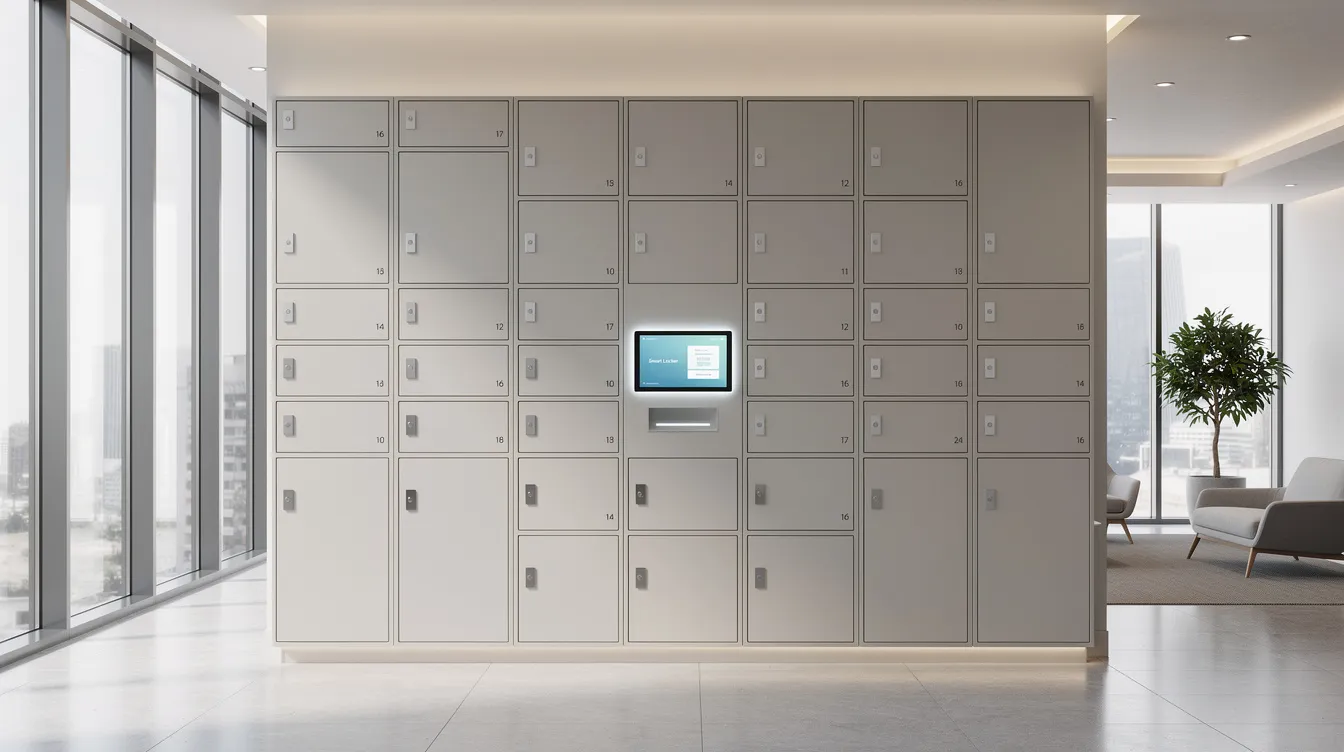
At the simplest level, smart lockers are secure compartments with electronic locks, user authentication, and cloud connectivity. But calling them “compartments” really undersells what’s happening inside. Each unit typically has embedded controllers, door sensors, LED indicators, and often built in device charging with data blocking USB ports.
Here’s where it gets interesting for multi site teams. A single building locker install can get by with local management. A true multi location smart locker system means everything runs through one platform. Your smart locker banks in office buildings, hospital wings, and campus quads all report back to a central dashboard.
Core components you’ll find in most setups:
- Hardware: modular locker banks with various door sizes, steel or corrosion resistant finishes
- Connectivity: wired ethernet, Wi Fi, or cellular depending on the site
- User interfaces: PIN pads, RFID badges, mobile apps, QR codes
- Cloud platform: remote monitoring, analytics, alerts, role based admin access
Smart lockers enhance security with RFID and biometric access controls, and they support multiple access methods so you can match the authentication to the environment. Honestwaves models also include optional UV C disinfection and data blocking technology for secure phone charging. The key takeaway? Multi location setups need standardized hardware and one common management platform. Without that, you’re just managing a bunch of separate lockers that happen to share your company name.
Start with the why: define your multi location locker strategy
Here’s the part that rarely gets discussed upfront. Problems don’t just add up across locations. They multiply. Different vendors at different sites. Inconsistent policies. Maintenance handled by whoever happens to be nearby. It gets messy fast.
Before you install anything, define your primary workflows. Most organizations land on a few of these:
- Package management and smart parcel lockers for mail rooms or lobbies
- Secure device storage for shared equipment like laptops, tablets, or radios
- Cell phone lockers to reduce distractions in schools and workplaces
- Employee lockers for personal belongings in busy offices or retail stores
Pick one to three workflows per network. Trying to solve everything at once just adds complexity. Separate your “must have” needs like enhanced security, audit trails, and operational efficiency from “nice to have” features like custom branding.
The smart locker market is projected to reach $5.74 billion by 2033, and that growth is driven by organizations realizing these aren’t just storage solutions. They’re infrastructure. Smart lockers reduce staff workload by automating item retrieval, and they can automate package handling, cutting down reception desk interruptions. Aligning your locker plans with actual site demand, whether that’s a hospital wing or a dispersed set of corporate offices, keeps you from overbuying hardware nobody uses.
Design your multi location locker architecture from day one
Think of this as the blueprint phase. How many sites? How many bays per site? What kind of storage solutions does each location actually need?
Start by clustering your locations:
- Headquarters vs satellite offices
- Public facing spaces vs restricted areas
- Permanent installs vs temporary event venues
For each cluster, estimate your daily volume: users, parcels, device checkouts, and average dwell time. Wake Forest University, for example, processed roughly 19,000 packages per month during peak periods using smart parcel lockers with central cloud management.
You can mix locker types within one network: large parcel locker compartments for the delivery process at HQ, smaller phone charging bays for satellite offices, and deeper compartments for laptops or scanners in warehouses. Smart parcel lockers secure and dispense packages in various settings, while outdoor bike lockers provide secure storage at public facilities and campuses.
Run a pilot hub first. Use real cost and workflow data from that pilot to right size your rollout. Then replicate to similar sites.
Network and connectivity: keeping every smart locker talking to you
Remote management lives or dies on network reliability. If a locker bank goes offline, your alerts vanish and users get stuck.
Common connection options:
- Hardwired ethernet: most stable, preferred for indoor installs
- Secure corporate Wi Fi: fine where signal strength holds up, but congested public spaces can be tricky
- Cellular (LTE/5G): use for remote or outdoor lockers in high traffic areas where wired options aren’t feasible
Security matters here too. Encrypted traffic (TLS), VPN or private network segments, and locked down admin access should be non negotiable. Coordinate with IT early to define IP ranges, firewall rules, and firmware update windows before installation day.
Pick locker systems that buffer transactions locally during brief outages and sync once connectivity returns. That way your audit trails and inventory data stay intact even when Wi Fi drops at a stadium concourse or university quad.
Management software: your command center for all locations
This is the piece that makes or breaks multi site deployments. Your management software is your single pane of glass. A structured performance dashboard enhances visibility and reporting over multiple sites, giving you what you need at a glance:
- Site list with locker banks and occupancy status
- Real time alerts for tampering, overdue items, and hardware issues
- Recent locker activity across every location
Key remote actions you should expect:
- Opening or locking individual compartments
- Reassigning users or extending pickup windows
- Suspending self service access during maintenance
Smart locker systems can connect with enterprise management software for real time tracking, and locker management software automates allocation and monitors occupancy across your entire network. Centralized software control improves management efficiency across multiple locations. That’s a fundamental shift from traditional lockers that required someone with a key ring at every building.
Integrate your dashboard with HR systems or identity platforms so employees automatically gain or lose access when they join or leave. Role based access control improves security and user management, letting a campus admin handle their site without touching the global configuration. For a deeper look at remote management features, we’ve covered the technical side in detail.
Smart locker alerts: overdue devices, tampering, and maintenance across sites
When you’re not physically at a site, alerts are your safety net. They’re what keep a minor issue from becoming a major problem.
Overdue device alerts notify IT or managers when a loaned laptop, shared tablet, or radio hasn’t been returned on time. Automated notifications enhance user experience and operational responsiveness, and parcel lockers notify users via email or SMS upon delivery so nothing sits forgotten.
Tamper alerts catch forced door attempts, repeated PIN failures, or offline modules. At Erie County Medical Center, centralized management with full audit trails and remote PIN resets helped prevent theft and track physical security across departments.
Maintenance alerts flag low power, stuck doors, failing charging ports, or controller issues. Remote diagnostics can help identify issues before they affect users. Preventive maintenance should include routine inspections and usage monitoring. Proactive maintenance reduces unexpected downtimes in locker systems, which matters a lot when you have banks scattered across a city.
Set different alert thresholds per site. A hospital pharmacy locker might trigger on a single incorrect PIN. A public lobby locker bank might tolerate a few more attempts before escalating. The point is better control, customized to each environment.
Standardize policies and workflows across all locations
You’ve probably seen this play out. One location allows seven day package holds. Another gives users 48 hours. A third doesn’t have any documented policy at all. Confusion follows.
Create a global locker policy covering:
- Who can use lockers (staff, visitors, students) and for what purpose
- Maximum hold times for packages, devices, and personal belongings
- Approved access methods per site type (PIN, RFID, mobile apps)
- Consequences for violations like unreturned devices or tampering
Standardized operating procedures ensure consistent reliability in locker management across your entire network. Common incident reporting structures support efficient problem resolution across sites, so a stuck door in one city gets handled the same way as one across the hall.
Document your exception processes. What happens when someone loses their phone with the app? Forgets a PIN? Leaves a parcel for more than 72 hours? Clear user onboarding instructions reduce support requests and improve utilization. Having the same core playbook across offices and campuses keeps staff training simple and audits much easier.
Scale smart lockers to new locations without starting from scratch
Your first deployment is your template. Treat it that way.
Once your pilot sites are running, clone configuration profiles for new locations: access groups, alert rules, compartment templates, and notification settings. A phased rollout strategy allows for smoother locker system expansions rather than trying to go live everywhere at once.
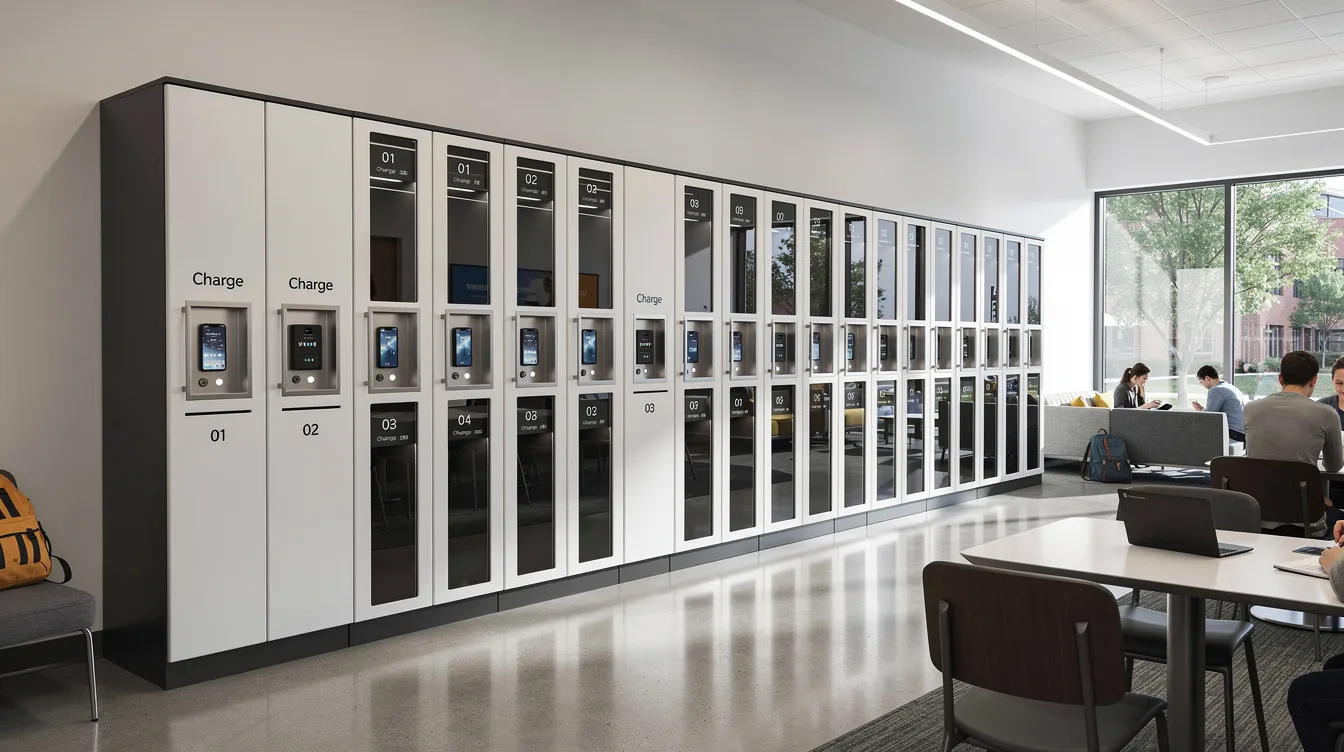
Maintain a library of hardware layouts. Maybe a standard 24 door phone charging wall for regional offices and a larger smartbox lockers setup for headquarters. Use data from early deployments to right size new sites. Organizations can reduce locker numbers by analyzing usage data, eliminating empty compartments and cutting unnecessary spend.
Plan for both permanent installs and temporary smart locker rentals for seasonal events or campaigns. That flexibility is what separates a scalable system from one you’ll outgrow in a year.
Measuring operational efficiency, security, and ROI across locations
Leadership wants numbers. Fair enough. Here’s what to track:
- Average occupancy rate per locker bank
- Turnover per compartment (checkouts and returns over time)
- Failed access attempts and access codes errors
- Downtime incidents and mean time to resolution
- Support tickets avoided vs. pre deployment baseline
Monitoring utilization metrics drives effective capacity planning and resource allocation. Smart lockers improve operational efficiency by minimizing human error and can cut operational costs by streamlining processes like the delivery process and asset management.
At the University of Houston, smart lockers led to 94% resource utilization efficiency and 33% of package pickups happening outside normal business hours. That’s the kind of data that justifies budget. Smart lockers provide real time tracking for better decision making, and they reduce staff workload and improve accountability across your network. Integrating locker systems with existing business processes can streamline operations even further.
Security, compliance, and real world risk management
Enhanced security matters more when lockers sit in public spaces, mixed use lobbies, or transit hubs. Smart lockers integrate with existing security systems for enhanced access control, and you’ll want to layer your defenses.
Authentication options to consider:
- PIN and access codes for general use
- RFID cards linked to corporate badges
- Biometric access for higher security environments
- SSO based logins tied to directory services
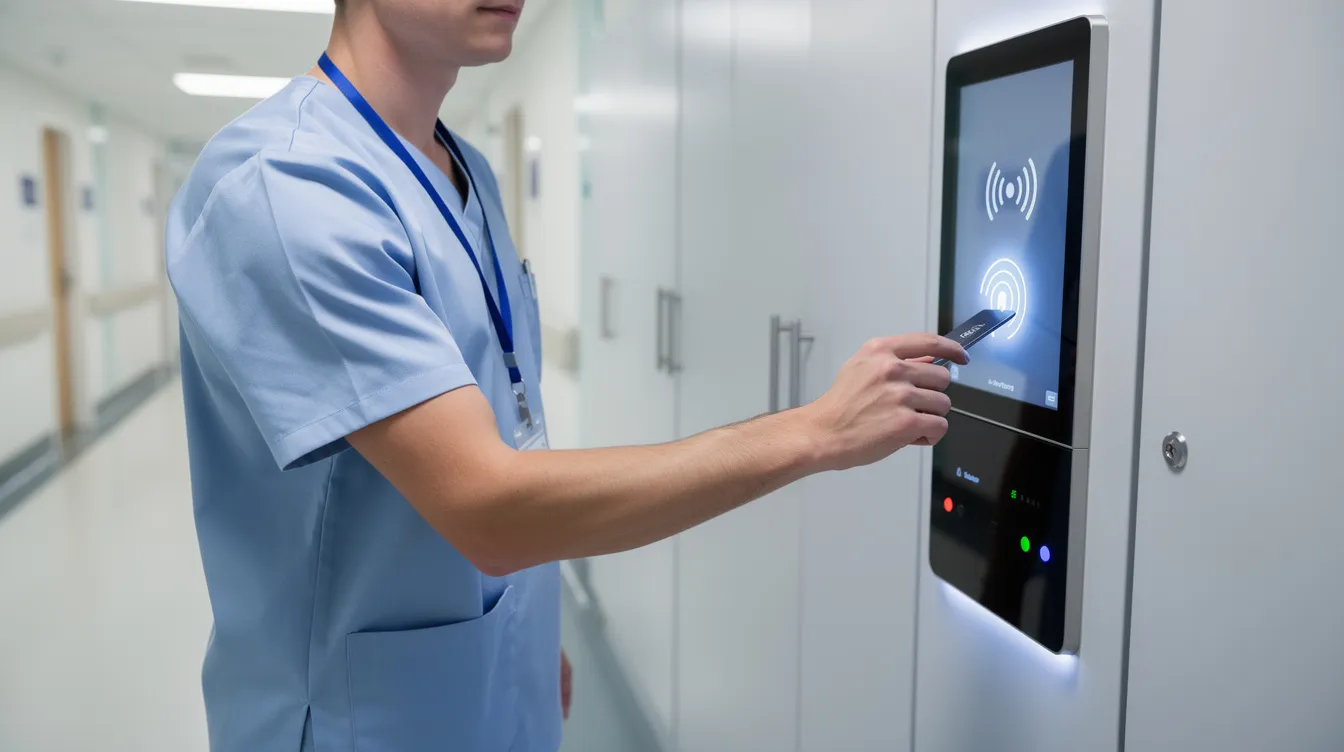
Full audit trails are essential. Smart lockers track device checkouts and returns so you know exactly who accessed which compartment, when, and from which terminal. Evidence lockers maintain chain of custody for police and legal agencies. Pharmacy pickup lockers provide secure prescription retrieval outside staffed hours.
Data privacy regulations like GDPR affect how locker systems manage user data, so establishing security protocols is essential for protecting user information and assets. Segment admin roles by region or campus so a local manager can run their site without global control of the whole network. Honestwaves lockers combine secure physical construction with data blocking USB ports, so mobile devices charge safely without data risk.
Practical examples of multi location smart locker management
Let’s make this real with a few quick scenarios.
University with three campuses. One central IT team manages laptop loans and phone charging across all locations. Students get self service access 24/7 without staff involvement. Smart lockers automate item handoffs for 24/7 access, so the help desk isn’t fielding “where’s my locker key” calls anymore. Cell phone lockers in classrooms keep distractions down, while digital access via mobile apps makes the whole experience seamless for students.
Healthcare system. Multiple hospitals and clinics deploy UV C disinfection phone charging lockers in waiting areas and staff lounges. All monitored from a central facilities office. Royal Melbourne Hospital’s system, integrated with RFID cards and Azure AD, saved 1,510 hours per year in administration alone.
Corporate office network. Smart parcel lockers handle package delivery and package pickup in lobbies of residential buildings and office buildings, while employee lockers support hybrid work. Facilities teams no longer chase spreadsheets. Authorized users retrieve packages through self service storage, and the reception desk stays focused on visitors instead of consolidating deliveries. The benefits in office settings are hard to ignore.
Arena or event venue. Portable charging kiosks and smart lockers across multiple concourses, all managed from one back of house console. Guests stop queuing to charge phones, and locker usage data tells you exactly which high traffic areas need more capacity next season.
How Honestwaves smart lockers fit into multi location deployments
We don’t just sell hardware and walk away. Honestwaves is built to be a partner for multi location smart locker projects, from initial site surveys through ongoing support.
Our smart locker products are secure, cloud connected, and available with optional phone charging, UV C disinfection, and data blocking technology. Browse the full smart locker lineup or check out the SecureCharge 32 Bio with biometric access for high security environments.
What makes this work for multi site buyers:
- Rentals and large order support for flexible scaling
- Professional installation help, including network planning
- Lifetime warranty on hardware
- Cloud dashboard designed for managing locker activity across locations
Smart lockers enhance security and simplify asset management whether you’re running a handful of corporate offices or dozens of retail centers and apartment complexes.
FAQs
Can I really manage all my smart lockers from one dashboard?
Yes. With a cloud based smart locker system, you can see, control, and support lockers in every site from a single interface, as long as each locker bank is online and enrolled in your platform.
How do Smart Locker Alerts help with overdue devices in multiple locations?
Overdue alerts automatically flag items that haven’t been returned on time, so IT or managers can follow up fast without manually checking each site’s lockers.
What happens if a locker in another city is tampered with?
Tamper alerts trigger instantly. You get an audit trail showing who attempted access, when, and you can lock down the site remotely or dispatch local support, even if you’re hours away.
Can one smart locker system handle both package management and device charging?
Absolutely. As long as the hardware and software support mixed workflows, you can run parcel locker bays alongside phone charging compartments in the same network. That’s a common pattern in our deployments.
Do multi location smart lockers work in high traffic public spaces?
They do. You need rugged enclosures, weather appropriate finishes where needed, a secure network connection, and remote monitoring. Smart lockers provide 24/7 access for users, which strengthens security and improves customer satisfaction in busy environments.
How hard is it to roll smart lockers out to new offices or campuses?
Once the first sites are configured, adding new locations is mainly about installing hardware and cloning existing settings. Your management software handles the rest. It’s a data driven approach that gets faster every time.
Conclusion:
Smart locker remote management turns a scattered collection of intelligent lockers into one coordinated system. Success across multiple locations comes from planning your workflows, picking the right management software, using alerts wisely, and keeping policies consistent. When it’s done right, you boost operational efficiency, improve security, and make life genuinely easier for staff and users at every location. That’s not marketing talk. That’s what we see with our customers every day.
If you’re thinking about a multi site deployment, or even just upgrading existing lockers to something smarter, browse our smart locker lineup or get a quote to start the conversation. We’d love to help you figure out the right mix of locker placement, hardware, and software for your specific campuses, offices, or public sites. Reach out to us whenever you’re ready.