

You’ve been tasked with budgeting a smart locker deployment, and the first thing you Google gives you a range so wide it’s basically useless. Sound familiar? Let’s fix that right now.
Smart Locker Pricing
Most business ready smart locker deployments in 2025 and 2026 land somewhere between $8,000 and $120,000 per site. That’s a big range, sure, but it narrows fast once you know your locker count, the features you actually need, and what installation looks like at your location. Ongoing software and support usually run $60 to $250 per month per locker bank, depending on the platform and service tier.
Here’s what people miss when they see a “starting at” price on a website: “deployment cost” is not just the metal box. It includes hardware, smart locker installation, software licensing, networking, training for your staff, and ongoing maintenance. Skip any one of those in your budget and you’ll get surprised later.
At honestwaves, smaller systems like a 10 to 20 bay phone charging smart lockers for a clinic or corporate lobby often come in around $8,000 to $25,000 all in. High volume, multi bay package lockers for logistics hubs or educational institutions? Those can push into the mid five figures per location, sometimes more.
By the end of this article, you’ll be able to build your own cost model for a parcel locker or device management locker using real numbers and example formulas. No vague marketing talk. Just the practical deployment decisions that property managers, IT teams, and operations leaders actually face.
Clarify Your Use Case: What Problem Is This Locker Actually Solving?
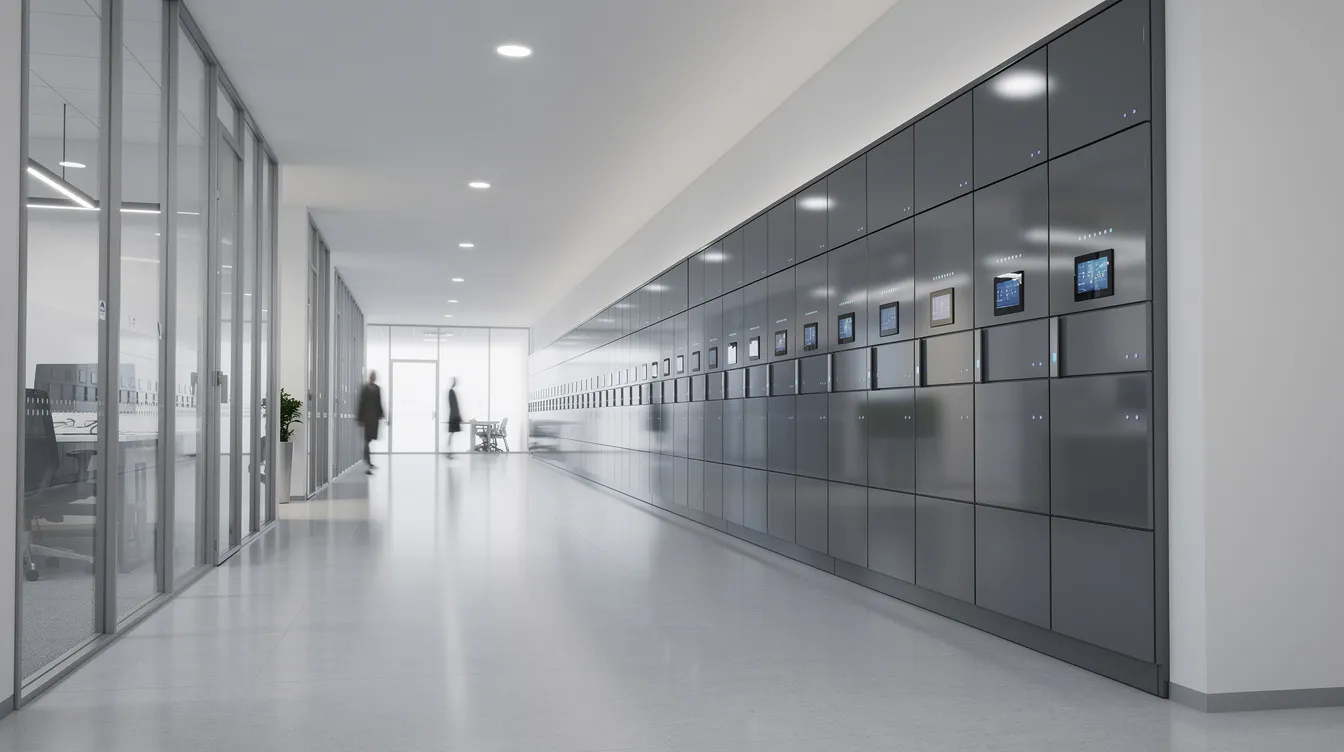
Picture a hospital where nurses spend 20 minutes every shift change hunting for shared tablets that someone left in a break room. Now picture an apartment building where the lobby is buried in Amazon boxes and the property manager is fielding angry calls about missed deliveries. Both need smart lockers, but the costs look nothing alike.
Your cost calculation has to start with the use case. Common scenarios include:
- Smart parcel lockers for residential or mixed use buildings handling secure package delivery
- Automated smart locker systems for IT and asset management in warehouses and distribution centers
- Phone charging lockers for event venues, corporate campuses, or hospitals
- Staff device checkout in educational institutions and logistics facilities, where electronic devices need to be tracked
Before you price anything, define your objectives. Are you trying to reduce lost devices? Eliminate mailroom lines? Provide secure storage for personal belongings in public spaces? Enhance security for sensitive documents and valuables? Smart lockers reduce unauthorized access to sensitive documents and important documents when configured properly.
The rest of your cost math flows directly from this decision, so pause here. Write down your primary goal and one or two secondary goals before moving on.
Understand the Main Cost Buckets in a Smart Locker Deployment
Total deployment cost usually splits into a handful of predictable buckets. A comprehensive budget includes hardware, software, installation, connectivity, and ongoing maintenance costs. Here’s how they break down:
- Locker hardware and electronics
- Software licenses and cloud platform
- Installation and site build out
- Integration with mobile apps, access control systems, and directories
- Training and change management
- Support, repairs, and upgrade cycles
Capital Expenditure (CapEx) covers the upfront build and hardware costs, while Operational Expenditure (OpEx) includes ongoing software, power, and maintenance fees. Some vendors bundle everything into one “locker as a service” price; others separate each line item, which can make comparing quotes feel like translating two different languages.
For most of our projects, hardware and installation are the big upfront numbers, while software and support become predictable monthly or annual operating expenses. Upfront costs significantly influence Total Cost of Ownership, which also includes those recurring operational expenses.
Keep a simple spreadsheet open as you read. Drop each cost bucket into its own row. By the end, you’ll have a live estimate.
Locker Hardware: How Configuration and Bay Count Drive Price
The locker cabinet and electronics usually make up the single largest piece of your deployment cost. Smart locker pricing depends on compartment count and technology, and costs scale directly with the total number of compartments and the specific distribution of locker sizes.
Price scales with several factors:
- Number of doors or bays
- Compartment size mix (phone size versus parcel size versus XL for laptops)
- Whether it’s a dedicated package locker or a device charging and asset management locker
- Indoor versus ruggedized outdoor models (indoor setups are typically less costly than outdoor installations due to additional weatherproofing requirements)
For concrete numbers: a compact 8 to 12 bay phone charging smart locker bank for a lobby might fall in the $6,000 to $12,000 range. Modular locker systems sized for 100+ packages per day can grow into $25,000 to $80,000 depending on how many modules you need. Entry units start low but often lack cloud connectivity. Connected systems with real time tracking are significantly more expensive, but that’s where the real value lives.
Cost per compartment drops as the system gets larger. One control unit can serve many locker modules, so your first bank costs more per door than your third or fourth. You can see our current cabinet and bay options on our smart locker page.
Access Technology and Electronics: PINs, Badges, RFID, and More
Not all smart locker systems are equally “smart.” Your access control choices can shift costs by thousands of dollars per bank.
Common options to choose between:
- PIN code access on a touchscreen (simplest, lowest cost)
- Radio frequency identification (RFID) badge or fob access tied to corporate credentials
- QR codes or access codes sent through mobile apps or email
- Hybrid systems supporting multiple methods at once
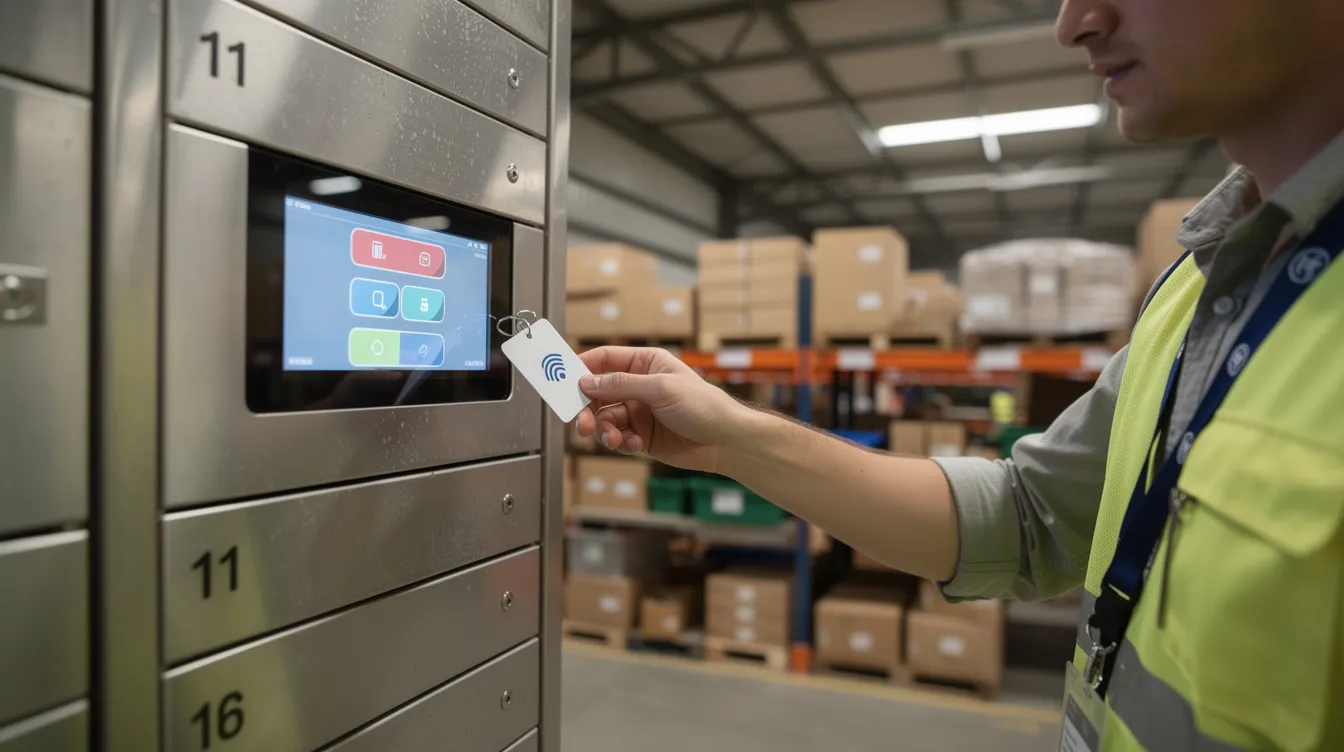
Smart lockers use RFID technology for secure access control, and biometric scanners enhance security in smart locker systems even further. Smart lockers can be accessed via PIN, QR code, or mobile app, giving you flexibility based on your environment.
More advanced options like RFID readers, extra scanners, and biometric modules add to the control unit cost but often save money later by cutting admin time and shrinkage. We often integrate with existing employee badges for warehouses and hospitals so you don’t have to issue extra cards.
Budget an extra line item when you choose multi technology or custom access hardware. As a rough guide, access control options can add 10 to 25 percent to the cabinet price on complex systems.
Charging, UV-C Disinfection, and Other Smart Add Ons That Impact Price
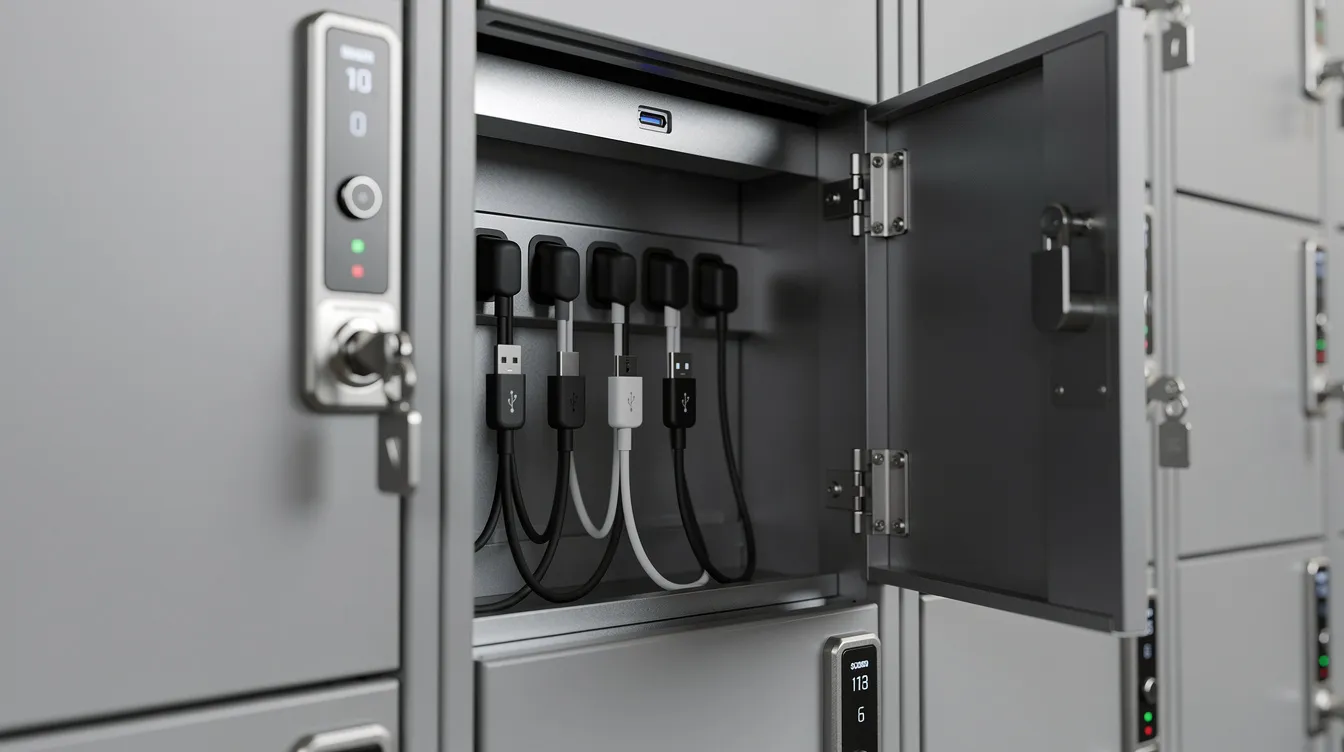
Many modern locker systems double as phone charging stations or shared device charging hubs, and these features change both the cost and the ROI equation.
Common upgrades include:
- Built in USB-C, Lightning, or multi cable charging in each bay
- AC power for laptops and larger electronic devices
- UV-C disinfection modules in compartments for healthcare or education
- Environmental sensors or cameras for tampering alerts
- Temperature controlled lockers that store sensitive items like pharmaceuticals
These add ons are typically priced per door or per module. Stacking features like power plus UV-C sanitization can add a few hundred dollars per bay. Installation can even take several weeks for refrigerated units because of the additional complexity involved.
Our locker systems used in hospitals with UV-C cleaning and secure phone charging sit at the higher end of typical ranges compared to simple parcel lockers for office mailrooms. But here’s the thing: these features often improve asset management and hygiene enough that facilities see faster payback compared with passive shelves or manual checkout desks.
Software Platform and Cloud: What You Really Pay for Every Year
The brains of automated smart locker solutions live in the software, not just the metal cabinets. Smart lockers typically require software to manage access, transactions, users, and reporting, and this is almost always an ongoing subscription rather than a one time fee.
What locker software typically includes:
- User access management and permissions
- Workflows for package management and device checkout
- Automated smart locker alerts for overdue devices, tampering, and maintenance
- Reporting dashboards and usage analytics
- Remote support and firmware updates
- Instant notifications for key events
Cloud-based systems provide encryption for smart locker data security, and cloud-based systems allow seamless scalability for smart lockers as you grow.
Realistic 2025 and 2026 pricing patterns look like this: per door monthly fees in the $0.50 to $4 range, or bundled tiers around $60 to $250 per locker bank per month depending on volume and features. Recurring Operational Expenditure includes software subscriptions, maintenance, and utilities.
Our customers often see the software as the “savings engine” because it reduces staff time and lost equipment. Budget this as a core operating cost, not an optional add on. For enterprise or multi site deployments, expect software and cloud costs to show up as a separate line item in quotes.
Installation, Power, and Network: The Hidden Line Items That Add Up
Even the best locker system becomes an expensive statue without power, network, and a place to bolt it down. Total cost always includes installation, connectivity, and maintenance, and this is where budgets go sideways if you’re not careful.
Typical installation components:
- Freight shipping to the site
- Unloading and moving lockers into position
- Wall anchoring or floor fixing
- Electrical work to provide dedicated circuits
- Data drops or secure Wi-Fi connection
- On site commissioning and testing
Here’s the honest truth: small indoor installations with existing power and network might add only a few thousand dollars. Outdoor or multi bank installs needing trenching, conduit, or structural work? That can easily add $10,000 or more. Off the shelf indoor units install faster than custom builds, every time.
Most smart locker projects take several weeks to become operational. Installation complexity often extends total lead time for lockers, especially in older buildings or outdoor environments. A site survey can provide a fixed installation timeline and save you from guessing.
Get that site survey early. And always ask vendors to separate equipment cost from all in installed cost so your finance team can compare apples to apples.
Integrations: Tying Lockers into Badges, Courier Systems, and Mobile Apps
Many deployments now require integration with existing systems, and these are real budget items that shouldn’t be an afterthought.
Common integration targets:
- Corporate SSO or SAML for staff login
- RFID access control systems for badge authentication
- Parcel tracking feeds from major retailers and carriers
- In house mobile applications used by employees, students, or many customers
Simple one way integrations might come included in standard software fees. Custom APIs, branded user interfaces, or deep logistics industry integrations typically become separate project charges. Realistic ranges for custom connector work run from a few thousand dollars for minor tweaks up to $10,000 or more for heavily customized enterprise grade deployments.
Clear integration scope up front prevents surprise invoices later. Write a short requirements list before you even ask for quotes. It’ll save you grief.
Ongoing Support, Maintenance, and Lifecycle Costs
Lockers are mechanical systems living in real buildings. Hinges, smart locks, screens, and charging cables wear over time, especially in high volume locations like transportation hubs and warehouses.
Typical support packages include:
- Remote monitoring and diagnostics
- Replacement parts and labor for hardware faults
- Software updates and new features
- Access to support teams for admin issues and training refreshers
Maintenance plans generally cover technical support agreements, firmware updates, and preventative maintenance. We offer robust long term support on smart locker deployments, and many of our customers prefer predictable yearly or multi year support contracts over ad hoc break fix calls.
A good rule of thumb: budget roughly 8 to 12 percent of hardware value annually for physical upkeep. Bump that number higher in rougher environments like warehouses, public spaces, or outdoor locations. Ask vendors about expected service life of locks, screens, power supplies, and charging cables so you can model replacement cycles over a 5 to 7 year forecast period.
How Usage Volume and Environment Change Your Cost Model
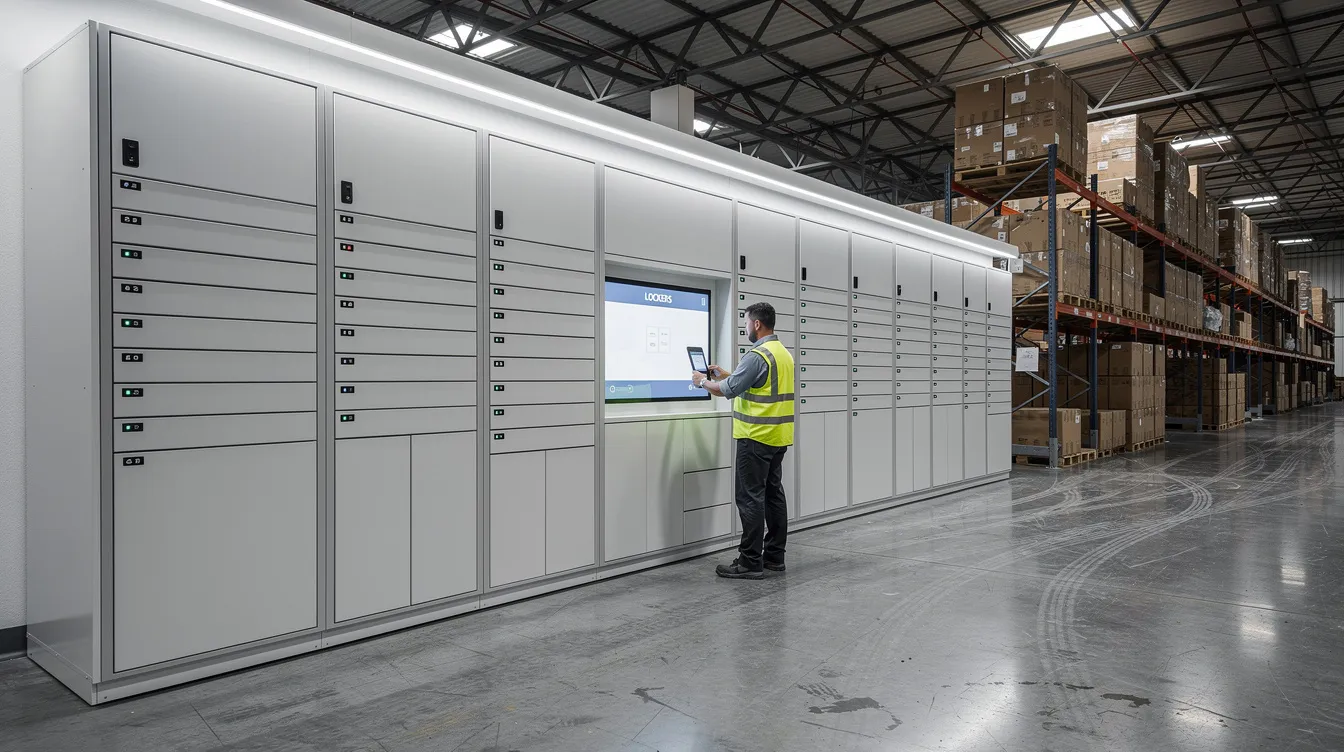
A locker bank in a quiet corporate office handling a dozen transactions a day has very different wear and ROI compared to more lockers in a 24/7 cross dock warehouse processing hundreds of device checkouts per shift.
Environmental factors that increase both upfront and lifecycle cost:
- Outdoor placement with weather exposure
- Public access in busy transit areas
- Rugged industrial settings with dust and forklift traffic
- Heavy daily use by multiple shifts across various industries
Contrast that with lower intensity environments like internal staff use in HR offices, libraries, or executive floors where lighter duty configurations work fine. In harsh or around the clock settings, stepping up to industrial grade enclosures is usually cheaper over time than constantly repairing consumer grade gear.
Be honest about how aggressively your users treat equipment. Size both the hardware and support plan accordingly.
Building a Simple Formula: From Line Items to Total Deployment Cost
Let’s turn all these buckets into one realistic estimate. Calculating the total cost of deploying a smart locker system requires evaluating the Total Cost of Ownership. A step by step approach for calculating TCO includes identifying initial, recurring, and replacement costs.
Here’s the basic formula:
Total Year One Cost = Hardware + Deployment + First Year Software/Support
Where:
- Total hardware = cabinet cost + electronics per door + add ons (charging, UV-C, sensors)
- Deployment cost = freight + installation labor + electrical and network work
- First year software and support = subscriptions + integration project fees + training
Total Cost of Ownership should encompass both the hardware purchase and operational costs over the deployment’s lifespan.
Example scenario: You’re installing a 24 bay smart locker with charging in a university library.
| Cost Item | Amount |
|---|---|
| Base cabinet with controller (24 bays, DC charging) | $8,000 |
| Charging and UV-C add ons ($100/door) | $2,400 |
| Freight shipping | $1,500 |
| Electrical and network work | $3,000 |
| Installation labor | $2,500 |
| Software license ($50/door/year) | $1,200 |
| University ID system integration | $5,000 |
| Staff training | $2,000 |
| Total Year One | $25,600 |
Annual ongoing costs after year one: software fees (~$1,200) + maintenance (~$1,000) + parts and repairs (~$1,500) = roughly $3,700 per year.
From here, you can calculate cost per door ($25,600 / 24 = ~$1,067) or cost per active user to compare different smart locker solutions fairly. Use this same framework to compare buying outright versus subscribing to a locker as a service model.
Estimating ROI: Linking Deployment Cost to Time and Asset Savings
Smart locker deployments justify themselves through reduced staff time, fewer lost devices, and better space usage. Potential benefits of deploying smart lockers include labor savings and reduced lost or misplaced items.
Key savings levers:
- Fewer missing scanners, tablets, or phones in warehouses and healthcare facilities
- Less staff time spent handing out and chasing equipment
- Reduced package theft and disputes in multifamily and office buildings (smart lockers reduce the risk of parcel theft and mismanagement)
- Better use of mailrooms and back of house space (smart lockers can reduce the required footprint by up to 30% compared to traditional methods, saving on real estate rent)
Simple payback formula: Payback period = total investment / monthly savings.
Say a warehouse deployment costs $30,000 and eliminates two hours of supervisor time per shift (across two shifts) at $35/hour. That’s $140/day or roughly $3,640/month in labor savings alone, before you count reduced device replacement orders. Payback: about 8 months.
Locker systems with device curfews and overdue alerts can sharply cut replacement orders for expensive tech, improving ROI further. Collect a week or two of baseline data on lost time and losses before installation so you can measure actual results.
Comparing Different Locker Types: Parcel vs Device Management vs Charging Only
Cost structures differ meaningfully between locker types:
Parcel lockers are built for last mile delivery challenges and pickup. They typically need larger bays, robust security features, and strong package management workflows. Automated lockers streamline package delivery in urban areas and smart parcel lockers provide 24/7 access for package retrieval. Click and collect lockers also facilitate order pickups in retail stores. Parcel lockers manage incoming packages securely, reducing the headaches of traditional delivery methods.
Device management lockers serve the logistics industry and corporate campuses. IT asset management lockers streamline hardware exchanges in offices. Fewer large bays, but more complex electronics and tracking. Food delivery lockers simplify meal pickups for customers in yet another growing demand category.
Charging only lockers for phones and tablets sit between consumer grade charging stations and full blown parcel banks on price. Products like the SmartLocker 40 provide higher security and usage analytics than basic package lockers while solving a different problem entirely.
Map your needs to one of these categories first. It’s a common source of sticker shock when someone prices out a full parcel locker system when all they actually needed was a 16 bay device charging unit.
Budgeting Differences: Schools, Healthcare, Logistics, and Office Deployments
How you budget depends heavily on your sector. The competitive landscape for smart lockers spans various industries, and each has different priorities.
Educational institutions often roll out in phases, one building at a time. They watch per door price closely, mix package lockers with device charging, and value self service workflows that don’t require staff babysitting. A university replacing a manual laptop checkout desk with smart lockers typically sees shorter lines during exams and fewer lost devices by the end of the first semester.
Hospitals and healthcare prioritize UV-C disinfection, data blocking, and high uptime over rock bottom cost. Robust security features matter more than saving $500 per bank. Patient phone storage and secure solutions for shared devices are growing demand areas. Recent developments in this space also include compliance with infection control protocols.
Logistics and warehousing focus on asset management, overdue device alerts, and integration with rugged scanners. High volume wear means lifecycle cost is a bigger deal than sticker price. Advanced technology in this space covers real time tracking of delivery systems and handhelds.
Corporate offices and commercial spaces prioritize user friendly flows, mobile apps, and aesthetics. They want an efficient solution that looks good in the lobby and integrates with visitor management for contactless delivery and secure package delivery.
Benchmark your project against the sector that matches your reality. A research report from an e commerce giant won’t tell you much about deploying in a rural school district.
Financing Options: Buy, Lease, or Locker as a Service?
Three main commercial models exist, and each affects your cost calculations differently.
| Model | Upfront Cost | Monthly Cost | Who Owns Hardware | Best For |
|---|---|---|---|---|
| Outright purchase | High | Low (support only) | You | Stable, long term deployments |
| Lease | Low to moderate | Fixed payments | Lessor (usually) | Capital constrained orgs |
| Locker as a service | None or minimal | Higher bundled fee | Vendor | Fast growing or multi site rollouts |
The core tradeoffs: capital expenditure versus operating expenditure, flexibility to scale up or down, and who takes the obsolescence risk. Some customers in the Asia Pacific region and Middle East prefer service models for multi site corporate campuses, while owner occupied properties in North America often benefit from buying and amortizing over several years.
Run the same ROI and payback formulas under each model. Don’t let the decision rest only on the monthly number.
If you’re unsure, starting with a pilot under a flexible agreement is the safest way to test fit. Leading players in this space, including key players across the population density spectrum, generally support phased approaches.
Practical Checklist: Questions to Ask Vendors Before You Sign
Before you agree to any quote, run through this list:
- What exactly is included in the headline price? Hardware, smart locker installation, training, software?
- How are software and smart locker alerts licensed and billed over time?
- What happens if you add more lockers or locations during the forecast period?
- What’s the average lifespan of locks, screens, and charging cables in similar environments?
- What are standard response times for urgent support and tampering incidents?
- Does the price assume indoor or outdoor placement?
- Are there extra fees for future integrations with new mobile apps or access systems?
Ask for a written deployment timeline with clear milestones. Confirm what you’re responsible for (electrical work, permits, network drops) versus what the vendor handles.
Compare at least two detailed quotes side by side using the cost buckets and formulas from earlier in this article. Don’t just stare at the bottom line total. A business overview that separates each component helps you negotiate smarter. You can also use our Smart Locker RFP Guide as a starting template.
FAQs
How much does a basic smart locker bank cost to install in an office lobby?
For a 10 to 20 bay indoor system with standard access, expect roughly $8,000 to $25,000 all in, covering hardware, installation, and basic software.
What are smart locker alerts, and do they cost extra?
They’re automated notifications for overdue devices, tampering, and maintenance events. Usually included in mid tier software subscriptions, though high volume SMS alerting may carry a small surcharge.
Is there a big price jump between PIN only access and RFID badge integration?
Yes, but it’s manageable. Badge integration adds hardware (reader module) plus directory sync, typically adding 10 to 25 percent to the locker bank price. Many smart lockers work with your existing corporate badges to keep costs down.
Do I have to pay more for locker software if I add more users later?
Most platforms charge per door or per bank, not per user. Adding users is usually free. Adding physical doors means new hardware plus incremental software fees.
How do package lockers for apartments compare in cost to device lockers for warehouses?
Parcel lockers cost more per door because of larger compartments, weatherproofing, and stronger doors. Device and asset management lockers have fewer large bays but more complex electronics. Check our smart locker page for current configurations.
Can I start with a small system and expand without wasting my first investment?
Absolutely. Modular designs let you add locker modules to the same control unit later. Your initial investment in the controller and software carries forward. A comprehensive system grows with you.
How long does a typical deployment take from order to operational?
Most smart locker projects take several weeks to complete. Simple indoor installs go faster, while complex or multi site deployments can stretch the timeline. Installation complexity often extends the total lead time.
Conclusion:
You now have the framework to build your own estimate. No more accepting vague “it depends” answers from brochures.
The main lesson is straightforward: define your use case, list out the cost buckets, plug in real numbers, and compare that total to the time and asset savings you expect from the locker system. That’s how you separate a smart investment from an expensive experiment.
Before you talk to any vendor, run through one quick hypothetical of your own. Pick your bay count, your environment, your must have features. Fill in the formula. You’ll walk into that first conversation with a realistic number in your head, which means you’ll ask better questions and get better answers.
If you’re looking for secure phone charging, device management, or package handling solutions, explore our smart lockers options. We build for hospitals, campuses, warehouses, offices, and everywhere in between.
Ready to see what your specific deployment would actually cost? Grab a tailored estimate here. Share your estimated bay count, environment, and use case upfront and we’ll get you a realistic number back fast.