
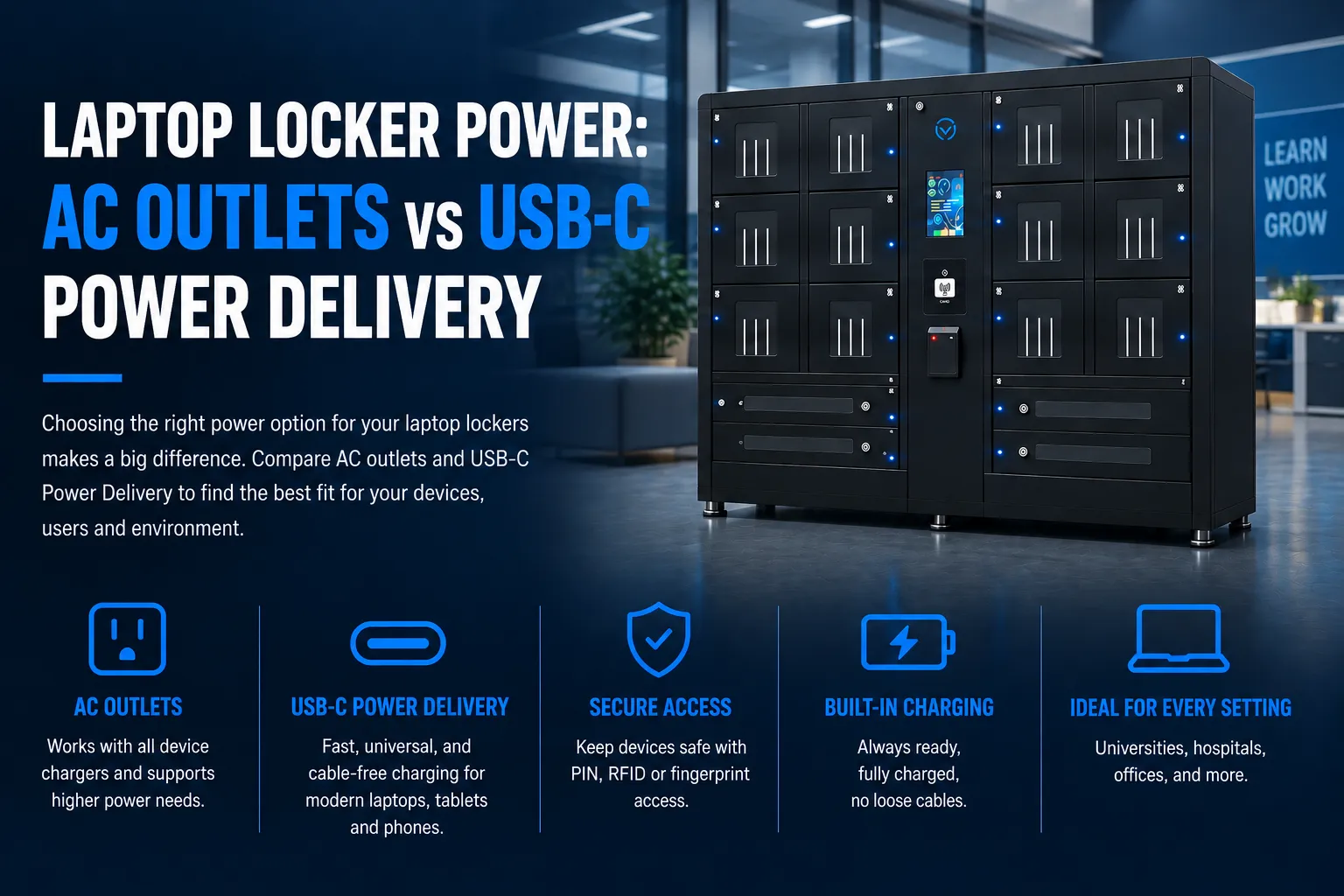
A nursing shift just ended and three nurses are hovering near a wall outlet in the break room, waiting to top off their work tablets before handoff. Down the hall, a 16-bay laptop locker sits half empty because nobody brought their power cord today. The locker has AC outlets inside each bay, but without the right charger, those outlets are just expensive holes in a steel box.
We see versions of this story constantly, whether it’s a university library, a corporate office, or a conference center. The core question is simple: should your laptop lockers use traditional AC power outlets, or lean into USB-C Power Delivery?
This article gives you a practical framework and a clear recommendation. We’ll walk through real-world trade-offs, safety considerations, costs, and use cases so you can pick the right setup without second-guessing yourself. At HonestWaves, we design and build smart charging lockers for schools, hospitals, and businesses, and this is one of the most common conversations we have with facilities teams. Let’s get into it. AC Outlets vs USB-C Power Delivery in Laptop Lockers
AC Outlets vs USB-C Power Delivery in Laptop Lockers
If you’re buying new laptop lockers today, prioritize USB-C Power Delivery for day-to-day charging, but keep some AC outlets for edge cases.
Here’s why, in a nutshell. USB-C PD covers the vast majority of modern laptops, tablets, and phones with one port type. AC outlets remain a safety net for older devices, specialty medical equipment, and those hefty gaming laptops that still ship with proprietary barrel connectors. A mixed configuration, something like one AC outlet plus one USB-C PD port plus one USB-A port per bay, covers most scenarios in high-traffic environments like universities, hospitals, and event venues.
From a user’s perspective: USB-C means “plug in the built-in cable and walk away.” AC means “hope you brought the right power cord and that it fits in the bay.” One is frictionless, the other is flexible but messy.
Now let’s unpack why this trade-off matters once you scale beyond a few lockers.
How Laptop Lockers Actually Get Used in the Real World
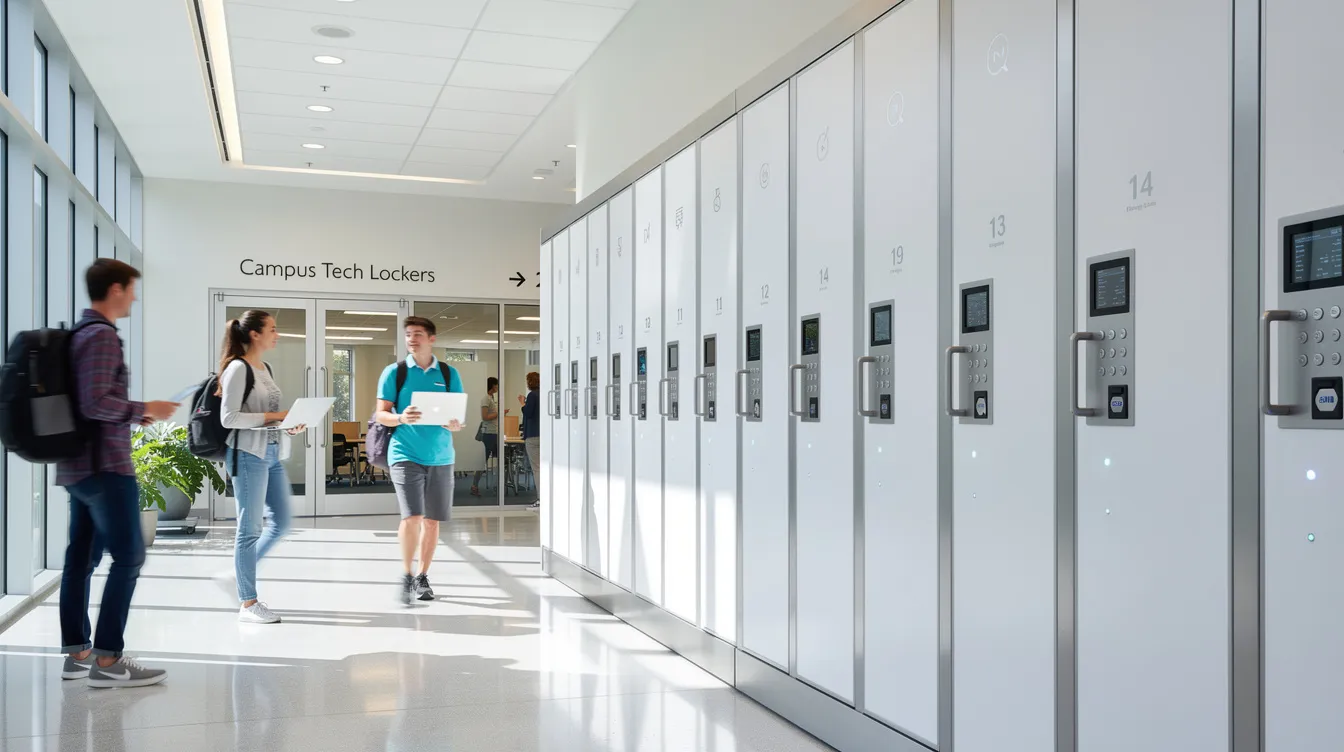
Think about how people actually interact with these lockers. Hospital nurses dock work laptops during shift changes, usually in a 20-to-45-minute window. Students stash MacBooks in a 16-bay charging locker between classes. Conference attendees at a three-day event want to secure their laptops while they attend sessions.
The device mix at most sites skews toward USB-C. About 78% of new laptop models launched in 2025 support USB-C charging, and premium ultraportables are closer to 90-91%. In practice, we see many facilities sitting at 70-80% USB-C laptops once you account for devices purchased in the last two or three years, including modern Windows laptops and Apple laptops. Add phones and tablets to that mix and the USB-C share climbs even higher.
You’ve probably noticed this pattern too: users forget their original power cord, show up expecting a built-in cable, and want a fast top-up in 30-60 minutes. That behavior shapes everything about how you should design locker power. Managed access through PIN or RFID keeps devices secure. But reliable, built-in charging is what actually makes people use the lockers instead of leaving laptops unattended on a table near a wall outlet.
AC Outlets in Laptop Lockers: What You Gain and What You Risk?
An AC outlet in a locker means a standard wall outlet inside the bay. Users plug in their own laptop charger, close the door, and the device charges with whatever adapter they brought.
What you gain:
AC outlets offer compatibility across laptop brands and models when users bring quality chargers or adapters. Got an older ThinkPad with a barrel connector? It works. A rugged medical tablet with a proprietary charging base? Fine. AC outlets have unlimited power delivery limited only by the circuit breaker, and they can support multiple devices simultaneously if someone brings a small power strip (though that’s usually a bad idea in an enclosed space). AC outlets typically provide 125 volts of power, which can handle anything from a 30W Chromebook charger to a 230W gaming laptop brick. AC outlets are also easier to scale for multiple devices in a locker system from a raw electrical standpoint; you’re just wiring receptacles.
What you risk:
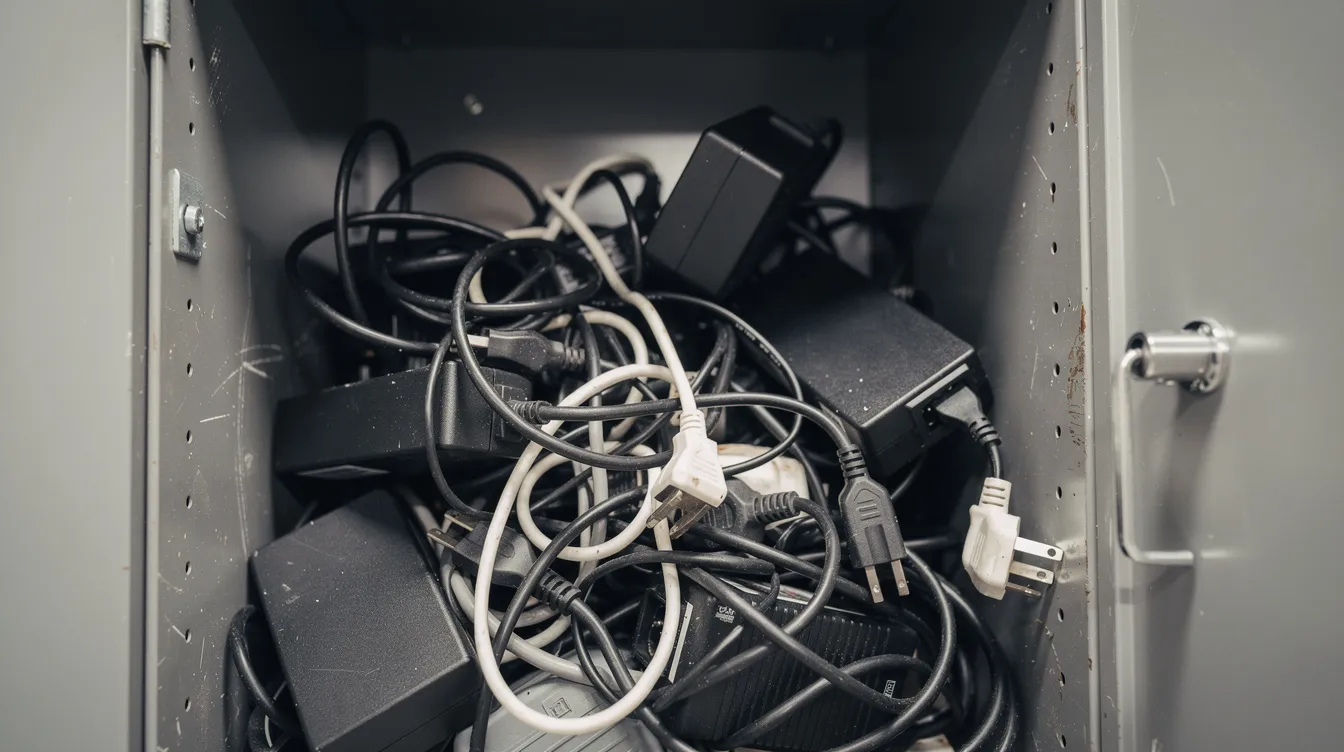
AC outlets require significant physical space inside lockers due to bulky adapters. A 15-inch laptop plus its power brick barely leaves enough room in a standard bay. Choosing AC outlets affects space and maintenance requirements in ways that aren’t obvious at purchase time. Cords tangle. Adapters get left behind. Users bring unknown third-party chargers that may not carry UL or ETL certifications, and that’s a liability.
AC outlets inherently produce higher ambient heat in storage lockers because OEM bricks vary in efficiency. Heat generation in enclosed bays is a real concern, not a hypothetical one. And AC outlets pose higher safety risks in public environments due to exposed wiring and the unpredictability of whatever adapter someone plugs in.
The operational hassle is constant: IT staff re-tying cables, replacing broken adapters, fielding tickets about missing power cords. What’s supposed to be a charging solution becomes a cable management headache.
USB-C Power Delivery: Why Everyone Is Talking About It?
USB-C is the small, reversible oval connector you see on nearly every new laptop, phone, and tablet. But the connector alone isn’t the whole story. USB Power Delivery is the protocol that lets the charger and device negotiate exactly how much voltage and current to use. It’s certified by the USB Implementers Forum (USB-IF), which means there’s a real standard behind it, not just marketing.
Under PD 3.0, USB-C Power Delivery can deliver up to 100W of power. The newer PD 3.1 Extended Power Range pushes that ceiling to 240W using higher voltages (28V, 36V, 48V) with e-marked cables rated for the job. Most 13-to-14-inch business laptops charge happily at 60-65W. Bigger 15-to-16-inch creator machines typically need 90-100W or more power. Chromebooks and lightweight ultrabooks? 30-45W does the trick.
USB-C PD supports fast charging for compatible devices, and USB-C charging is faster than traditional AC charging in many cases because USB-C can deliver higher efficiency than traditional AC due to fewer conversion steps. The power goes from the supply to the device with less wasted energy.
USB-C Power Delivery also offers centralized, rack-mounted power supply efficiency. Instead of each bay housing an individual adapter, a single internal power module distributes current across bays. One USB-C PD cable can handle phones, tablets, Chromebooks, and modern Windows and macOS laptops.
From our perspective at HonestWaves, USB-C PD is usually the cleanest option for new deployments, especially in education settings and modern offices where device fleets refresh every three to four years.
Making Sure Your Laptop Lockers Actually Deliver Enough Juice?
In environments with fast turnover, wattage isn’t a spec to gloss over. If students have 30-45 minutes between classes, the difference between a 30W port and a 65W port is the difference between gaining 15% battery and gaining 40%.
Here’s a rough guide by device type:
| Device | Typical USB-C PD Wattage Needed |
|---|---|
| Chromebooks / light ultrabooks (11-13″) | 30-45W |
| 13-14″ business laptops (MacBook Air, ThinkPad X1) | 60-65W |
| 15-16″ creator / workstation laptops | 90-100W |
| Gaming / high-performance laptops | 140-240W (PD 3.1 EPR) |
USB-C ports can deliver up to 65 watts of power in most standard locker configurations, which covers the bulk of business and education devices. USB-C PD can charge devices in less than an hour for many ultrabooks and Chromebooks at these wattages. USB-C ports are often limited to one device for fast charging per bay, so keep that in mind when planning.
USB-C Power Delivery supports dynamic power distribution based on device needs; the charger and laptop negotiate the right level automatically. Ensuring adequate PD wattage is critical for performance laptops in lockers. If someone plugs a 96W MacBook Pro into a 45W port, it’ll charge slower but won’t get damaged. The PD protocol prevents oversupply.
Overspec’ing slightly (65W instead of 45W) in shared lockers is usually worth the price difference because you can’t predict who’s going to use which bay. And for circuit planning: a 16-bay locker at 65W per bay means a potential draw of around 1,040W (about 8.7A at 120V). Add a 10-20% margin for inefficiencies, and you’re looking at a dedicated 15A or 20A circuit. Manageable, but something your electrician needs to know about.
USB-C, USB-A, and AC in One Locker: Designing the Right Mix
Let’s break this down simply. A USB-A port is the older rectangular connector most people associate with the word “USB charger.” It handles phones and accessories at lower wattages (usually 5-12W). A USB-C port is the newer, smaller connector that carries both data and power delivery. An AC outlet is a standard wall outlet.
For modern deployments, a recommended bay layout looks something like this: one USB-C PD port for laptops and tablets, one USB-A port for legacy phone cables, plus one AC outlet as a backup for odd power bricks. Implementing both AC and USB-C allows for flexibility in locker deployments without committing to one standard.
This hybrid approach shines in campus study spaces, libraries, corporate hot-desking zones, and staff break rooms where the device mix varies. Installation complexity differs between AC outlets and centralized USB-C systems, but both can coexist inside a well-designed locker chassis.
USB-C Power Delivery can charge laptops and smartphones simultaneously across different bays, and USB-C systems can manage multiple devices more efficiently if properly designed with intelligent power allocation. HonestWaves configures different mixes depending on whether a site handles mostly laptops, mostly phones, or a true mixed fleet of mobile devices.
Safety, Surge Protection, and Cable Management Inside Lockers
Multiple devices charging behind a closed door inside a metal enclosure; that’s a different safety profile than an open desk with a wall outlet. Surge protection matters here, and it matters more than most buyers realize.
Good surge protection means integrated, purpose-built power distribution inside the locker, not cheap multi-outlet strips daisy-chained by users. The NEC 2023 code mandates surge protective devices for service equipment in settings like dorms and limited-care facilities. UL 1449 sets the baseline standard for transient voltage surge suppressors, and any serious locker deployment should meet these thresholds.
USB-C Power Delivery operates at low voltage compared to AC, which enhances user safety inside enclosed bays. AC outlets pose higher safety risks because users can introduce uncertified adapters with unknown thermal characteristics. Overcharging risks can be minimized with smart power allocation for PD systems that regulate output based on battery state.
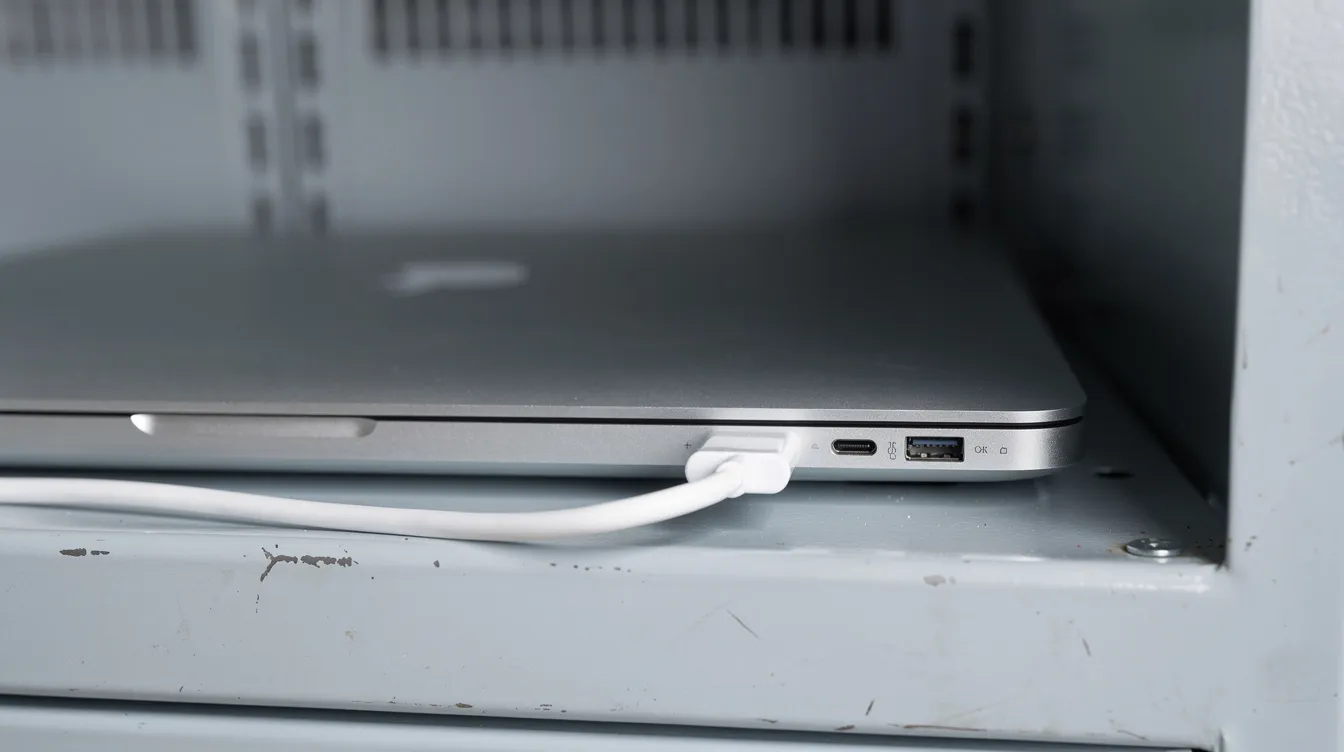
Cable management is another area where design separates professional lockers from DIY setups. Anchored USB-C and USB-A cables with short runs prevent tangles. Strain relief on connectors keeps users from yanking ports loose. A removable cable design lets facilities swap damaged cables without rewiring the whole bay.
Fire-resistant enclosure materials, overcurrent protection, and proper ventilation round out the safety picture. HonestWaves products use internal power routing as a closed system, which simplifies compliance inspections and reduces the chance of something going wrong inside the box.
Why Power Only USB-C and USB-A Ports Are a Big Deal?
Here’s something that doesn’t get enough attention. A standard USB-C or USB-A port carries both power and data lines. In a public or semi-public locker, that’s a security risk. An unmanaged port could theoretically allow data theft or malware injection.
Data blocking technology protects user information during charging by physically disabling the data pins while still delivering full USB Power Delivery wattage. Think of it like a one-way valve: power flows in, but nothing else comes out.
This matters in hospitals worried about HIPAA compliance, government offices handling classified materials, exam centers, and corporate R&D labs. Clinical device management in hospitals requires this level of security as a baseline, not an upgrade.
HonestWaves lockers use charge-only cables and data-blocking technology across USB-C and USB-A ports. When someone uses an AC outlet with their personal power brick, they bypass this layer entirely, since AC doesn’t carry data. That’s actually another argument for standardized USB-C PD inside lockers: you get consistent security controls across every bay.
What Feels Easiest for Your Students, Staff, or Visitors?
Contrast two scenarios. Scenario one: a user must dig their power cord out of their bag, find an AC-style bay, wrestle the brick into a tight space, plug everything in, and hope the cord doesn’t fall out when the door closes. Scenario two: user picks a locker, plugs into a labeled USB-C cable that’s already there, shuts the door, taps their PIN, and walks away.
USB-C Power Delivery improves user convenience by providing built-in charging cables that work with the majority of modern devices. In shared spaces, friction kills adoption. If charging feels confusing, people go back to unsafe wall outlets and leave laptops unattended, which defeats the purpose of having lockers in the first place.
Simple visual cues help: icons for USB-C, USB-A, and AC outlets on the door or bay panel, quick user instructions, and multilingual on-screen guides where applicable. HonestWaves focuses on these small UX details; cable length, labeling, and intuitive workflows so users don’t need IT support to figure out a locker.
Before finalizing port types across a big rollout, test with actual users. Hand a few students, nurses, or staff members a locker key and watch what happens. Their confusion (or lack of it) will tell you more than any spec sheet.
Total Cost of Ownership: AC Bricks vs Built-In USB-C PD
The purchase price of a locker is just the opening number. With AC-based lockers, organizations end up buying spare OEM adapters or universal power bricks to stock in each bay because users keep forgetting theirs. Those adapters cost $30-80 each, and they walk away with users. Lost power cords, downtime when bays are unusable due to damaged AC sockets, and tangled cords that require maintenance visits all add up.
Compare that to lockers with embedded USB-C PD modules and secured cables. The upfront hardware integration is on the pricier side, yes. But ongoing replacement costs drop, support tickets decrease, and troubleshooting gets simpler because there are fewer variables. One port type, one cable type, one power level.
Standardized PD hardware also makes it easier to monitor power use across many lockers. Smart locker software can track which bays are drawing power, flag faults, and even report usage analytics; something that’s nearly impossible with a bunch of random AC adapters.
Over a three-to-five-year lifecycle, USB-C PD lockers tend to deliver lower total cost of ownership in environments with high user turnover. HonestWaves can help model these costs for large institutions considering hundreds of bays across multiple buildings.
When AC Outlet-Heavy Lockers Still Make Sense?
AC outlets inside lockers remain valuable in specific environments. Labs running older Windows laptops with barrel connectors. Vocational programs using rugged devices from reputable brands that don’t yet support USB-C. AV departments managing cameras and monitors with proprietary chargers. Medical or industrial tools that ship with charging bases requiring AC input.
USB-C PD limits can restrict charging for high-performance laptops in certain cases, especially desktop-replacement machines pulling 200W or more. Older laptops may not be compatible with USB-C Power Delivery without adapters, and in some international deployments or cross-region setups with different electrical standards, a voltage converter may be required, so buying one for every bay often isn’t practical.
In these scenarios, organizations might choose mostly AC outlets plus a couple of USB-A ports for phones, with plans to phase in USB-C PD over time. A transitional strategy works: start with mixed lockers now, track what actually gets used in each port type, and then shift toward more USB-C on the next hardware refresh.
It’s fine if not every device is USB-C yet. The goal is to avoid locking your organization into yesterday’s standard when most of your fleet will be USB-C compatible within two to three years.
When You Should Go All-In on USB-C Power Delivery?
Some environments are ready right now. K-12 schools issuing Chromebooks. University laptop programs with modern fleets. Corporate offices where IT controls the hardware model. Coworking spaces catering to a tech-forward crowd.
In these settings, secure charging solutions are ideal for schools and hospitals where devices are standardized and refreshed on predictable cycles. Almost all laptops and tablets already support USB-C charging, and phone users mostly carry USB-C cables (or Lightning-to-USB-C). USB-C PD provides significant future-proofing for modern device fleets; the EU’s common charger directive requires new laptops to support USB-C charging by April 2026, which will push global manufacturers even further in this direction.
A 60-65W USB-C PD baseline per bay handles most devices. For spaces where creators or engineers bring 16-inch laptops, 100W+ options cover the gap. HonestWaves can pair USB-C PD charging bays with smart lockers, analytics dashboards, and optional UV-C sanitization for a complete infrastructure solution.
Lean into USB-C now. Retrofitting lockers in two to three years when even more devices drop the barrel connector is more expensive than getting the port mix right from the start.
How HonestWaves Approaches Laptop Locker Power Design?
Our approach starts with the environment, not the spec sheet. A 30-bay Chromebook locker for a middle school gets a different power configuration than a 16-bay locker for a hospital radiology department. That’s the whole idea.
Secure charging solutions include smart lockers and charging stations with fast USB Power Delivery charging, robust surge protection, data-blocking USB ports, and secure cable anchoring. Charging stations can provide UV-C disinfection for devices between uses. Secure charging solutions often feature RFID or pin access for accountability (learn more about RFID technology in smart locker access). Charging stations can be customized for specific business needs, whether that’s a portable charging kiosk for a weekend event or a permanent installation across a hospital campus.
Smart USB-C lockers may offer monitoring features for power management, letting facilities teams track usage, flag faults, and optimize efficiency across all bays from a single dashboard. We rarely recommend AC-only configurations for new large-scale deployments anymore, because the data consistently shows that USB-C PD covers the majority of devices while reducing maintenance and improving user adoption.
Planning Your Deployment: Questions to Answer Before Choosing AC vs USB-C
Before you commit to a port configuration, run through this checklist:
- Device inventory: What percentage of your current laptops support USB-C PD charging? If it’s over 60-70%, a USB-C-first locker design makes sense.
- Refresh cycles: How often do you replace devices? If every three to four years, investing in USB-C now pays off before the next purchase, especially since newer USB-C-first devices and chargers are often smaller and lighter, which can reduce bay clutter.
- Dwell time: How long do devices sit in lockers? If only 30-60 minutes, higher-wattage PD ports (65W+) are worth the cost to charge faster.
- Legacy devices: Are there specific machines (medical tools, AV equipment, older laptops) that absolutely need AC or proprietary connectors?
- Safety and compliance: What are your regulatory requirements? Hospitals, dorms, and government sites each have different standards.
- Cable and adapter management: Who handles replacements when cables break or adapters go missing?
Involve IT, facilities, security, and at least one group of actual users in the conversation. Choosing power infrastructure requires balancing user convenience and safety, and the people using the lockers daily will spot problems you won’t find on a spreadsheet.
Consider piloting: deploy one or two lockers with different port mixes, gather usage data for a month, then standardize on what works. HonestWaves offers rental and trial options for events and campuses, so you can test before committing to a full rollout.
FAQs
Can USB-C PD lockers charge every laptop?
Not every laptop, no. USB-C charging requires compatible devices and appropriate power delivery capabilities. About 78% of new laptops launched in 2025 support USB-C charging, and that number keeps climbing. Older laptops or high-power gaming machines may still need an AC outlet or an adapter.
Do we still need AC outlets if all our new laptops are USB-C?
Probably a few. Even in a mostly USB-C fleet, you might have a visitor with an older device, or a department with specialty equipment. A hybrid layout with a handful of AC outlets per locker covers those edge cases without cluttering every bay.
Is USB Power Delivery safe for phones and tablets?
Yes. USB-C PD negotiates voltage and current with each device, so a phone requesting 15W won’t receive the 65W meant for a laptop. The protocol prevents oversupply automatically. USB-C PD operates at lower voltages than AC, which adds another layer of safety.
What happens if someone plugs in a device that wants more power than the port can give?
The device charges slower, that’s all. A laptop rated for 96W on a 65W port will still gain battery; it just takes longer. The PD handshake prevents damage. Users might notice their device charges a bit slow, but nothing breaks.
How do surge protection and data blocking work in HonestWaves lockers?
Surge protection is integrated at the power distribution level inside the locker, not tacked on with a consumer power strip. Data blocking disables the data lines on USB-C and USB-A cables while maintaining full charging output. Both features are standard, not optional add-ons.
Can we upgrade older AC-only lockers to USB-C?
It depends on the locker design. Some enclosures have enough room for retrofit kits with USB-C PD modules. Others need more extensive rework. HonestWaves can review your existing stock and recommend whether a retrofit or a new purchase makes more sense for your site.
How does HonestWaves customize locker configurations?
We design each deployment based on the device mix, environment, and services needed at your site. That means the ratio of USB-C PD ports, USB-A ports, and AC outlets can vary by locker or even by bay. Reach out for a quote and we’ll walk through the options.