
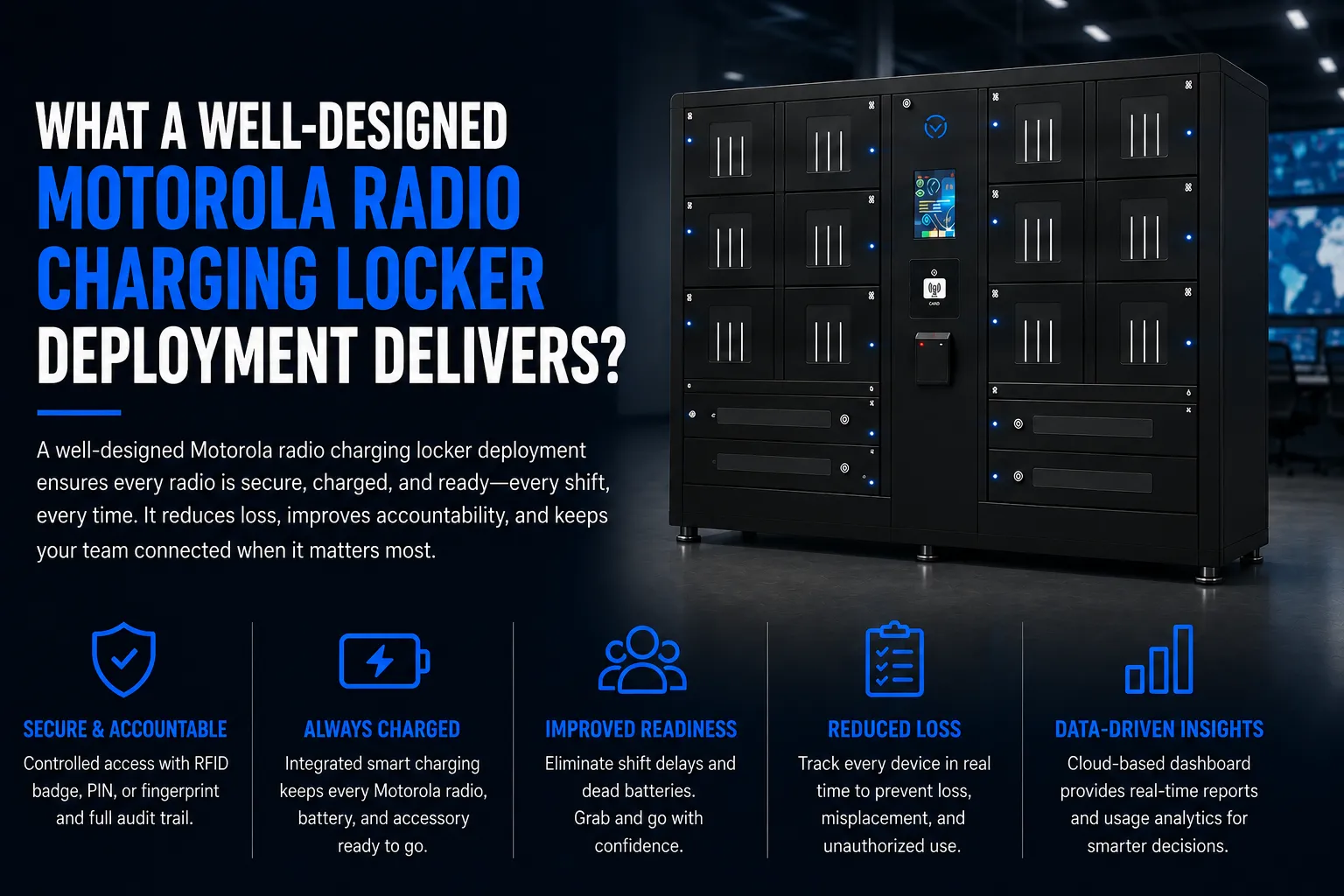
If your organization runs a fleet of Motorola radios across multiple shifts, you already know the pain: dead batteries mid-shift, misplaced equipment, zero accountability for who took what. Designing a Motorola radio charging locker deployment solves all of that by combining secure storage, automated charging, and a full audit trail into a single system engineered for 24/7 operations.
The process follows a clear path – planning, sizing, infrastructure, configuration, and roll-out. Smart lockers complement your existing radio system and body worn cameras by adding controlled access (badge, PIN, or fingerprint), automated check-in/check-out logging, and charging workflows that keep every device ready for the next shift. Whether you’re outfitting a police precinct, hospital campus, manufacturing floor, or event venue, the design principles are the same.
HonestWaves provides secure smart lockers and device charging stations that can be adapted for Motorola radios, tablets, body worn cameras, and accessories – with features like data blocking USB, UV-C disinfection, RFID access, and cloud-based analytics.
Clarifying Operational Goals for Your Radio System and Lockers
Clear goals drive every design decision, from locker count to software configuration. Before you spec a single cabinet, your organization needs to agree on what “success” looks like.
- Reduce radio loss and shrinkage by a measurable percentage
- Shorten shift change time by eliminating the desk drawer scramble for charged batteries
- Standardize charging for Motorola radios and body worn cameras in one system
- Enforce check-in/check-out policy with an electronic audit trail
- Improve readiness so every officer, nurse, or technician grabs a fully charged radio at the start of every shift
Goals differ by sector. Police precincts need chain of custody and evidence integrity – CALEA standards require accountability of property and locked containers. Hospitals need infection control and shared shift equipment managed under strict protocols; UV-C technology is used in hospitals for sterilization, making disinfection add-ons a must-have. Manufacturing plants operate in rugged, high-dust environments where IP-rated equipment matters. Stadiums and event venues often need temporary and rental deployments for peak operations. Prioritize goals into “must-have” and “nice-to-have” to avoid over-engineering your first phase.
Radio Fleet Assessment: What You’re Actually Storing and Charging
Physical device inventory is the foundation of any Motorola radio charging locker design. Documentation must include total radio fleet size and peak charging demands before you size a single bay.
Start by counting radio types – portable Motorola radios like the APX NEXT, MOTOTRBO R series, or APX 900 – along with compatible batteries, speaker mics, antennas, shared headsets, and radio cases that need secure storage. Assess battery behavior: an APX NEXT standard-capacity battery (4,400 mAh) delivers roughly 12–14 hours of field use, while the high-capacity variant (5,650 mAh) stretches to 17–19 hours under a typical duty cycle. Know how many spare batteries need charging simultaneously at each location.
Don’t forget related equipment. Body worn cameras, tablets, and accessories may share locker space. Map users to devices: charging models can include individual assigned lockers or shared pools, and that ratio directly determines how many bays you need and how they’re labeled. For a fleet of 100 APX NEXT radios across three shifts, you might need 120–140 bays to cover spares and concurrent charging.
Site Survey and Physical Layout Planning
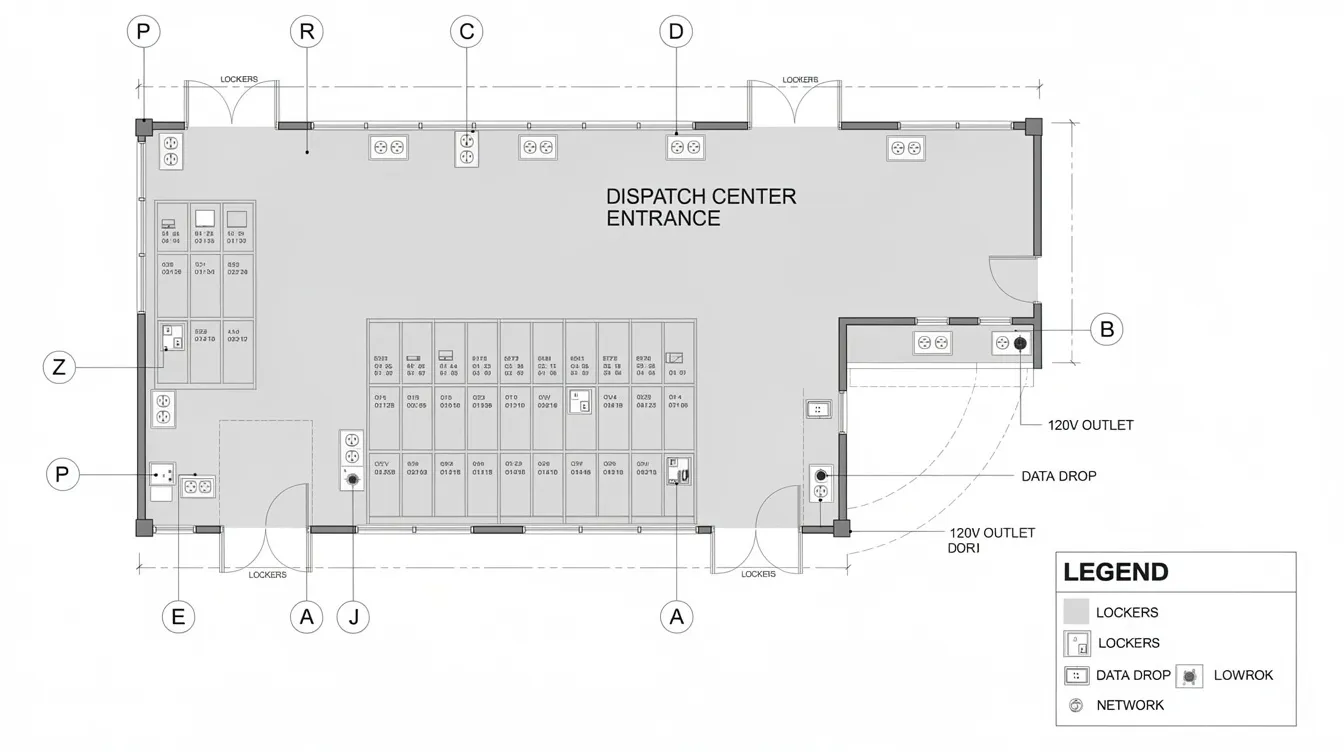
Walk every building or campus where Motorola radios are used – main dispatch, loading docks, the emergency department, school admin wings, guard shacks. Gather wall space measurements, traffic patterns during shift change, ADA clearances, ambient temperature, dust and moisture levels, and existing security camera coverage of proposed locker zones.
Position lockers in climate-controlled areas between 68°F to 86°F to protect batteries and electronics. Charging stations can be installed indoors or outdoors, but indoor, climate-controlled placement is strongly preferred. Position lockers in access-controlled environments to prevent tampering and keep them close to where radios are issued – near security offices or event control rooms – to minimize travel time and clutter during shift change. Ensure access to rear or top panels for maintenance.
Installation may need permits depending on local regulations. Follow USA code compliance: leave clear floor space in front of lockers, don’t block fire exits, and plan anchoring into concrete or studs. In some cases, charging station installation may involve trenching for wiring to reach the ideal location.
Power, Network, and IT Integration (Including Ethernet Connection Requirements)
Power and network planning must happen early, in coordination with facilities and IT teams. Get this wrong and everything downstream stalls.
Charging stations require a dedicated electrical circuit. Calculate total amperage draw for power requirements – a fully loaded smart locker cabinet can pull up to 1,000 W at 110 V (roughly 12 A), while idle draw sits around 20 W. Multi-unit chargers draw substantial current during simultaneous rapid-charging cycles, so plan dedicated 120 V circuits with surge protection and labeled breaker panels.
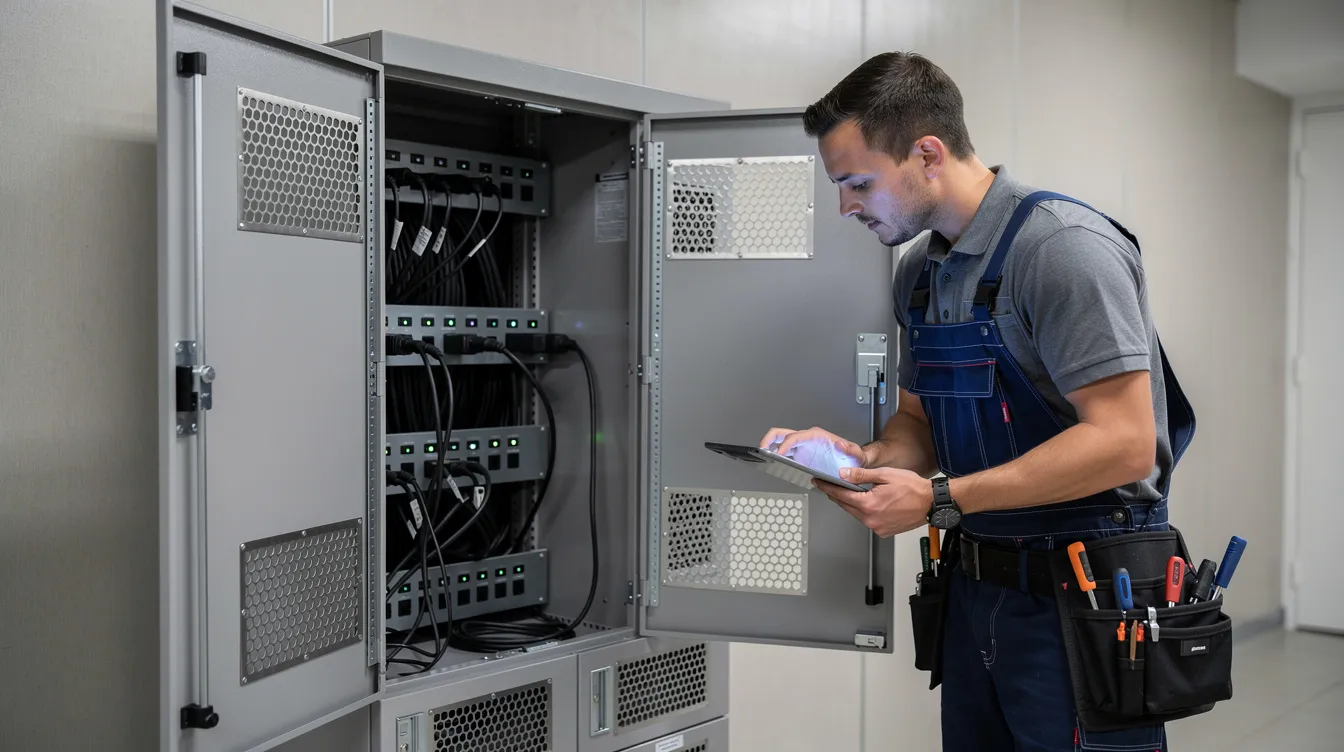
Some charging stations require network connectivity for monitoring. When you need cloud-connected smart lockers for remote management, firmware updates, real-time usage analytics, and integration with identity platforms like Active Directory, an Ethernet connection is strongly recommended. Wired drops beat Wi-Fi for reliability and security in critical environments. Network requirements should be evaluated for lockers with management features – segment them on their own VLAN, use HTTPS APIs, and store audit logs in the cloud.
Data blocking technology prevents unauthorized data access during charging and protects sensitive information from theft. Cloud-connected solutions often include data blocking features. HonestWaves products use data blocking USB technology for power-only connections – no data pass-through – which is essential for secure phone charging stations and applies equally to USB power leads inside radio lockers. Data blocking technology protects sensitive information during charging across every bay.
Choosing the Right Locker Hardware and Configuration
Not every phone-charging locker works for Motorola radios. You need deeper compartments to fit radios with antennas and accessories, robust hinges, and better cable routing. The HonestWaves 20-bay radio and tablet charging locker is purpose-built for this – each bay supports a 2-in-1 cable and approximately 10 W of charging power.
Key configuration decisions:
- Number of bays per cabinet and whether to mix smaller phone bays with larger radio bays
- Height and width that accommodate radios in radio cases with attached speaker mics
- Ventilation: heat can severely degrade lithium-ion and NiMH radio batteries, and charging multiple lithium-ion batteries generates heat that requires ventilation. Chargers should have adequate passive ventilation or integrated cooling
- Route cables through dedicated management systems to reduce strain
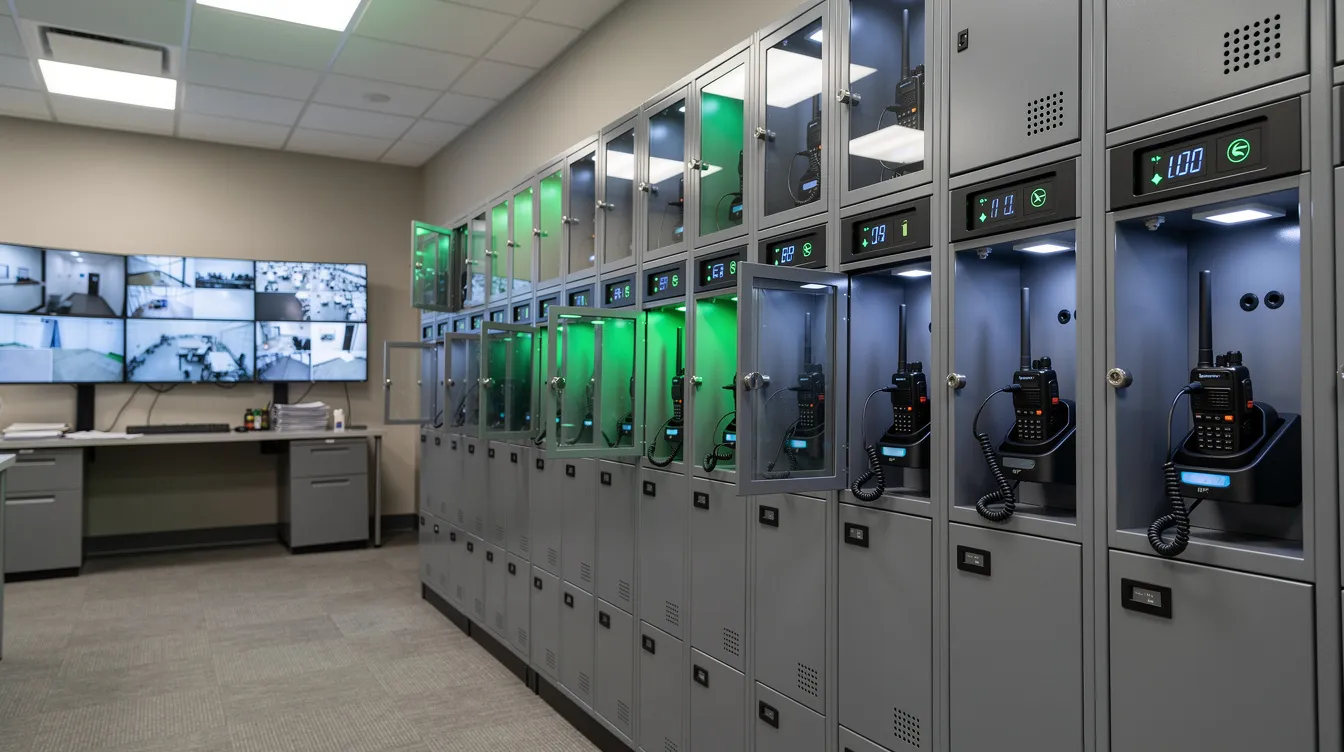
- Use lockers with clear panels for easy visibility and quick inventory checks
For access control, compare RFID vs. PIN vs. biometric options based on your existing badges. RFID access enhances security for device charging solutions. Integrate the locker system with facility access control for accountability. Secure charging stations prevent unauthorized access to devices, and secure charging solutions are essential in public environments. Lockers can accommodate multiple devices simultaneously – a single bay can hold a radio, body camera, and Pelican case insert for user convenience.
UV-C disinfection kills up to 99.9% of pathogens, operating at a wavelength of 200–280 nanometers. UV-C disinfection is effective against viruses and bacteria, making it a key add-on for healthcare deployments.
Software, Workflows, and Policy Design
Technology only delivers value when paired with clear workflows. Define a Standard Operating Procedure covering all aspects of locker use. Establish clear protocols for radio issue, return, and maintenance processes. Establish Standard Operating Procedures for staff interactions with radios so every team member on every shift follows the same steps.
Typical workflow: a user authenticates via badge or PIN → selects an available bay → the system logs who took which radio and when → the device is returned at end of shift → the platform records the check-in and begins charging. Alerts fire if a device is not returned by shift end. Cloud software shows peak usage times, underutilized bays, and missing inventory trends to push forward future hardware expansion.
Integration with existing radio system software or ticketing tools lets staff log damaged radios or request service during return. Establish procedures for handling failed or damaged batteries so nothing quietly disappears. Policy elements include max loan times by role, spare radio rules, supervisor override access, audit log retention, and consequences for unreturned equipment. These policies help your organization respond quickly to incidents and stay connected to its assets at all times.
Deployment Phasing, Training, and Change Management
A robust deployment plan requires balancing security, infrastructure, and workflow. Deploy lockers in phases, starting with pilot testing before full commissioning. Pick one high-traffic location – a central dispatch or main campus security office – and run a subset of Motorola radios through the system.
Perform electrical and operational commissioning tests before locker service goes live. Plan for initial firmware updates and calibration for new batteries. Collect usage data during the pilot: are bays sufficient? Are workflows understood? Any noise around badge-read failures or charging speeds?
Train end-users on proper docking alignment to ensure balanced charge cycles. Cover what to do when all bays are full, how supervisors manage overrides, and who to contact for support. Engage union reps, safety committees, or department heads early in police, hospital, or manufacturing environments to listen to concerns about tracking and privacy. Clear signage, quick-reference guides, and short demos during pre-shift briefings go a long way. HonestWaves also offers rental options for temporary deployments at events or as a transitional step before purchasing permanent lockers.
Maintenance, Support, and Future Expansion
A radio charging locker should be managed as part of the radio operations lifecycle, not treated as furniture you install and forget. Monthly inspections and battery health reviews are essential for maintenance. Consider battery management systems to monitor battery health over time – IMPRES 2 batteries typically carry 24-month capacity warranties when used properly.
Cloud-connected lockers allow remote diagnostics and software updates without site visits. As your portfolio evolves – next-generation Motorola radios, additional body worn cameras, shared tablets – locker systems must allow modular expansion with mixed-device bays. HonestWaves backs many products with a lifetime warranty, reducing long-term risk for government facilities and enterprises investing in sophisticated charging infrastructure.
How HonestWaves Supports Motorola Radio Charging Locker Projects
HonestWaves is a USA-focused provider of smart lockers, charging kiosks, and charging tables engineered around Motorola radios and multi-device environments. Core capabilities include custom locker layouts for radios and accessories, secure charging with data blocking, cloud software for analytics and audit trails, UV-C disinfection options, and full support for Ethernet connection and API integration.
Portable charging kiosks provide secure charging solutions for events. They’re ideal for high-traffic areas like airports and events, and kiosks can be customized to fit specific branding needs. They often include features like RFID access for security.
The engagement process: consultation, site survey guidance, CAD layout support, hardware selection, installation planning, ongoing support. Industries served include hospitals, schools and universities, stadiums, convention centers, corporate campuses, manufacturing sites, and government facilities with Motorola radio systems.
Ready to move your project forward? Get a Quote – or visit honestwaves.com for full details on terms of use, warranties, privacy, and product features.
FAQs
How many locker bays do I need for my Motorola radios?
Count your active radios during the peak shift, then add a 30–50% buffer for spares and batteries charging simultaneously. For example, 60 radios on duty typically calls for 80–90 locker bays across two cabinets. Specific needs scale with how many devices are pooled versus individually assigned.
Can one locker system handle radios, phones, and body worn cameras together?
Yes. Mixed-use lockers work when bays are sized to fit the largest device (a radio with antenna in its box) and cable management supports different connectors. A security team might configure 12 bays for radios, 8 for body cameras, and 4 for tablets in a single cabinet.
Do Motorola radio lockers need an Ethernet connection to work?
Basic power-only lockers charge without networking. But if you want cloud-connected audit trails, remote diagnostics, real-time status display, and integration with identity systems, a hard-wired Ethernet connection is strongly recommended. Follow your installation checklist to confirm network readiness.
How long does it take to deploy a Motorola radio charging locker system?
Planning and approvals typically take a few weeks. Installation at a single site runs one to two days. Multi-campus roll-outs stretch longer depending on permitting, IT scheduling, and coordination across buildings. A phased approach keeps things manageable.
What about terms, warranties, and data security for HonestWaves solutions?
HonestWaves offers a lifetime hardware warranty on many charging products. Cloud security follows modern best practices, and all terms and conditions are clearly documented on honestwaves.com. If you’re interested in specific compliance requirements, contact the team directly.
Can we rent Motorola radio charging lockers for temporary events?
Absolutely. HonestWaves rental charging stations serve festivals, conventions, and seasonal peak operations. Rentals are also a helpful way to run a pilot before committing to a permanent purchase – test the range of features, gather data, and deploy with confidence.