

If you’re wondering whether smart lockers can actually plug into the systems your IT team already runs, the short answer is yes. And not in a hacky, duct-tape kind of way. Modern smart locker systems function as connected Internet of Things (IoT) endpoints that synchronize with your organization’s digital infrastructure using the same tools you’d expect from any enterprise software: APIs, SSO, webhooks, and standard identity protocols.
Smart locker platforms utilize API-first architectures for programmatic access, meaning they speak the same language as your Active Directory, your ITSM platform, your CMDB, and your access control setup. RESTful APIs and webhooks allow smart locker platforms to communicate in near real-time with the rest of your environment. In corporate offices, hospitals, and universities, this kind of smart locker integration is quickly becoming the norm rather than the exception.
At HonestWaves, our smart lockers are built specifically for this. They offer cloud-based management, multiple access methods (PIN, RFID, biometric, QR code), and the ability to tie into your management platforms so locker data lives alongside everything else you already track.
The rest of this article breaks down what connects to what, real IT workflows, and what to watch for when you’re planning an integration.
What is a smart locker system in an IT context?
Think of a smart locker system as a connected locker controlled by software, not just a metal cabinet with a physical key. These are networked devices with electronic locks, cloud or on-prem management software, sensors, and integrations that tie them into your existing IT ecosystem.
Smart lockers transform from physical storage into automated operational hubs. They can be customised in size and configuration, with customization options including colors and materials. Some lockers can feature temperature control for specific units, and they can be tailored for indoor and outdoor use. The difference between a traditional locker and an advanced system? The advanced one tracks every transaction, charges devices between uses, and talks to your other platforms automatically.
What lives inside them? Laptops, tablets, loaner phones, shared peripherals, visitor devices, personal belongings, scanners, radios. At HonestWaves, we focus on device charging smart lockers and phone charging stations designed for indoor lockers in corporate offices, healthcare, education, and government. Our configurations range from 8 to 500 bays depending on your traffic levels, and products like the SmartLocker 40 include UV-C sanitization and data-blocking USB ports for secure storage.
Which existing systems can smart lockers integrate with?
If you’re wondering what exactly smart lockers plug into, here’s the list most IT teams care about:
- Identity providers (Active Directory, Azure AD, Okta)
- Access control systems (badge readers, RFID)
- IT service management tools (ServiceNow, Jira Service Management, Zendesk)
- CMDB and asset management platforms
- MDM and endpoint management tools
- Notification channels (email, SMS, Microsoft Teams, Slack)
- HR, ERP, and other enterprise applications
Smart lockers can be connected to various enterprise applications like HR, ERP, and ITSM. Middleware links lockers directly to core business platforms, and data flows automatically between lockers and enterprise systems. Mature locker solutions use REST APIs or webhooks so data moves both ways. API-first integration ensures that locker status and user data sync with enterprise systems. Smart lockers can also integrate with CMMS for asset management.
You don’t have to integrate everything on day one. Most rollouts start with SSO and access control, then layer in deeper ITSM and CMDB connections later. For more on how this works technically, check out our smart locker API integration guide.
Deep dive: integrating smart lockers with identity and access control
Identity and access control is usually step one in any smart locker integration because it decides who can open which door.
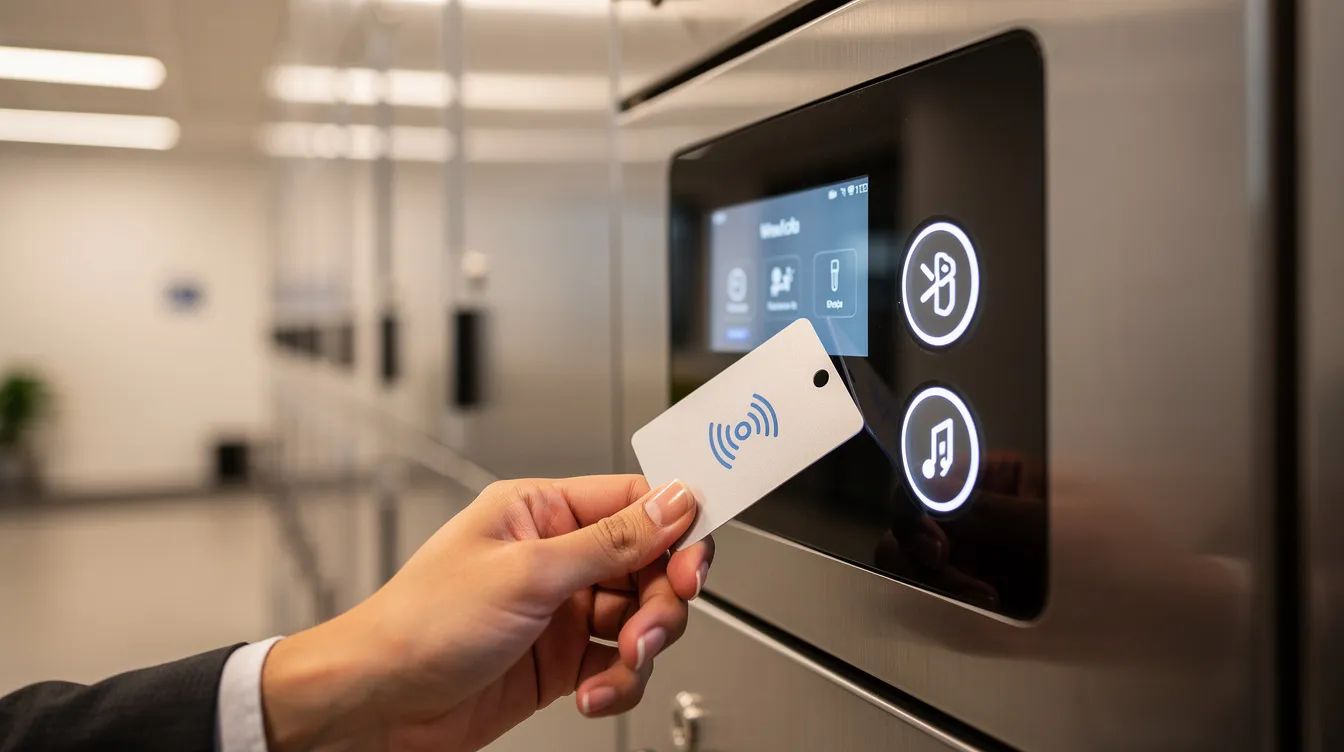
The idea is simple: lockers use the same credentials people already carry. RFID badges, existing access control cards, pin codes, or a mobile app, all mapped back to your identity provider. Smart lockers can be integrated with corporate credentials for authentication, and lockers can integrate with directories using protocols like SAML or OAuth. That means your existing RFID, PIN, QR, or biometric access setup translates directly to locker access.
Integration with Active Directory or Azure AD lets you automatically provision and deprovision locker access. When staff join, move departments, or leave, their permissions update without IT manually touching locker accounts. Role-based access permissions ensure that sensitive assets are accessed only by authorized users. Every interaction with smart lockers is time-stamped and logged to a specific user profile.
Here’s a quick example. Maria just got hired. She’s added to Azure AD and placed in the “IT Devices” group. The smart locker system reads that group membership, automatically granting her access to a specific bay. On day one, she walks up, taps her badge (the same one that opens the building door), and picks up a pre-staged laptop. No IT window, no waiting. When she’s offboarded, her Azure AD account is disabled and locker access disappears instantly.
Indoor lockers in corporate offices commonly run in “hot locker” or shared device mode where this kind of identity integration makes it crystal clear who had locker access at what time.
IT asset management: how smart lockers fit into asset and device workflows
Here’s why IT teams really get excited about integrating smart lockers with it asset management: accountability.
Before smart lockers, loaner laptops and phones lived in spreadsheets. Someone would walk up to the IT desk, sign a logbook, grab a device, and maybe return it. Maybe. After? Smart lockers automate asset check-in and check-out processes. Every locker access is logged and tied to a device record. Automated digital logs record who accessed which locker and for how long.
Locker systems can sync with asset management or CMDB platforms so each bay is associated with a specific asset ID, serial number, or barcode. Integration enhances data-driven decision-making for asset usage, and smart lockers can track asset usage in real-time. Lifecycle events like issue, break-fix, returns, refresh, and retirement all originate from locker activity. Smart lockers provide detailed usage logs for accountability.
The numbers back this up. Nexus Technologies deployed 48 smart locker banks across 15,000+ assets and cut asset loss by 85%, saving roughly $1.2M annually. Check-out time dropped from 15 minutes to 45 seconds. Equipment utilization improved 52%.
Smart lockers reduce labor costs by automating asset distribution. The smart locker market is currently valued at $2.35 billion, and the smart locker market is projected to reach $5.74 billion by 2033. Parcel Pending alone accepts over 120 million packages annually through smart locker solutions, and smart lockers can reduce delivery trips and carbon emissions across package delivery and parcel lockers workflows.
With charging lockers from HonestWaves, devices don’t just sit securely. They charge between uses, so IT always knows equipment is ready for the next user.
Smart locker alerts: overdue devices, tampering and maintenance
Alerts are the nervous system of any locker system. Without them, even a perfectly integrated setup can underperform.
Smart locker alerts trigger when devices are overdue, not returned by a set time, or checked out longer than policy allows. This alone cuts down on device hoarding and loss. Tampering alerts fire when a door is forced open, repeated failed PIN attempts occur, or unexpected locker access happens outside normal hours. Those events can be pushed directly into security tools or access control logs. Smart lockers enhance security with electronic locks and real-time monitoring, and they enhance security with detailed usage logs.
Maintenance alerts cover doors not closing properly, power issues, offline bays, or charging port failures. Real-time data from smart lockers improves maintenance schedules, and some platforms automatically create tickets in ITSM tools when specific fault conditions appear. Alerts can flow via email, SMS, or integrated channels like Microsoft Teams. Smart lockers provide 24/7 access to stored items, so support teams don’t have to babysit a dashboard around the clock.
For a deeper look at alert configurations, see our smart locker alerts guide.
How smart lockers integrate with ITSM, help desks, and ticketing tools
This is where smart locker integration turns your IT help desk into a 24/7 self service pickup and drop-off point.
Picture this: Jake in accounting logs a ServiceNow ticket saying his laptop screen is cracked. IT approves a replacement, assigns it to locker bay 14, and the system sends Jake an access code via email. He walks over, taps his badge, grabs the laptop, and the ticket updates automatically. No waiting in line. No scheduling a pickup window. Integrating smart lockers can streamline IT equipment distribution and management.
Returns work the same way in reverse. Employees drop broken or retired devices into dedicated bays, and locker events create or update tickets for diagnostics, repair, or secure wipe. A utility company working with Ricoh integrated locker APIs with ServiceNow and SAP, cutting employee onboarding from two weeks to two days.
Integrating smart lockers improves efficiency, visibility, and security. Analytics dashboards track locker utilization rates to optimize workflows. Usage analytics help managers right-size physical locker footprints and workflows. For more on how smart locker software handles these flows, we break it down separately.
Mobile app, user experience, and locker access simplicity
User experience matters more than most people think. If the system is clunky, people will walk right past the lockers and line up at the IT desk anyway.
A mobile app or web interface lets users reserve a locker, receive pickup codes, see overdue device reminders, and view past locker access history. Options include QR code scanning, digital wallet passes, or one-time PINs via email or SMS. A good smart locker mobile app respects company SSO, so users log in with existing credentials instead of creating yet another password. Employees can access lockers 24/7 without waiting for support staff, and smart lockers enhance operational flexibility by allowing after-hours access.
That said, in hospitals or industrial environments, a simple badge tap may still be better than phone-based access. Both approaches should be supported. Diverse needs call for flexible access methods.
Planning your smart locker integration project
Let’s be real: the fear is usually “this is going to be another platform we have to manage.” It doesn’t have to be.
Here are the key planning steps:
- Define your use case: phone charging, IT asset management, parcel lockers, package delivery, or mixed
- Decide which integrations are must-haves from day one (SSO, ITSM, asset management)
- Identify stakeholders across IT, facilities, security, and HR
- Plan network details: VLANs, Wi-Fi vs wired, firewall rules for cloud connectivity
A phased rollout is recommended for smart locker integrations. Start with a pilot in one location, focusing on critical devices, then scale. Smart lockers require network security and segmentation to prevent unauthorized access, and power and connectivity redundancy is critical. They must meet data privacy and compliance standards depending on their use, and smart lockers require robust testing procedures before full deployment.
Document policies around locker access, maximum loan times, overdue escalations, and tamper alerts before go-live. Browse our smart locker lineup to see models that fit different integration levels and physical layouts. Our installation checklist covers the infrastructure details.
Real-world examples: smart lockers in corporate offices, hospitals, and campuses
Here’s how this actually looks once it’s in the wild.
Corporate office: EY’s One Manhattan West uses smart lockers integrated with their workplace app and access badges. Staff reserve lockers, access via badge or phone, and usage analytics drive decisions about space usage. Smart lockers can provide data-driven insights for optimizing space utilization. Parcel Pending lockers offer custom wraps for aesthetics to match corporate branding.
Healthcare: Clinical device management in hospitals involves secure phone charging lockers in staff areas. Clinicians store personal phones during shifts using badge access control, with full audit trails for every locker access. Smart lockers improve security and accountability in equipment management.
Education: Student device lockers linked with the university’s directory and ticketing system. Overnight device returns happen without on-site staff. The SecureTech EDU Series is built exactly for these environments.
In each scenario, integrating smart lockers with existing systems increased security, reduced manual work, and delivered clear reporting on usage patterns and locker usage across the organization.
FAQs
Can smart lockers work with our existing employee badges?
Yes. Most modern locker systems tie into existing access control and use the same RFID cards or badges staff already carry, as long as the card format is supported.
Do we need a dedicated mobile app for smart locker access?
Not necessarily. Many systems support pin codes, QR codes, and badge taps. You can add app access later if needed.
How long does smart locker integration usually take?
A focused pilot with SSO and basic ITSM integration can often be planned, installed, and tested within a few weeks, assuming network and access control details are ready.
Can one locker system handle both personal storage and IT asset management?
Yes. A single locker system can be configured so some bays act as assigned locker space for personal belongings while others tie into asset management workflows, streamline operations, and handle package management or package pickup.
Conclusion
Smart lockers integrate best when you treat them as part of your IT ecosystem, not a standalone gadget. The big wins? Stronger asset management, less hands-on work for IT, better locker access control, and smart locker alerts that keep you ahead of problems before they become expensive.
If your team is stuck running a walk-up IT counter all day, a well-integrated locker system can feel like finally getting a second shift that never sleeps. Smart locker solutions provide real time data that drives better decisions, and intelligent lockers deliver a seamless experience and better customer experience for your employees and customers alike, ensuring durability and convenience across your business.
Explore our smart lockers lineup for detailed specs, example layouts, and integration options. If you want to see how this could look in your building, request a quote and we’ll walk through the integration details with you.
Integrating smart lockers with your current IT systems is very doable. You just need the right plan and the right partner.