

You’ve probably been asked some version of this question: “Can you prove this locker thing will actually pay for itself?” Maybe you’re the one asking it. Either way, smart locker ROI doesn’t have to be a guessing game. It’s really just subtraction and a bit of patience.
Here’s the short version. ROI is calculated by subtracting total costs from total benefits over the same evaluation period. Take your annual benefits (time saved, fewer lost devices, better uptime), subtract your annual costs (software, support, power), and divide by the total investment. That gives you a ratio you can present to anyone holding a budget.
Throughout this guide, we’ll walk through every piece of that equation using real numbers and realistic scenarios. By the end, you’ll know exactly how to build a case for smart locker investments that leadership can actually say yes to.
Start Here: The Fast Way to Estimate Smart Locker ROI
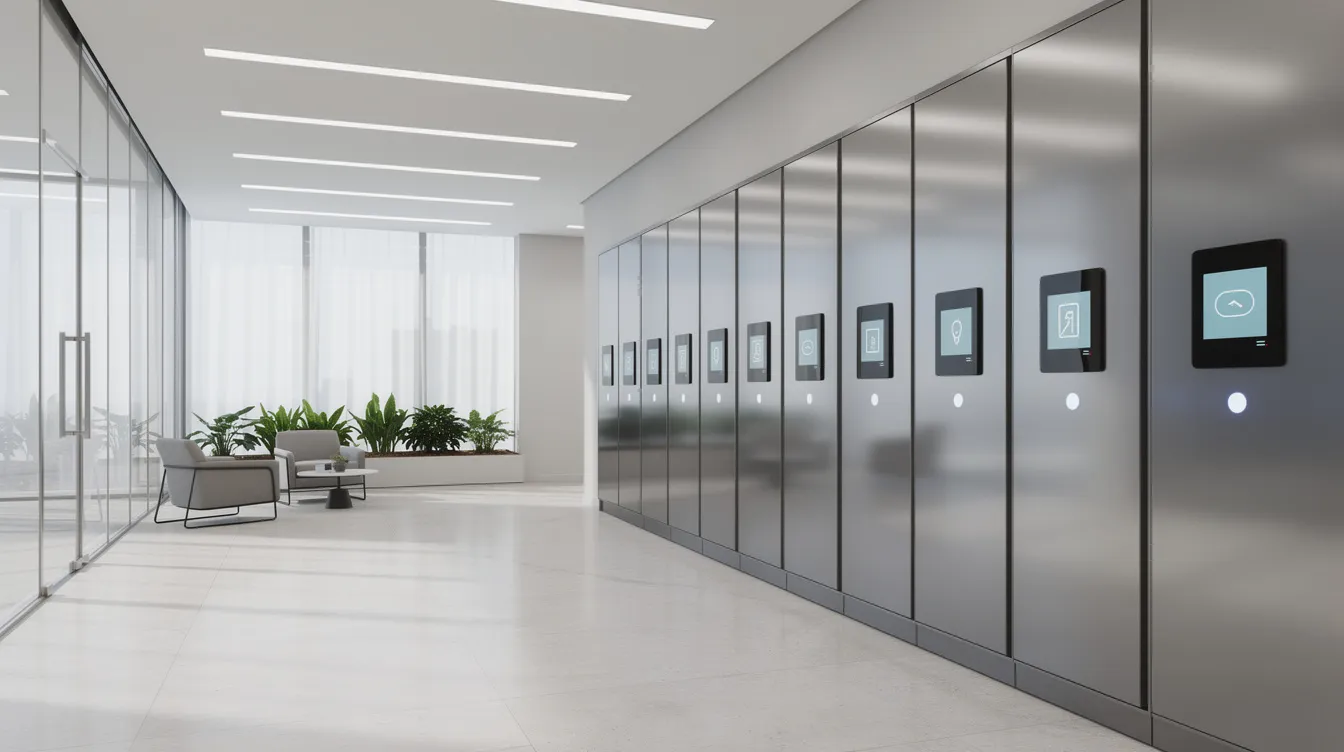
Let’s make this concrete right away. Picture a 40 door phone charging locker bank installed at your facility in 2026. The entire system, hardware plus installation plus integration, runs about $19,500 upfront. Your annual software and support costs come in around $5,000.
Now add up the benefits. Labor savings from eliminating manual device handoffs, fewer lost phones and scanners, better device uptime because everything’s charged and tracked. A conservative estimate puts annual net savings somewhere around $14,000 to $16,000.
A payback period measures how long it takes for cumulative savings to equal the initial investment. In this case, you’re looking at roughly 16 to 24 months before the system has paid for itself. After that? Pure savings.
What you’ll learn in the sections ahead:
- How to quantify time savings from automation
- How to put real dollar figures on reduced loss and theft
- How to capture productivity gains from better device uptime
- How to factor in softer wins like customer satisfaction and student experience
- How to avoid the most common mistakes people make when running these numbers
We’ll use HonestWaves smart lockers as examples throughout, not because this is a sales pitch, but because real products with real specs make the math more useful than hypotheticals.
Step 1: Define Why You’re Buying Smart Lockers in the First Place
Here’s the part that doesn’t get mentioned enough: vague goals produce vague ROI. If your justification is “we need better device management,” that’s a feeling, not a number. And feelings don’t survive budget meetings.
Before you touch a calculator, pick one or two specific objectives. Common ones include cutting package handling time for campus operations, automating IT asset management for shared devices, providing secure storage with 24/7 self service access, or reducing device loss in distribution centers. If you want a deeper understanding of what a smart locker actually is, that’s a good starting point.
Turn those objectives into measurable targets:
- “Reduce package handling hours by 50% by Fall 2027”
- “Cut handheld scanners losses from 15 per year to 3 per year”
- “Eliminate manual processes for laptop checkout at the IT help desk”
Different environments care about different things. Hospitals focus on equipment uptime and compliance. Retail cares about order completion and customer satisfaction. Educational institutions want smoother course materials distribution and fewer complaints during peak weeks. A smart locker investment is beneficial if it addresses operational problems like manual handling in your specific context. These objectives become the “benefit buckets” that drive the rest of your ROI model.
Step 2: Map Today’s Costs Before Smart Lockers
You can’t measure improvement without a baseline. So before anything else, document what life looks like right now, without smart lockers.
What should you measure? Start with staff time. How many hours per week does your team spend handing out shared devices, sorting packages, searching for lost items, or walking equipment between departments? Labor savings from smart lockers arise from reducing staff hours spent on manual tasks, so you need to know the current number.
Some real world examples to calibrate your thinking:
- A campus mailroom spending 20 staff hours per week on package sorting and line management
- An IT team burning 10 hours weekly chasing overdue loaner laptops across multiple buildings
- A front desk team at a corporate office spending 3 hours daily on device check in and check out
Multiply those hours by fully loaded hourly rates. If your front desk staff costs $22 per hour including benefits in 2026, and they spend 15 hours a week on locker related tasks, that’s $17,160 per year just in labor costs. Smart locker systems can cut labor costs by up to 25%, which gives you a ceiling to work with.
Don’t forget the hidden stuff: overtime during peak seasons, temporary workers hired for package volume surges, rush shipping to replace lost devices, and the lost productivity when someone can’t find a working scanner at the start of their shift.
Step 3: Quantify Time Savings From Automation
This is where smart lockers really start to shine. They replace repetitive human tasks with self service workflows. No more standing at a counter. No more signing clipboards.
Think about how smart lockers work in practice. A 24 door phone charging locker outside a hospital emergency department means nurses aren’t spending 15 minutes per shift hunting for a working shared device. A locker bank with integrated management software can cut package touchpoints from four interactions per parcel down to one. Load the package, the system tracks the checkout and return automatically, and the recipient gets a notification.
Here’s a quick worked example. Say your residential campus handles 100 packages per day. Automation through smart lockers speeds package handling significantly, saving about 2 minutes per package compared to your current process. That’s 200 minutes per day, roughly 80 hours per month, or about 960 hours per year. At $22 per hour, that’s over $21,000 in annual labor savings from just one locker deployment.
Smart locker systems can handle up to 500 daily transactions, so even high volume environments won’t outgrow this approach quickly. Smart lockers can also automate package intake and order processing, reducing missed pickups and eliminating the guesswork around package delivery.
For IT asset management, automated check in and check out with access control and alerts for overdue devices can save managers hours each week. That’s real time freed up for higher value work instead of playing detective.
Step 4: Put a Dollar Value on Reduced Loss, Theft, and Damage
This benefit is often the largest but most underestimated driver of smart locker ROI. People know they’re losing stuff. They just haven’t added it up.
Detailed audit trails change the game. When every checkout is logged with user access credentials and timestamps, each transaction generates audit logs for accountability. Secure compartments minimize loss, theft, and shrinkage because there’s nowhere to hide.
Here’s a scenario you’ve probably seen. A logistics site is losing eight handheld scanners per year at $900 each. That’s $7,200 walking out the door annually. After installing a locker system with controlled authenticated access, losses drop to one or two units per year. The distribution center case study from honestwaves showed zero device losses within 60 days of deployment.
Loss prevention estimates include reduced costs from lost, damaged, or unreturned items due to audit trails. For package delivery operations, smart lockers reduce failed delivery attempts by up to 40%, which means fewer redeliveries and less wasted courier time. Smart lockers also improve inventory turnover rates by 35 to 42%, keeping valuable assets in circulation instead of sitting in someone’s desk drawer.
For industries with chain of custody requirements like law enforcement or healthcare, smart lockers maintain detailed audit trails for compliance. The value here isn’t just cost savings, it’s avoided liability.
Step 5: Capture Productivity Gains From Better Device Uptime
A dead device is a useless device. Smart charging lockers keep shared devices powered, available, and sitting in the right locker bank when someone needs them.
Picture a retail store network in 2026. Associates arrive for a weekend shift and every handheld POS device is charged and ready to go. No scrambling for chargers, no dead units, no lost sales during the Saturday rush. That’s the kind of operational efficiency that shows up on the bottom line.
To estimate this value, calculate the revenue or service impact of device downtime. If a dead scanner costs your warehouse floor $500 per hour in delayed picks, and you experience 2 hours of cumulative downtime per week, that’s $52,000 per year. Even a conservative 20 to 30 percent improvement in uptime translates to $10,000 to $15,000 in recovered value.
Measurable benefits should be tied to workflows for accurate ROI calculations. Don’t just say “uptime improved.” Map it to specific shifts, specific roles, and specific revenue or service outcomes. Alerts for low battery, overdue devices, and maintenance reduce unplanned outages and extend equipment life, making these gains sustainable over years.
Step 6: Include Space Savings and Facility Efficiency
This one’s easy to overlook but it’s real money, especially in urban locations.
Smart lockers consolidate items into a compact locker bank, freeing up mailrooms, IT counters, and reception areas. Space optimization benefits occur when smart lockers reclaim inefficient storage areas. Institutions can reclaim valuable space by using smart lockers, and that reclaimed square foot has a dollar value.
A university replacing rows of traditional student mailboxes and cluttered shelving with a centralized smart locker system for course materials and authorized pickup can reclaim hundreds of square feet. At $20 per square foot per year in an urban campus, reclaiming 200 square feet saves $4,000 annually. Smart lockers can reclaim storage space for academic uses like study rooms or collaboration areas.
For your ROI spreadsheet, treat space savings as a secondary but real benefit. In city center locations or tight corporate offices, this number can surprise you.
Step 7: Evaluate Smart Locker Implementation and Operating Costs
Now let’s flip to the cost side. Calculating return on investment requires weighing total upfront and ongoing costs against benefits.
Common cost categories for smart lockers include hardware, software, installation, and ongoing operations. Here’s what to budget:
- Locker hardware and locker bank enclosures: small systems run $6,000 to $10,000; larger advanced systems with charging and data blocking push $10,000 to $15,000 or more. How smart lockers work and what they really cost breaks this down further.
- Management software licenses: $500 to $8,000 per year depending on scale, from per bank to enterprise site licenses
- Installation, wiring, network connectivity, and signage: $2,000 to $5,000 typical
- Integration with existing systems like ITSM or campus card platforms: $3,000 to $10,000 one time
- Ongoing support, maintenance, power, cleaning: $1,000 to $2,000 per year
Total cost of ownership includes all expenses associated with running a smart locker system, not just the purchase price. Smart lockers can be modular, allowing for scalable configurations, which means you don’t have to buy the entire system on day one. Some models even include climate controlled compartments or refrigerated compartments for sensitive items.
Model your costs over at least five years. A system that looks expensive in year one often looks brilliant by year three when the cumulative cost savings outweigh everything you’ve spent.
Step 8: Build a Simple Five Year ROI Model
By now, you’ve got annual savings numbers for labor, loss reduction, uptime, and space. You’ve got upfront and recurring costs. Time to put it all together.
Here’s a straightforward five year layout:
- Year 0: Upfront investment of $30,000 (hardware, installation, integration)
- Years 1 through 5: Annual benefits of $22,000 minus annual operating costs of $6,000 equals $16,000 net savings per year
By the end of year two, cumulative net savings hit $32,000, exceeding the initial investment. By year five, you’ve saved $80,000 against a $30,000 investment plus $30,000 in cumulative operating costs. That’s a strong positive return.
Smart lockers help generate value through labor savings, reduced delivery costs, and improved security, and those benefits compound as adoption grows.
For anyone who wants to get more precise, Net Present Value (NPV) discounts future savings back to today’s dollars. At a 7% discount rate, your year five savings are worth less than year one savings in today’s terms. It’s a useful refinement, but not essential for most buying process decisions.
Sensitivity analysis is recommended to present multiple scenarios in ROI calculations. Build three versions: conservative (benefits 20% lower, costs 20% higher), expected, and optimistic. Presenting a range rather than one number gives leadership confidence that even in a tough scenario, the system still pays for itself.
A Forrester TEI study on smart locker deployments for a major US retailer found 227% ROI over ten years with payback in about 39 months. Your numbers may differ, but the pattern holds across industries.
Step 9: Understand Smart Locker ROI in Campus Operations
If you work in higher education, you already know the chaos of move in week. Now multiply that by every day a student can’t find their package or laptop loaner.
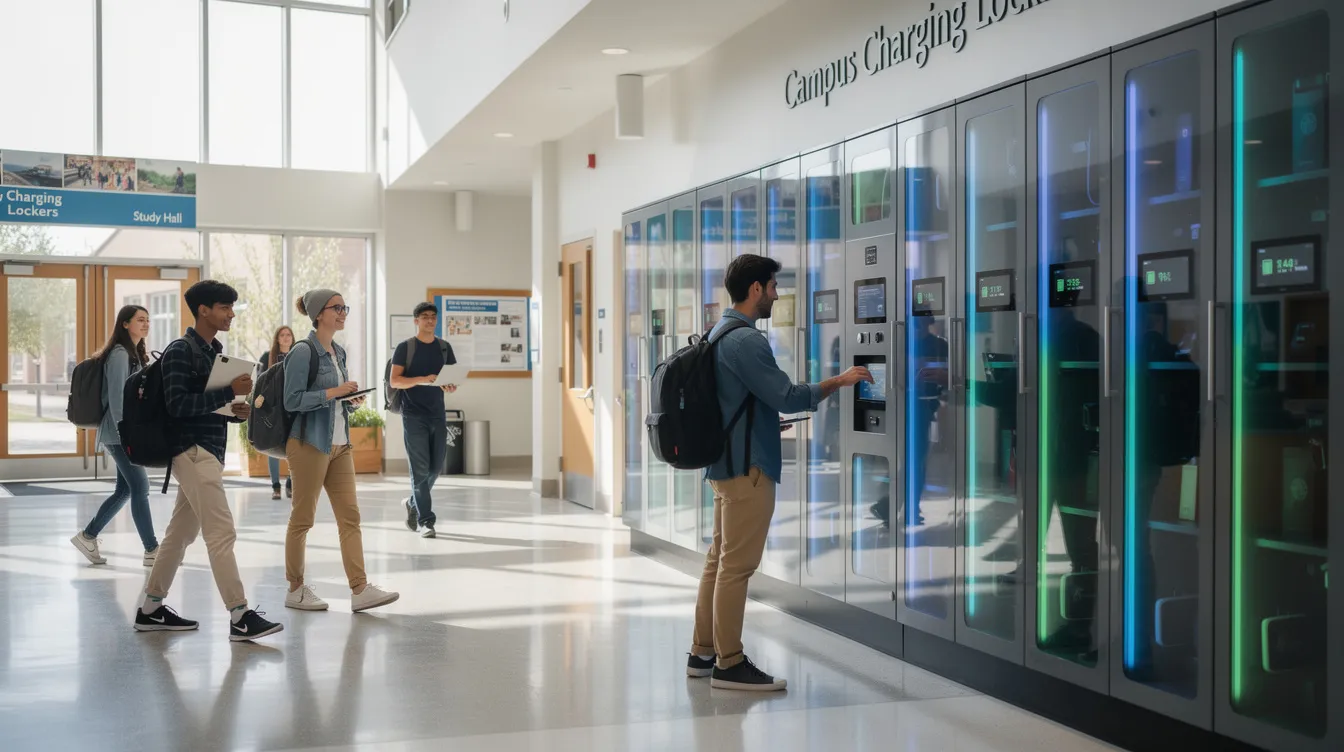
Picture a midsize university in 2026 installing three locker banks: one in the library for laptop loans, one in the residence halls for package delivery, and one at the IT help desk for lab equipment. Before lockers, the mail center had long lines every afternoon. Staff worked overtime during peak weeks. Loaner laptops disappeared constantly.
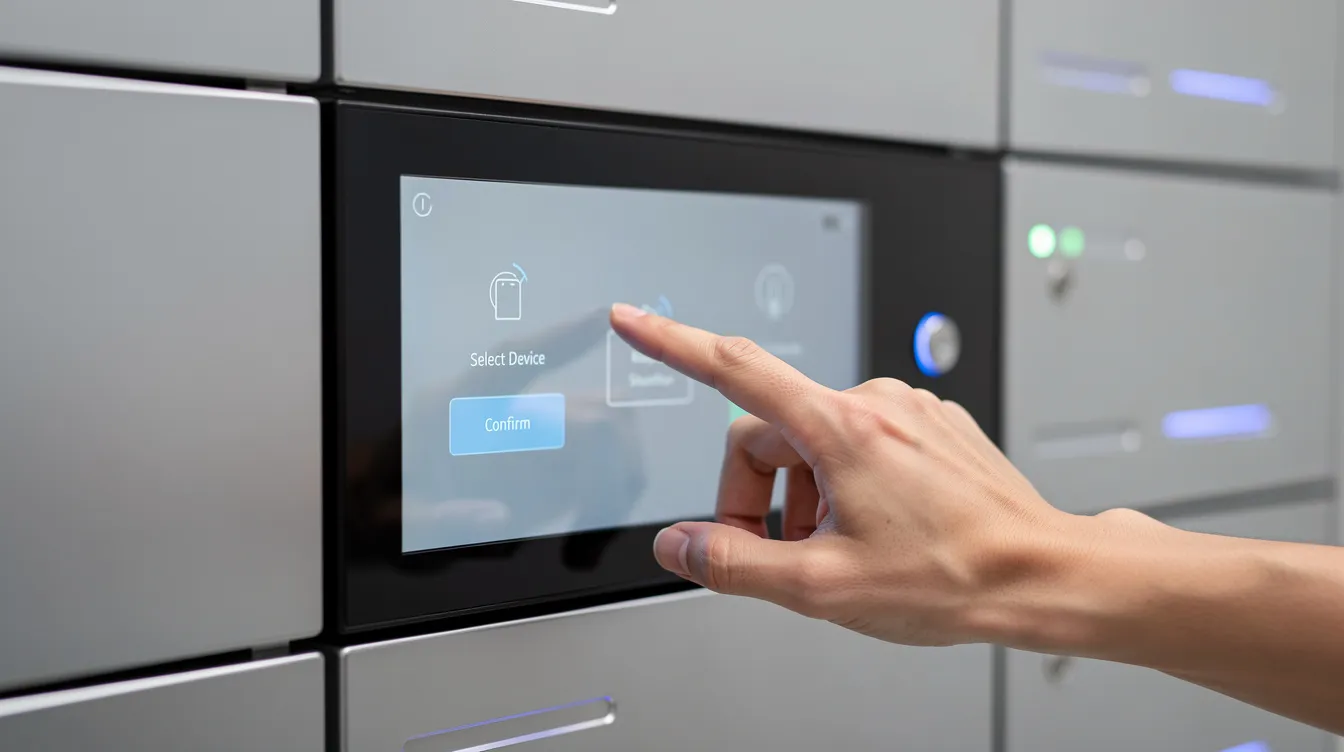
After the smart locker rollout, students tap their campus card, grab their item, and leave. No lines. No paper forms. Access control integrated with campus cards eliminates manual identity checks and cuts per transaction time to seconds.
Smart lockers streamline workflows and reduce operational costs across campus operations. Valencia College saved $500,000 in shipping costs using smart lockers, which gives you a sense of the scale possible at larger institutions. Smart lockers can improve student satisfaction and retention rates, which matters when enrollment is competitive.
Measurable campus benefits include:
- 50 to 70% reduction in package handling staff hours
- Near elimination of lost loaner devices through automated reporting
- Faster course materials distribution, reducing missed pickups
- Improved feedback scores from students who value 24/7 self service
These aren’t hypothetical. They’re the kinds of results that justify expanding from one locker bank to smart locker networks across multiple buildings.
Step 10: Smart Lockers and IT Asset Management ROI
IT teams manage an invisible supply chain. Laptops, tablets, two way radios, handheld scanners, mobile hotspots. When these valuable assets go missing or come back broken, IT pays twice: once for the replacement and again for the support ticket.
Smart lockers can serve multiple functions, including IT asset management. With integrated management software and alerts for overdue devices, you get a closed loop process. No more “who has what” guesswork. Every device has a home, and every checkout has a name attached to it.
Here’s a numeric example. A company with 120 shared tablets is replacing 24 units per year at $600 each, that’s $14,400 in replacements alone. After installing a device management locker with charging and asset tracking, replacements drop to 6 per year. Annual savings on hardware alone: $10,800.
Layer on the softer wins:
- Fewer IT tickets for “missing device” reports
- Faster onboarding with pre staged equipment in a locker system
- Cleaner audit trails for compliance audits
- More predictable asset lifecycle planning through inventory control
Tracking KPIs after implementation helps validate performance claims against projections. Set benchmarks before you install, then compare at 90 days, 6 months, and 12 months.
Step 11: Factor In Alerts, Reporting, and Smart Locker Analytics
Modern smart locker systems aren’t just metal boxes. They’re data sources. And that data is where ongoing ROI improvements live.
Smart Locker Alerts cover overdue devices, tampering events, maintenance reminders, and locker capacity thresholds. Smart lockers provide tamper detection and encrypted data, so security isn’t just physical, it’s digital too.
Analytics dashboards reveal patterns you’d never catch manually. Maybe a certain locker bank sits idle after 7 pm. An operations team notices this through automated reporting and reassigns those bays for night shift equipment, avoiding the cost of buying a second system entirely. That’s the kind of decision that turns a good ROI into a great one.
Key metrics to track for ongoing ROI improvement:
- Average dwell time per item (how long devices sit before pickup)
- Daily open rates per locker bank
- Overdue return counts and trends
- Locker usage by time of day and day of week
- Tampering or forced entry attempts
Better decisions powered by locker data extend device lifespans, optimize UV disinfection cycles, and give you hard numbers for budgeting instead of guesswork. These valuable insights feed directly into enterprise operations planning.
Step 12: How Alerts and Overdue Workflows Improve ROI in Practice
Let’s get specific. Imagine a warehouse where 60 handheld scanners are shared across three shifts. Before smart lockers, scanners would vanish into lockers, break rooms, and car trunks. Shift supervisors spent 20 minutes at the start of every shift hunting down devices.
After installing a smart locker bank with overdue alerts, any scanner not returned within 30 minutes of shift end triggers a notification to the supervisor and the user. Recovery rate jumped to nearly 100%. No more mystery disappearances.
Smart lockers use PIN, RFID, or QR code for access, and smart lockers support multiple authentication methods like PIN and RFID. Learn more about access options to see which fits your environment.
Here’s what different alert types protect you from:
- Overdue alerts: recover devices faster, reduce replacement purchases, keep more units in circulation
- Tampering alerts: discourage misuse and package theft, create deterrent effect
- Maintenance alerts: flag battery health issues or door malfunctions before they cause downtime
- Low battery notifications: ensure charging lockers always deliver fully powered devices
Think of alerts not as “nice extras” but as insurance policies protecting your smart locker investment over years of heavy use. They’re the difference between a system that works on paper and one that works in practice.
Step 13: Integrate Smart Lockers With Existing Systems for Extra ROI
A smart locker sitting in isolation is useful. A smart locker connected to your existing systems is a force multiplier.
Smart lockers integrate with existing IT systems for seamless operations. Integrations reduce duplicate data entry in smart locker systems, which means less human error and fewer support tickets. Smart lockers can connect with ERP and access control systems, and API connectivity allows smart lockers to integrate with various platforms.
Practical examples of what this looks like:
- Automatic account creation and deactivation when students enroll or graduate, or when employees join or leave, so there’s no manual cleanup in the locker system
- Locker events feeding into ticketing systems so device pickups and returns close IT tickets automatically
- HR integration that grants or revokes user access based on employment status
- Smart lockers can automate workflows through system integrations, reducing the operational complexity of managing multiple tools
For a deeper dive, check out how smart lockers integrate with existing IT systems.
When planning your ROI, ask vendors which platforms they already connect with. Factor the reduced admin time and fewer data entry errors into your savings estimates. It’s often worth $3,000 to $10,000 in integration costs to save multiples of that in ongoing labor.
Step 14: Compare Smart Locker Investment Models (Purchase vs Rental)
Not every organization wants to drop a lump sum on day one. That’s where the purchase versus rental conversation gets interesting.
Buying smart lockers outright is a capital expense. You own the hardware, depreciate it over five to seven years, and control the entire system. For stable, long term environments like a campus building or corporate office, this usually yields lower total cost over time.
Renting or subscribing bundles hardware, management software, and support into a monthly fee. For events, seasonal peaks, pilot programs, or situations where demand is uncertain, this reduces risk. Monthly subscriptions for inclusive smart locker solutions might run $350 to $700 for small systems.
A quick comparison:
- Purchase: higher upfront, lower long term cost, ownership risk, responsibility for software updates and maintenance
- Rental: lower upfront, higher total over five years, includes support, easier internal approval, future proof flexibility
Modular locker systems allow gradual investment aligned with usage, so you can start with a pilot and scale. Match the model to how stable your environment is. A permanent campus deployment is different from a pop up retail concept or a yearly conference.
Step 15: Avoid Common ROI Mistakes When Evaluating Locker Systems
Here’s where people trip up. Avoiding these mistakes will save your credibility when presenting to leadership.
- Ignoring software and integration costs. Only counting hardware is like budgeting for a car but forgetting insurance and gas.
- Overestimating savings from day one. Smart locker deployment takes time to ramp up. Users need training. Factor in a 3 to 6 month adoption curve.
- Forgetting training and change management. If staff or students resist self service locker solutions, your projected savings won’t materialize.
- Comparing headline prices instead of five year total cost of ownership. One vendor’s cheap hardware might come with expensive software subscriptions and limited support.
- Accepting vague promises. Challenge vendors for real case studies with numbers from similar locker deployments. Ask for references.
- Not building a sensitivity analysis. Present leadership with best case, expected, and conservative scenarios. A range is more credible than one optimistic number.
- Overlooking scalability. Scalable smart locker systems accommodate more devices and locations as your business evolves. Smart locker systems can grow with demand without replacement, so plan for growth from the start.
Step 16: Real World Example: Smart Locker ROI in an Educational Institution
Let’s walk through a realistic scenario. Westfield Community College has 2,000 students and lends out 80 Chromebooks and 40 lab kits each semester. Before smart lockers, here’s what life looked like.
The IT help desk had two staff members spending 12 hours per week managing device checkouts on paper. They were losing about 10 devices per year at $500 each, costing $5,000 annually in replacements. Students complained about long wait times, especially during midterms. The front desk was overwhelmed.
In early 2026, Westfield installed a SecureTech EDU Series 40 bay smart locker from honestwaves for Chromebook lending, plus a 30 bay unit for lab kits. Total investment: about $12,000 in hardware, $3,000 for installation, and $4,000 for campus card integration. Annual software and support: $3,500.
After 12 months:
- Staff time on device management dropped from 12 hours per week to 3 hours. Annual labor savings: roughly $10,000.
- Device losses fell from 10 per year to 2. Savings: $4,000.
- Student satisfaction scores for IT services improved by 18%.
- The locker system freed up a 150 square foot storage room, repurposed as a tutoring space.
Smart lockers can reduce labor costs by up to 25%, and Westfield hit that mark. The total first year net savings came in around $10,500 against a $19,000 initial investment. Payback: under two years. By year three, cumulative savings exceeded $30,000.
With e-commerce sales projected to exceed $7.5 trillion by 2029, even educational institutions are seeing more package volume from student deliveries. Having smart locker amenities ready for that growth is smart planning, not a luxury.
Step 17: Choosing the Right Locker System for Stronger ROI
Not all locker systems are created equal, and the wrong choice can weaken every ROI projection you’ve built.
Match features to your goals. If you’re an IT team focused on asset management, prioritize robust tracking, alerts, and authenticated access. If you run a busy mailroom, look for high capacity locker banks with modular compartments and automated notifications for reducing missed pickups.
What to evaluate:
- Vendor reputation and real world case studies from similar locker deployments
- Warranty terms and long term software features and roadmap
- Usability testing with actual users, because poor user experience tanks adoption
- Support for outdoor installations if your site assessment requires weather resistant units
- Compartment mix options for different device sizes
- Whether the vendor supports managing smart lockers across multiple locations
Start with a pilot. Install one locker bank at your highest pain point location. Track real metrics for three to six months. Once you’ve proven the business case with hard numbers, scaling to more sites becomes much easier to justify. Browse our smart locker options to see what fits your environment.
Step 18: Where Honestwaves Smart Lockers Fit Into Your ROI Plan
We build smart locker technology for the real world. Not lab conditions. Not demo rooms. Actual hospitals, campuses, distribution centers, and corporate offices where things get used hard, every single day.
Our systems include secure phone charging stations, UV C disinfection options, data blocking technology, and flexible access methods like PIN and RFID. Products like the SecureCharge 32 Bio combine biometric access with UV C cleaning, which is exactly the kind of feature set that drives ROI in healthcare and logistics providers handling sensitive devices.
The global smart locker market is projected to reach $18.9 billion by 2033, growing at a CAGR of 10.8% through 2033. Asia Pacific holds 38.5% of the global market share. This isn’t a niche anymore. It’s infrastructure. And our management software and analytics make it straightforward to track locker usage, monitor alerts, and continuously improve your asset management strategy.
We support both large orders and rentals, so property managers and property management companies can experiment with pilot locker banks at events or temporary sites without committing to a huge capital project. Whether you need secure handoffs for asset exchanges or a scalable smart locker system across multiple sites, your investment aligns with real operational needs.
Step 19: Bringing It All Together and Next Steps
Smart locker ROI isn’t mysterious. Map your current costs. Quantify specific benefits: labor savings, reduced loss, higher device uptime, smarter asset management. Compare them over several years to realistic total costs. That’s it.
The strongest ROI comes from stacking multiple benefit buckets. Time savings alone might justify the system. Add loss reduction, space savings, and better user experience, and suddenly you’re looking at a system that pays for itself well within two years and keeps delivering value for a decade.
Here’s what I’d suggest. Spend an afternoon sketching your own quick ROI model using the categories we covered. Grab real numbers from your team: hours spent, devices lost, costs per unit. Even rough estimates will give you a useful starting point. Refine with better data over a few weeks.
If you want help running the numbers for your specific site, get a quote and we’ll walk through it with you. No pressure. Just honest math.
A well chosen locker system is a long term asset. It keeps paying you back in hours saved, devices protected, and headaches avoided, year after year.
FAQs
How long does it usually take to see ROI from a smart locker system?
Most organizations see payback within 12 to 36 months, depending on volume, use case, and rising operational costs being offset.
What data do I need to calculate smart locker ROI accurately?
Staff hours spent on manual processes, current device loss rates, device counts, estimated locker costs, and any revenue or productivity impact from downtime.
Do smart lockers really save money if my team is already efficient?
Yes. Even lean operations benefit because lockers free up skilled staff for higher value work instead of repetitive check in and check out tasks related to business operations.
Can I calculate ROI for just one locker bank before rolling out more?
Absolutely. Piloting a single locker bank and tracking concrete metrics for three to six months is the smartest way to build a provable business case before expanding to more locker deployments.
How do Smart Locker Alerts affect ROI?
Alerts for overdue devices, tampering, and maintenance cut downtime, reduce replacement spending, and protect your smart locker solution investment over time, making the entire system more cost effective year after year.