

A student rushes to an exam, and their laptop just died. The IT help desk doesn’t open until nine. The library circulation counter has a line six people deep. Sound familiar?
A university smart locker would solve that in about 30 seconds. The student taps their ID card, a bay pops open, they grab a fully charged laptop, and they’re gone. No forms, no waiting, no staff needed.
That’s the short version. Smart lockers automate loaner laptop checkout and returns, keep devices charged between users, and free up staff time while improving device access and operational efficiency across campus.
So what exactly is a university smart locker? It’s a secure, cloud connected locker system with charging in every bay, software that manages device access, overdue alerts, audit logs, and student authentication tied to campus credentials. Think of it as a vending machine for laptops, except smarter and way more accountable.
This article walks through how higher education IT teams actually run loaner laptop programs using smart lockers on real campuses, from daily workflows to cost savings to full deployment.
Before Smart Lockers: The Messy Reality of Manual Loaner Laptop Programs
You’ve probably lived this. Lines at the service desk. A shared spreadsheet where row 47 says “MacBook 27 checked out Tuesday” but nobody remembers which Tuesday. Lost chargers. Frustrated students who show up after 5 pm and find the lending window closed.
Most loaner laptop programs today are managed by the library or IT help desk using paper forms, spreadsheets, or basic library ILS modules. Staff time gets eaten alive by check in and check out processes, inconsistent records make inventory management a nightmare, and there’s no real chain of custody when a device goes missing.
After 2020, community colleges jumped from managing a few dozen Chromebooks to hundreds of laptops in circulation. That scale broke manual systems fast. Bryant & Stratton College, for example, was losing 30 to 40 laptops per semester before they moved to automated lockers.
Here’s the core idea: once a loaner program crosses a few dozen devices, a manual cabinet or paper sign out sheet simply can’t keep up with demand or the service hours students expect.
How a Smart Locker System Actually Runs a Loaner Laptop Program
Let’s break down what happens day to day, step by step.
The core components are simple: physical smart lockers with charging in each bay, cloud software tracking every transaction, and ID or PIN based device access integrated with student accounts or campus SSO.
Borrow flow:
- Student authenticates with their university credentials or ID card
- The locker system assigns an available laptop and pops the correct bay
- Built in charging ensures the device is ready for the next user after being returned
- Cloud based management platforms track every transaction for inventory and usage analytics
Return flow:
- Student drops the device into any free bay
- System records return time and device ID
- Automated systems can generate alerts for overdue devices or hardware faults
- Loaned devices are assigned to individual students for tracking, so there’s always a name tied to every laptop
Smart lockers can store laptops and library materials securely, and they streamline equipment sign out processes on campus. Departments can even restrict access to specialized lockers containing high performance technology, like engineering software loaded machines that only certain classes need.
SUNY Fredonia installed a 15 bay locker in their Innovation Lab and reduced desktop stations from 30 to 14 because students could just grab a laptop instead. Devices are centrally managed to ensure security configurations stay intact across the fleet.
Designing the Right Locker System for Loaner Laptops on Campus
Not every department needs the same setup. Engineering labs, campus libraries, and residence halls all use loaner laptops differently.
A few things to get right:
- Bay sizing: Full depth, padded, ventilated bays that fit laptops and Chromebooks without damage. AC outlets plus USB-C PD charging keeps mixed fleets powered up.
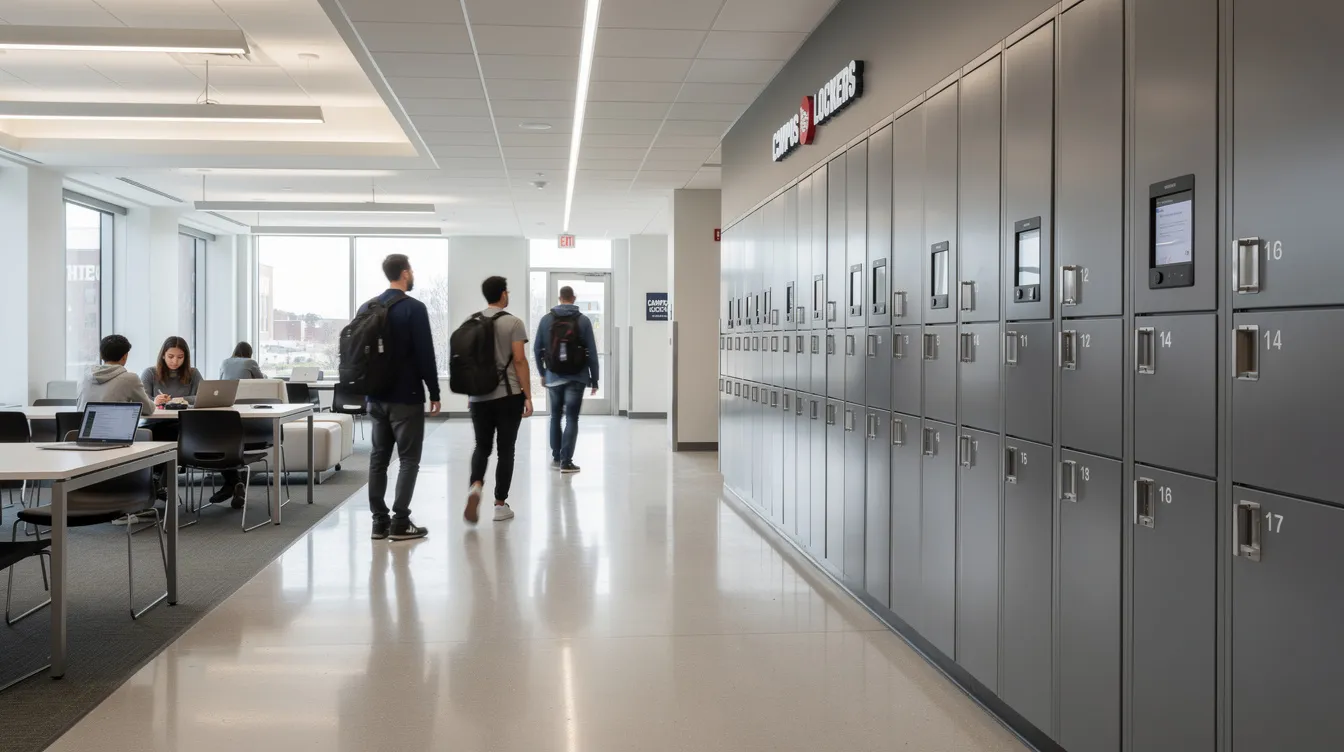
- Placement: Put smart lockers outside the library, near 24/7 study areas, or in a central IT hub. Deploying smart lockers requires suitable physical locations and reliable network infrastructure.
- Modular growth: Start with one 12 to 24 bay unit and scale as demand grows instead of overbuying. Bryant & Stratton started with a 5 bay unit and expanded to 15 lockers across campuses.
- Branding: School colors, logos, clear signage like “Loaner Laptops 24/7,” and simple instructions near the touchscreen.
Our smart locker designs are already tuned for campuses, laptop depth, and unattended use.
24/7 Device Access, Alerts, and Operational Efficiency for IT and Library Staff
What used to require three staff members at a service desk from 8 am to 8 pm now runs itself overnight. Students can access smart lockers 24/7 for convenience, and they can borrow and return laptops outside standard library or IT desk hours.
Here’s where smart locker alerts really shine:
- Overdue device notifications go straight to staff so nobody has to chase down missing equipment manually
- Tampering alerts fire if a bay door is forced open
- Maintenance alerts flag bays that repeatedly report low battery or hardware faults
Automating checkouts reduces administrative bottlenecks during peak periods like midterms and finals. Smart lockers even reduce mailroom labor by up to one third when campuses use them for package delivery alongside device lending.
Usage data can help universities identify peak demand for loaner devices during specific periods. Reporting dashboards show how many laptop loans per week, busiest times, and average loan duration, so IT leaders can make smarter purchasing and staffing decisions. Universities can monitor device availability and borrowing patterns to optimize fleet planning.
Saving time on manual logging means staff can focus on real support and repairs instead of hunting down missing laptops.
Cost Savings, Device Security, and Student Outcomes in Higher Education
Smart lockers aren’t just a gadget. They impact budget, device security, and student success metrics that VPs and deans care about.
Cost savings:
- Fewer lost or stolen laptops (smart lockers significantly reduce campus theft and losses)
- Extended hardware life because units are stored safely and charged properly
- Smart lockers can reduce reliance on fixed desktop computer facilities by enabling flexible studying
- High upfront capital and ongoing costs exist, but the ROI math usually works out within a couple semesters
Security:
- Smart lockers enhance campus security with biometric access and reduce theft risk
- Smart lockers track items to maintain a full chain of custody
- Access controlled doors and audit logs discourage casual “disappearance” of equipment
Student outcomes:
The numbers here are striking. Lone Star College served 31,000 students through its loaner program. Brightpoint Community College loaned devices 1,680 times last year. Loaner programs increased retention by over 7% for borrowing students, improved persistence rates by 5% for participants, and students borrowing devices earned higher GPAs than nonparticipants.
Smart lockers can enhance digital inclusion by providing access to technology for students in need, which is exactly why higher education institutions are scaling these programs.
| Manual Laptop Lending | Smart Locker Laptop Lending | |
|---|---|---|
| Access hours | Staff hours only | 24/7 |
| Staff time per loan | 5 to 10 minutes | Near zero |
| Device tracking | Spreadsheet or paper | Automated logs |
| Charging | Manual plugging in | Built in per bay |
| Theft and loss | High risk | Controlled access, full audit trail |
How HonestWaves Smart Lockers Fit Into a Campus Tech Ecosystem
We build charging enabled smart lockers, phone charging stations, and portable charging kiosks already used by schools and universities.
For loaner laptops specifically, here’s what matters in our lockers:
- Data blocking charging ports so personal devices stay safe
- Bay level power with AC outlets and USB-C PD
- PIN and RFID access tied to campus ID systems
- Configurable loan rules (same day, three day, full academic year)
- Cloud management for multi building deployments
The 30 Bay Smart Chromebook and Laptop Locker is a popular starting point for college and university programs. Pricing is typically quoted per project based on bay count, number of towers, and software options. Most campuses start with one or two units before scaling.
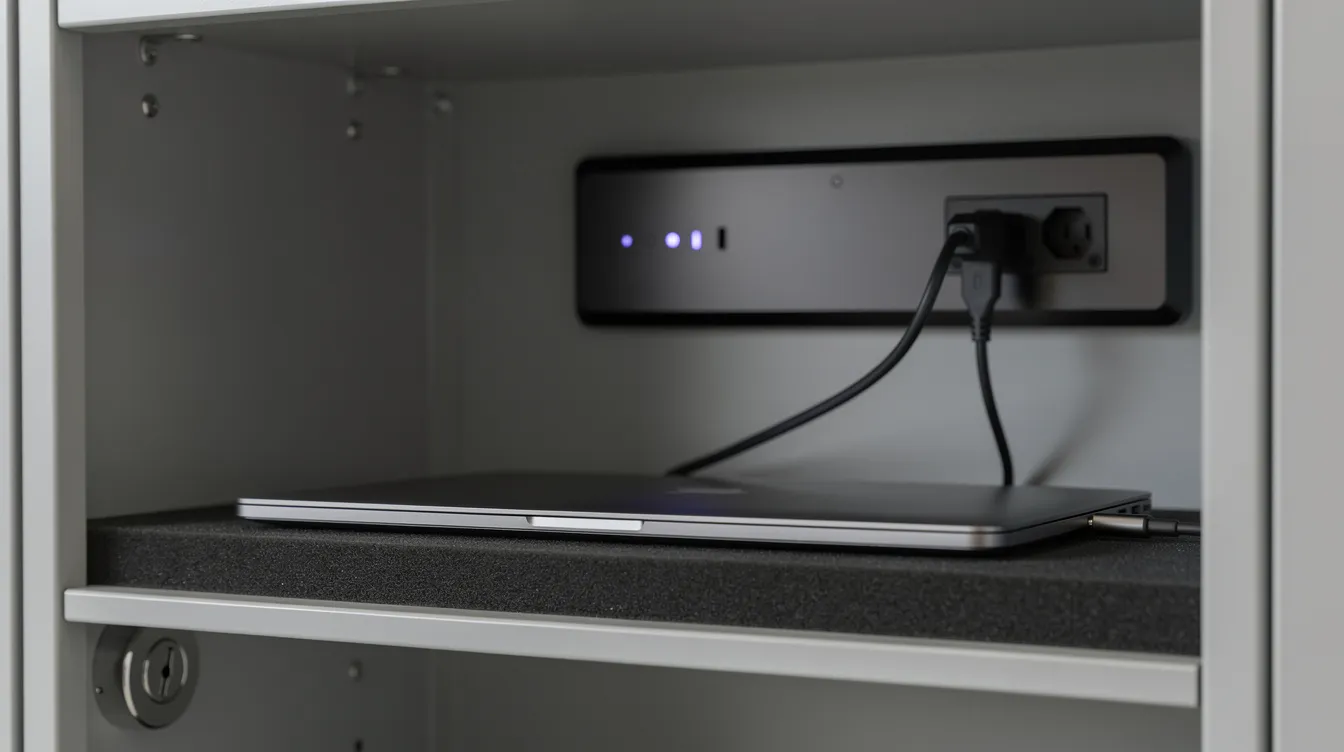
Our smart lockers sit alongside other solutions like portable charging kiosks and charging tables, giving campuses a unified way to manage both personal device charging and institutional device storage.
Honestly, I’d pick a locker that combines charging, device logs, and 24/7 access over a basic steel box that just locks and unlocks. The software and integrated tools are where the real value lives.
Rolling Out Smart Lockers for Loaner Laptops: From Pilot to Full Deployment
Here’s the roadmap I’d give another IT manager over coffee. Implementing smart lockers doesn’t have to be a huge project.
- Pilot location: Pick one or two spots, like the main library and a central IT help desk. Move a slice of your existing loaner pool into a smart locker system for one semester.
- Define success metrics early: Reduction in staff time per loan, lower lost device rate, higher after hours usage, better on time returns.
- Promote it: Work with campus communications on signage, quick start instructions, and short how to videos in the student portal or LMS.
- Review analytics: After midterms and finals, check the smart locker software dashboard. Adjust maximum loan duration, overdue reminder timing, and which device models to stock.
- Scale up: Once data shows clear cost savings and improved device access, expand to residence halls, satellite campuses, or faculty and department spaces.
FAQs
Are smart lockers worth it for a small loaner laptop pool?
Even with 30 to 40 laptops, a smart locker system cuts staff time and lost device headaches, especially if students need evening or weekend access.
Can a university smart locker integrate with student ID cards?
Yes. Most campus deployments tie lockers into existing ID or SSO systems so students just tap a card or log in to get a device.
How do smart locker alerts help with overdue or missing laptops?
Automatic alerts flag overdue devices, forced door attempts, or bays that report repeated faults, so staff can intervene quickly without manual checks.
What happens if the network goes down?
Systems are typically designed with local fallbacks, so in progress loans are safe and queued events sync once connectivity returns.
How long does it take to install a smart locker system on campus?
Once power and network are ready, physical installation often takes a day or two per location, followed by a brief software and policy setup period.
Can we charge different laptop models in the same locker bank?
As long as power and cabling are planned correctly, universities often mix Chromebooks, Windows laptops, and tablets in the same smart locker system with no issues.
Conclusion;
Smart lockers turn chaotic, staff heavy laptop lending into a 24/7, automated program that supports student life and protects your hardware investment. When you treat lockers as a smart locker system and not just metal boxes, you get device access, security, and operational efficiency all at once.
If you’re curious, explore the smart locker page to see real photos, specs, and configurations. When you’re ready to pilot a unit on campus, request a custom quote and share your campus layout, approximate loaner laptop counts, and timing so we can suggest a right sized setup.