

A county IT manager walking into the office Monday morning to find three radios missing from the equipment room, two laptops checked out with no record of who took them, and a stack of paper sign out sheets that tell her absolutely nothing useful. Sound familiar?
Government smart lockers exist to kill that chaos. These are digitally controlled storage systems that authenticate users, log every interaction, charge devices, and feed data back to the people who need it. They’re not fancy gym lockers with a keypad slapped on. They’re networked, auditable secure storage built for environments where accountability isn’t optional.
The use cases are broader than most people realize. Police departments rotating body cameras between shifts. Courts offering 24/7 citizen document pickup without staffing a counter. Health departments managing shared tablets for field inspectors. County mail rooms handling package management for hybrid workers. Government facilities deploy smart lockers for secure document delivery, device swaps, and controlled access to valuable assets.
This guide is written specifically for government procurement teams, spec writers, and IT teams drafting RFPs. If you’re a general buyer looking for a basic overview, check out a beginner’s guide to smart lockers. But if you’re the person responsible for writing specs that will determine what your agency gets stuck with for the next five years, keep reading.
Here’s the core promise: with the right specs, you get auditable storage solutions, Smart Locker Alerts for overdue devices or tampering, and cleaner workflows without locking yourself into a painful contract. Government procurement of smart lockers requires stringent specifications, and this article walks you through exactly what those specs should say.
At honestwaves, we build secure smart charging lockers and kiosks designed for public sector deployments, from courthouses to universities to transit hubs. We’ve seen what happens when specs are vague, and it’s not pretty.
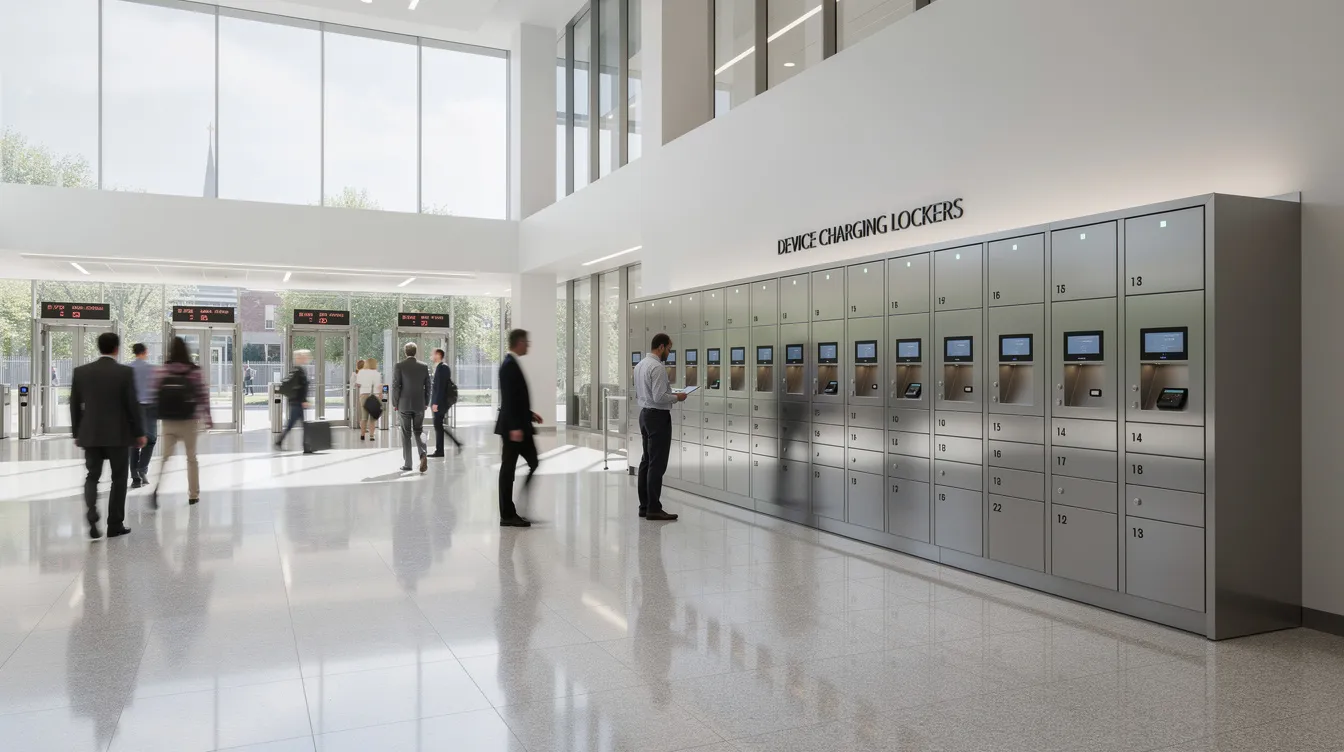
Non Negotiable Smart Locker Specs for Government Buyers
If you only skim one section before writing your RFP, make it this one. These are the specs that separate a system that actually works from one that becomes an expensive coat rack.
Your spec should include:
- Chain of custody reporting for every device or document, with full audit trails that include timestamps for every locker interaction
- Smart Locker Alerts for overdue devices, tampering, and maintenance failures, delivered through channels your team already uses
- Integration with Active Directory or equivalent directory services so onboarding and offboarding happen automatically
- Secure charging with data blocking so devices charge without exposing data through USB ports
- CJIS grade security options if any lockers will store devices containing criminal justice information
- Transparent cloud management terms covering data ownership, export rights, and what happens if the subscription ends
- Multi factor authentication to enhance security for access control, supporting RFID badges, pin codes, mobile app access, and optional biometrics
These specs apply whether you’re buying one parcel locker bank for a courthouse lobby or rolling out a locker system network across multiple agencies statewide. The rest of this article breaks each one down into language your procurement team can drop directly into requirements.
Clarify Your Objectives Before You Write the Spec
Here’s a story that plays out more often than it should. Agency A bought smart lockers “for packages.” They sit in the lobby. People use them sometimes. Nobody’s sure if they’re worth what they cost. Agency B specified device checkout workflows, overdue alerts, audit logs tied to badge access, and measurable goals for reducing lost equipment. Agency B’s system paid for itself in eight months.
The difference wasn’t the hardware. It was the objectives.
Before you write a single line of spec language, get clear on what you actually need the locker system to do. Common government objectives include:
- Reducing lost or unaccounted radios, laptops, and tablets across shifts
- Automating IT asset management for loaner devices and shared equipment
- Enabling 24/7 citizen document pickup without keeping service counters staffed after hours
- Improving accountability for controlled items like evidence, keys, or sensitive records
- Cutting walk up counter time and eliminating manual processes for device handoffs
These objectives look different by department. A police department cares about chain of custody for body cameras. A county health office needs shared tablets rotated between field inspectors on their own schedule. Courts want secure document handoff. Smart lockers are used in universities for secure device storage. Healthcare organizations use smart lockers for medication distribution. Smart lockers streamline logistics in retail for package pickup. And smart lockers support shared locker assignments in workplaces across all these settings.
The key move? Ask each stakeholder group to define a measurable goal. Something like “cut device swap time from 20 minutes to 5 minutes” or “eliminate manual paper logs for after hours evidence access.” If you can’t measure it, you can’t tell if the system worked.
Defining Scope and Stakeholders in a Government Smart Locker RFP
Government projects go sideways when nobody owns the system. I’ve heard about a locker bank installed at a county building where IT thought facilities managed it, facilities thought IT managed it, and the vendor thought both of them were handling user onboarding. Six months later, half the bays were locked with no assigned users and nobody knew the admin password.
Your RFP should name who’s responsible for what:
- Procurement: contract management, renewals, vendor communication
- IT / CIO: cloud management, network configuration, software platform updates, security reviews
- Facilities: physical installation, power, anchoring, environmental controls
- Security: access policy, tamper response, audit log review
- Records / Evidence / Mailroom: day to day workflow management, user training
- HR or public service desks: user onboarding and offboarding coordination
Integration reduces duplicate administration in locker management when these roles are clearly defined and the system connects to existing systems like directory services and ticketing tools.
If you’re planning multi site or multi agency deployment, say so up front. Include language like “initial deployment for 3 sites with option to expand to 20+ locations under this contract.” That gives vendors the context to price accurately and design a scalable smart locker solution.
Hardware Configuration: Building a Locker System That Can Survive Government Use
If the hinges fail or the doors bend, none of the software matters.
Government environments are hard on equipment. High traffic lobbies, outdoor installations at DMV style offices, 24/7 police substations. Your hardware configuration specs need to reflect that reality.
Physical requirements to specify:
- Require 14 to 18 gauge cold rolled steel for durability, with welded frames rather than riveted assemblies
- Lockers must have tamper resistant hinges and anti pry designs; recessed hinges are strongly preferred
- Electronic locks should be tested for over 500,000 cycles to handle high usage environments
- Industrial grade touchscreens where used, rated for vandal resistance
- The locker design should be modular to allow for future expansions without replacing entire banks
For bay sizes, think about your actual use cases:
- Small bays for phones, radios, body cameras, and keys
- Mid bays for laptops, tablets, and handheld scanners
- Large compartments for evidence boxes, uniforms, bulk documents, or sensitive paper records
The Air Force’s LRS Smart Lockers procurement specified lockers that could operate from negative 13°F to 122°F, withstand high humidity, rain, salt exposure, and CAT 3 cyclone winds. Your spec might not need that level of extremes, but environmental ratings should meet NEMA or IP standards for lockers deployed outdoors or in unconditioned spaces, and some healthcare or other sensitive deployments may also require temperature control.
Don’t forget anchoring. Units must be bolted to floors or walls to prevent tipping or theft, with sealed and securable cabling runs.
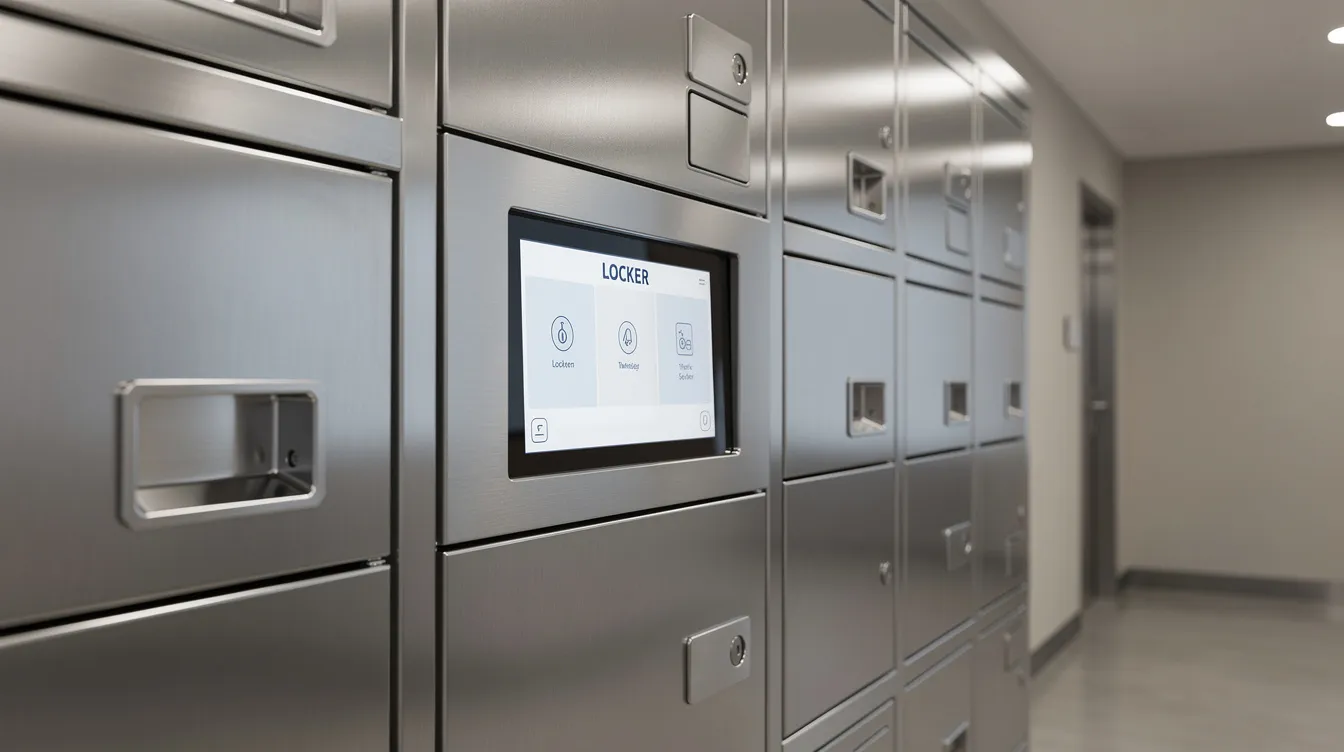
Smart Charging and Data Protection for Shared Government Devices
“Charging plus security” is not the same as tossing a power strip inside a cabinet. When you plug a phone or tablet into a random USB port, that port can potentially act as a data pathway. In government settings handling CUI or law enforcement data, that’s a serious risk.
Your spec should require:
- Dedicated charging in each bay with built in charging features for both USB A and USB C
- Data blocking technology so mobile devices cannot sync data to the locker system
- Load balanced power management so simultaneous charging across all bays doesn’t trip circuits or overheat
- Smart lockers should include UL certified power supplies and surge protection
- AC outlets in larger bays for fully powered equipment like laptops or radios with dock chargers
Think about a police department rotating body worn cameras between shifts. Officers drop cameras into a charging locker system at end of shift, and the next shift picks up fully charged, verified devices. Power management features must include integrated charging solutions for devices in these scenarios.
Some agencies will also want UV C disinfection for shared devices in healthcare environments or public safety contexts. Honestwaves offers UV C options on selected locker models for exactly this kind of deployment.
Smart Locker Alerts can also notify IT teams about devices not returned on time or bays drawing unusual power, prompting maintenance checks before something fails. Smart lockers can include built in device charging capabilities that make all of this possible without extra infrastructure.
Software and Cloud Management: The Real “Brain” Behind Government Locker Systems
Hardware is only half the story. The software platform and cloud management layer is where most of the day to day value lives. It’s what turns a steel box into a workflow tool.
Core software capabilities your RFP should require:
- Web based admin console with role based access for different admin levels
- Real time status of each compartment: occupied, empty, overdue, maintenance needed
- Remote open and lock capability for admin overrides
- Configurable workflows for asset management, parcel pickup, and document handoff
- Usage data dashboards showing peak pickup times, most used bays, and average loan durations
- Cloud based software enables real time tracking and access logs across all sites
For cloud management, specify multi site dashboards, centralized policy control, audit exports in open formats like CSV or JSON, and uptime SLAs that match government service expectations. Smart lockers must ensure secure network connectivity and options for offline operation, with local caching and fallback authentication when the network goes down.
If your agency can’t use public cloud, include a line requiring on premises or government cloud deployment options. That changes pricing and ongoing support terms, so it’s better to surface early.
Here’s a scenario that plays out all the time: an IT admin at a remote satellite office gets an alert that a locker bay is jammed. Instead of dispatching a technician two hours away, they remotely unlock the bay, verify the contents through the software log, and schedule maintenance for the next routine visit. That’s operational efficiency you can’t get from a dumb cabinet.
Smart locker systems should integrate with existing physical access control systems so the locker isn’t a standalone island in your security architecture.
Identity, Security, and Integrations with Existing Systems
Your locker system needs to plug into the identity infrastructure you already have, not create a separate silo of usernames and passwords.
Smart lockers can integrate with Active Directory systems, which means user roles and groups map to locker permissions automatically. When someone’s badge is deactivated in HR, their locker access disappears too. No manual cleanup. Smart lockers use pin codes, RFID, or biometrics for access, and the best systems support all of these simultaneously. Smart lockers also use pin codes, RFID, or mobile apps for access depending on what your users carry.
Access methods your spec should cover:
- RFID badges (CAC, PIV, or agency specific badges)
- Pin codes for users without badges or in shared environments
- Mobile app access where agency policy permits smartphones
- Optional biometrics like fingerprint or facial recognition where security levels demand it
Lockers should support role based access control to limit user permissions. An evidence tech gets different access than a front desk clerk. APIs facilitate data sharing between smart lockers and existing systems, including ticketing tools, ITSM platforms, and ERP systems.
Enhanced cybersecurity measures are essential for smart locker procurement, especially in regulated industries. Your spec should require encryption in transit and at rest, complete audit logs, and compatibility with internal security standards like CJIS where relevant. Smart lockers can connect with inventory control software so that when a device is checked out, the asset record updates automatically.
Honestwaves lockers integrate cleanly with existing systems through modern APIs, which matters a lot for IT teams that don’t want to babysit another disconnected platform.
Smart Locker Alerts: Overdue Devices, Tampering, and Maintenance
This is where smart locker technology stops being passive storage and starts actively protecting your assets.
Instead of someone walking past the locker bank twice a day doing visual checks, or worse, not checking at all until something goes missing, Smart Locker Alerts push notifications to the right people automatically. Smart lockers should provide audit trails and access logs for every interaction, enabling real time tracking of who accessed what and when.
Three alert categories your procurement spec should require:
- Overdue devices: A shared tablet assigned to building inspectors that isn’t returned within two hours of its scheduled return triggers an alert to IT and the inspector’s supervisor via email. No more guessing who has it.
- Tampering and forced entry: A sensor detects someone prying at a bay door at a remote substation. An alert goes straight to security with the timestamp, location, and bay number.
- Maintenance notifications: A lock mechanism starts failing or a bay door sensor stops responding. The system flags it before the entire bank goes down, reducing manual labor for preventive checks.
Specify the channels: email alerts, SMS where permitted, and integrations into existing incident management or messaging tools your agency already uses. The Wright Patterson AFB smart locker procurement required real time notifications, sensors per compartment, and cameras as part of the alert ecosystem.
Set expectations in the RFP for configurable alert rules per site or department. A courthouse evidence room might want two hour overdue thresholds. A shared device pool at a health clinic might allow overnight holds. Each agency should be able to fine tune what triggers notifications without calling the vendor.
Smart Locker Alerts also support preventive maintenance by surfacing failing locks or frequently jammed bays before they take the whole locker system offline.
Integrating Locker Systems with IT Asset Management and Help Desk Tools
Think about the “before” state. An IT staffer pulls a loaner laptop off a shelf, scribbles the serial number on a sticky note, hands it to the requesting employee, and promises to log it later. Three weeks go by. The laptop disappears. Nobody knows who has it.
Now the “after.” A user taps their badge at the locker. The system assigns a specific device, logs the checkout with timestamp and user ID, and updates the asset record in the agency’s IT asset management platform. When the device comes back, condition is documented at return. Self service, no IT staff needed at the counter, and the tracking software handles everything.
Systems your spec should name for integration:
- IT asset management platforms
- Ticketing and help desk systems
- Inventory control tools
- Identity providers (Active Directory, LDAP)
Usage analytics like peak pickup times, most used bays, and average loan durations aren’t just nice to have. They’re ammunition for budget requests and staffing arguments. If you can show that 80% of device checkouts happen between 7 and 9 AM, you can staff accordingly and reduce manual tasks during off peak hours.
Supporting Package Management and Citizen Services, Not Just Devices
The same locker system that manages device checkouts can handle internal mail, parcel locker workflows, and public facing document pickup. That’s a big deal for agencies trying to do more with less.
Government use cases that go beyond devices:
- Court documents ready for attorney or citizen pickup
- Permits, licenses, and certified copies available outside business hours
- Secure mail between departments or buildings
- Packages for staff working hybrid schedules, handling online purchases without clogging the mailroom
A locker system enables 24/7 or extended hours access without keeping counters open late. That matters for agencies serving people who can’t visit during standard business hours, which is most working adults.
Apartment buildings and municipal housing authorities are also using smart lockers for package management in shared residential communities, improving resident safety and reducing theft. Property managers in these settings benefit from the same audit trails and access logs that government facilities need.
In your RFP, specify different workflows per bank or site. One set of lockers reserved for citizen pickups. Another for internal asset management. The software platform should handle both without requiring separate systems.
Accessibility, Usability, and User Experience in Government Environments
Government smart lockers have to work for everyone. That includes people who aren’t tech savvy, who might not speak fluent English, or who use a wheelchair.
Usability requirements to include:
- Clear on screen instructions with simple step by step flows
- Support for multiple languages relevant to your service area
- Large, readable text and buttons
- Audio prompts and tactile indicators for vision impaired users
Smart lockers must maintain compliance with ADA accessibility standards. That means wheelchair clearance in front of the bank, bays within accessible reach ranges, and interfaces that don’t require fine motor skills. Documentation for accessibility and usability testing is vital in procurement, so require vendors to provide it.
Include a requirement for quick training materials and signage templates that staff can adapt for their specific lobby or hallway. If people can’t figure out the locker in 30 seconds, they’ll go back to the old way of doing things.
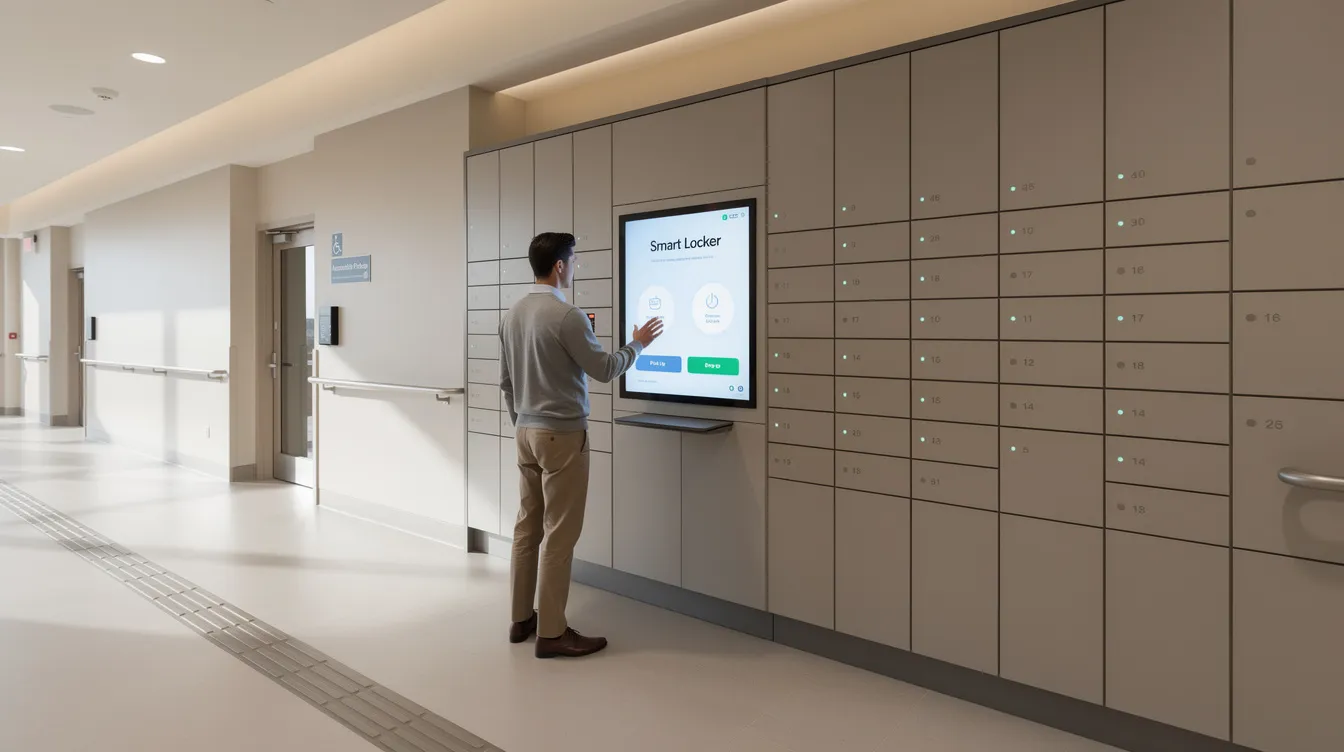
Security, Compliance, and Records Retention Requirements
Smart lockers are part of your larger security posture. They’re not just “fancy boxes.” In law enforcement, courts, and health departments, a locker system that can’t prove who accessed what and when is a liability.
Physical and digital security specs to require:
- Reinforced doors with concealed cabling
- Encrypted communication between lockers and the management platform
- Role based admin access with full audit logs of every open and close event
- Compliance with NIST SP 800-53 Rev. 5 controls for physical access, audit, and encryption
Smart lockers must comply with federal data security and privacy standards. Compliance with GDPR and CCPA is essential for smart lockers handling any personally identifiable information. Data privacy compliance is necessary for handling personally identifiable information in access logs and user records. Smart lockers must meet data privacy requirements like SOC 2 where applicable.
Regulatory compliance includes adherence to NFPA fire safety codes for installations in public buildings. Security verification clauses are crucial in smart locker RFPs, and supply chain transparency helps avoid security breaches from uncertified components. Vendor qualifications must include verification of supply chain integrity.
Require the ability to export access logs in open formats and to configure data retention periods by policy. Honestwaves systems are designed with public sector audits in mind, making it straightforward to demonstrate chain of custody for devices and documents.
Deployment, Installation, and Working with Facilities and IT Teams
A great locker system can still fail if siting, power, and networking aren’t planned carefully. Older government buildings especially love to throw surprises at you, like outlets that haven’t been updated since the 1970s.
Deployment factors your spec should address:
- Floor loading capacity and structural considerations
- Anchoring requirements (floor or wall mount)
- Electrical requirements and data drops
- Network segmentation: VLANs, firewall rules, WiFi versus wired connectivity
- Seismic or hurricane considerations where applicable
- Space constraints in crowded lobbies or hallways
IT teams should confirm network requirements early. Can the locker system connect to existing monitoring tools? Does it need its own VLAN?
Require vendors to provide site surveys, wiring diagrams, and installation coordination with facilities staff before final placement. Skipping this step is how you end up with a locker bank blocking a fire exit.
Consider requiring a pilot deployment in a single agency or floor before scaling. It’s a low risk way to validate the hardware configuration, software workflows, and user adoption before fully committing to a citywide rollout.
Pricing, Contracts, and Avoiding Hidden Subscription Traps
Here’s an honest observation: locker quotes can look nearly identical on the hardware line, but smart lockers cost can vary widely over five years once subscriptions, licensing, and support are included.
Smart locker pricing models include upfront purchase or subscription. The two main approaches:
- Upfront purchase (CapEx): You buy the hardware outright. Software licenses, support, and maintenance are separate recurring costs. Good for agencies that want to own the asset.
- Subscription / Hardware as a Service: Bundles hardware, software, ongoing support, and sometimes replacements into one recurring payment. Smart locker rentals reduce upfront costs for organizations and rental options allow testing before full commitment. Some providers offer lease to own options for smart lockers. Smart locker rentals often include ongoing support services, and renting smart lockers improves operational efficiency for agencies that want flexibility.
Smart lockers typically cost between $3,000 and $12,000 for mid range systems. Low cost lockers are priced under $3,000 but usually lack the software capabilities and integration depth government buyers need. High end smart lockers can exceed $12,000, especially for outdoor rated, sensor heavy, or biometric equipped units. You can explore detailed pricing breakdowns to understand what drives the purchase price in each tier.
Proposals should include a total cost of ownership breakdown, which is how buyers should evaluate smart lockers cost rather than comparing hardware alone. Request a 5 year view with clear line items:
- Hardware (including bay count and configuration)
- Software licensing (per door, per user, or flat rate)
- Smart Locker Alerts modules
- Integration fees and API access
- Installation and site prep
- Training
- Ongoing maintenance and support
Watch for hidden fees: per locker charges that scale unexpectedly, report export fees, API access surcharges, and penalties for early termination. Total cost of ownership includes hardware, software, and maintenance, and if a vendor can’t break those out clearly, that’s a red flag.
Honestwaves emphasizes transparent smart locker pricing and offers rental or pilot options that fit public budgeting cycles. Providers offer rental programs specifically because many government buyers need to manage costs within annual appropriations. Total cost matters more than the upfront costs on the first invoice.
Maintenance, Support, and Lifecycle Planning
Write your support expectations directly into the spec. Vague promises like “business hours support” mean nothing when a locker bank goes down at a 24/7 police station on a Saturday night.
Recommended clauses to include:
- Response time targets: 4 hours for critical issues, next business day for non critical
- Replacement part timelines and availability guarantees
- Remote diagnostics capabilities so many issues can be resolved without a truck roll
- Options for extended warranties or lifetime coverage
- Software lifecycle commitments: update frequency, notification procedures, and support for older hardware so you aren’t forced into premature forklift upgrades
Smart lockers should be designed with modular components so a failed lock or bay doesn’t disable the entire locker system. If one electronic lock fails, a tech replaces that module. The rest keeps running.
Honestwaves offers robust support options designed for high traffic public spaces like hospitals, universities, and government lobbies, backed by a lifetime warranty on qualifying products.
Writing Spec Language Your Vendors Can Actually Respond To?
Think of this section as a mini playbook for translating operational needs into testable requirements.
Guidelines for your RFP spec language:
- Focus on outcomes and capabilities, not internal implementation details. Say “the system shall generate an alert when a device is not returned within two hours” rather than dictating how the alert engine works internally.
- Be specific about mandatory integrations (Active Directory, asset management), Smart Locker Alerts, and reporting formats.
- Organize into “must have,” “nice to have,” and “future option” subsections so smart locker vendors can respond clearly and evaluators can score consistently.
Ask for scenario based responses. For example: “Describe how your system would handle an overdue evidence bag combined with a tamper alert on the same bay.” This reveals whether the vendor’s workflow engine is real or just a brochure.
Include a reference to security and penetration testing expectations, allowing users and internal cyber teams to review vendor responses before award. Many smart lockers require this level of scrutiny, and the vendors who can deliver will welcome the transparency.
Conclusion and Next Steps for Your Government Smart Locker Project
Choosing government smart lockers is less about the locker doors themselves and more about the workflows, integrations, Smart Locker Alerts, and long term support behind them. A smart locker depends on its specs being right from the start. Many smart lockers look similar on the surface, but the difference between a system that transforms operations and one that gathers dust comes down to what you put in the RFP.
Clear, concrete specs protect you from vendor lock in, surprise costs, and underperforming systems. They also give your teams a tool they’ll actually use, one that improves security, cuts manual labor, and creates audit friendly accountability for every device, document, and package.
Take a look at your current draft RFP. Compare it against the checklist in this article. Tighten up the hardware specifications, sharpen the software requirements, and make sure your alert and integration expectations are spelled out. If you want help reviewing your spec or exploring what a smart locker solution looks like for your agency, reach out to us for a quote or a no pressure consult. We build this stuff for government facilities every day, and we’re happy to help you get it right.
FAQs
How are government smart lockers different from regular parcel lockers?
Government smart lockers include full audit trails, integration with existing systems like Active Directory and asset management tools, and policy driven access control. A regular parcel locker just holds packages. A government locker system proves who accessed what, when, and why.
Do smart locker systems work if our agency has strict network security rules?
Yes, if your spec calls for proper network segmentation, on premises or government cloud options, and vetted integrations with IT and security tools. Offline operation capability is also essential so the system keeps working during outages.
Can we manage multiple buildings or agencies from one locker system platform?
Modern locker systems with cloud management support multi site views, role based admin, and per location policies. Specify this up front so the platform scales with you instead of requiring separate installs per building.
What if staff do not have smartphones for mobile app access?
Good government smart lockers support multiple access methods. RFID badges and pin codes work without any smartphone. Mobile app access is an option, not a requirement. Allowing users to choose their preferred credential type increases adoption across all staff.
How do Smart Locker Alerts help in a government setting?
They notify the right people about overdue devices, tampering attempts, and maintenance needs automatically. That means fewer manual checks, faster response to security events, and better accountability for shared devices and documents.
Is it possible to start small and expand our locker system later?
Absolutely. Modular hardware and scalable smart locker software make it easy to start with a single bank or pilot site and grow to more buildings under the same platform. Just make sure your contract includes expansion options so you aren’t renegotiating from scratch.
What should a total cost of ownership estimate include?
It should cover hardware, software licensing, installation, training, integrations, Smart Locker Alerts modules, and ongoing support over at least five years. Asking for this breakdown up front helps you manage costs and compare smart locker vendors on equal terms.