
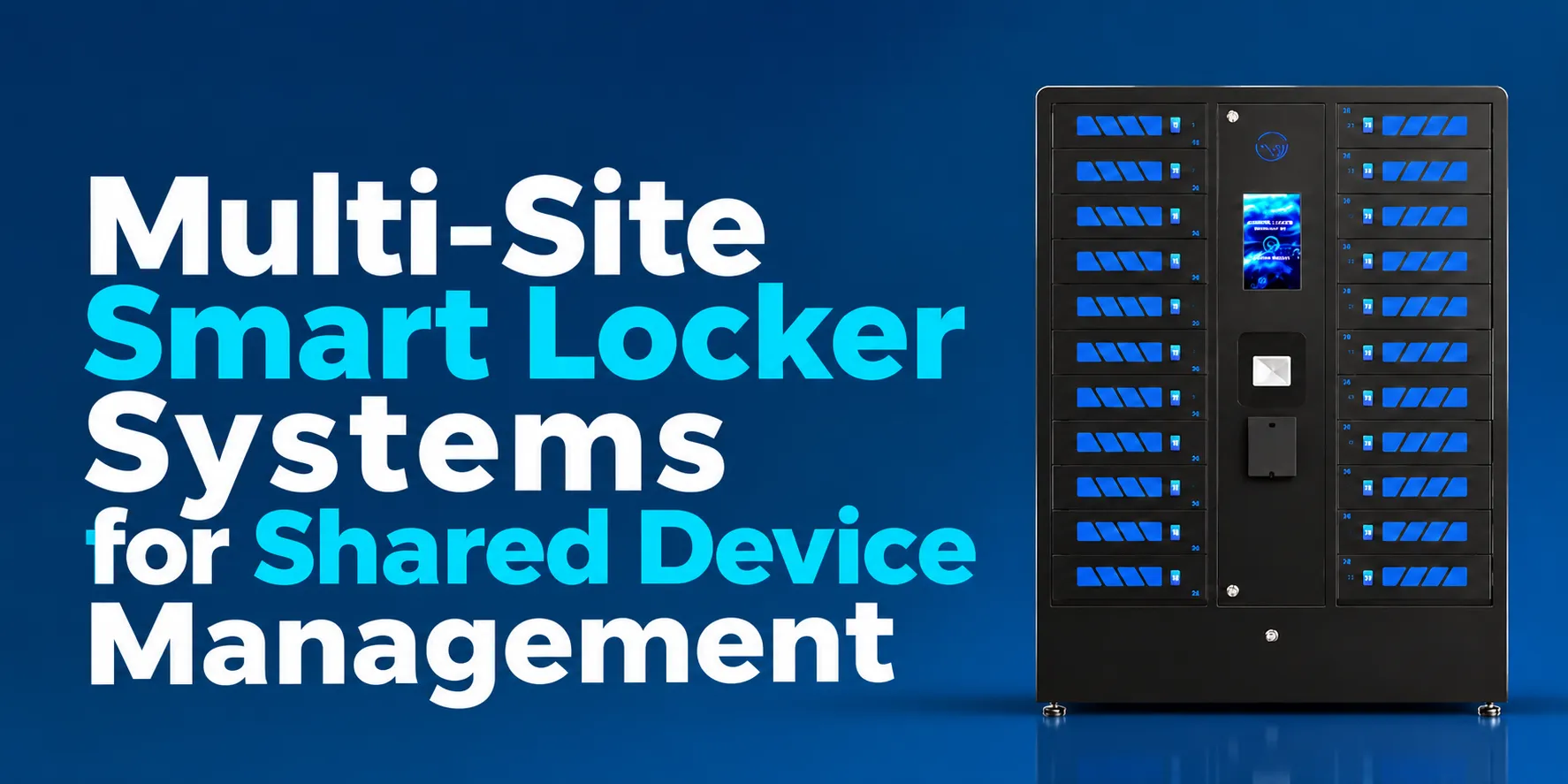
Ever tried tracking 300 shared scanners across a dozen warehouses using spreadsheets and “Hey, did you return that?” conversations? If that sounds familiar, you already know the pain. Devices vanish. Batteries die. Nobody remembers who had what. And the IT team spends half its week playing detective instead of doing actual work.
Here’s the short answer: a multi site smart locker system gives every location the same automated way to store, charge, track, and secure shared devices. One dashboard shows you which device is where, who checked it out, and whether it’s overdue or damaged. No spreadsheets. No guesswork. No angry shift supervisor holding up an uncharged tablet.
Before smart lockers, companies relied on manual processes: paper sign out sheets, key cabinets, and a lot of hope. After deploying a smart locker system, check outs happen in seconds, overdue alerts fire automatically, and devices come out of the locker fully charged and ready for the next shift. That’s the transformation we see again and again at honestwaves, where we design cloud connected smart locker solutions with built in charging so devices are always ready when your people need them.
What multi site companies really mean by “shared devices”
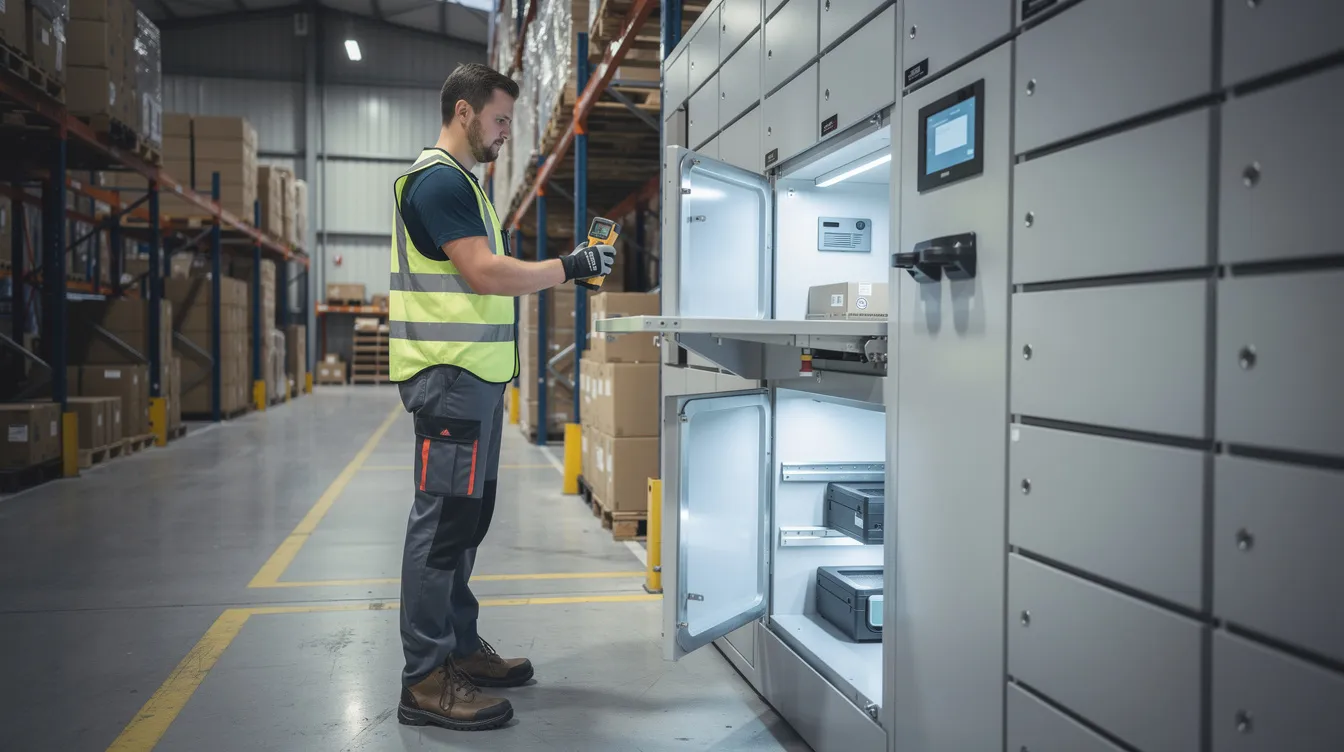
When people say “shared devices,” they’re not just talking about laptops. The list is longer than most executives realize: pool laptops, Zebra or Honeywell barcode scanners, ruggedized tablets, two way radios, clinical smartphones, loaner phones, body worn cameras, VR headsets, and other devices that rotate between staff members across shifts.
A UK grocer called Wing Yip, for example, uses smart lockers to manage not only scanners but also ProGlove wearables, radios, and body worn cameras across their distribution centers. A logistics company managing a 1.5 million square foot warehouse had 280 shared scanners rotating between shifts. That’s a lot of hardware to keep track of.
The pain points are consistent across industries:
- Devices walk away. One automotive 3PL lost roughly £50,000 in scanners over just three months before deploying smart lockers. At roughly £2,000 per scanner, that adds up fast.
- Nobody is accountable. With a manual system, you can’t tell who had the device last.
- Shift handovers stall. Devices not returned on time cause downtime for the next crew.
- Security risks multiply. A lost phone with corporate email or patient data is a compliance nightmare.
As soon as you add multiple locations, manual sign out sheets and key based lockers stop being a management system and start being a liability. Most multi site organizations already use some form of asset management or inventory management software. But they still struggle with the physical side: who actually has the device right now, and is it charged?
How smart lockers work behind the scenes for shared devices
If you haven’t seen one in person, think of a smart locker as a secure cabinet with brains. Each compartment has electronic locker locks, charging cables, and sensors. A cloud based management platform ties it all together.
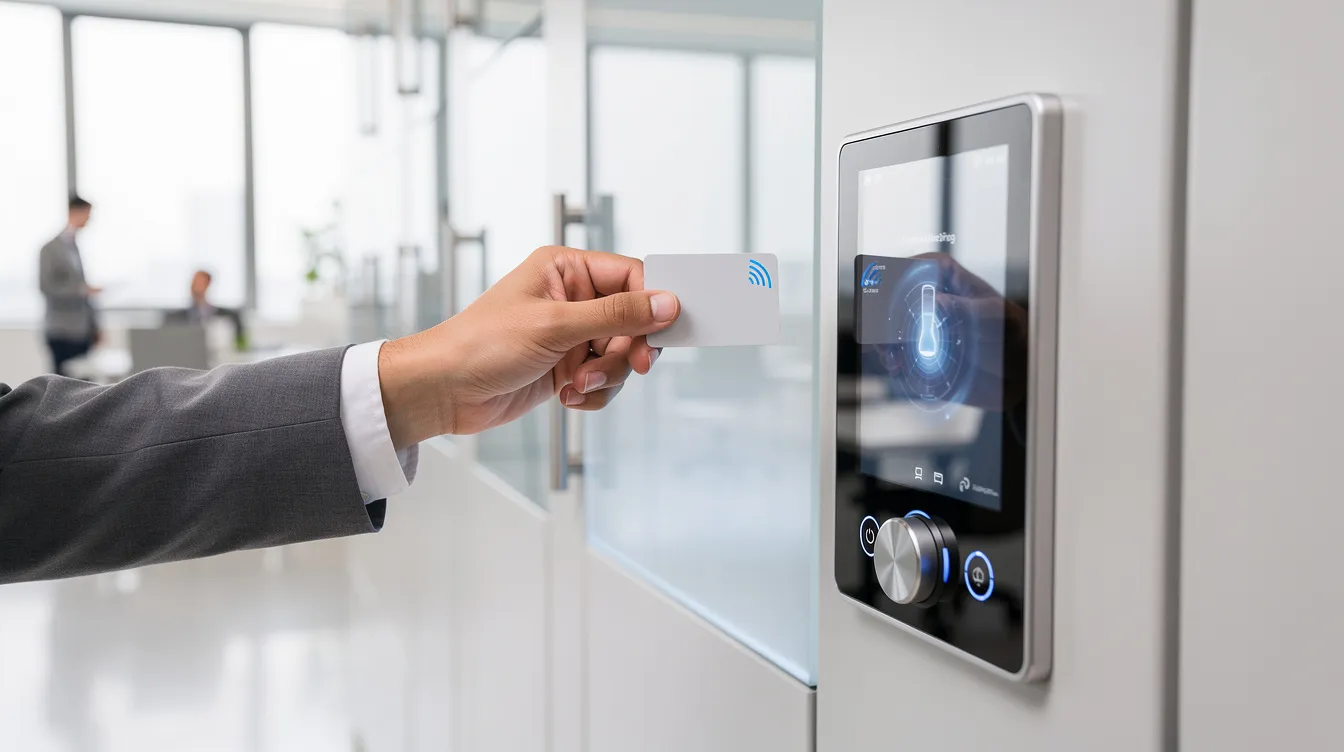
The user journey is simple. An employee walks up, authenticates with their badge, a PIN, or a mobile app, and a specific locker door pops open with their assigned device inside. The whole transaction gets logged in real time. At THG’s warehouses, employees swipe an access card, press a button, and they’re off; the system automatically links the device to the person. Wing Yip reported average transaction times of about 1.4 seconds. That’s faster than unlocking your phone.
Smart locker systems can charge devices while they are secured in compartments. A device goes in at 15% battery at the end of one shift and comes out at 100% for the next. Many units include two USB ports and two AC outlets per bay. Multi site companies use cloud connected smart locker systems to automate checkout tracking, so there’s no guessing about who took what.
Real time monitoring in the locker software tracks which compartment is occupied, which asset is inside, and how long it’s been out. Want a deeper dive into the mechanics? Our guide on how smart lockers work covers the full picture.
The system supports different access models: personal assignment where each person always gets the same bay, shared pools where any available device is dispensed, and dynamic assignment based on role or shift. Electronic locker management systems at scale handle 50,000 to over 1 million daily transactions across enterprise deployments, so throughput isn’t a bottleneck.
From one building to many: what changes at multi site scale
What works in a single warehouse breaks when a company has dozens of sites. Each location has its own staff mix, shift patterns, and device counts. Without centralization, you end up with mismatched policies, no centralized visibility, and inconsistent security practices. One site uses paper logs. Another uses a padlocked cabinet. A third just leaves scanners on a table and hopes for the best.
A multi site smart locker deployment fixes that by standardizing the rules. Same access control policies. Same reports. Same overdue logic. But with local flexibility, because a 24/7 distribution center has different needs than a Monday to Friday retail store.
These systems can manage fleets of 500 to 10,000 or more lockers across multiple sites. An international retailer deployed 1,100 smart locker units across sites in 43 countries, all managed through cloud software for remote configuration. Multi site companies standardize access controls and device management policies across locations using smart lockers, so centralized configuration lets IT push settings, firmware updates, and user roles to every site without sending someone on a plane.
That consistency also helps pass audits. A unified audit trail across all locations is a lot easier to present to auditors than a pile of paper logs from each site.
Access control and identity: who can take what and when
Strong access control is the foundation of any locker system used for high value assets and IT equipment. If anyone can open any locker at any time, you don’t have security; you have a shelf with a door.
Common authentication methods include:
- RFID badges linked to the existing access control system
- Employee ID barcodes
- Pin codes entered on a touch screen
- Mobile apps with QR codes
- Biometric authentication like fingerprint readers for sensitive environments
- Key fobs for environments where badges aren’t practical
Smart lockers support multi factor authentication for enhanced security, so you can require both a badge tap and a PIN for lockers holding expensive equipment. Only authorized users can access items in smart lockers, and role based access means a warehouse picker sees only scanner bays, while a supervisor can access the full device pool. Authorized personnel at each site see only what’s relevant to their job function.
For multi site setups, central admins enforce global rules: after hours restrictions, mandatory dual authentication for sensitive assets, or automatic deactivation when HR terminates an employee. That last one matters more than people think. When a badge gets deactivated in the access control system integration, locker access stops immediately. No manual cleanup. No forgotten accounts.
This improves security and reduces theft, lost equipment, and accidental access to sensitive data on mobile devices.
Smart Locker Alerts: Overdue Devices, Tampering and Maintenance
Here’s where smart lockers stop being passive storage and become an active monitoring tool. Automated alerts are used to notify users of overdue devices and equipment maintenance needs, turning the locker bank into something that actually watches your back.
Overdue device alerts fire when a device isn’t returned by the end of a shift or a booking window. At THG’s warehouses, managers set custom triggers. If a device was out for 12 hours during a 7 hour shift, the system flagged it immediately. The user gets an email or text. Their manager gets copied. No more “I forgot it in my car” excuses lasting three days. For more on how these work, check out our breakdown of smart locker alerts for overdue, tampering, and maintenance.
Tamper alerts catch door forced open attempts, repeated failed access attempts, and unusual access patterns. Tamper resistant hardware deters theft in smart locker systems, and when someone tries anyway, security or IT gets a notification. Integration with SIEM tools enables real time anomaly detection, feeding locker events into the same security operations center that monitors network threats.
Maintenance alerts flag problems before they become outages: a compartment that repeatedly logs low battery devices, charging failures, or damaged hardware reported by users at check in. In one case study, phones returned damaged were flagged automatically, allowing the operations team to track reliability over time.
At multi site scale, configurable alert rules prevent noise. Headquarters sees site level issues without drowning in notifications from every single bay across 40 locations. Policy enforcement stays consistent, but the alert thresholds can flex by site.
Real time monitoring and a single pane of glass for all locations
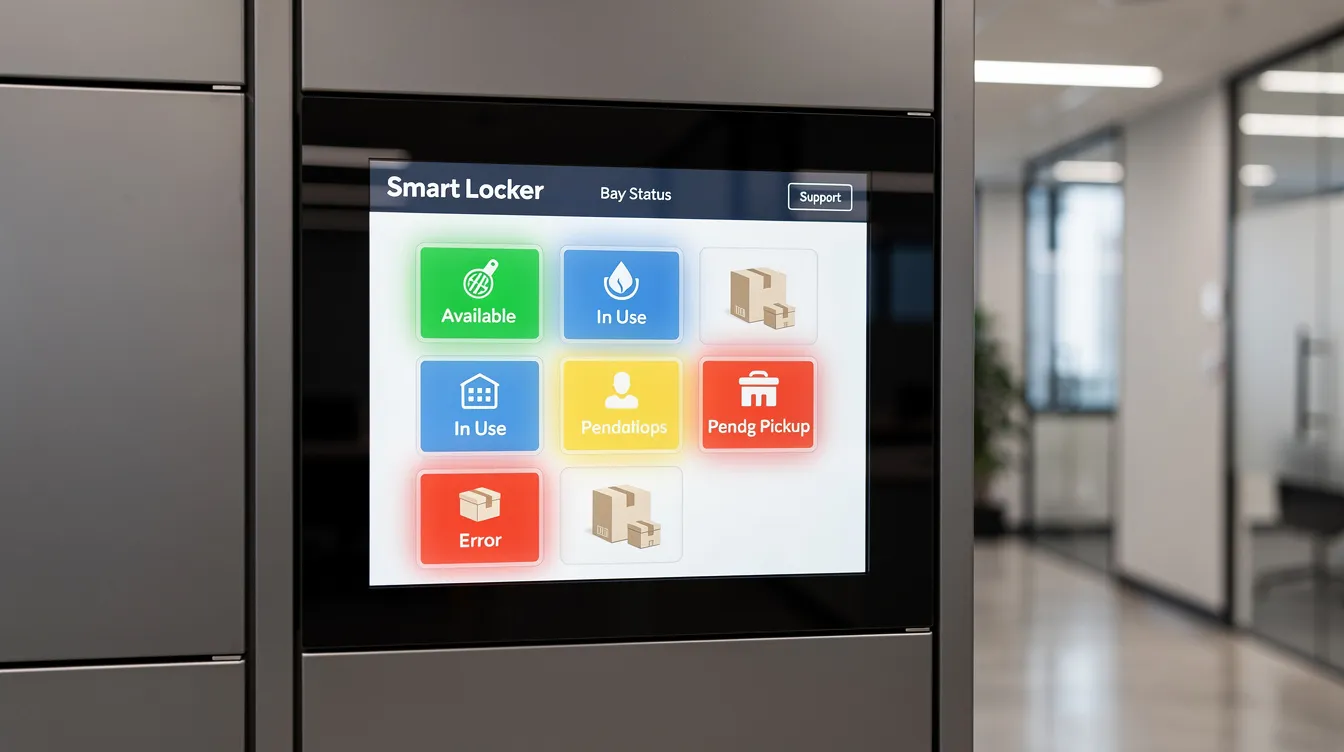
Picture a dashboard with a map view. Each pin represents a site. Green means healthy. Yellow means a few overdue devices. Red means something needs attention. Click a pin and you drill down to the floor, the locker bank, and the individual compartment. That’s what real time monitoring looks like for multi site deployments.
Administrators can monitor device availability across different sites from a centralized dashboard. Operations teams can quickly answer questions like “Do we have spare tablets at the Chicago site right now?” or “Who last checked out scanner 27 in Dallas?”
Live data points on the dashboard typically include:
- Occupancy percentage per locker bank
- Number of overdue devices per site
- Lockers out of service
- Recent failed access attempts
- Device battery levels at check in
Real time occupancy monitoring updates locker status every sub 100 milliseconds at the hardware level, with dashboard refreshes every 5 to 30 seconds depending on configuration. Smart lockers provide real time monitoring of asset usage, and that data feeds into smarter inventory management. Instead of guessing how many devices each site needs, you can see actual usage data and move equipment based on reality, not assumptions.
Many of our honestwaves customers pull up these dashboards during morning huddles or weekly ops calls to spot problem sites early.
Turning lockers into a practical asset management system
Smart lockers move beyond simple secure storage to become a frontline asset management layer for mobile devices. Every check in and check out automatically updates the asset record with who, when, and where. That replaces manual logs, spreadsheets, and the dreaded “I think Dave had it last” investigation.
Device level data, like serial numbers, asset tags, or RFID labels, links the physical locker compartment to the digital asset record. Smart lockers automate IT asset tracking with RFID technology, and smart lockers create a digital audit trail for every interaction. At GXO’s Nestlé site, migrating from paper logs and key controlled lockers to RFID based tracking gave managers a complete audit trail and removed the bottleneck of needing a key manager present.
Over time, this creates rich usage histories for each device across all sites. You can see which scanners get the most wear, which tablets fail most often, and which locations burn through batteries fastest. That’s valuable for planning, budgeting, and making the case for equipment refreshes.
Many companies tie locker data into broader asset management or CMMS platforms through APIs. If you’re curious about the integration side, our article on how smart lockers track device checkouts and returns walks through it in detail.
Inventory management: how many devices you really need per site
Here’s something many organizations don’t realize: they’re overbuying devices because they lack clear visibility into actual asset utilization. Without data, the safe play is to buy extra. And extra costs money.
Smart lockers track peaks and lulls in demand across locations. Historical occupancy data reveals utilization patterns by hour and day. Maybe Monday mornings at the Atlanta depot are slammed, but Wednesdays are dead. Maybe the night shift at your Cleveland warehouse only uses 60% of the available scanners. Utilization analytics can reduce locker needs by 15 to 25 percent.
A distribution center network working with us saw this play out firsthand. Across 10 facilities, the honestwaves deployment eliminated 100% of unreported device losses within 60 days and saved roughly 5 or more hours per week per location on management oversight, with ROI landing in under 3 months. Automated asset tracking reduces lost devices and improves inventory management, and that combination of better inventory control and fewer losses makes the financial case straightforward for procurement.
Smart lockers can reduce asset loss and improve inventory management. The usage data doesn’t just save money on devices; it makes the ROI on a locker system easier to quantify for finance teams who want hard numbers before approving a purchase order.
Reducing security risks for mobile devices and data
Lost phones with corporate email. Tablets left in personal cars. Unencrypted laptops used by multiple staff members with no log of who accessed what. These aren’t hypothetical scenarios. They happen every week at companies without proper device controls, and they create real security risks.
A smart locker system mitigates this by enforcing secure storage when devices are not in use. Every access gets logged, creating accurate records. At honestwaves, our charging lockers use data blocking technology on USB ports, so devices receive power but no unknown data connections. That matters in healthcare facilities, government buildings, and anywhere sensitive data lives on shared devices.
The SecureCharge 32 Bio adds biometric access and UV C disinfection to the mix, covering both data security and hygiene for environments that need both.
Multi site alerts for tampering, after hours access, and repeated failed logins give security teams early warning of potential misuse. Automated reporting tools simplify compliance and audit processes, which is relevant for HIPAA, PCI DSS, SOX, and internal governance around device handling. The digital audit trail from a smart locker system gives compliance officers something concrete to point to during regulatory reviews, supporting regulatory compliance without adding manual work.
Mobile apps and self service checkouts for busy teams
Nobody wants to memorize locker numbers or hunt for a supervisor to unlock a cabinet at 2 AM. Mobile apps make locker access more intuitive, especially in large or multi building sites.
Typical mobile app features include reserving a device for a specific time slot, getting a QR code to open a locker, and receiving push notifications for overdue returns or locker assignments. Smart lockers facilitate self service access for device checkout and returns, cutting down on IT or supervisor involvement entirely.
Imagine a hospital night shift nurse walking onto the ward. She opens the app, taps “check out phone,” and a bay near the nurses’ station pops open with a cleaned, charged clinical smartphone inside. The whole thing takes seconds. No waiting. No paperwork. Immediate access.
For multi site companies, the same mobile app experience works at any location, which simplifies training and boosts adoption. A new employee at the Phoenix office has the same seamless user experience as someone at the Boston distribution center.
Integrating smart lockers with access control system integration and IT tools
Integration means the locker system talks to tools you already use. That’s it. No mysterious middleware. Just your lockers communicating with your access control, HR, ticketing, and asset management platforms.
Smart locker systems integrate with existing Single Sign On and Active Directory, so admins log in with corporate credentials and apply group based policies across multiple locations. When HR disables a badge in the HRIS, locker access stops automatically. Electronic locker systems can integrate with HRIS and PMS for automated assignments, so a new employee gets locker access on day one without anyone filing a ticket.
API response times for locker operations typically fall under 200 milliseconds, so system integration doesn’t slow anything down. Common connections include ITSM tools like ServiceNow or Jira, where a damaged device reported at the locker triggers a repair ticket. Smart lockers integrate with IT asset management systems to keep everything in sync.
For a deeper look at what’s possible, our guide on smart lockers integration with existing IT systems covers the technical details. The key takeaway: seamless integration with your existing ecosystem makes multi site rollouts easier for internal IT teams and reduces the burden of managing yet another standalone tool.
Use cases: how different multi site organizations run shared devices
The beauty of smart locker solutions is how they flex across industries. Here’s what that looks like in practice.
Retail chains keep handheld scanners and tablets in back of house smart lockers. Associates grab a device at the start of a shift and return it at the end. Wing Yip’s deployment across distribution centers manages scanners, ProGlove devices, radios, and body worn cameras through the same locker system. Accountability went up. Misuse went down. For retail, that’s the whole game: reduce shrinkage on equipment the same way you reduce shrinkage on inventory.
Logistics and 3PL networks face some of the heaviest shared device loads. The automotive 3PL we mentioned earlier installed 10 locker banks with 280 bays across a 1.5 million square foot warehouse and saved £50,000 in device replacement costs within three months. Drivers and dock workers check out rugged tablets and radios from 24 or 30 bay lockers at each depot. If you’re running a warehouse operation, our warehouse asset smart lockers guide goes deeper on this.
Healthcare systems share clinical smartphones and tablets between shifts, often in environments where hygiene standards are non negotiable. Smart lockers with UV C disinfection options sanitize devices between users, killing roughly 99.9% of pathogens including influenza and coronavirus strains. That’s a real operational win for healthcare facilities managing shared mobile devices.
Universities run laptop loaner programs where students check out devices from unattended smart lockers on multiple campuses. Time limits and automatic overdue alerts keep the pool circulating. The same locker interface on every campus reduces confusion for students who move between locations.
The common thread: same interface everywhere. Same rules. Same reporting. That centralized visibility is what makes multi site deployments practical.
What a honestwaves smart locker deployment looks like
We build cloud connected smart locker systems, charging lockers, and portable charging kiosks for enterprise and campus environments. If you want to browse what’s available, our smart locker category page shows different sizes and configurations.
One popular option for shared device pools is the 30 Bay Smart Charging Locker, which fits scanners, phones, tablets, and radios, charging them between shifts so they’re always ready. For smaller sites or departments, the 16 Bay Smart Charging Locker covers the basics without taking up a lot of floor space.
Pricing varies by configuration, door count, and whether you buy or rent. For context, our locker systems range from roughly $2,000 for compact units up to $5,000 or more for larger configurations with advanced features like UV C disinfection or biometric access. Per bay costs typically land between $80 and $200 depending on the model, which is a fraction of what a single lost enterprise device costs to replace. Get a quote for exact pricing based on your setup.
A typical deployment follows these steps:
- Discovery: we assess your sites, device types, shift patterns, and integration needs
- Pilot: install at one or two representative locations and run for 3 to 6 months
- Rollout: expand to remaining sites with proven configurations
- Training: staff training via video, quick reference cards, and local champion support
- Remote monitoring: our cloud platform lets you manage everything from a single dashboard
We offer lifetime warranty on our hardware, customization options including branding and UV C disinfection modules, and support for large multi site orders with coordinated installation across regions.
Practical rollout tips for multi site smart locker projects
Start small. A 3 to 6 month pilot at one to three representative sites lets you test workflows, access policies, and alert thresholds before you commit to a full rollout. Pick sites that represent your range: maybe one high volume warehouse, one mid size retail location, and one office. Effective deployment of smart lockers requires considering site specific operational needs, so what works at a 24/7 distribution center may need tweaks for a 9 to 5 corporate campus.
Appoint local champions at each site. These are the people who own the locker process day to day, handle edge cases like a jammed bay or a confused new employee, and feed real observations back to central IT or operations. Without champions, you get “nobody told us how this works” complaints that slow adoption.
Clear policies matter. Decide upfront what happens when a device is overdue, how damage gets reported, and what the consequences look like. Train staff during onboarding and reinforce during team huddles. When people understand the rules, the system feels fair instead of punitive.
Use early data from the lockers to adjust. Maybe one site needs fewer bays than you planned. Maybe another site’s shift changes create a bottleneck at 3 PM that a second locker bank would solve. The usage data tells you. We can help with site surveys, layout decisions, and training materials to keep the rollout smoother.
Smart lockers vs traditional cabinets and manual sign out sheets
Traditional lockers, the ones with physical keys or combination locks, look cheaper on paper. But the gap between “cheap cabinet” and “efficient system” is where companies bleed money.
| Traditional Cabinet | Smart Locker System | |
|---|---|---|
| Accountability | None; relies on honor system | Full audit trail per device, per user |
| Time to find a device | Minutes to hours of searching | Seconds; dashboard shows exact location |
| Auditability | Paper logs, often incomplete | Digital records exportable for compliance |
| Security | Lost keys create security breaches | Badge or biometric access; tamper alerts |
| Multi site oversight | Zero centralized visibility | Cloud dashboard covers all locations |
| Charging | Not included | Built in; devices ready at shift change |
Think about this scenario: a laptop goes missing in a three warehouse network. With traditional lockers, you’re making phone calls, checking paper logs, and hoping someone remembers. That can take days. With a smart locker management system, you search the serial number, see which bay it was last in, who checked it out, and when. That takes about 10 seconds.
Smart lockers aren’t furniture. They’re infrastructure, like Wi Fi or access control. You wouldn’t run a multi site operation without consistent network access. The same logic applies to managing shared devices in today’s fast paced world. Many businesses that start with traditional lockers end up replacing them once the cost savings and operational efficiency gains from advanced systems become obvious.
FAQs
How many smart locker bays does a typical site need?
It depends on peak simultaneous users and shift overlap. Most sites start with roughly one bay for every 1.2 to 1.5 shared devices, then adjust based on utilization reports after a quarter of data collection. The lockers needed at a 24/7 warehouse differ from a weekday only office.
Can a smart locker system keep working if the internet goes down?
Yes. Most enterprise locker systems, including ours, cache credentials locally so authorized users can still open assigned bays during an outage. Events sync back to the cloud once connectivity returns. Daily operations don’t stop.
Do we need a separate mobile app to use the lockers?
Not necessarily. Users can authenticate with badges or pin codes. But mobile apps add conveniences like reservations, push notifications, and contactless unlock, which is especially helpful for multi building campuses where staff move between locations.
How much does a multi site smart locker solution cost?
Costs depend on door count, features like UV C disinfection or custom branding, and whether you buy or rent. Per bay costs at honestwaves typically fall between $80 and $200. For a full breakdown, request a custom quote based on your specific setup.
Can we integrate the locker system with our existing access control and HR tools
Yes, and it’s recommended for multi site deployments. Our platforms support integration with access control systems, HRIS, SSO, and Active Directory. When someone’s badge gets deactivated, their locker access stops. No manual cleanup required. For details, see our guide on which smart locker features matter most for business use.
Conclusion
Multi site smart locker systems take the stress out of managing shared devices by combining secure storage, charging, access control, and real time tracking into one platform. The transformation is straightforward: from mystery devices and constant chasing to predictable, auditable, self service access across every location.
Imagine what your next quarter looks like if lost device incidents drop to near zero and shift handoffs run smoothly at every site. That’s not a fantasy; it’s what companies experience after rolling out a smart locker system with the right planning.
Browse our smart locker range to see models and configurations, or get a custom quote if you’re ready to pilot at one or more locations. If you’re tired of chasing missing devices between sites, a smart locker rollout might be the quiet systems change that makes your whole operation feel calmer.